PLC Hardware Guide: Controllers, I/O, and Selection
A practical PLC hardware selection guide covering controller form factors, I/O, safety, communications, software compatibility, and lifecycle evidence.
Quick answer
Select PLC hardware from a documented application envelope, not a brand leaderboard. The exact CPU, power supply, I/O, network modules, safety subsystem, terminal assemblies, firmware, engineering software, and spares must work as one supported system. Existing plant standards and recoverable project backups often matter more than an isolated processor specification.
For a new machine, begin with the I/O and operating requirements. For a brownfield change, begin with the installed catalogue numbers, firmware, project release, network, and obsolescence status.
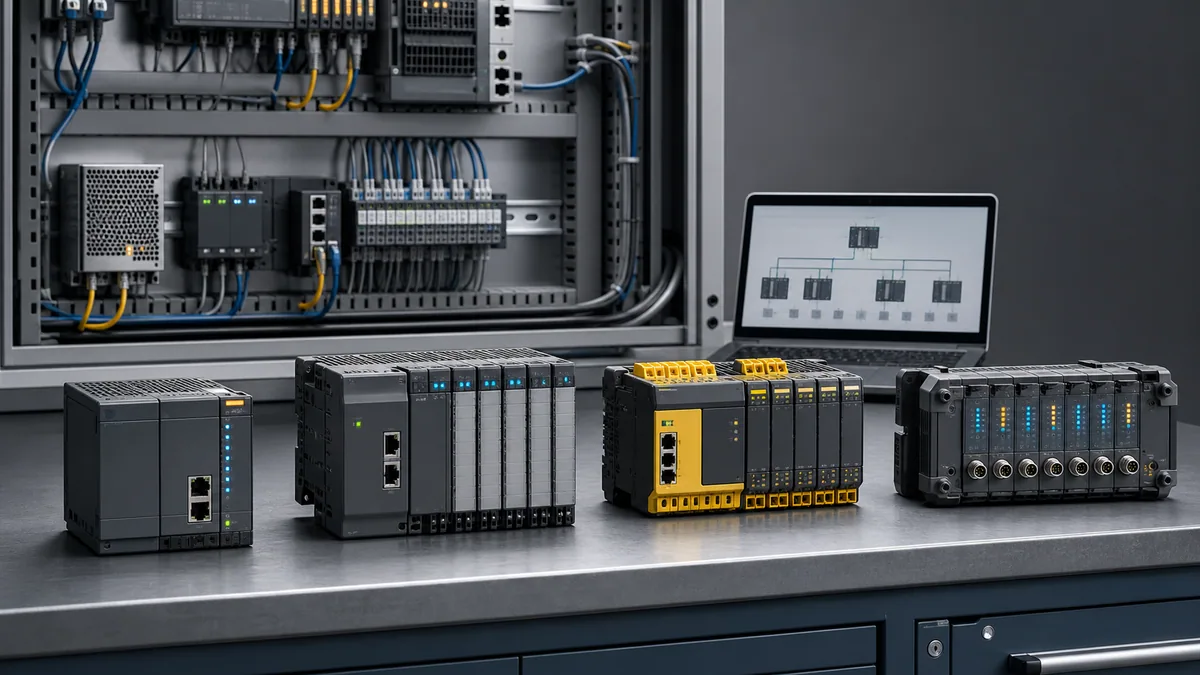
The four common controller forms
| Form | Typical fit | Verify before selection |
|---|---|---|
| Compact or brick PLC | Standalone equipment with a stable local I/O count | Built-in I/O electrical types, expansion limit, communications, memory, temperature, replacement strategy |
| Modular PLC | Machines or cells that need configurable local and remote modules | Rack or slice limits, power budget, module compatibility, hot-swap behavior, network topology |
| Redundant or process controller | Systems with a documented availability requirement | Switchover behavior, redundant elements, bumplessness criteria, engineering workflow, proof-test method |
| Safety PLC | Safety-related control functions identified by risk assessment | Required PL or SIL, certified hardware combination, response time, validation tools, lifecycle competence |
Remote I/O is not a fifth controller type. It moves the field interface closer to equipment and communicates with a controller over a supported network. Calculate the failure behavior of the network, coupler, field power, and outputs rather than treating a remote rack as transparent wiring.
Build the requirement sheet first
1. Inventory every signal
Count by electrical behavior, not just by total points:
- 24 VDC sourcing or sinking digital inputs;
- relay, transistor, triac, or protected digital outputs;
- analog voltage, current, RTD, thermocouple, load-cell, or specialist inputs;
- analog outputs and their load requirements;
- high-speed counters, encoders, pulse trains, motion axes, and time stamping;
- safety inputs and outputs;
- spare points by signal type and physical location.
For each channel record normal state, de-energised state, isolation, commons, current, response time, cable, terminal, and diagnostic need. A “64-point PLC” estimate can hide an incompatible mix of analog, safety, and high-speed channels.
2. Define the execution work
Measure or estimate:
- number and priority of periodic or event tasks;
- required worst-case response, including I/O and network delay;
- program, data, recipe, alarm, and retained-memory needs;
- motion, PID, communication, logging, and cybersecurity workloads;
- online-change, redundancy, and recovery requirements.
Do not convert a vendor benchmark into a machine response guarantee. Prove the complete path from a physical input transition through logic and communications to the required output state.
3. Define the environment
Record enclosure temperature, altitude, humidity, condensation, vibration, shock, corrosive contaminants, hazardous-area classification, EMC exposure, and ingress protection. Use the exact module data sheets and applicable electrical design standards. “Industrial” is not an environmental rating.
4. Define interfaces
List every peer and device with:
- protocol and role;
- physical media and topology;
- update and timeout requirements;
- data volume;
- redundancy;
- security boundary;
- certification or conformance requirement;
- existing device profile or configuration file.
A CPU may advertise Ethernet yet still need a separate module, licence, device profile, or firmware level for the required industrial protocol.
Current manufacturer-family map
The links below were reviewed on 25 July 2026 and are starting points, not substitutes for an exact bill of materials:
- Siemens SIMATIC controller selection distinguishes dedicated hardware, drive-integrated, and software controllers and maps current SIMATIC families to application architectures. Siemens explicitly notes that S7-1200 G2 modules are not hardware-compatible with the previous S7-1200 generation, which is why a family name alone is insufficient.
- Rockwell Automation programmable controllers groups Micro800, CompactLogix, and ControlLogix families by system scope. Rockwell also publishes family selection guides and product lifecycle notices through its documentation and compatibility systems.
- Mitsubishi Electric MELSEC controllers lists current and legacy families, including compact iQ-F and modular iQ-R. Mitsubishi warns that availability can differ by region.
- Schneider Electric Modicon M262 covers machine logic and motion applications, while Modicon M580 is a separate process-controller family. Confirm the matching EcoStruxure engineering environment and supported I/O.
Equivalent product lines exist from Omron, Beckhoff, ABB, B&R, Phoenix Contact, Bosch Rexroth, WAGO, AutomationDirect, Delta, Keyence, LS Electric, and others. Evaluate them with the same evidence sheet. Do not infer product quality or regional support from an unsourced market-share chart.
A controller proof-of-fit test
Before a design freeze, build or borrow a representative bench and record each result.
Hardware and firmware
- Assemble the intended CPU, power supply, one of each I/O family, network coupler, and representative field load.
- Confirm every catalogue number and firmware combination in the vendor compatibility tool.
- Cold-start, warm-start, remove power, restore power, and verify retained and non-retained states.
- Replace a module with an approved spare and document the recovery steps.
I/O behavior
- Inject minimum, nominal, and maximum valid analog signals with calibrated equipment.
- Open and short selected channels where safe, then record diagnostic behavior.
- Measure input-to-output response for the relevant task and network path.
- Confirm output state on controller stop, communication loss, module fault, and power loss.
Engineering recovery
- Restore the project on a clean engineering workstation.
- Identify the controller, go online, compare, upload where supported, and create an archive.
- Confirm required licences, device packages, drivers, certificates, and passwords are recoverable.
- Test the approved change and rollback procedure on the bench.
Network and integration
- Connect each representative drive, HMI, remote-I/O adapter, and gateway.
- Provoke loss, duplicate address, stale data, and reconnection conditions.
- Verify timeout handling and operator diagnostics against the requirements.
- Capture topology, firmware, configuration files, and acceptance results.
Safety selection is a separate lifecycle
A yellow enclosure does not make a control function safe. Determine required risk reduction through the applicable machinery or process risk assessment, then select a certified architecture and validate the complete safety function: sensor, logic, communications where used, output device, feedback, diagnostics, response time, reset, and fault exclusions.
The standard PLC may coordinate normal operation, but safety-related functions must follow the applicable safety lifecycle and manufacturer safety manuals. Use competent functional-safety review for the jurisdiction and machine. Never copy a safety category, PL, or SIL from a generic web example.
Lifecycle and total-access cost
Compare complete scopes:
| Lifecycle item | Evidence to capture |
|---|---|
| Hardware | Dated BOM, alternatives, environmental variants, delivery terms |
| Engineering access | Software edition, activation model, version, support entitlement |
| Commissioning | Cables, adapters, network tools, test equipment, specialist labour |
| Operations | Backups, passwords, certificates, source ownership, remote-access controls |
| Maintenance | Stocked spares, repair route, local support, training, diagnostic procedures |
| Modernisation | Product lifecycle status, successor path, conversion limits, validation effort |
Request quotes for the same scope and currency. A cheaper CPU can produce a more expensive system if it requires separate interfaces, scarce spares, an unfamiliar toolchain, or extensive custom integration.
Brownfield selection checklist
For an existing machine, capture these items before proposing a replacement:
- complete controller, I/O, communication, HMI, drive, and safety catalogue numbers;
- current firmware and project-software release;
- a verified native backup and readable exports;
- I/O list, network drawing, panel drawings, and source comments;
- third-party libraries, add-on instructions, device profiles, and licences;
- scan, sequence, motion, communication, and safety acceptance tests;
- available outage, rollback point, and spare strategy.
Convert a representative slice first. A successful compile does not prove equivalent scan semantics, timing, retention, communications, or safety behavior.
What to learn before touching hardware
Simulation is useful for contacts, coils, timers, counters, state logic, interlocks, and test design. It does not reproduce a specific module's electrical limits, firmware, network stack, or certified safety behavior. Practise the logic and acceptance matrix in the browser, then repeat the I/O, communications, recovery, and fault tests on the exact hardware.
Start the free PLC simulator with a motor-control exercise, and use the results as the first row of the real bench-test plan.
The right PLC is the supported system that meets the documented application and can be safely recovered by the people who will maintain it. Brand familiarity is a legitimate requirement; an unsupported popularity ranking is not.
Continue Learning
Controller Family Tutorials
Specialist Brands
Frequently Asked Questions
Which PLC brand should I learn first?
Start with the controller and engineering software you can access through an employer, school, customer, or maintained training bench. If none is assigned, learn vendor-neutral scan, logic, and testing concepts first, then choose a platform that appears in local job descriptions and has accessible hardware, documentation, and support.
What is the difference between Allen-Bradley and Rockwell?
Allen-Bradley is the hardware brand name stamped on the PLCs; Rockwell Automation is the parent company. Most engineers use the names interchangeably when referring to ControlLogix, CompactLogix, and Micro800 PLCs. The software side is uniformly branded Rockwell (Studio 5000, FactoryTalk).
Is Codesys a PLC brand?
No. CODESYS is an IEC 61131-3 development system and runtime platform used with supported device targets. A CODESYS-based product can still have vendor-specific device packages, libraries, hardware, licensing, and project constraints, so verify the exact target rather than treating every implementation as interchangeable.
How do I choose between Siemens and Rockwell for a greenfield project?
Create the same requirement sheet and representative proof-of-fit test for both. Compare exact CPU and I/O compatibility, engineering recovery, networks, safety and motion needs, installed-base skills, spares, support, and a same-scope quote. The better choice is project-specific.
Are Chinese and Korean PLC brands (LS Electric, Delta, Inovance) worth considering?
Evaluate any manufacturer with the same exact-product evidence: certifications required in the destination market, environmental ratings, functional fit, software and firmware support, local spares, security response, documentation, integrator competence, and a witnessed bench test. Country of origin alone is not a technical selection method.
What is a Safety PLC, and do I need one?
A safety PLC is part of a certified safety-related control system. Whether it is required—and the target PL or SIL—comes from the applicable risk assessment and safety lifecycle. Validate the complete safety function, not only the controller, using the manufacturer safety manuals and competent review.