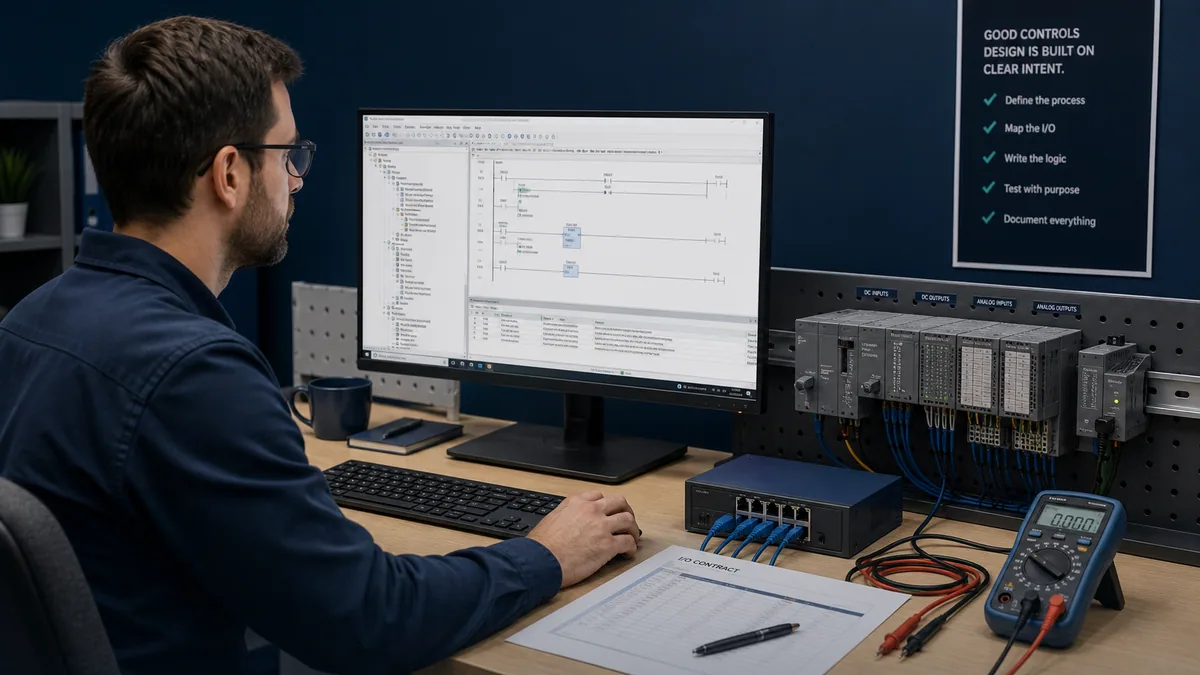
ABB PLC Programming Tutorial: Complete Guide to AC500 and Automation Builder
Master ABB PLC programming with this comprehensive tutorial covering AC500 PLCs, Automation Builder, CODESYS, drive integration, and industrial automation applications.
🎯 Master PLC Programming Like a Pro
Preorder our comprehensive 500+ page guide with real-world examples, step-by-step tutorials, and industry best practices. Everything you need to become a PLC programming expert.
- ✓ Complete Ladder Logic Programming Guide
- ✓ Advanced Function Block Techniques
- ✓ Real Industrial Applications & Examples
- ✓ Troubleshooting & Debugging Strategies
📋 Table of Contents
This comprehensive guide covers:
- Introduction to PLC Programming Fundamentals
- Understanding Ladder Logic Programming
- Function Block Diagrams and Structured Text
- Advanced Programming Techniques
- Real-World Application Examples
- Troubleshooting and Best Practices
- Industry Standards and Compliance
- Career Development and Certification Paths
ABB PLCs power critical infrastructure worldwide, from power generation plants to water treatment facilities, process industries, and manufacturing operations. This comprehensive tutorial guides you through ABB PLC programming, covering AC500 controllers, Automation Builder software, CODESYS-based programming, and seamless integration with ABB drives and instrumentation.
Whether you're an industrial engineer working in power generation, a process automation specialist, or a controls engineer transitioning to ABB platforms, this guide provides hands-on instruction for creating professional automation solutions. You'll learn hardware configuration, multiple programming languages, drive integration techniques, and industry best practices that leverage ABB's strengths in power, utilities, and process automation.
Global Infrastructure Leader: ABB is the 4th largest PLC manufacturer globally with dominant presence in power generation, utilities, water treatment, and process industries. Over 300,000 AC500 installations worldwide demonstrate proven reliability in mission-critical applications.
Table of Contents
- Introduction to ABB PLCs
- ABB PLC Product Lines
- Automation Builder Software
- Ladder Logic Programming on ABB PLCs
- Structured Text Programming
- Drive Integration
- Communication Protocols
- Practical Application Example
- Best Practices
- Troubleshooting
- Frequently Asked Questions
Introduction to ABB PLCs
ABB's position in industrial automation reflects over 130 years of engineering excellence in power and automation technologies. Unlike competitors focused primarily on discrete manufacturing or general automation, ABB specializes in power-critical applications where reliability, long-term support, and seamless integration with electrical infrastructure are paramount.
ABB's Position in Industrial Automation
ABB ranks as the 4th largest PLC manufacturer globally with particularly strong presence in power generation, electrical utilities, water/wastewater treatment, mining, and heavy process industries. This market position reflects deliberate focus on applications requiring exceptional reliability, harsh environment capabilities, and integration with ABB's extensive power and automation portfolio.
Market Strengths:
- Power generation and distribution (leading global position)
- Water and wastewater treatment facilities
- Mining and minerals processing
- Pulp and paper manufacturing
- Chemical and petrochemical processes
- Building automation and HVAC systems
The company's electrical engineering heritage ensures PLCs designed specifically for power-critical applications, with comprehensive safety certifications, excellent EMC immunity, and proven performance in harsh industrial environments.
Overview of ABB PLC Families
ABB offers three main PLC families addressing different application requirements and performance levels:
AC500 Series: The flagship modular PLC platform supporting complex automation applications with extensive I/O capacity, powerful processing, and comprehensive communication capabilities. AC500 controllers serve as the backbone for plant-wide automation in power, process, and infrastructure applications.
AC500-eCo Series: Economical compact PLCs optimizing cost-effectiveness for small to medium automation requirements. These controllers provide essential functionality for machine-level control and building automation without compromising reliability.
AC500-S Safety Series: Certified safety PLCs meeting SIL 3 requirements for safety-critical applications. These controllers integrate standard and safety control in unified platforms, reducing system complexity and cost.
Why Choose ABB PLCs
Robustness and Reliability: ABB controllers are engineered for extended lifecycle operation in demanding environments including extreme temperatures, high humidity, vibration, and electrical noise. Mean time between failures (MTBF) exceeds 30 years for flagship models, minimizing lifecycle costs.
Seamless ABB Ecosystem Integration: Unmatched integration with ABB variable frequency drives, low-voltage motors, instrumentation, power management systems, and robotic devices. This ecosystem integration reduces engineering time, simplifies troubleshooting, and ensures optimal system performance.
Power Industry Excellence: Deep domain expertise in power generation, transmission, and distribution ensures PLCs optimized for electrical applications including generator control, substation automation, power quality management, and renewable energy integration.
Global Support Infrastructure: Comprehensive technical support through ABB's worldwide service network, extensive documentation libraries, and dedicated automation specialists understanding power and process industry requirements.
What You'll Learn in This Tutorial
This comprehensive guide covers:
- ABB PLC hardware selection and specifications
- Automation Builder installation and project creation
- Programming in ladder logic, function block diagram, and structured text
- ABB drive integration and VFD control techniques
- Industrial communication protocols and networking
- Complete practical application examples
- Professional development best practices
- Troubleshooting methodologies and diagnostic techniques
By completion, you'll possess the knowledge to specify, program, and commission ABB PLC systems for power, process, and infrastructure automation applications.
ABB PLC Product Lines
Understanding ABB's PLC portfolio enables optimal controller selection based on application complexity, I/O requirements, and performance specifications.
AC500 Modular PLC Platform
The AC500 series represents ABB's flagship PLC platform designed for demanding industrial applications requiring high performance, extensive I/O capacity, and advanced functionality.
CPU Model Range:
PM554 Series (Entry-Level Modular):
- Processing performance: 0.3ms per 1000 instructions
- Program memory: 128KB to 256KB
- Data memory: 192KB to 384KB
- I/O capacity: Up to 512 I/O points
- Communication: 2× Ethernet ports, 1× serial port
- Applications: Small process systems, building automation, machine control
- Price range: $800-1,200
PM564 Series (Mid-Range Modular):
- Processing performance: 0.2ms per 1000 instructions
- Program memory: 256KB to 512KB
- Data memory: 384KB to 768KB
- I/O capacity: Up to 1,024 I/O points
- Communication: 2× Ethernet ports, 2× serial ports
- Applications: Process control, utilities, material handling
- Price range: $1,400-2,000
PM581 Series (High-Performance):
- Processing performance: 0.15ms per 1000 instructions
- Program memory: 512KB to 1MB
- Data memory: 768KB to 1.5MB
- I/O capacity: Up to 3,072 I/O points
- Communication: 3× Ethernet ports, 2× serial ports
- Applications: Complex process automation, power generation
- Price range: $2,200-3,200
PM582 Series (Advanced Performance):
- Processing performance: 0.1ms per 1000 instructions
- Program memory: 1MB to 2MB
- Data memory: 1.5MB to 3MB
- I/O capacity: Up to 6,144 I/O points
- Communication: 4× Ethernet ports, redundant capabilities
- Applications: Large-scale process systems, critical infrastructure
- Price range: $3,500-5,000
PM591 Series (Maximum Performance):
- Processing performance: 0.08ms per 1000 instructions
- Program memory: 2MB to 4MB
- Data memory: 3MB to 6MB
- I/O capacity: Up to 12,000 I/O points
- Communication: 4× Ethernet ports, redundancy, hot-swap capabilities
- Applications: Power plant automation, large process facilities
- Price range: $5,500-8,500
Key AC500 Features:
- Hot-swappable modules for maintenance without downtime
- Redundant CPU configurations for high-availability applications
- Extended temperature range: -25°C to +60°C operation
- Conformal coating options for harsh environments
- Integrated web server for remote diagnostics
- Real-time clock with battery backup
AC500-eCo Economical Series
The AC500-eCo series provides cost-optimized automation solutions maintaining ABB quality and reliability while targeting budget-conscious applications.
PM583 (Compact Modular):
- Processing performance: 0.4ms per 1000 instructions
- Memory: 128KB program, 192KB data
- I/O capacity: Up to 256 I/O points
- Integrated I/O: 16 digital inputs, 8 digital outputs
- Communication: 1× Ethernet port, 1× serial port
- Applications: Simple machine control, small process systems
- Price range: $600-900
PM585 (Enhanced Compact):
- Processing performance: 0.3ms per 1000 instructions
- Memory: 256KB program, 384KB data
- I/O capacity: Up to 512 I/O points
- Integrated I/O: 24 digital inputs, 16 digital outputs
- Communication: 2× Ethernet ports, 1× serial port
- Applications: Building automation, HVAC control, water treatment
- Price range: $900-1,300
AC500-eCo Advantages:
- Lower entry cost than standard AC500 series
- Compact form factor reducing panel space
- Compatibility with AC500 programming tools
- Standard AC500 communication modules
- Suitable for distributed control architectures
AC500-S Safety PLC Series
Safety PLCs meeting stringent safety integrity level (SIL) requirements for machine and process safety applications.
PM554-S (Safety CPU):
- Safety rating: SIL 3 / PLe / Category 4
- Safety I/O capacity: Up to 512 points
- Standard I/O capacity: Up to 512 points
- Response time: <20ms for safety functions
- Dual-channel processing architecture
- Applications: Machine safety, process safety interlocks
- Price range: $2,500-3,800
Key Safety Features:
- Certified safety function blocks (emergency stop, safety gates, light curtains)
- Integrated safety and standard control in single CPU
- Safety communication over PROFINET and EtherCAT
- Comprehensive diagnostic and monitoring capabilities
- Configuration with ABB Safety Designer software
Product Line Comparison Table
| Feature | AC500 | AC500-eCo | AC500-S | |---------|--------|-----------|---------| | Entry Price | $800-8,500 | $600-1,300 | $2,500-3,800 | | Max I/O Points | 12,000 | 512 | 512 (safety) + 512 (standard) | | Processing Speed | 0.08-0.3ms/1000 inst. | 0.3-0.4ms/1000 inst. | 0.2ms/1000 inst. | | Redundancy | Available (PM591) | Not available | Available | | Safety Certified | No (use AC500-S) | No | Yes (SIL 3) | | Typical Applications | Process, power, infrastructure | Building, simple machines | Machine safety, process safety | | Communication Ports | 2-4 Ethernet | 1-2 Ethernet | 2 Ethernet | | Operating Temperature | -25°C to +60°C | -10°C to +55°C | -10°C to +55°C |
Application-Based Selection Guide
Choose AC500 if:
- Complex process control with extensive I/O requirements
- Power generation or critical infrastructure applications
- Redundancy and high availability required
- Integration with extensive ABB drive and instrument portfolio
- Harsh environment operation necessary
Choose AC500-eCo if:
- Budget constraints with basic functionality requirements
- Building automation or HVAC applications
- Small machine control or distributed architectures
- Standard environmental conditions
- Limited I/O capacity sufficient (under 512 points)
Choose AC500-S if:
- Safety-critical machine or process applications
- SIL 3 / PLe safety requirements
- Integration of safety and standard control
- Machine safety systems with safety sensors and actuators
- Compliance with machinery directive and process safety standards
Automation Builder Software
ABB Automation Builder provides the comprehensive engineering environment for AC500 PLC programming, configuration, and commissioning. Built on the proven CODESYS platform, Automation Builder delivers professional development capabilities with ABB-specific extensions and optimizations.
CODESYS-Based Platform
Automation Builder leverages the widely-adopted CODESYS development platform, providing several significant advantages:
Standards Compliance: Full IEC 61131-3 implementation ensuring programming language standardization and long-term program maintainability. Engineers familiar with CODESYS can immediately apply existing knowledge to ABB systems.
Extensive Libraries: Access to thousands of pre-built function blocks, communication drivers, and application libraries from the CODESYS ecosystem. ABB supplements these with proprietary libraries optimized for power and process applications.
Professional Development Tools: Advanced debugging capabilities, comprehensive simulation environments, version control integration, and team collaboration features meeting enterprise development requirements.
Skills Transferability: CODESYS knowledge applies across hundreds of PLC manufacturers using the platform, protecting engineering skill investments and enabling multi-vendor competency.
Software Installation and Licensing
Download and Installation:
- Visit ABB website: www.abb.com/automationbuilder
- Register for ABB account or login
- Navigate to Downloads section
- Select Automation Builder latest version (currently 2.8)
- Download installer (approximately 2GB)
- Run installer with administrator privileges
- Accept license agreements
- Select installation components:
- Base programming environment (required)
- AC500 CPU device libraries (required)
- Communication protocol libraries (optional but recommended)
- Visualization tools (optional)
- Documentation and examples (recommended)
System Requirements:
- Windows 10 or Windows 11 (64-bit)
- Intel Core i5 or equivalent processor
- 8GB RAM minimum (16GB recommended for large projects)
- 10GB available disk space
- .NET Framework 4.8 or later
- Two monitors recommended for productivity
Licensing Models:
Demo License (Free):
- Full functionality for 30 days
- No hardware connection limitations
- Complete programming and simulation capabilities
- Ideal for evaluation and training
Standard License (~$1,500-2,000):
- Permanent license for single workstation
- Supports all AC500 and AC500-eCo CPUs
- Includes basic communication protocols
- Standard function block libraries
- One year of updates included
Professional License (~$3,500-4,500):
- All Standard features plus:
- AC500-S safety programming
- Advanced motion control libraries
- Extended protocol support (PROFINET, EtherCAT)
- Advanced visualization tools
- Team collaboration features
Annual Maintenance (~20% of license cost):
- Software updates and new features
- Device library updates for new hardware
- Technical support access
- Access to ABB automation portal resources
Creating a New Project
Step-by-Step Project Creation:
-
Launch Automation Builder
-
Select File → New Project
-
Enter project details:
- Project name: Descriptive name (e.g., "PowerPlant_PumpStation")
- Location: Network-accessible path for team collaboration
- Author: Your name for documentation
- Description: Project scope and purpose
-
Select target device:
- Expand ABB device tree
- Select AC500 series
- Choose specific CPU model (e.g., PM564-TP-ETH)
- Click OK to create device configuration
-
Project structure automatically created:
- Application tree with PLC_PRG (main program)
- Device tree showing CPU and communication interfaces
- Library manager with standard function blocks
- Task configuration for cyclic and event-driven execution
Hardware Configuration
Adding I/O Modules:
- In Device Tree, right-click on CPU
- Select Append Submodule
- Choose I/O module type:
- DI524 (16 digital inputs, 24VDC)
- DO524 (16 digital outputs, 24VDC, 0.5A)
- AI523 (4 analog inputs, 0-10V or 4-20mA)
- AO523 (4 analog outputs, 0-10V or 4-20mA)
- Configure module address (automatic or manual assignment)
- Set I/O parameters (filtering, scaling, alarm limits)
- Repeat for all required I/O modules
Configuring Communication:
Ethernet Configuration:
- Select CPU Ethernet interface in Device Tree
- Configure IP address:
- Static IP recommended for industrial applications
- Subnet mask matching network infrastructure
- Gateway for external communication
- Set device name for network identification
- Configure communication protocols (Modbus TCP, etc.)
Serial Communication:
- Select serial port (COM1, COM2)
- Choose protocol (Modbus RTU, ASCII, etc.)
- Set parameters:
- Baud rate: 9600, 19200, 38400, 115200
- Data bits: 8
- Parity: None, Even, Odd
- Stop bits: 1 or 2
- Configure timeout and retry parameters
Programming Interface Overview
Workspace Layout:
Editor Window (Center): Main programming area displaying ladder logic, function block diagrams, or structured text code. Multiple editor tabs enable simultaneous work on different program organization units (POUs).
Device Tree (Left Panel): Hierarchical view of PLC configuration including CPU, I/O modules, communication interfaces, and fieldbus devices. Double-click devices to access configuration parameters.
Application Tree (Left Panel): Program organization showing POUs (programs, function blocks, functions), data types, global variable lists, and libraries. Expand tree to access program components.
Library Manager (Bottom Panel): Available function block libraries including standard IEC functions, ABB-specific libraries, drive control blocks, and custom libraries. Drag-and-drop to use in programs.
Watch Window (Bottom Panel): Real-time variable monitoring during online operation. Add variables by drag-and-drop or manual entry. Configure trigger conditions for advanced debugging.
Output Window (Bottom Panel): Compiler messages, build errors, warnings, and diagnostic information. Double-click messages to jump to problem locations.
IEC 61131-3 Languages Support
Automation Builder implements all five IEC 61131-3 programming languages:
Ladder Diagram (LD): Traditional relay logic representation ideal for discrete control, interlocking, and Boolean logic. Primary language for electricians and technicians transitioning from relay panels.
Function Block Diagram (FBD): Graphical programming using interconnected function blocks. Excellent for analog control, process regulation, and mathematical operations where data flow visualization aids understanding.
Structured Text (ST): High-level text language similar to Pascal. Optimal for complex algorithms, mathematical calculations, data processing, and engineers with software programming backgrounds.
Instruction List (IL): Low-level assembler-like language for experienced programmers requiring maximum performance and compact code. Rarely used in modern applications.
Sequential Function Chart (SFC): State-based programming for batch processes, sequential operations, and complex machine sequences. Provides high-level process visualization.
Language Selection Guidelines:
- Use LD for discrete control, motor control, interlocking logic
- Use FBD for analog control, PID loops, process calculations
- Use ST for complex algorithms, data processing, string manipulation
- Use SFC for batch sequences, state machines, complex workflows
- Combine languages within single project for optimal results
Library Management
Standard Libraries Included:
- Standard.library: IEC 61131-3 standard functions (timers, counters, math)
- Util.library: Utility functions (string handling, conversions)
- CAA_Library: Advanced functions (file handling, communication)
- ABB_AC500_SYS: AC500-specific system functions
- ABB_Drives: Drive control and parameter access
- ABB_Motion: Motion control function blocks
Adding External Libraries:
- Download library file (.library extension)
- Select Library Manager → Additional Libraries
- Click Add Library button
- Browse to library file location
- Select library and click Open
- Library appears in Library Manager for use
Creating Custom Libraries: Develop reusable function blocks in your project, then export as library for use across multiple projects. This promotes code reuse, ensures standardization, and reduces development time for similar applications.
Simulation Mode
Enabling Simulation:
- Select Online → Login
- Choose Simulation from device dropdown
- Click Login to connect to simulation runtime
- Download program: Online → Download → Download all
- Start PLC: Online → Run
Simulation Capabilities:
- Execute complete program logic without hardware
- Force inputs to test different conditions
- Monitor all variables in real-time
- Test edge cases and error conditions
- Verify program flow and timing
- Debug complex algorithms offline
Limitations:
- No actual I/O hardware interaction
- Communication protocols limited
- Hardware-specific behavior may differ
- Performance timing approximated
Simulation excels for initial program development, logic verification, and training purposes. Always perform final validation with actual hardware before commissioning.
Ladder Logic Programming on ABB PLCs
Ladder logic remains the most widely-used programming language for PLC applications due to intuitive relay-equivalent representation and broad industry acceptance. ABB's CODESYS-based ladder logic implementation follows IEC 61131-3 standards while providing ABB-specific optimizations.
CODESYS Ladder Logic Syntax
Basic Structure:
Ladder logic programs consist of networks (rungs) executing sequentially from top to bottom. Each network contains contacts (inputs) on the left, coils (outputs) on the right, and intermediate logic elements. Execution flows left to right, top to bottom, similar to electrical current flow in relay circuits.
Creating a New Ladder Logic Program:
- In Application Tree, right-click Application
- Select Add Object → POU
- Enter name: "MAIN_CONTROL"
- Select Type: Program
- Select Language: LD (Ladder Diagram)
- Click Add
Basic Instructions
Contacts (Input Instructions):
Normally Open Contact (--| |---):
---| START_BTN |---
Conducts when associated Boolean variable is TRUE. Used for push buttons, digital inputs, and internal flags.
Normally Closed Contact (--| / |---):
---| / STOP_BTN |---
Conducts when associated Boolean variable is FALSE. Used for stop buttons, limit switches (normally closed), and inverted logic.
Positive Edge Contact (--| P |---):
---| P TRIGGER |---
Conducts for one scan cycle when associated variable transitions FALSE to TRUE. Used for event detection and pulse operations.
Negative Edge Contact (--| N |---):
---| N TRIGGER |---
Conducts for one scan cycle when associated variable transitions TRUE to FALSE. Used for release detection and end-of-cycle triggers.
Coils (Output Instructions):
Output Coil (--( )---):
---( MOTOR_RUN )---
Sets associated Boolean variable to TRUE when left-side logic is TRUE, FALSE otherwise. Used for digital outputs and internal flags.
Set Coil (--( S )---):
---( S ALARM_LATCH )---
Sets associated Boolean variable to TRUE when left-side logic is TRUE, maintains TRUE even when logic becomes FALSE. Requires separate reset instruction.
Reset Coil (--( R )---):
---( R ALARM_LATCH )---
Resets associated Boolean variable to FALSE when left-side logic is TRUE. Used with Set coils for latching logic.
Comparison Instructions:
Insert comparison blocks to evaluate numeric relationships:
Greater Than (>):
---| TEMPERATURE > 75.0 |---
Less Than (<):
---| LEVEL < 10.0 |---
Equal (=):
---| COUNTER = 100 |---
Not Equal (<>):
---| STATE <> IDLE |---
Timers
ABB Automation Builder provides three standard IEC 61131-3 timer types:
TON (On-Delay Timer):
Delays turning ON an output after input becomes TRUE. Common applications include motor start delays, alarm delays, and debouncing.
Example: Motor Start Delay
---| START_BTN |---[TON]---( MOTOR_CONTACTOR )---
IN Q
PT=T#3s
Parameters:
- IN: Boolean input to trigger timer
- PT: Preset time (T#5s = 5 seconds, T#100ms = 100 milliseconds)
- Q: Output TRUE when elapsed time reaches preset
- ET: Current elapsed time value
TOF (Off-Delay Timer):
Delays turning OFF an output after input becomes FALSE. Used for cooling delays, run-on timers, and delayed shutdowns.
Example: Fan Run-On
---| COMPRESSOR_RUN |---[TOF]---( COOLING_FAN )---
IN Q
PT=T#30s
TP (Pulse Timer):
Generates fixed-duration pulse when input transitions TRUE. Used for momentary outputs, pulse sequences, and timed operations.
Example: Alarm Horn Pulse
---| P ALARM_TRIGGER |---[TP]---( HORN_OUTPUT )---
IN Q
PT=T#500ms
Counters
CTU (Count Up):
Increments count value on rising edge of CU input. Reaches preset value and sets Q output.
Example: Bottle Counter
---| P BOTTLE_SENSOR |---[CTU]---( BATCH_COMPLETE )---
CU Q
R
PV=INT#100
Parameters:
- CU: Count up input (rising edge increments)
- R: Reset input (resets CV to 0)
- PV: Preset value
- Q: Output TRUE when CV >= PV
- CV: Current count value
CTD (Count Down):
Decrements count value on rising edge of CD input. Q output is TRUE when CV reaches zero.
CTUD (Count Up/Down):
Bidirectional counter with separate up and down inputs. Provides maximum flexibility for complex counting applications.
Complete Example: Motor Control with Interlock
This example demonstrates comprehensive motor control with start/stop buttons, safety interlock, running indication, and fault detection:
Network 1: Safety Interlock Evaluation
---| EMERGENCY_STOP_OK |---| GUARD_CLOSED |---( SAFETY_OK )---
| | |
---| / FAULT_PRESENT |---
Network 2: Motor Start Logic
---| START_BTN |---| P |---| SAFETY_OK |---( S MOTOR_CMD )---
Network 3: Motor Stop Logic
---| STOP_BTN |---| P |---|
|---( R MOTOR_CMD )---
---| / SAFETY_OK |---------
Network 4: Motor Output with Run Confirmation
---| MOTOR_CMD |---( MOTOR_CONTACTOR )---
|
|---[TON]---( MOTOR_RUNNING )---
IN Q
PT=T#2s
Network 5: Running Time Counter
---| MOTOR_RUNNING |---[TON]---
IN Q
PT=T#1h
Instance: RUNTIME_TIMER
ET → MOTOR_RUNTIME_HOURS
Network 6: Fault Detection
---| MOTOR_CONTACTOR |---|
|---( FAULT_PRESENT )---
---| / MOTOR_RUNNING |---| P |---
(Delay 5s)
Program Explanation:
Network 1: Evaluates safety conditions. Emergency stop must be OK, guard must be closed, and no active faults. Result stored in SAFETY_OK flag.
Network 2: Start button detection with positive edge trigger. If safety conditions are met, sets latched MOTOR_CMD flag.
Network 3: Stop button or loss of safety conditions resets MOTOR_CMD flag, stopping motor.
Network 4: Motor contactor output follows MOTOR_CMD. TON timer confirms motor actually running (feedback verification) after 2-second delay.
Network 5: Accumulates motor running time using TON timer. Useful for maintenance scheduling and performance tracking.
Network 6: Fault detection logic. If contactor is energized but motor not confirmed running within 5 seconds, sets fault flag.
Memory Addressing
Variable Declaration:
ABB PLCs use symbolic addressing with descriptive variable names rather than absolute addresses. Declare variables in Global Variable Lists (GVLs) or POU declarations.
Variable Types:
%I - Input Variables: Represent physical digital inputs from I/O modules. Automatically mapped during hardware configuration.
START_BTN AT %IX0.0 : BOOL; (* DI524 Module, Slot 1, Channel 0 *)
LEVEL_SWITCH AT %IX0.5 : BOOL;
%Q - Output Variables: Represent physical digital outputs to I/O modules. Mapped during hardware configuration.
MOTOR_CONTACTOR AT %QX1.0 : BOOL; (* DO524 Module, Slot 2, Channel 0 *)
ALARM_HORN AT %QX1.3 : BOOL;
%M - Memory Variables: Internal flags and storage not connected to physical I/O. Used for intermediate logic and state variables.
SAFETY_OK : BOOL; (* Internal safety evaluation result *)
CYCLE_ACTIVE : BOOL;
STEP_NUMBER : INT;
Analog Variables:
Analog Inputs (%IW):
TEMPERATURE_SENSOR AT %IW64 : INT; (* 16-bit analog input word *)
PRESSURE_SENSOR AT %IW65 : INT;
Analog Outputs (%QW):
VALVE_POSITION AT %QW32 : INT; (* 16-bit analog output word *)
HEATER_OUTPUT AT %QW33 : INT;
Data Types
BOOL: Boolean (TRUE/FALSE, 1 bit) BYTE: 8-bit unsigned integer (0-255) WORD: 16-bit unsigned integer (0-65535) DWORD: 32-bit unsigned integer (0-4,294,967,295) INT: 16-bit signed integer (-32,768 to 32,767) DINT: 32-bit signed integer (-2,147,483,648 to 2,147,483,647) REAL: 32-bit floating point (±10^-38 to ±10^38) TIME: Time duration (T#5s, T#100ms, T#1h30m) STRING: Character string with defined length
Structured Data Types:
Create custom structures grouping related variables:
TYPE MOTOR_DATA :
STRUCT
Run_Command : BOOL;
Running_Status : BOOL;
Fault_Status : BOOL;
Runtime_Hours : REAL;
Start_Count : DINT;
END_STRUCT
END_TYPE
Structured Text Programming
Structured Text (ST) provides high-level programming capabilities for complex algorithms, mathematical operations, and advanced control logic that would be cumbersome in ladder logic. ST syntax resembles Pascal or C, making it familiar to software developers.
ST Syntax in Automation Builder
Program Structure:
ST programs consist of statements executing sequentially from top to bottom. Each statement terminates with semicolon. Comments use (* comment *) or // format.
Basic Syntax Elements:
Assignment:
variable_name := expression;
IF-THEN-ELSE:
IF condition THEN
statements;
ELSIF another_condition THEN
statements;
ELSE
statements;
END_IF;
CASE Statement:
CASE selector OF
1: statement1;
2: statement2;
3..10: statement_range;
ELSE
default_statement;
END_CASE;
FOR Loop:
FOR counter := start_value TO end_value BY step_value DO
statements;
END_FOR;
WHILE Loop:
WHILE condition DO
statements;
END_WHILE;
REPEAT-UNTIL Loop:
REPEAT
statements;
UNTIL condition
END_REPEAT;
When to Use ST vs Ladder Logic
Choose Structured Text for:
- Complex mathematical calculations and algorithms
- Data array processing and manipulation
- String operations and text processing
- Conditional logic with multiple branches
- Loop operations over data sets
- Engineers with software programming backgrounds
- Process control calculations requiring floating-point math
- Recipe management and batch formulas
Choose Ladder Logic for:
- Discrete control and Boolean logic
- Motor control and interlocking
- Simple sequences and timing operations
- Applications requiring electrician/technician maintenance
- Visualization of control flow for troubleshooting
- Standard machine control patterns
- Replacement of relay logic systems
Hybrid Approach: Many professional applications combine both languages, using LD for discrete control logic and ST for calculations and data processing within function blocks.
Example: PID Temperature Control Loop
This example demonstrates PID controller implementation in Structured Text for precise temperature regulation:
PROGRAM PID_Temperature_Control
VAR
(* Process Variables *)
Process_Temperature : REAL; (* Current temperature from sensor *)
Setpoint_Temperature : REAL := 75.0; (* Desired temperature *)
Heater_Output : REAL; (* Control output 0-100% *)
(* PID Parameters *)
Kp : REAL := 2.5; (* Proportional gain *)
Ki : REAL := 0.8; (* Integral gain *)
Kd : REAL := 0.5; (* Derivative gain *)
(* Internal Variables *)
Error : REAL; (* Current error *)
Last_Error : REAL; (* Previous error for derivative *)
Integral : REAL; (* Accumulated error for integral *)
Derivative : REAL; (* Rate of error change *)
Output : REAL; (* Calculated PID output *)
Cycle_Time : TIME := T#100ms; (* Control loop cycle time *)
dt : REAL := 0.1; (* Cycle time in seconds *)
(* Limits *)
Output_Min : REAL := 0.0;
Output_Max : REAL := 100.0;
Integral_Max : REAL := 50.0; (* Anti-windup limit *)
END_VAR
(* Read temperature from analog input and scale *)
Process_Temperature := WORD_TO_REAL(Temperature_AI) * 0.1; (* Scale raw ADC *)
(* Calculate error *)
Error := Setpoint_Temperature - Process_Temperature;
(* Proportional term *)
Output := Kp * Error;
(* Integral term with anti-windup *)
Integral := Integral + (Error * dt);
(* Anti-windup: limit integral accumulation *)
IF Integral > Integral_Max THEN
Integral := Integral_Max;
ELSIF Integral < -Integral_Max THEN
Integral := -Integral_Max;
END_IF;
Output := Output + (Ki * Integral);
(* Derivative term *)
Derivative := (Error - Last_Error) / dt;
Output := Output + (Kd * Derivative);
(* Output limiting *)
IF Output > Output_Max THEN
Output := Output_Max;
ELSIF Output < Output_Min THEN
Output := Output_Min;
END_IF;
(* Write output to heater *)
Heater_Output := Output;
Heater_AO := REAL_TO_WORD(Output * 10.0); (* Scale to DAC range *)
(* Store error for next derivative calculation *)
Last_Error := Error;
END_PROGRAM
Program Explanation:
This PID controller maintains precise temperature control by continuously adjusting heater output based on the difference between desired setpoint and actual process temperature.
Proportional term (Kp × Error): Provides immediate correction proportional to current error. Larger errors produce stronger corrections.
Integral term (Ki × Σ(Error × dt)): Eliminates steady-state offset by accumulating error over time. Anti-windup limiting prevents excessive integral accumulation during saturation.
Derivative term (Kd × dError/dt): Provides damping by responding to rate of error change, reducing overshoot and oscillation.
Tuning Guidelines:
- Start with Kp only (Ki=0, Kd=0), increase until stable oscillation
- Set Kp to 60% of oscillation value
- Add Ki to eliminate offset, typically Kp/5 to Kp/10
- Add Kd for damping if needed, typically Kp/10 to Kp/20
Function Blocks Creation
Encapsulate reusable logic in function blocks for consistent, maintainable code:
FUNCTION_BLOCK FB_PumpControl
VAR_INPUT
Run_Command : BOOL; (* External run command *)
Flow_Feedback : REAL; (* Flow sensor reading *)
Level_OK : BOOL; (* Adequate liquid level *)
END_VAR
VAR_OUTPUT
Pump_Running : BOOL; (* Pump status *)
Fault_Active : BOOL; (* Pump fault condition *)
Runtime_Hours : REAL; (* Accumulated runtime *)
END_VAR
VAR
Start_Timer : TON; (* Startup confirmation delay *)
Fault_Timer : TON; (* Fault detection delay *)
Runtime_Timer : TON; (* Runtime accumulation *)
Flow_OK : BOOL;
END_VAR
(* Pump start logic with level interlock *)
IF Run_Command AND Level_OK AND NOT Fault_Active THEN
Pump_Running := TRUE;
ELSE
Pump_Running := FALSE;
END_IF;
(* Flow verification after startup *)
Start_Timer(IN := Pump_Running, PT := T#5s);
IF Start_Timer.Q THEN
Flow_OK := Flow_Feedback > 5.0; (* Minimum flow threshold *)
ELSE
Flow_OK := TRUE; (* Don't check during startup *)
END_IF;
(* Fault detection: pump running but no flow *)
Fault_Timer(IN := Pump_Running AND NOT Flow_OK, PT := T#10s);
Fault_Active := Fault_Timer.Q;
(* Runtime accumulation *)
Runtime_Timer(IN := Pump_Running, PT := T#1h);
IF Runtime_Timer.Q THEN
Runtime_Hours := Runtime_Hours + 1.0;
Runtime_Timer(IN := FALSE); (* Reset for next hour *)
END_IF;
END_FUNCTION_BLOCK
Using the Function Block:
PROGRAM MAIN_CONTROL
VAR
Pump1 : FB_PumpControl; (* Instance for Pump 1 *)
Pump2 : FB_PumpControl; (* Instance for Pump 2 *)
END_VAR
(* Call function block for Pump 1 *)
Pump1(
Run_Command := Pump1_Start_Cmd,
Flow_Feedback := Pump1_Flow_AI,
Level_OK := Tank_Level_OK,
Pump_Running => Pump1_Contactor,
Fault_Active => Pump1_Fault,
Runtime_Hours => Pump1_Hours
);
(* Call function block for Pump 2 *)
Pump2(
Run_Command := Pump2_Start_Cmd,
Flow_Feedback := Pump2_Flow_AI,
Level_OK := Tank_Level_OK,
Pump_Running => Pump2_Contactor,
Fault_Active => Pump2_Fault,
Runtime_Hours => Pump2_Hours
);
END_PROGRAM
Complex Logic Implementation
ST excels at implementing complex decision logic:
(* Water Treatment Chemical Dosing Logic *)
IF Tank_Level > High_Level THEN
Dosing_Rate := 0.0; (* Stop dosing when full *)
ELSIF Tank_Level < Low_Level THEN
Dosing_Rate := Max_Dosing_Rate; (* Maximum dosing when low *)
Alarm_Low_Level := TRUE;
ELSIF Process_Flow > 0.0 THEN
(* Proportional dosing based on flow *)
Dosing_Rate := Process_Flow * Dose_Ratio;
(* Adjust for pH feedback *)
pH_Error := pH_Setpoint - pH_Measurement;
IF ABS(pH_Error) > 0.5 THEN
(* Significant pH deviation, adjust dosing *)
Dosing_Rate := Dosing_Rate * (1.0 + (pH_Error * 0.2));
END_IF;
(* Limit dosing rate *)
IF Dosing_Rate > Max_Dosing_Rate THEN
Dosing_Rate := Max_Dosing_Rate;
ELSIF Dosing_Rate < Min_Dosing_Rate THEN
Dosing_Rate := Min_Dosing_Rate;
END_IF;
ELSE
Dosing_Rate := 0.0; (* No flow, no dosing *)
END_IF;
(* Convert dosing rate to pump speed *)
Dosing_Pump_Speed := REAL_TO_INT((Dosing_Rate / Max_Dosing_Rate) * 100.0);
This example demonstrates how ST handles multi-condition logic, calculations, and range limiting efficiently in a readable format.
Drive Integration
ABB's comprehensive drive portfolio integrates seamlessly with AC500 PLCs, enabling sophisticated motor control for pumps, fans, conveyors, and process applications. This integration reduces engineering time, simplifies troubleshooting, and ensures optimal performance.
ABB Drives Communication
ABB AC500 PLCs communicate with ABB variable frequency drives through multiple protocols optimized for different application requirements:
Modbus RTU/TCP: Standard industrial protocol providing basic drive control and parameter access. Widely compatible, moderate performance (200-500ms update cycles). Ideal for simple pump/fan control with limited data exchange.
PROFINET: Real-time industrial Ethernet enabling deterministic control with 1-10ms update cycles. Supports position control and synchronized multi-axis applications. Preferred for process applications requiring coordinated drive control.
EtherNet/IP: Common Industrial Protocol providing producer-consumer messaging with 5-20ms updates. Good interoperability with non-ABB devices.
CANopen: Distributed control bus for applications requiring numerous small drives. 10-100ms typical update rates. Common in packaging and material handling.
DriveWindow Tool
DriveWindow provides PC-based commissioning and diagnostic tool for ABB drives. Use DriveWindow for:
Initial Drive Configuration:
- Setting motor nameplate data (voltage, current, power, speed)
- Configuring I/O mappings and digital inputs
- Programming macros and drive parameter groups
- Setting protection parameters and limits
- Tuning motor control parameters
Parameter Backup and Restore:
- Save complete drive configuration to file
- Transfer configurations between drives
- Version control for drive parameters
- Rapid replacement after drive failures
Advanced Diagnostics:
- Real-time parameter monitoring
- Trend recording of drive signals
- Event log analysis and fault history
- Performance analysis and optimization
Download: Available free from ABB website for all ABB drive families (ACS880, ACS580, ACS355, etc.)
Drive Control via PLC
Basic Drive Control Signals:
All ABB drives accept standard control signals for fundamental operation:
Control Word (16-bit):
- Bit 0: ON command (1=enable drive, 0=disable)
- Bit 1: No coast stop (1=controlled stop, 0=coast stop)
- Bit 2: No quick stop (1=normal stop, 0=quick stop)
- Bit 3: Enable operation (1=enable output stage)
- Bit 4-6: Reserved or drive-specific functions
- Bit 7: Fault reset (rising edge resets faults)
- Bit 8-15: Drive-specific or application functions
Status Word (16-bit):
- Bit 0: Ready to switch on
- Bit 1: Switched on
- Bit 2: Operation enabled (drive producing torque)
- Bit 3: Fault present
- Bit 4: Voltage enabled
- Bit 5: Quick stop active
- Bit 6: Switch on disabled
- Bit 7: Warning present
- Bit 8-15: Drive-specific status information
Speed Reference:
- 16-bit signed integer representing commanded speed
- Scaling: 0-10000 = 0-100% of maximum speed
- Positive = forward rotation, negative = reverse
- Resolution: 0.01% of maximum speed
Process Data (Feedback):
- Actual speed feedback (16-bit)
- Motor current (16-bit)
- DC bus voltage (16-bit)
- Motor torque (16-bit)
- Temperature (16-bit)
- Application-specific feedback
Complete VFD Control Example
This comprehensive example demonstrates ABB ACS880 drive control from AC500 PLC:
Hardware Configuration:
- ABB AC500 CPU: PM564-TP-ETH
- ABB ACS880 Drive: 15kW, 400V
- Communication: Modbus TCP over Ethernet
- Application: Cooling tower fan control
Modbus Configuration in Automation Builder:
-
Add Modbus TCP Master to CPU Ethernet interface
-
Configure slave device:
- IP Address: 192.168.1.100 (drive IP)
- Modbus ID: 1
- Connection timeout: 2000ms
-
Add Modbus I/O Mapping:
- Write Coils: Control bits
- Write Registers: Speed reference, parameter writes
- Read Input Registers: Status, actual speed, current, etc.
Ladder Logic Program:
Network 1: Drive Enable Sequence
---| System_Ready |---| No_Faults |---| Local_Control |---( Drive_Enable )---
Network 2: Speed Reference Calculation
(* ST Code Block *)
IF Temperature > 80.0 THEN
Fan_Speed_Cmd := 100.0; (* Full speed at high temperature *)
ELSIF Temperature > 60.0 THEN
(* Proportional control between 60-80°C *)
Fan_Speed_Cmd := ((Temperature - 60.0) / 20.0) * 100.0;
ELSE
Fan_Speed_Cmd := 30.0; (* Minimum speed for circulation *)
END_IF;
(* Convert to Modbus scaling (0-10000 = 0-100%) *)
Speed_Reference_Modbus := REAL_TO_INT(Fan_Speed_Cmd * 100.0);
Network 3: Drive Control Word Assembly
(* Control word bit assembly *)
Control_Word.0 := Drive_Enable; (* ON command *)
Control_Word.1 := TRUE; (* No coast stop *)
Control_Word.2 := TRUE; (* No quick stop *)
Control_Word.3 := Drive_Enable; (* Enable operation *)
Control_Word.7 := Fault_Reset_Pulse; (* Fault reset *)
(* Convert to Modbus register *)
Control_Word_Modbus := WORD_TO_INT(Control_Word);
Network 4: Status Monitoring
(* Extract status bits from Modbus *)
Status_Word := INT_TO_WORD(Status_Word_Modbus);
Drive_Ready := Status_Word.0; (* Ready to switch on *)
Drive_Running := Status_Word.2; (* Operation enabled *)
Drive_Fault := Status_Word.3; (* Fault present *)
Drive_Warning := Status_Word.7; (* Warning present *)
Network 5: Actual Speed Scaling
(* Convert Modbus speed feedback to engineering units *)
Actual_Speed_Percent := INT_TO_REAL(Actual_Speed_Modbus) / 100.0;
Network 6: Current Monitoring and Protection
(* Convert and scale motor current *)
Motor_Current_Amps := INT_TO_REAL(Current_Modbus) * 0.1;
IF Motor_Current_Amps > Current_Limit THEN
High_Current_Alarm := TRUE;
(* Reduce speed if overload *)
IF Motor_Current_Amps > (Current_Limit * 1.1) THEN
Speed_Reference_Modbus := REAL_TO_INT(Actual_Speed_Percent * 90.0);
END_IF;
END_IF;
Network 7: Fault Reset Logic
---| Drive_Fault |---| P Fault_Reset_Btn |---( S Fault_Reset_Pulse )---
Network 8: Fault Reset Pulse Timer
---| Fault_Reset_Pulse |---[TON]---( R Fault_Reset_Pulse )---
IN Q
PT=T#500ms
Network 9: Runtime Hour Meter
---| Drive_Running |---[TON_1H]---
IN Q
Instance: Runtime_Timer
(* Increment hours on Q output *)
---| Runtime_Timer.Q |---[CTU]---
CU Q
PV=INT#10000
CV => Runtime_Hours
Network 10: Maintenance Notification
---| Runtime_Hours = 2000 |---( Maintenance_Due )---
Function Block for Drive Control:
Create reusable function block for standardized drive control:
FUNCTION_BLOCK FB_ABB_DriveControl
VAR_INPUT
Enable : BOOL; (* Enable drive operation *)
Speed_Setpoint : REAL; (* Speed 0-100% *)
Fault_Reset : BOOL; (* Reset drive faults *)
END_VAR
VAR_OUTPUT
Running : BOOL; (* Drive is running *)
At_Speed : BOOL; (* Drive at commanded speed *)
Fault : BOOL; (* Drive fault active *)
Actual_Speed : REAL; (* Actual speed 0-100% *)
Motor_Current : REAL; (* Motor current in amps *)
END_VAR
VAR_IN_OUT
Control_Word : INT; (* Modbus control word *)
Status_Word : INT; (* Modbus status word *)
Speed_Reference : INT; (* Modbus speed reference *)
Speed_Actual : INT; (* Modbus actual speed *)
Current_Actual : INT; (* Modbus current value *)
END_VAR
VAR
Status_Bits : WORD;
Control_Bits : WORD;
At_Speed_Band : REAL := 2.0; (* ±2% for at-speed *)
END_VAR
(* Assemble control word *)
Control_Bits.0 := Enable;
Control_Bits.1 := TRUE;
Control_Bits.2 := TRUE;
Control_Bits.3 := Enable;
Control_Bits.7 := Fault_Reset;
Control_Word := WORD_TO_INT(Control_Bits);
(* Scale speed setpoint *)
IF Speed_Setpoint > 100.0 THEN
Speed_Setpoint := 100.0;
ELSIF Speed_Setpoint < 0.0 THEN
Speed_Setpoint := 0.0;
END_IF;
Speed_Reference := REAL_TO_INT(Speed_Setpoint * 100.0);
(* Decode status word *)
Status_Bits := INT_TO_WORD(Status_Word);
Running := Status_Bits.2;
Fault := Status_Bits.3;
(* Scale actual speed *)
Actual_Speed := INT_TO_REAL(Speed_Actual) / 100.0;
(* At-speed detection *)
At_Speed := Running AND (ABS(Actual_Speed - Speed_Setpoint) < At_Speed_Band);
(* Scale motor current *)
Motor_Current := INT_TO_REAL(Current_Actual) * 0.1;
END_FUNCTION_BLOCK
Link to VFD Programming Content
For comprehensive VFD programming fundamentals including parameter configuration, PID control, and advanced drive features, see our detailed guide on variable frequency drive programming covering multi-manufacturer best practices and application-specific tuning techniques.
Communication Protocols
ABB AC500 PLCs support comprehensive industrial communication protocols enabling integration with diverse equipment and enterprise systems.
Modbus TCP/RTU Native Support
Modbus remains the most widely-adopted industrial protocol due to simplicity, broad device support, and proven reliability. ABB AC500 provides native Modbus master and slave capabilities.
Modbus TCP (Ethernet):
- Communication over standard Ethernet networks
- TCP/IP transport layer providing reliable delivery
- 502 default port for Modbus TCP communication
- Support for 247 slave devices per master
- Read/write coils, discrete inputs, holding registers, input registers
- Update rates: 50-500ms typical depending on data volume
Modbus RTU (Serial):
- Communication over RS-232/RS-485 serial connections
- Master-slave polling architecture
- Baud rates: 9600, 19200, 38400, 57600, 115200
- Support for 247 slave addresses
- Parity options: None, Even, Odd
- Update rates: 100-1000ms typical depending on network size
Configuration in Automation Builder:
-
Add communication device to Device Tree:
- Right-click CPU → Add Device
- Select Modbus_TCP_Master or Modbus_RTU_Master
- Configure interface (Ethernet port or COM port)
-
Add Modbus slave devices:
- Right-click Master → Add Device → Modbus Slave
- Set IP address (TCP) or slave ID (RTU)
- Configure communication timeout
-
Create I/O mapping:
- Define PLC variables linked to Modbus registers
- Specify register addresses and data types
- Configure read/write access and update rates
Example Modbus TCP Configuration:
(* Read drive status from Modbus TCP slave *)
Modbus_Read_Holding_Registers(
Slave_Address := 1,
Starting_Address := 40001, (* Drive status word *)
Quantity := 10, (* Read 10 registers *)
Values := Drive_Data_Array
);
(* Write speed reference to drive *)
Modbus_Write_Single_Register(
Slave_Address := 1,
Register_Address := 40100, (* Speed reference register *)
Value := Speed_Setpoint_Modbus
);
PROFINET IO Integration
PROFINET provides high-performance real-time Ethernet communication for process and factory automation:
Key Capabilities:
- Real-Time (RT): 10ms update cycles for standard I/O
- Isochronous Real-Time (IRT): <1ms deterministic updates for motion
- Conformance Class C for advanced diagnostics
- Support for 128 devices per controller
- Integrated web-based device management
- Automatic device topology detection
Typical Applications:
- Distributed I/O systems
- Remote terminal units (RTUs)
- Variable frequency drives
- HMI operator interfaces
- Safety devices (PROFIsafe)
Configuration Process:
- Install PROFINET device description files (GSDML)
- Add PROFINET interface to AC500 configuration
- Scan network for devices or add manually
- Assign device names and IP addresses
- Map process data to PLC variables
- Configure alarm and diagnostic parameters
EtherNet/IP Support
EtherNet/IP uses Common Industrial Protocol (CIP) over standard Ethernet providing producer-consumer messaging:
Features:
- Implicit messaging for real-time I/O (5-20ms updates)
- Explicit messaging for parameter access and diagnostics
- Support for 64 devices per scanner
- Integration with Rockwell Automation and other CIP devices
- ODVA certified compatibility
Applications:
- Multi-vendor system integration
- Remote I/O and distributed control
- Vision systems and barcode readers
- Packaging equipment and material handling
CANopen for I/O Expansion
CANopen provides cost-effective distributed I/O networking ideal for applications with numerous small devices:
Characteristics:
- 125 Kbps to 1 Mbps communication speeds
- Support for 127 nodes per network
- Object dictionary for standardized device access
- Heartbeat monitoring for connection supervision
- Network management services (NMT)
Typical Devices:
- Digital I/O modules
- Analog input/output modules
- Servo drives and stepper controllers
- Sensors and actuators
- Compact I/O systems
Configuration Example:
(* CANopen PDO mapping for digital I/O module *)
CANopen_Node_1_DI AT %IB0 : BYTE; (* 8 digital inputs *)
CANopen_Node_1_DO AT %QB0 : BYTE; (* 8 digital outputs *)
(* Access individual bits *)
Sensor_1 := CANopen_Node_1_DI.0;
Sensor_2 := CANopen_Node_1_DI.1;
CANopen_Node_1_DO.0 := Valve_1_Cmd;
CANopen_Node_1_DO.1 := Valve_2_Cmd;
Link to Protocol Tutorials
For detailed protocol implementation guides, see:
- Modbus Protocol Tutorial - Complete Modbus RTU/TCP programming
- PROFINET Tutorial - PROFINET configuration and diagnostics
- EtherCAT Protocol Guide - High-performance motion control networking
- CANopen Tutorial - Distributed I/O with CANopen
Practical Application Example
This comprehensive example demonstrates complete pump station control system using ABB AC500 PLC and ACS880 drives, representing typical power/utilities application.
Application Overview: Municipal Water Pump Station
System Requirements:
- Control three centrifugal pumps for water distribution
- Variable speed control based on discharge pressure
- Lead/lag/standby pump rotation for even wear
- Runtime hour metering and maintenance scheduling
- Integration with SCADA system via Modbus TCP
- Emergency stop and safety interlocking
- Automatic fault detection and recovery
Equipment List:
- ABB AC500 CPU: PM564-TP-ETH
- ABB ACS880 Drives: 3× 30kW, 400V
- Digital I/O: 2× DI524, 2× DO524
- Analog I/O: 1× AI523, 1× AO523
- Pressure transmitter: 4-20mA, 0-10 bar range
- Flow meter: 4-20mA, 0-500 m³/hr range
- Level switches: High/low reservoir level
Hardware Configuration
I/O Module Layout:
Slot 0: PM564-TP-ETH CPU
- IP Address: 192.168.1.10
- Subnet: 255.255.255.0
- Ethernet port 1: Control network
- Ethernet port 2: SCADA network
Slot 1: DI524 (Digital Inputs)
- Channel 0: Emergency stop OK
- Channel 1: Manual mode selector
- Channel 2: Auto mode selector
- Channel 3: Pump 1 run feedback
- Channel 4: Pump 2 run feedback
- Channel 5: Pump 3 run feedback
- Channel 6: High level switch
- Channel 7: Low level switch
- Channels 8-15: Drive fault feedbacks, maintenance mode
Slot 2: DO524 (Digital Outputs)
- Channel 0: Pump 1 enable (to drive)
- Channel 1: Pump 2 enable (to drive)
- Channel 2: Pump 3 enable (to drive)
- Channel 3: System fault alarm
- Channel 4: Low pressure alarm
- Channel 5: High pressure alarm
- Channels 6-15: Status indicators, auxiliary outputs
Slot 3: AI523 (Analog Inputs)
- Channel 0: Discharge pressure (4-20mA)
- Channel 1: Flow meter (4-20mA)
- Channel 2: Suction pressure (4-20mA)
- Channel 3: Reservoir level (4-20mA)
Slot 4: AO523 (Analog Outputs)
- Channel 0: Pump 1 speed reference (0-10V)
- Channel 1: Pump 2 speed reference (0-10V)
- Channel 2: Pump 3 speed reference (0-10V)
- Channel 3: SCADA analog output
Communication:
- Modbus TCP: 3× ACS880 drives (192.168.1.101-103)
- Modbus TCP: SCADA system connection (192.168.1.50)
I/O Mapping
Global Variable List (GVL_IO):
(* Digital Inputs *)
VAR_GLOBAL
Emergency_Stop_OK AT %IX1.0 : BOOL;
Manual_Mode_Sel AT %IX1.1 : BOOL;
Auto_Mode_Sel AT %IX1.2 : BOOL;
Pump1_Running_FB AT %IX1.3 : BOOL;
Pump2_Running_FB AT %IX1.4 : BOOL;
Pump3_Running_FB AT %IX1.5 : BOOL;
Tank_Level_High AT %IX1.6 : BOOL;
Tank_Level_Low AT %IX1.7 : BOOL;
Pump1_Fault_FB AT %IX1.8 : BOOL;
Pump2_Fault_FB AT %IX1.9 : BOOL;
Pump3_Fault_FB AT %IX1.10 : BOOL;
(* Digital Outputs *)
Pump1_Enable_DO AT %QX2.0 : BOOL;
Pump2_Enable_DO AT %QX2.1 : BOOL;
Pump3_Enable_DO AT %QX2.2 : BOOL;
System_Fault_Alarm AT %QX2.3 : BOOL;
Low_Pressure_Alarm AT %QX2.4 : BOOL;
High_Pressure_Alarm AT %QX2.5 : BOOL;
Pump1_Run_Indicator AT %QX2.6 : BOOL;
Pump2_Run_Indicator AT %QX2.7 : BOOL;
Pump3_Run_Indicator AT %QX2.8 : BOOL;
(* Analog Inputs - Raw values *)
Discharge_Pressure_AI AT %IW64 : INT;
Flow_Meter_AI AT %IW65 : INT;
Suction_Pressure_AI AT %IW66 : INT;
Tank_Level_AI AT %IW67 : INT;
(* Analog Outputs - Raw values *)
Pump1_Speed_Ref_AO AT %QW32 : INT;
Pump2_Speed_Ref_AO AT %QW33 : INT;
Pump3_Speed_Ref_AO AT %QW34 : INT;
(* Engineering Units *)
Discharge_Pressure_Bar : REAL; (* 0-10 bar *)
Flow_Rate_M3Hr : REAL; (* 0-500 m³/hr *)
Suction_Pressure_Bar : REAL; (* 0-10 bar *)
Tank_Level_Percent : REAL; (* 0-100% *)
(* Setpoints and Commands *)
Pressure_Setpoint : REAL := 6.0; (* 6 bar target *)
Manual_Speed_Cmd : REAL := 50.0; (* Manual mode speed *)
END_VAR
Complete Program with Ladder Logic
MAIN_CONTROL Program:
PROGRAM MAIN_CONTROL
VAR
(* Pump control instances *)
Pump1_Control : FB_Pump_Control;
Pump2_Control : FB_Pump_Control;
Pump3_Control : FB_Pump_Control;
(* Lead/Lag rotation *)
Lead_Pump_Number : INT := 1;
Lag_Pump_Number : INT := 2;
Standby_Pump_Number : INT := 3;
Rotation_Timer : TON;
(* System control *)
System_Enable : BOOL;
Auto_Mode_Active : BOOL;
Manual_Mode_Active : BOOL;
(* Speed control *)
Calculated_Speed : REAL;
Pressure_Error : REAL;
Speed_Adjust : REAL;
(* PID for pressure control *)
PID_Pressure : PID;
END_VAR
(*** Network 1: Analog Input Scaling ***)
(* Scale 4-20mA inputs to engineering units *)
Discharge_Pressure_Bar := (INT_TO_REAL(Discharge_Pressure_AI) - 6400.0) / 2560.0 * 10.0;
Flow_Rate_M3Hr := (INT_TO_REAL(Flow_Meter_AI) - 6400.0) / 2560.0 * 500.0;
Suction_Pressure_Bar := (INT_TO_REAL(Suction_Pressure_AI) - 6400.0) / 2560.0 * 10.0;
Tank_Level_Percent := (INT_TO_REAL(Tank_Level_AI) - 6400.0) / 2560.0 * 100.0;
(*** Network 2: System Enable Logic ***)
---| Emergency_Stop_OK |---| Tank_Level_High |---( System_Enable )---
| | |
---| / Tank_Level_Low |---
(*** Network 3: Mode Selection ***)
---| Auto_Mode_Sel |---| System_Enable |---( Auto_Mode_Active )---
---| Manual_Mode_Sel |---| System_Enable |---( Manual_Mode_Active )---
(*** Network 4: Pressure Control in Auto Mode ***)
IF Auto_Mode_Active THEN
(* PID control for pressure regulation *)
Pressure_Error := Pressure_Setpoint - Discharge_Pressure_Bar;
(* Simple PID calculation *)
Speed_Adjust := Pressure_Error * 10.0; (* Proportional gain *)
Calculated_Speed := 50.0 + Speed_Adjust; (* Base speed + adjustment *)
(* Limit speed range *)
IF Calculated_Speed > 100.0 THEN
Calculated_Speed := 100.0;
ELSIF Calculated_Speed < 20.0 THEN
Calculated_Speed := 20.0;
END_IF;
ELSIF Manual_Mode_Active THEN
Calculated_Speed := Manual_Speed_Cmd;
ELSE
Calculated_Speed := 0.0;
END_IF;
(*** Network 5: Lead Pump Control ***)
Pump1_Control(
Enable_Command := (Lead_Pump_Number = 1) AND (Auto_Mode_Active OR Manual_Mode_Active),
Speed_Setpoint := Calculated_Speed,
Running_Feedback := Pump1_Running_FB,
Fault_Feedback := Pump1_Fault_FB,
Pump_Enable => Pump1_Enable_DO,
Pump_Running => Pump1_Status_Running,
Runtime_Hours => Pump1_Runtime_Hours
);
(*** Network 6: Lag Pump Control ***)
(* Start lag pump if lead pump at high speed and pressure still low *)
Pump2_Control(
Enable_Command := ((Lag_Pump_Number = 2) AND Calculated_Speed > 80.0 AND Pressure_Error > 0.5) OR
((Lead_Pump_Number = 2) AND Auto_Mode_Active),
Speed_Setpoint := Calculated_Speed,
Running_Feedback := Pump2_Running_FB,
Fault_Feedback := Pump2_Fault_FB,
Pump_Enable => Pump2_Enable_DO,
Pump_Running => Pump2_Status_Running,
Runtime_Hours => Pump2_Runtime_Hours
);
(*** Network 7: Standby Pump Control ***)
(* Standby pump only runs in manual mode or if primary pumps fault *)
Pump3_Control(
Enable_Command := (Lead_Pump_Number = 3 AND Auto_Mode_Active) OR
(Manual_Mode_Active AND Manual_Pump3_Cmd) OR
((Pump1_Fault_FB OR Pump2_Fault_FB) AND Auto_Mode_Active),
Speed_Setpoint := Calculated_Speed,
Running_Feedback := Pump3_Running_FB,
Fault_Feedback := Pump3_Fault_FB,
Pump_Enable => Pump3_Enable_DO,
Pump_Running => Pump3_Status_Running,
Runtime_Hours => Pump3_Runtime_Hours
);
(*** Network 8: Lead/Lag Rotation ***)
(* Rotate lead pump every 24 hours for even wear *)
Rotation_Timer(IN := Auto_Mode_Active, PT := T#24h);
IF Rotation_Timer.Q THEN
(* Advance lead pump number *)
Lead_Pump_Number := Lead_Pump_Number + 1;
IF Lead_Pump_Number > 3 THEN
Lead_Pump_Number := 1;
END_IF;
(* Update lag and standby *)
Lag_Pump_Number := Lead_Pump_Number + 1;
IF Lag_Pump_Number > 3 THEN
Lag_Pump_Number := 1;
END_IF;
Standby_Pump_Number := Lag_Pump_Number + 1;
IF Standby_Pump_Number > 3 THEN
Standby_Pump_Number := 1;
END_IF;
(* Reset timer *)
Rotation_Timer(IN := FALSE);
END_IF;
(*** Network 9: Alarm Generation ***)
---| Discharge_Pressure_Bar < 4.0 |---| System_Enable |---( Low_Pressure_Alarm )---
---| Discharge_Pressure_Bar > 8.0 |---( High_Pressure_Alarm )---
---| Pump1_Fault_FB |---| |---( System_Fault_Alarm )---
| | Pump2_Fault_FB |---|
---| Pump3_Fault_FB |---
(*** Network 10: Status Indicators ***)
Pump1_Run_Indicator := Pump1_Status_Running;
Pump2_Run_Indicator := Pump2_Status_Running;
Pump3_Run_Indicator := Pump3_Status_Running;
END_PROGRAM
Drive Control Implementation
Function Block for Pump/Drive Control:
FUNCTION_BLOCK FB_Pump_Control
VAR_INPUT
Enable_Command : BOOL;
Speed_Setpoint : REAL; (* 0-100% *)
Running_Feedback : BOOL;
Fault_Feedback : BOOL;
END_VAR
VAR_OUTPUT
Pump_Enable : BOOL;
Pump_Running : BOOL;
Runtime_Hours : REAL;
END_VAR
VAR
Start_Delay : TON;
Run_Confirm_Timer : TON;
Runtime_Timer : TON;
Fault_Detected : BOOL;
END_VAR
(* Delay start to prevent rapid cycling *)
Start_Delay(IN := Enable_Command AND NOT Fault_Detected, PT := T#2s);
(* Output enable after delay *)
Pump_Enable := Start_Delay.Q;
(* Confirm pump actually started *)
Run_Confirm_Timer(IN := Pump_Enable, PT := T#5s);
IF Run_Confirm_Timer.Q AND NOT Running_Feedback THEN
Fault_Detected := TRUE; (* Pump didn't start - fault *)
END_IF;
(* Reset fault when disabled *)
IF NOT Enable_Command THEN
Fault_Detected := FALSE;
END_IF;
(* Running status *)
Pump_Running := Pump_Enable AND Running_Feedback;
(* Accumulate runtime hours *)
Runtime_Timer(IN := Pump_Running, PT := T#1h);
IF Runtime_Timer.Q THEN
Runtime_Hours := Runtime_Hours + 1.0;
Runtime_Timer(IN := FALSE); (* Reset for next hour *)
END_IF;
END_FUNCTION_BLOCK
HMI Integration with ABB Panel Builder 600
ABB Panel Builder 600 provides integrated HMI development for AC500 systems:
HMI Screens Required:
- Overview Screen: System status, active alarms, mode selection
- Pump Status: Individual pump run status, speeds, runtimes
- Trends: Pressure, flow, pump speeds historical trending
- Alarms: Active and historical alarm list with acknowledgment
- Settings: Pressure setpoint, speed limits, rotation timing
- Diagnostics: Drive status, communication health, I/O states
Data Exchange: Panel Builder 600 communicates directly with AC500 via Ethernet, accessing all PLC variables for visualization and operator interaction. No additional programming required for basic data exchange.
Best Practices
Professional ABB PLC programming follows established best practices ensuring maintainable, reliable, and efficient automation systems.
Program Organization
Modular Structure: Organize programs into logical functional areas using multiple POUs:
- MAIN_CONTROL: Top-level program coordinating system operation
- Analog_Scaling: Centralized analog I/O scaling and filtering
- Safety_System: Safety interlocks and emergency stop logic
- Pump_Control: Equipment-specific control logic
- Communications: Modbus, PROFINET, SCADA data exchange
- Alarms: Alarm generation, prioritization, and logging
Consistent Naming: Adopt standardized naming conventions:
- Variables: Descriptive_Name_Units (Discharge_Pressure_Bar)
- Functions: FB_Equipment_Function (FB_Pump_Control)
- Constants: ALL_CAPS_WITH_UNDERSCORES (MAX_PUMP_SPEED)
- I/O points: Equipment_Function_Type (Pump1_Run_FB)
Function Block Libraries
Create Reusable Libraries:
Develop function blocks for commonly-used equipment:
- Motor control with HOA (Hand-Off-Auto)
- Valve control with position feedback
- PID controllers with auto-tuning
- Pump control with alternation
- Tank level control with high/low alarms
Library Management:
- Version control for library updates
- Document input/output parameters thoroughly
- Test libraries independently before project use
- Maintain backwards compatibility when updating
Naming Conventions
Variable Naming Standards:
Type Prefix (Optional but recommended):
- b_ : BOOL (bMotor_Running)
- i_ : INT/DINT (iCounter_Value)
- r_ : REAL (rTemperature_DegC)
- s_ : STRING (sOperator_Name)
I/O Suffix:
- _AI : Analog Input
- _AO : Analog Output
- _DI : Digital Input
- _DO : Digital Output
- _FB : Feedback signal
Example:
- Tank_Level_AI : Analog input for tank level
- Pump1_Start_DO : Digital output to start pump 1
- Conveyor_Running_FB : Digital feedback that conveyor is running
Documentation Standards
Inline Comments: Add comments explaining WHY, not WHAT:
(* Calculate pump speed based on pressure error.
Speed reduced when pressure exceeds setpoint to prevent water hammer. *)
IF Pressure_Error < -0.5 THEN
Speed_Cmd := Speed_Cmd * 0.95; (* Reduce 5% per scan when high *)
END_IF;
Program Headers: Include comprehensive headers in all POUs:
(*
Function Block: FB_Pump_Station_Control
Description: Controls municipal water pump station with 3 pumps
Author: Engineering Team
Created: 2025-12-11
Modified: 2025-12-11
Version: 1.0
Inputs:
- System_Enable: Master enable from SCADA
- Pressure_Setpoint: Target discharge pressure (bar)
Outputs:
- Pumps_Running: Number of pumps currently operating
- System_Fault: Any pump or system fault active
Notes:
- Lead/lag rotation occurs every 24 hours
- Minimum 2-second delay between pump starts
*)
Backup Procedures
Regular Project Backups:
- File → Save As → Use date-stamped filename
- Store on network drive for team access
- Maintain minimum 5 versions for rollback capability
- Export program to PDF for offline documentation
PLC Online Backup:
- Connect to running PLC
- Upload → Upload from device
- Compare with original project
- Save as separate archive file
Configuration Management:
- Use Git or SVN for version control when possible
- Tag releases with version numbers
- Document changes between versions
- Maintain changelog file in project directory
Integration with ABB Ecosystem
Leverage ABB Integration:
Drive Integration:
- Use ABB drive function blocks from library
- Configure drives through PLC for centralized management
- Implement coordinated drive control for synchronized operation
- Utilize drive diagnostic data for predictive maintenance
Instrumentation Integration:
- ABB pressure and flow transmitters communicate via HART/4-20mA
- Use ABB-specific scaling and configuration parameters
- Implement sensor diagnostics and health monitoring
- Configure alarm levels in transmitters for distributed intelligence
Power Management:
- Integrate with ABB circuit breakers and protection relays
- Monitor electrical parameters (voltage, current, power factor)
- Coordinate load shedding during power quality events
- Implement energy monitoring and reporting
Robotics Integration:
- Communicate with ABB robots via Ethernet/IP or DeviceNet
- Coordinate material handling between PLC and robot
- Implement safety interlocking for robot work cells
- Exchange process data for adaptive robot programs
Troubleshooting
Systematic troubleshooting methodologies minimize downtime and rapidly identify root causes of control system issues.
Common Connection Issues
Unable to Connect to PLC:
-
Verify Physical Connection:
- Check Ethernet cable connection to PLC and PC
- Confirm link LEDs active on both devices
- Test cable with cable tester if available
-
Check IP Configuration:
- Verify PC and PLC on same subnet
- Ping PLC IP address from command prompt
- Disable PC firewall temporarily for testing
- Verify no IP address conflict on network
-
Communication Settings:
- Confirm correct PLC IP address in project
- Check communication timeout settings
- Verify PLC in RUN or STOP mode (some require STOP for changes)
- Restart Automation Builder if connection attempts fail
Intermittent Communication:
- Check for network congestion with excessive broadcasts
- Verify Ethernet switch compatibility (managed vs unmanaged)
- Inspect cable for damage or excessive length (>100m)
- Monitor communication errors in PLC diagnostics
Configuration Errors
I/O Module Not Recognized:
- Power cycle PLC and I/O modules
- Verify I/O module firmly seated in backplane
- Check I/O module address configuration (DIP switches if present)
- Verify correct module selected in hardware configuration
- Update device firmware if outdated
Analog Input Reading Incorrectly:
- Verify sensor wiring (2-wire vs 3-wire vs 4-wire)
- Check sensor excitation voltage
- Verify scaling parameters in program
- Test with known calibration source
- Check for ground loops affecting signal
Program Download Fails:
- Ensure PLC in STOP mode for initial download
- Check sufficient memory available in PLC
- Verify PLC firmware compatible with Automation Builder version
- Try incremental download (program only, then data)
- Clear PLC memory and retry download if corruption suspected
Communication Diagnostics
Modbus Communication Failures:
-
Verify Physical Layer:
- Check RS-485 wiring polarity (A/B, D+/D-)
- Confirm 120-ohm termination resistors at network ends
- Verify baud rate matches all devices
- Check maximum cable length not exceeded (<1200m)
-
Modbus Protocol Issues:
- Verify unique slave addresses across network
- Check register addresses within device memory map
- Confirm correct Modbus function codes used
- Monitor network with protocol analyzer for errors
-
Timeout Problems:
- Increase communication timeout values
- Reduce number of devices or data points
- Check for slave devices in fault mode not responding
- Verify master poll rate not exceeding network capacity
PROFINET Diagnostics:
Access PROFINET diagnostics in Automation Builder:
- Device Tree → PROFINET Interface → Diagnostics
- Check device status (green=OK, red=fault, yellow=warning)
- Review communication error counters
- Verify topology matches expected configuration
- Check for duplicate device names or IP addresses
Built-in Diagnostics:
- PLC status LEDs indicate system state (RUN, STOP, FAULT)
- Module status LEDs indicate I/O module communication and errors
- Web server provides detailed diagnostic information
- Download diagnostic buffer for historical fault analysis
Firmware Updates
When to Update Firmware:
- New features required not in current version
- Known bugs affecting application
- Security vulnerabilities discovered
- Hardware revision requires newer firmware
- Adding new I/O modules requiring firmware support
Firmware Update Procedure:
-
Preparation:
- Backup current PLC program completely
- Download current firmware version from PLC
- Obtain new firmware from ABB website
- Read release notes for breaking changes
- Schedule downtime for update
-
Update Process:
- Connect to PLC in STOP mode
- Online → Firmware Update
- Select firmware file (.fwp extension)
- Start update (typically 2-5 minutes)
- Do NOT interrupt power during update
- PLC will restart automatically
-
Post-Update Verification:
- Verify firmware version updated correctly
- Download program to PLC
- Test all critical functions
- Monitor for unexpected behavior
- Keep previous firmware available for rollback if needed
Critical: Never update firmware during production without extensive testing in non-production environment first. Firmware updates can introduce unexpected behavior changes.
Frequently Asked Questions
What programming software does ABB use?
ABB uses Automation Builder as the primary programming software for AC500 PLC families. Automation Builder is built on the proven CODESYS platform, providing full IEC 61131-3 programming language support including ladder logic, function block diagram, structured text, instruction list, and sequential function charts.
For AC500-S safety PLCs, ABB provides Safety Designer as an integrated add-on within Automation Builder for safety function programming and validation. Older AC500 systems used Automation Builder 1.x (formerly CoDeSys for AC500), which has been superseded by Automation Builder 2.x with enhanced features and improved user interface.
Automation Builder supports comprehensive PLC programming, HMI development with visualization tools, drive configuration and commissioning, communication network setup, and simulation capabilities. The software is available for Windows platforms with demo, standard, and professional licensing options ranging from free trials to $4,500 for complete functionality.
Is ABB Automation Builder based on CODESYS?
Yes, ABB Automation Builder is based on the CODESYS platform developed by 3S-Smart Software Solutions. CODESYS is the world's leading hardware-independent automation software, used by over 500 automation device manufacturers worldwide including ABB, Bosch Rexroth, Eaton, Festo, Schneider Electric, and hundreds of others.
ABB licenses CODESYS technology and customizes it with ABB-specific device libraries, function blocks, drive integration tools, and optimizations for power and process industries. This provides several advantages: engineers familiar with CODESYS can immediately use ABB PLCs, extensive CODESYS function block libraries are compatible, programming skills transfer across hundreds of CODESYS-based platforms, and ABB benefits from continuous CODESYS platform development.
The relationship is similar to how many automotive manufacturers use common platforms but add brand-specific features and optimizations. ABB maintains the CODESYS core programming environment while adding proprietary functionality for ABB drives, instruments, and application-specific requirements in power generation, utilities, and process automation.
What is the difference between AC500 and AC500-eCo?
The AC500 is ABB's flagship modular PLC platform designed for complex industrial automation requiring high performance, extensive I/O capacity, and advanced features. The AC500-eCo is an economical compact PLC series optimized for cost-sensitive applications with simpler requirements.
Key Differences:
Performance: AC500 CPUs range from 0.08-0.3ms per 1000 instructions (PM591 to PM554) with program memory up to 4MB and data memory up to 6MB. AC500-eCo provides 0.3-0.4ms per 1000 instructions with 128-256KB program memory and 192-384KB data memory, sufficient for most small to medium applications.
I/O Capacity: AC500 supports up to 12,000 I/O points through distributed architectures with extensive communication options. AC500-eCo is limited to 512 I/O points maximum, suitable for machine-level and building automation applications.
Physical Construction: AC500 uses modular backplane-mounted design with separate CPU and I/O modules, enabling flexible system configuration and hot-swappable maintenance. AC500-eCo features compact integrated design with built-in I/O and limited expansion capabilities.
Price: AC500 CPUs range $800-8,500 depending on performance level. AC500-eCo costs $600-1,300, providing 25-40% cost savings for applications within its capabilities.
Application Focus: AC500 targets process automation, power generation, utilities, and complex manufacturing requiring distributed control and redundancy. AC500-eCo focuses on building automation, HVAC systems, simple machine control, and cost-sensitive distributed applications.
Both families use identical Automation Builder programming software and support the same programming languages, enabling engineers to work across both platforms with consistent development tools and programming approaches.
Can ABB PLCs communicate with Siemens/Allen-Bradley?
Yes, ABB AC500 PLCs communicate with Siemens, Allen-Bradley, and other manufacturer PLCs through standard industrial protocols, though integration requires appropriate protocol configuration and data mapping.
Modbus TCP/RTU: Most versatile integration method supported natively by ABB, Siemens, and Allen-Bradley. Modbus enables simple data exchange for process values, status bits, and basic control commands. Configure ABB as Modbus master to read/write Siemens S7-1200/1500 or Allen-Bradley CompactLogix/ControlLogix data. Communication cycle times typically 50-500ms depending on data volume.
OPC UA: Modern standard for industrial data exchange supported by ABB AC500, Siemens S7-1500, and Allen-Bradley ControlLogix/CompactLogix. OPC UA provides secure, platform-independent communication with structured data models and encryption. Requires PC-based OPC UA server or embedded OPC UA support in PLCs.
PROFINET: ABB AC500 supports PROFINET IO for integration with Siemens networks and PROFINET-compatible devices. ABB can function as PROFINET controller or device, enabling direct data exchange with Siemens systems without gateways.
EtherNet/IP: ABB AC500 supports EtherNet/IP for Allen-Bradley integration. Configure ABB as EtherNet/IP scanner to communicate with Allen-Bradley ControlLogix/CompactLogix as adapters, or vice versa. Typical update cycles 5-20ms.
Protocol Gateways: For complex integration or protocols not natively supported, third-party gateways from HMS (Anybus), Prosoft Technology, and others convert between protocols. Examples include PROFINET-to-EtherNet/IP, Modbus-to-PROFIBUS, and multi-protocol gateways supporting numerous protocols simultaneously.
Practical Considerations: Simple data exchange (process values, status information) integrates easily. Complex control coordination requires careful timing analysis and data consistency verification. SCADA systems often provide highest-level integration point, collecting data from multiple PLC brands and presenting unified interfaces.
Does ABB support ladder logic?
Yes, ABB Automation Builder fully supports ladder logic (LAD or LD) as one of five IEC 61131-3 programming languages. Ladder logic is one of the most commonly used languages for ABB PLC programming, particularly for discrete control, motor control, and applications requiring intuitive troubleshooting by electricians and maintenance technicians.
ABB's ladder logic implementation includes all standard IEC 61131-3 instructions plus ABB-specific extensions:
- Contacts and coils: Normally open, normally closed, positive edge, negative edge, set, reset
- Timers: TON (on-delay), TOF (off-delay), TP (pulse)
- Counters: CTU (count up), CTD (count down), CTUD (up/down)
- Comparison: Greater than, less than, equal, not equal for all data types
- Mathematical: Add, subtract, multiply, divide, modulo
- Function blocks: Extensive library of process control, communication, and utility function blocks
The ladder logic editor provides professional development features including drag-and-drop instruction placement, automatic connection routing, online monitoring with real-time values, cross-reference generation for variable usage, comprehensive error checking and validation, and extensive function block libraries for ABB drives, instruments, and communication.
Engineers can combine ladder logic with other languages within same project, using each language for its strengths. Common approaches use ladder logic for discrete control and interlocking, structured text for complex calculations and algorithms, and function block diagrams for analog control and PID loops.
How do I integrate ABB drives with AC500?
ABB drive integration with AC500 PLCs is streamlined through native protocol support, pre-built function blocks, and comprehensive documentation. The process varies slightly based on drive family and communication protocol:
Method 1: Modbus TCP (Most Common):
-
Drive Configuration:
- Connect drive to Ethernet network
- Assign static IP address to drive
- Enable Modbus TCP in drive parameters
- Configure parameter access level
-
PLC Configuration:
- Add Modbus TCP Master device in Automation Builder
- Add drive as Modbus slave device
- Configure drive IP address and Modbus unit ID
- Map control word, status word, speed reference, and actual speed to PLC variables
-
Programming:
- Use ABB drive function blocks from library (FB_ACS880_Control)
- Connect PLC variables to function block inputs/outputs
- Implement start/stop logic and speed control
- Monitor status and faults
Method 2: PROFINET (Process Applications):
- Install ACS880 PROFINET GSDML file in Automation Builder
- Add drive to PROFINET network configuration
- Assign device name and IP address
- Map process data objects (PDOs) for control and status
- Configure cyclic update rate (typically 10ms)
Method 3: Analog Reference (Simple Applications):
For basic speed control without digital communication:
- Connect 0-10V or 4-20mA analog output from AC500 AO module
- Wire to drive analog input terminal
- Configure drive for analog speed reference mode
- Use digital outputs for start/stop/forward/reverse
- Read run feedback and fault status via digital inputs
Pre-Built Function Blocks:
ABB provides standardized function blocks in Automation Builder library:
- FB_ACS880_Control: Complete drive control with all features
- FB_DriveBasic: Simplified control for common applications
- FB_DriveGroup: Coordinated control of multiple drives
- FB_DriveParam: Parameter read/write for configuration
DriveWindow Integration:
Use DriveWindow PC software for initial drive commissioning:
- Set motor parameters (voltage, current, frequency)
- Configure I/O functions and macros
- Set protection parameters
- Tune speed and torque control
- Create parameter sets for different operating modes
After commissioning with DriveWindow, PLC controls operational parameters (speed, start/stop) while drive maintains protection and configuration parameters.
Best Practices:
- Use Modbus TCP for general applications (balance of performance and simplicity)
- Use PROFINET for motion control requiring <10ms update rates
- Implement fault reset logic with delays to prevent rapid cycling
- Monitor drive temperature, current, and DC bus voltage for predictive maintenance
- Use function blocks for consistent drive control across projects
What industries use ABB PLCs?
ABB PLCs find widespread adoption across industries where power infrastructure, process control, harsh environments, and long-term reliability are critical requirements:
Power Generation and Distribution (Primary Strength): ABB dominates power industry automation with AC500 PLCs controlling hydroelectric plants, thermal power stations, wind farms, solar installations, substation automation, switchgear control, generator synchronization, and power quality management. ABB's electrical engineering heritage ensures controllers optimized for power applications with extensive protection functions and utility-specific certifications.
Water and Wastewater Treatment: Municipal water treatment plants, wastewater facilities, water distribution networks, pumping stations, and desalination plants extensively use AC500 PLCs. Applications include chemical dosing control, filtration system automation, pump control with lead/lag alternation, SCADA integration, and regulatory compliance reporting. ABB's reliability and long-term support align with infrastructure lifecycles spanning 20-30 years.
Mining and Minerals Processing: Mine dewatering systems, conveyor control, ore processing, crushing and grinding control, and hazardous area applications use AC500 controllers. Robust construction, extended temperature operation, and excellent EMC immunity suit harsh mining environments. Integration with ABB drives and motors provides complete solutions.
Pulp and Paper Manufacturing: Paper mills, pulp processing, chemical recovery, coating lines, and material handling use ABB automation. Process control capabilities, analog loop regulation, batch processing, and integration with ABB distributed control systems (DCS) serve complex process requirements.
Chemical and Petrochemical: Process control, batch manufacturing, tank farm automation, pipeline control, and hazardous area applications utilize AC500 platforms. Safety-certified AC500-S controllers provide SIL 3 capabilities for safety-critical applications. Integration with FOUNDATION Fieldbus and HART instrumentation enables comprehensive process automation.
Building Automation and HVAC: Commercial buildings, hospitals, data centers, and industrial facilities use AC500-eCo controllers for chiller control, boiler management, ventilation systems, lighting control, and energy management. Modbus and BACnet protocol support enables integration with building management systems.
Food and Beverage Processing: Processing lines, bottling plants, brewing facilities, dairy processing, and packaging use ABB controllers. Washdown-rated components, food-grade certifications, and batch control capabilities serve industry requirements.
Marine and Offshore: Ship automation, offshore platforms, marine propulsion control, and maritime infrastructure use AC500 platforms. Extended temperature operation, vibration immunity, and maritime certifications ensure reliable operation in demanding offshore environments.
Manufacturing and Assembly: While less dominant than Siemens or Allen-Bradley in discrete manufacturing, ABB provides solutions for material handling, automated storage systems, process skid control, and custom machines requiring robust controllers and drive integration.
Regional Preferences: Europe and Asia-Pacific show strongest ABB adoption, particularly in infrastructure and power applications. North American presence is growing, especially in renewable energy, water treatment, and process industries. Middle East and Africa show strong adoption in power, oil and gas, and water infrastructure projects.
Is ABB Automation Builder free?
ABB Automation Builder offers multiple licensing options including free trial versions with limited duration and paid licenses providing full functionality:
Free Demo License:
- 30-day full-functionality trial
- All programming languages and features available
- Simulation capabilities included
- Hardware download and online operation supported
- Ideal for evaluation, training, and project prototyping
- No license renewal after expiration
- Download from ABB website with registration
Paid Licensing Options:
Standard License (~$1,500-2,000):
- Permanent license for single workstation
- AC500 and AC500-eCo programming capabilities
- All IEC 61131-3 languages
- Basic communication protocols
- Standard function block libraries
- One year of software updates
- Suitable for simple to moderate applications
Professional License (~$3,500-4,500):
- All Standard features
- AC500-S safety programming
- Advanced motion control libraries
- Extended protocol support (PROFINET, EtherCAT)
- Visualization tools for HMI development
- Advanced simulation capabilities
- Priority technical support
- Suitable for complex applications and system integrators
Annual Maintenance (Optional, ~20% of license cost):
- Software updates and new versions
- Device library updates for new hardware
- Technical support access
- Security patches and bug fixes
- Access to ABB automation portal resources
- Recommended for production systems
Educational Discounts: Universities and vocational schools receive significant discounts (typically 50-70%) on educational licenses for classroom instruction and student use. Contact ABB education department for institutional pricing.
Comparison to Competitors:
- Siemens TIA Portal: $1,800-15,000 (comparable to ABB pricing)
- Allen-Bradley Studio 5000: $8,000-20,000 (significantly more expensive)
- Open-source alternatives (OpenPLC, CODESYS): Free but no commercial support
For small projects and learning, the 30-day demo license provides excellent value. Professional applications justify paid licenses through productivity features, technical support, and long-term software maintenance. System integrators and automation companies typically invest in Professional licenses for maximum capabilities.
Can I program ABB PLCs online (without stopping)?
Yes, ABB AC500 PLCs support online program modifications while the PLC remains in RUN mode, though capabilities depend on the type of modification being performed:
Supported Online Operations:
Variable Value Changes: Full online modification of variable values including forcing inputs, overriding outputs, modifying setpoints, changing timer preset values, adjusting counter preset values, and modifying numeric constants. These changes take effect immediately without PLC restart or program interruption.
Online Monitoring: Real-time display of variable values, contact states, and coil states. Trigger point setting for conditional value capture. Trend recording for analog values and diagnostic information display.
Small Program Changes: Some rungs can be modified online depending on program organization and whether code is actively executing. Changes may require brief execution pause (one or two scan cycles) while code is updated.
Parameter Modifications: Communication parameters, I/O configurations (within limits), and function block parameters can often be changed online.
Limitations and Restrictions:
Structural Changes Require STOP: Adding or removing POUs (programs, function blocks, functions), adding or removing I/O modules, modifying data structure definitions, changing task configuration, and adding communication interfaces require PLC in STOP mode for download.
Safety Considerations: Even when online modification is technically possible, safety-critical applications should undergo formal change control procedures including simulation testing, documentation updates, and controlled implementation during scheduled maintenance windows.
Best Practice Approach:
- Develop and test programs offline in simulation mode
- Download complete tested program with PLC in STOP mode
- Verify proper operation during commissioning
- Use online modifications only for tuning, optimization, and emergency troubleshooting
- Document all online changes and incorporate into master project file
- Download complete updated program during next maintenance window
Comparison to Other Platforms:
- Allen-Bradley Studio 5000: Excellent online editing capabilities (industry-leading)
- Siemens TIA Portal: Limited online editing (more restrictive than ABB)
- ABB Automation Builder: Moderate online editing capabilities (middle ground)
The ability to modify programs online significantly reduces downtime for tuning and troubleshooting, making it valuable for commissioning and maintenance activities while maintaining program quality through proper change control procedures.
What communication protocols do ABB PLCs support?
ABB AC500 PLCs provide comprehensive communication protocol support for integration with diverse industrial equipment and enterprise systems:
Native Industrial Ethernet Protocols:
Modbus TCP: Standard industrial protocol supported natively without additional licensing. AC500 can function as Modbus TCP master (client) or slave (server). Supports all Modbus function codes (read/write coils, discrete inputs, holding registers, input registers). Maximum 247 slave devices per master. Typical update cycles 50-500ms depending on data volume. Ideal for drive control, instrumentation, and multi-vendor integration.
PROFINET IO: Real-time industrial Ethernet developed by Siemens but supported by ABB and hundreds of manufacturers. AC500 operates as PROFINET controller (master) or device (slave). Support for Conformance Class B (real-time) and Class C (isochronous real-time) for motion control. Update cycles from 1ms (IRT) to 100ms (RT). Extensive device ecosystem including drives, I/O, HMIs, and instruments. For detailed implementation, see our PROFINET tutorial.
EtherNet/IP: Common Industrial Protocol (CIP) over Ethernet TCP/IP. AC500 functions as EtherNet/IP scanner (master) or adapter (slave). Producer-consumer messaging for efficient real-time data exchange. Integration with Allen-Bradley and other ODVA-certified devices. Update cycles 5-50ms typical. Particularly valuable for multi-vendor North American installations.
OPC UA: Modern platform-independent communication standard for Industry 4.0 applications. AC500 includes embedded OPC UA server. Secure encrypted communication with user authentication. Information modeling for complex data structures. Direct connectivity to MES, ERP, and cloud systems. Learn more in our OPC UA tutorial.
Serial Communication Protocols:
Modbus RTU: Serial implementation of Modbus over RS-232/RS-485. Master or slave operation. Baud rates 9600-115200 bps. Support for 247 slave addresses. Update cycles 100-1000ms typical. Widely supported by legacy equipment and instrumentation.
ASCII Protocols: Generic ASCII communication for barcode readers, scales, printers, and custom devices. User-definable message formats and parsing logic. Variable-length message support with delimiters. Useful for non-standard device integration.
Fieldbus Protocols:
CANopen: Distributed control network for cost-effective I/O expansion and small device networking. Master and slave capability. Communication speeds 125 Kbps to 1 Mbps. Support for 127 nodes per network. PDO (Process Data Objects) for real-time data, SDO (Service Data Objects) for parameters. Common in packaging machinery and distributed I/O. See our CANopen protocol guide for details.
DeviceNet: Older but still widely-deployed fieldbus for discrete I/O, drives, and sensors. Requires DeviceNet scanner module for AC500. Support for 64 nodes per network. Common in existing installations requiring legacy compatibility.
Proprietary ABB Protocols:
S-Bus: ABB proprietary protocol for Panel Builder HMI communication and ABB device integration. Direct variable access without additional configuration. Optimized performance for ABB ecosystem.
Ethernet Protocols:
TCP/IP Sockets: Raw socket programming for custom protocols and integration with IT systems. Client and server operation. Full control over message formatting and handling. Suitable for custom applications requiring specific communication patterns.
MQTT: Lightweight publish-subscribe protocol for IoT and cloud connectivity. Support through function block libraries. Ideal for data logging to cloud platforms and remote monitoring applications.
Protocol Selection Guidelines:
- Modbus TCP: Default choice for general industrial integration (simple, universal support)
- PROFINET: High-performance applications, Siemens ecosystems, motion control
- EtherNet/IP: Allen-Bradley integration, North American multi-vendor systems
- OPC UA: Enterprise integration, cloud connectivity, security-critical applications
- CANopen: Distributed I/O, cost-sensitive networks, packaging machinery
- Modbus RTU: Legacy device integration, simple serial communication
ABB's comprehensive protocol support enables AC500 PLCs to integrate seamlessly into virtually any industrial automation environment, protecting customer investments in existing equipment while supporting modern Industry 4.0 connectivity requirements.
Ready to Master ABB PLC Programming?
ABB AC500 PLCs provide proven, reliable automation solutions for power generation, utilities, process industries, and infrastructure applications worldwide. This comprehensive tutorial covered hardware selection, Automation Builder software, programming techniques, drive integration, communication protocols, and professional best practices.
Key Takeaways:
- Hardware Versatility: AC500 product lines span simple machine control through complex process automation with excellent price-performance ratios
- CODESYS Foundation: Programming skills transfer across hundreds of CODESYS-based platforms
- Drive Integration: Seamless ABB drive control leverages ABB ecosystem advantages
- Protocol Support: Comprehensive communication capabilities enable multi-vendor integration
- Power Industry Excellence: Optimized for electrical, utilities, and infrastructure applications
Next Steps:
- Download Automation Builder demo for hands-on practice
- Study example programs and ABB application notes
- Practice with simulation mode before hardware deployment
- Explore ABB drive integration for coordinated motor control
- Join ABB automation community forums for peer support
Related Industrial Automation Resources:
- CODESYS Tutorial - Comprehensive CODESYS programming guide
- Modbus Protocol Guide - Master Modbus RTU and TCP communication
- PROFINET Tutorial - Real-time Ethernet networking
- PLC Programming Best Practices - Professional development techniques
- Siemens vs Allen-Bradley Comparison - Platform selection guide
Whether you're implementing new power generation control systems, upgrading water treatment facilities, or integrating ABB drives in process applications, this tutorial provides the foundation for successful AC500 automation projects. ABB's proven reliability, comprehensive ecosystem, and focus on power and process industries make AC500 PLCs excellent choices for mission-critical infrastructure automation.
For comprehensive training programs and certification opportunities, visit ABB's official training centers or explore authorized ABB training partners worldwide offering hands-on courses covering beginner through advanced AC500 programming techniques.
💡 Pro Tip: Download Our Complete PLC Programming Resource
This comprehensive 12 912-word guide provides deep technical knowledge, but our complete 500+ page guide (coming December 2025) includes additional practical exercises, code templates, and industry-specific applications.Preorder the complete guide here (60% off) →
🚀 Ready to Become a PLC Programming Expert?
You've just read 12 912 words of expert PLC programming content. Preorder our complete 500+ page guide with even more detailed examples, templates, and industry applications.
✓ December 2025 release ✓ Full refund guarantee
Frequently Asked Questions
How long does it take to learn PLC programming?
With dedicated study and practice, most people can learn basic PLC programming in 3-6 months. However, becoming proficient in advanced techniques and industry-specific applications typically takes 1-2 years of hands-on experience.
What's the average salary for PLC programmers?
PLC programmers earn competitive salaries ranging from $55,000-$85,000 for entry-level positions to $90,000-$130,000+ for senior roles. Specialized expertise in specific industries or advanced automation systems can command even higher compensation.
Which PLC brands should I focus on learning?
Allen-Bradley (Rockwell) and Siemens dominate the market, making them excellent starting points. Schneider Electric, Mitsubishi, and Omron are also valuable to learn depending on your target industry and geographic region.