Omron PLC Programming: Sysmac Studio NJ/NX Guide
Select an Omron controller, build a current NJ/NX Sysmac Studio project, map I/O, schedule tasks, test logic and diagnose faults without mixing the CX-Programmer and Sysmac generations.
Direct answer
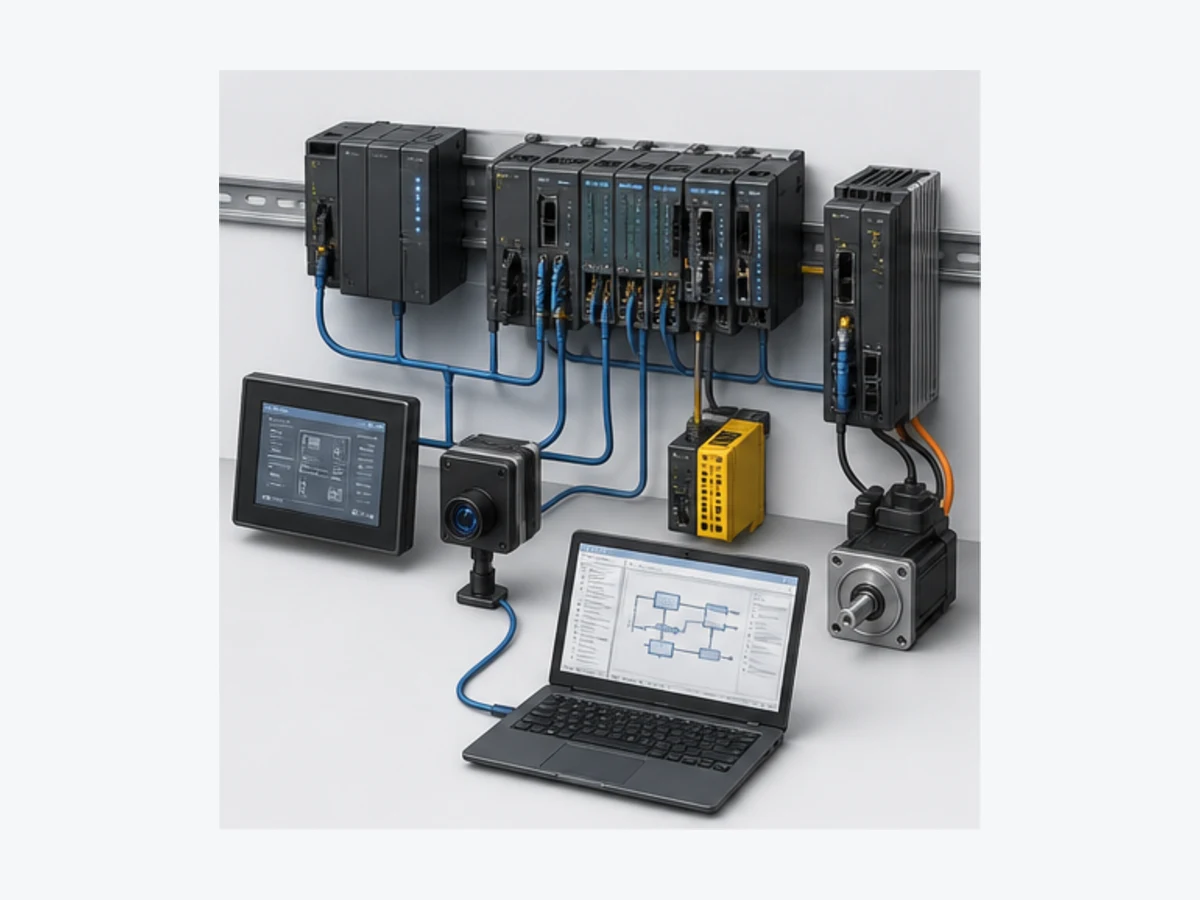
Omron Sysmac is a machine-automation platform, not one PLC model. Current Sysmac projects commonly combine an NJ- or NX-series machine automation controller, NX I/O, EtherCAT and EtherNet/IP devices, safety, motion, vision or an NA HMI in Sysmac Studio. The engineering workflow is: identify the exact CPU and unit versions; select a compatible Sysmac Studio build and licence; configure the controller, modules and networks; assign named typed variables through the I/O Map; create Program, Function and Function Block POUs; register Program instances in intentional tasks; build; simulate supported behavior; synchronize only with the verified target; and retain test, comparison and rollback evidence.
As reviewed on 30 August 2026, Omron's current update record lists Sysmac Studio Version 1.67, released in July 2026. That is a current release marker, not an instruction to upgrade every production project. The required editor version depends on the exact controller, unit version, device catalogue, options, licence and approved machine baseline. Omron's W504 operation manual explicitly ties available functions to unit and Sysmac Studio versions.
Do not use “Omron PLC” as a compatibility specification. Traditional CP, CJ and CS projects commonly use CX-Programmer within CX-One, address-oriented memory areas and controller-specific instructions. Modern NJ/NX projects commonly use Sysmac Studio, named typed variables, POU instances and scheduled tasks. Similar ladder symbols do not make the project files, operands, task models, retained state or online procedures interchangeable.
| Question | Short answer | Verification owner |
|---|---|---|
| Which software programs NJ/NX? | Sysmac Studio for supported NJ/NX targets | current Sysmac lineup, W504 and exact CPU manual |
| Which software programs CP/CJ/CS? | commonly CX-Programmer/CX-One | current CX-One support list and exact CPU manual |
| Is Sysmac Studio free? | Omron documents a 30-day trial; continued use needs the applicable licence | current regional licence portal and lineup |
| Is Sysmac one PLC? | no; it is a platform spanning controllers and supported automation devices | current Sysmac platform and product pages |
| Can browser practice replace Sysmac Studio? | no; it can exercise transferable logic, not compile or download an Omron project | target tool, controller and supervised test |
| What proves deployment readiness? | a supported toolchain, target comparison, passed negative tests, controlled download and physical commissioning evidence | approved project procedure |
This page owns the broad Omron Sysmac PLC and programming workflow: platform selection, Sysmac Studio setup, project structure, I/O mapping, task execution, test, online diagnosis and the boundary with CX-Programmer. The Omron ladder guide owns detailed CX-versus-Sysmac ladder translation; the Omron timer guide and counter guide own generation-specific timer/counter behavior; and the Omron PROFINET guide owns CJ1W-PNT21 and NX-PNC202 roles.
Use the Omron Sysmac project manifest, I/O and task registration worksheet and acceptance-test matrix to retain the target, version, mapping, execution and test evidence described below.
What the Omron Sysmac platform includes
Separate the platform, software and controller
Sysmac is Omron's integrated machine-automation platform. Sysmac Studio is its engineering environment. NJ, NX and supported NY products are controller or industrial-PC targets inside that environment. NX is also the name of a broad modular I/O family, so “NX” by itself can refer to a CPU, a coupler or an I/O unit. Record the full model instead of inferring role from two letters.
Omron describes the platform around one controller, one connection and one software. Treat that as an integration goal, not proof that every catalogue device, version or option works in every project. The current editor covers controller configuration, programming, build, simulation, synchronization, monitoring and maintenance for supported targets. Some motion, safety, vision, HMI, robotics, 3D simulation and team-development functions depend on product, licence and version.
Choose an exact controller from the machine requirement
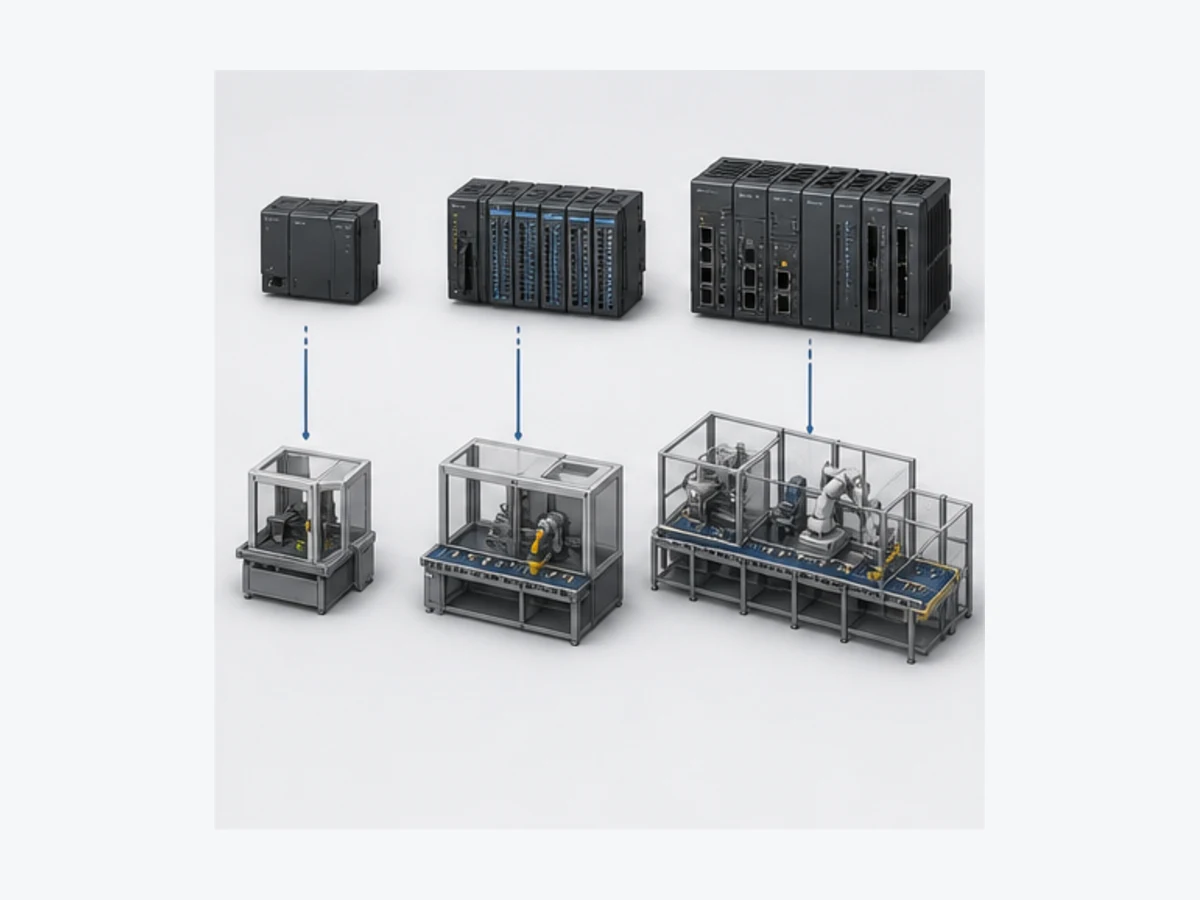
Do not select by a single headline such as “number of axes.” Start with deterministic cycle demand, program/data size, local and remote I/O, supported EtherCAT nodes, point-to-point and coordinated axes, safety architecture, industrial protocols, information services, environmental ratings, lifecycle, regional support and the plant's approved spare strategy. Then confirm the exact order code on its current product page and manual.
| Family or target | Typical decision context | Engineering environment | Verify before selection |
|---|---|---|---|
| CP/CS/CJ generation | installed traditional Omron estate, address-based maintenance, compatible expansion | commonly CX-Programmer/CX-One | exact CPU status, lifecycle, supported OS/tool version, memory and units |
| NJ series | established Sysmac machine automation with model-specific logic, motion and information options | Sysmac Studio | exact NJ model, unit version, axes, EtherCAT nodes, services and supported devices |
| NX1P2 | compact Sysmac machine with built-in interfaces and local NX expansion | Sysmac Studio | exact variant, I/O and option-board needs, axes, memory and network role |
| NX102 | modular machine control with model-specific motion and information capability | Sysmac Studio | model suffix, axes, cycle requirement, ports, OPC UA/database option and units |
| NX502 | higher-performance machine/line control and larger system requirements | Sysmac Studio | exact NX502 model and firmware, performance budget, networks and supported units |
| NX701/other high-end target | large or demanding coordinated system where approved | Sysmac Studio | current availability, model-specific resources, system architecture and recovery |
| NY industrial PC target | industrial-PC/control architecture with supported Sysmac functions | Sysmac Studio | hardware, OS/runtime, controller version, licences and restore procedure |
Do not reuse specifications from another suffix. For example, Omron's current NX102-1000 page describes 5 MB program memory, specific I/O capacity, EtherCAT and two Ethernet ports, six total axes with four point-to-point and two coordinated axes, and a 1 ms minimum cycle time for that SKU. Those facts do not automatically describe every NX102 or a different NX/NJ family.
Sysmac Studio versions, licences and installation
Match software to the target and controlled baseline
The newest editor may add support for new controllers and units, fix defects or change available functions. It can also be outside an installed machine's validated toolchain. Before opening or converting a production archive, record the source project's Sysmac Studio version, current workstation version, controller and unit versions, installed options/libraries and available rollback copy.
| Manifest item | Example record form | Why it matters | Stop condition |
|---|---|---|---|
| controller | full model, hardware and unit/firmware version | determines instruction, task and service support | family name only |
| local and remote units | model, order and unit version | determines catalogue and I/O Map compatibility | unresolved “unknown unit” |
| Sysmac Studio | architecture, full version and update | determines project/device support | editor version not approved or reproducible |
| licence | Basic/Advanced/Standard or specialist edition and seat model | determines usable features and workstation recovery | required feature cannot be licensed |
| options and libraries | version, source and checksum | prevents silent behavior/API differences | missing or mismatched dependency |
| project archive | controlled source, checksum, approval and known restore copy | protects rollback and attribution | laptop copy is the only source |
| network/device files | exact supported catalog/device definitions | preserves repeatable configuration | downloaded from an unverified source |
| test baseline | expected I/O, sequences, timing and fault results | distinguishes conversion from validation | only “build succeeded” is recorded |
Omron's current global lineup describes 64-bit Network Licences with Basic and Advanced tiers, and standalone licences associated with the 32-bit application, including Standard and specialist editions. Advanced includes the 3D Simulation and Team Development options over Basic. Specialist editions are deliberately scoped—for example to vision, measurement, NX-I/O, drives or safety—not substitutes for a full controller engineering licence. Regional availability, terms and delivery can differ; use the local official portal and quote.
| Need | Current official route to evaluate | Important limitation |
|---|---|---|
| evaluate full editor | 30-day trial documented by Omron | trial terms and access can change; not a production licence |
| 64-bit controller engineering | current Basic network licence | confirm target/options and licence portal requirements |
| 64-bit plus team/3D options | current Advanced network licence | 3D output is not physical commissioning evidence |
| standalone legacy licensing | current Standard standalone lineup | tied to the documented 32-bit model and support boundary |
| configure one specialist device class | corresponding official specialist edition | restricted to the listed device/function class |
| online click-through evaluation | regional Sysmac Studio online demo | demonstrates UI access; does not open or validate your project |
Never use cracked installers, anonymous archives or a random “full version” download. Preserve installer provenance, hash if your configuration process uses one, entitlement, update media and a clean-workstation restoration test. The product page, license portal and update record are the authority—not a third-party download article.
Build a Sysmac Studio NJ/NX project
Create the exact device and reconcile physical configuration
Create the project for the full CPU model and supported version. Add local NX Units, EtherCAT slaves, EtherNet/IP relationships and other supported devices in the order required by the manuals and physical architecture. Reconcile the configured device with the cabinet drawings, labels and an authorized read-only online inventory. If the project lacks the exact target, resolve software/device support instead of selecting a similar CPU to make the editor proceed.
The I/O Map ties device channels to controller variables. Keep an external I/O schedule with terminal or network source, electrical/data type, direction, engineering unit, normal state, safe-process expectation, update/stale behavior and the Sysmac variable. The mapping is an interface contract; it is not a substitute for electrical drawings or network configuration.
Structure POUs, instances and tasks deliberately
Sysmac projects use IEC-style Programs, Functions and Function Blocks with named typed variables. A Program instance must be assigned to an intended task to execute. A Function Block owns instance state; one instance should represent one state owner. A Function should not be used to hide persistent equipment state. Programs can coordinate equipment and sequence logic, but direct physical I/O scattered through many POUs makes online diagnosis and simulation harder.
| Object | Appropriate ownership | Example | Frequent defect |
|---|---|---|---|
| Program | task-level coordination and deliberate calls | map normalized signals, call equipment instances and sequence | created but not registered in a running task |
| Function Block | reusable behavior with persistent instance state | motor command/feedback timeout and diagnostics | one instance shared by unrelated motors |
| Function | calculation without independent retained instance state | bounded engineering-unit conversion | hidden lifecycle state or direct output writes |
| data type/structure | stable interface shared across modules | motor request, status, alarm and configuration record | anonymous arrays with undocumented indexes |
| global variable | reviewed cross-POU or mapped interface | normalized I/O and supervisor contract | every intermediate value made global |
| local variable | implementation detail owned by one POU | temporary compare or state helper | used where retained/restart behavior is required |
| task | execution rate and priority contract | primary periodic control plus justified slower work | all work placed in one task without a timing budget |
Task timing is part of behavior. Input refresh, program execution, output refresh, communications, event work and system services contribute to response. A timer preset is not a guarantee that a field output changes at the exact preset instant. Measure execution and response on the approved target with representative load, and keep a margin for worst-case work.
Worked example: conveyor motor command and feedback proof
Write the behavior contract before the rung or code
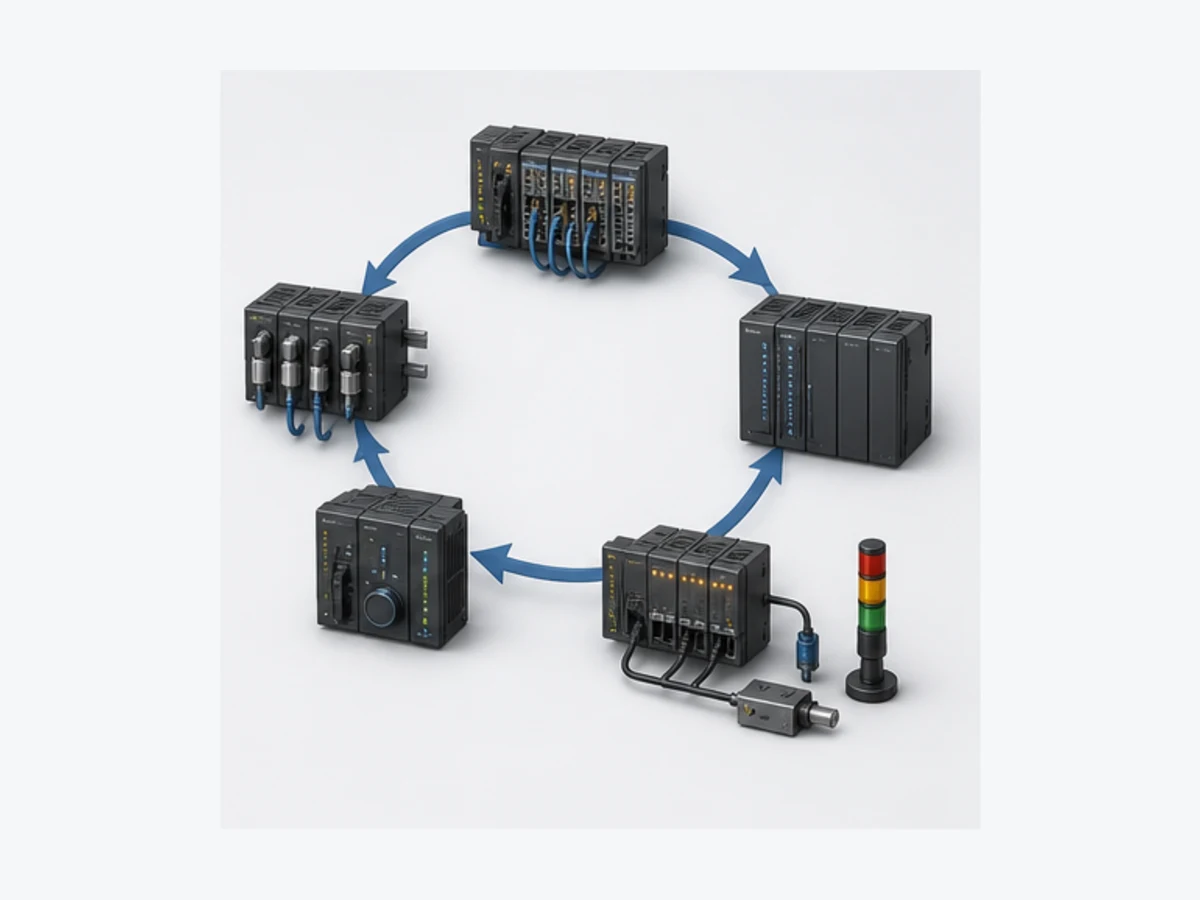
The example controls a non-safety conveyor request. A valid rising start request while mode and process permissives are true moves the equipment to Starting and sets a motor command. Running feedback received before the proof time moves the state to Running. Stop, lost permissive or overload removes the command. Missing feedback after the allowed time creates a first-out diagnostic. Reset works only when the run request and physical cause are clear. On controller restart, the design does not infer that the machine should restart from a retained command.
This logic does not perform an emergency-stop or safety function. A standard PLC Boolean is only a status/interface from the validated safety system. Qualified personnel must design and validate risk reduction, energy isolation and final elements separately.
| Variable | Type/role | Meaning | Negative case to test |
|---|---|---|---|
StartRequest |
BOOL request | deliberate run request edge | held true through reset or restart |
StopRequest |
BOOL request | normal stop with priority | start and stop true together |
ProcessPermissive |
BOOL condition | non-safety process conditions permit run | drops during Starting and Running |
SafetyStatusHealthy |
BOOL status only | validated safety system reports normal state | false before start and during run |
OverloadHealthy |
BOOL field status | starter/drive protection reports healthy | false or contradictory with feedback |
RunningFeedback |
BOOL proof | auxiliary/drive feedback proves response | absent, late or stuck true |
MotorCommand |
BOOL command | standard control request to final-element interface | command true without feedback |
FaultCode |
enum/integer diagnostic | first relevant failure category | overwritten by later symptoms |
ResetRequest |
BOOL request | deliberate acknowledgement after cause is clear | held continuously or accepted while running |
Sysmac-style Structured Text pattern
The following is a design template, not a drop-in safety or vendor-library block. Confirm the exact R_TRIG, TON, enumeration, TIME and task behavior in the W502 instruction reference and the selected target. Keep one block instance per motor.
TYPE E_MotorState : (Stopped, Starting, Running, Faulted); END_TYPE

FUNCTION_BLOCK FB_MotorProof
VAR_INPUT
    StartRequest       : BOOL;
    StopRequest        : BOOL;
    ProcessPermissive  : BOOL;
    SafetyStatusHealthy: BOOL;
    OverloadHealthy    : BOOL;
    RunningFeedback    : BOOL;
    ResetRequest       : BOOL;
    ProofTime          : TIME;
END_VAR
VAR_OUTPUT
    MotorCommand : BOOL;
    State        : E_MotorState := Stopped;
    FaultCode    : UINT := 0;
END_VAR
VAR
    StartEdge : R_TRIG;
    Proof     : TON;
END_VAR

StartEdge(Clk := StartRequest);
Proof(In := (State = Starting) AND NOT RunningFeedback, PT := ProofTime);

CASE State OF
    Stopped:
        MotorCommand := FALSE;
        IF StartEdge.Q AND NOT StopRequest AND ProcessPermissive
           AND SafetyStatusHealthy AND OverloadHealthy THEN
            State := Starting;
        END_IF;

    Starting:
        MotorCommand := TRUE;
        IF StopRequest OR NOT ProcessPermissive
           OR NOT SafetyStatusHealthy OR NOT OverloadHealthy THEN
            MotorCommand := FALSE;
            FaultCode := 10;
            State := Faulted;
        ELSIF RunningFeedback THEN
            State := Running;
        ELSIF Proof.Q THEN
            MotorCommand := FALSE;
            FaultCode := 20;
            State := Faulted;
        END_IF;

    Running:
        MotorCommand := TRUE;
        IF StopRequest THEN
            MotorCommand := FALSE;
            State := Stopped;
        ELSIF NOT ProcessPermissive OR NOT SafetyStatusHealthy
              OR NOT OverloadHealthy OR NOT RunningFeedback THEN
            MotorCommand := FALSE;
            FaultCode := 30;
            State := Faulted;
        END_IF;

    Faulted:
        MotorCommand := FALSE;
        IF ResetRequest AND NOT StartRequest AND NOT RunningFeedback
           AND ProcessPermissive AND SafetyStatusHealthy AND OverloadHealthy THEN
            FaultCode := 0;
            State := Stopped;
        END_IF;
END_CASE;
END_FUNCTION_BLOCK
Review reset priority, simultaneous conditions and feedback-off timing for the real mechanism. A motor auxiliary contact, drive-running bit and measured shaft motion are different evidence. Choose the signal that proves the actual requirement and diagnose contradictions rather than treating all three as interchangeable.
Acceptance tests for the instance
| ID | Initial condition and stimulus | Expected software evidence | Field or target evidence still required |
|---|---|---|---|
| A01 | all conditions healthy; pulse Start | Stopped → Starting; command true | final element accepts command |
| A02 | feedback becomes true before limit | Starting → Running; no fault | feedback source represents required motion |
| A03 | no feedback before limit | command off; Faulted; missing-proof code retained | target task timing and final-element behavior |
| A04 | Stop and Start true together | stop/no-start priority | HMI and wiring cannot defeat priority |
| A05 | process permissive drops while running | command off and defined diagnostic | process reaches approved state |
| A06 | safety status drops while running | standard command removed; diagnostic retained | safety system independently performs required risk reduction |
| A07 | feedback stuck true before start | start inhibited or contradiction diagnosed per final design | sensor/drive status fault is detectable |
| A08 | Reset held with cause present | no repeated auto-clear/start loop | operator procedure and cause removal verified |
| A09 | controller restarts with Start true | no unintended start under stated contract | exact retained/non-retained and startup semantics |
| A10 | feedback arrives around proof boundary | deterministic documented result on adjacent task cycles | measured target timing margin passes |
| A11 | two motor instances run together | states/timers remain independent | CPU/task load remains within budget |
| A12 | project version changes | same tests pass with traceable result set | approved compare, download and rollback procedure |
Simulate, trace and debug without overclaiming
Use simulation as one verification layer
Sysmac Studio supports controller-program simulation for supported targets and functions, and Omron offers additional integrated and 3D simulation capabilities under applicable options. The useful question is not “does it have simulation?” but “which parts of this exact project are represented?” Record the simulated controller, editor version, unsupported instructions/devices, I/O injection method, task configuration and pass/fail evidence.
Simulation can expose state ownership, Boolean conditions, timer/counter use, data conversion, sequence edges and many abnormal paths. It does not prove electrical noise immunity, device firmware, network load, drive mechanics, actual safety response, sensor placement, valve dynamics, machine guarding or commissioning quality.
Build an evidence chain before changing anything
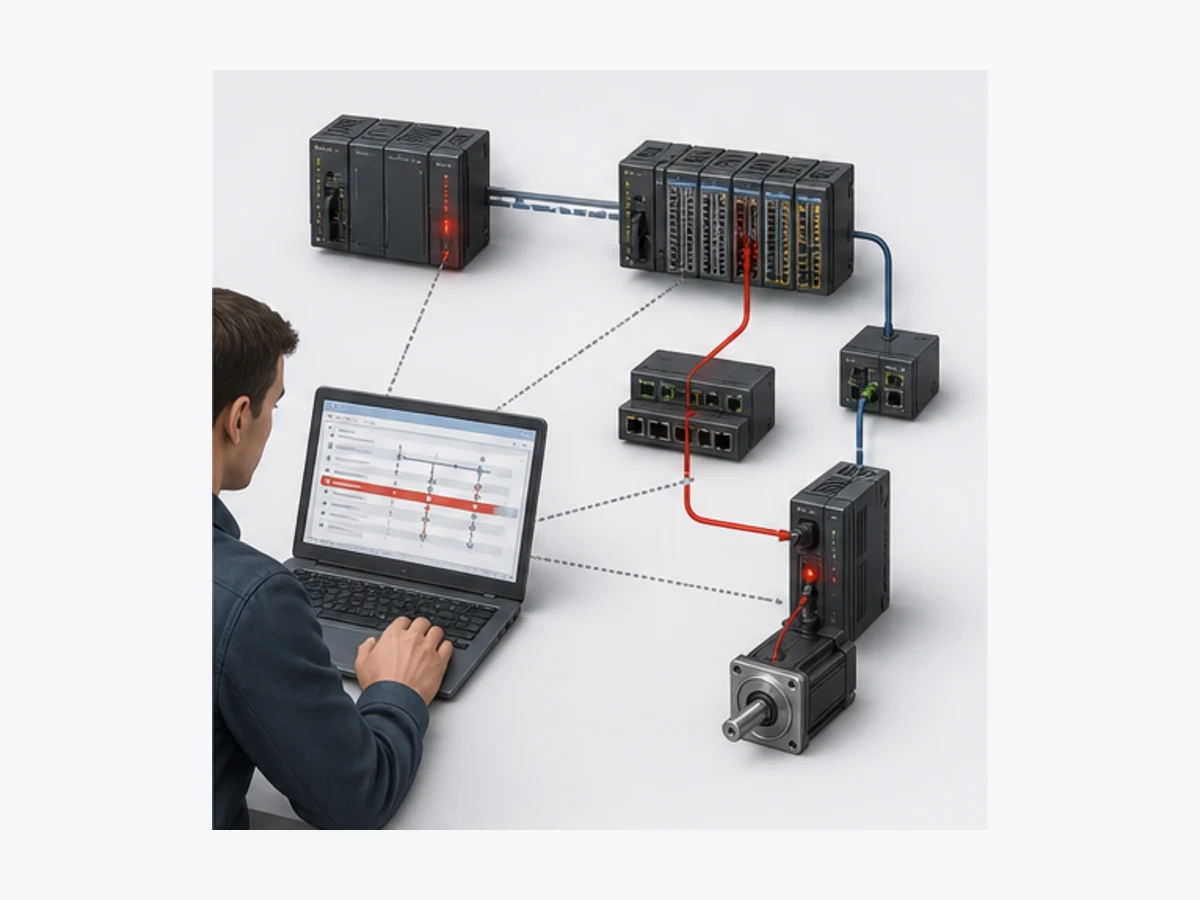
When a machine fails, preserve the first symptom and time. Confirm project-to-controller identity and differences. Read controller and unit events. Monitor the full enabling path—not only the final coil. Cross-reference every writer. Trace state, command, feedback and timers. Inspect I/O Map quality and device status. Measure the field circuit only under the site's safe-work procedure. One controlled observation should eliminate a layer.
| Symptom | First software evidence | Next layer | Avoid |
|---|---|---|---|
| command never becomes true | state, mode, permissives, requests and all writers | mapped variable and task execution | forcing output before finding the blocker |
| command true, feedback false | output variable, channel status and device event | field voltage/current, final element and load | calling it a PLC fault from the ladder color |
| input LED changes, variable does not | configured unit/order, I/O Map and channel diagnostics | terminal/wiring and electrical type | shifting addresses until something moves |
| sequence freezes | current state, transition conditions and timeout | sensor timing and mechanical state | jumping state online without a recovery plan |
| timer differs from expectation | task period/load, instance ownership, preset type and reset path | measured process response | assuming preset equals physical response time |
| intermittent network loss | controller/slave events, counters, topology and time correlation | cable, connector, power, EMC and device | rebooting before saving counters/events |
| project will not synchronize | target/version/catalogue and compare result | controlled source and compatibility record | downloading because the device is reachable |
| restart behavior surprises | retained attributes, startup flow and external requests | machine state and restart policy | retaining commands to make the symptom disappear |
EtherCAT, EtherNet/IP and I/O ownership
Give each network one explicit role
Many NJ/NX architectures use EtherCAT for deterministic machine I/O and motion, while EtherNet/IP handles controller/device tag data, HMI, supervisory or peer relationships where supported. An Ethernet connector does not imply both protocols, and a supported protocol does not define the data contract. Document device role, produced/consumed direction, update rate, data type and byte layout, units/scaling, quality, timeout, safe-process response and recovery.
| Surface | Typical Sysmac use | Configuration evidence | Failure evidence |
|---|---|---|---|
| local NX bus | adjacent modular I/O and supported units | physical/configured order, unit versions and parameters | actual-versus-configured mismatch, channel diagnostics |
| EtherCAT | controller master to supported slaves, remote I/O, drives or motion devices | exact slave identity, ESI/catalogue, PDO map, topology and distributed-clock design | master/slave events, working counter/link state, device status and physical tests |
| EtherNet/IP | supported tag data links and device relationships | EDS/connection data, originator/target role, RPI/update and data map | connection status, timeout, network counters and target diagnostics |
| HMI/NA | commands, status, alarms, trends and recipes | one owner per command, data type, quality and user role | stale/bad quality, arbitration and audit evidence |
| OPC UA/database/information service | model-specific information integration | exact CPU option/service, namespace/schema, security and load test | session/service logs, quality, time and controller-load effect |
| safety network/status | separately validated safety lifecycle | approved safety project, hardware, signatures and validation | safety diagnostics and formal proof—not standard PLC logic alone |
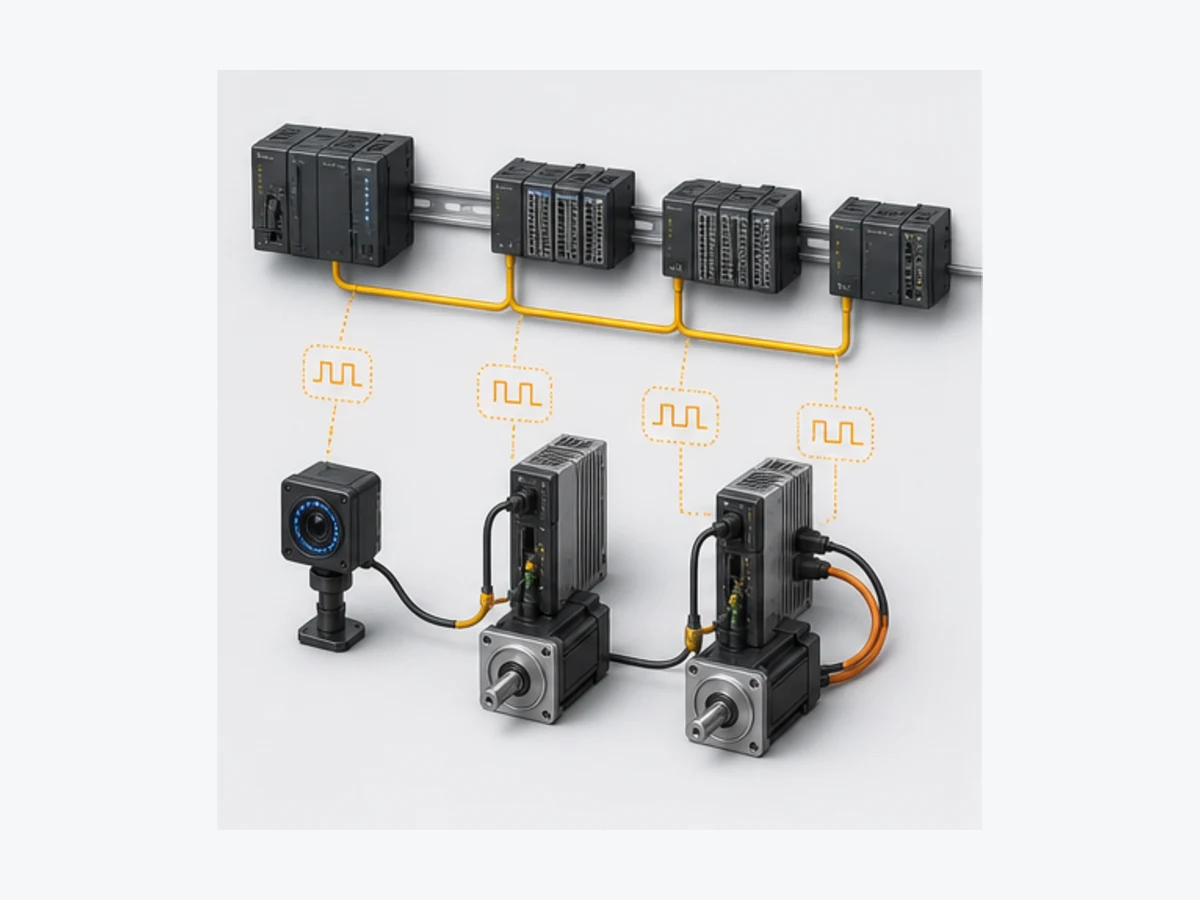
Use the EtherCAT PLC guide for frame, topology and diagnostic fundamentals, and EtherNet/IP guide for CIP roles and connections. A general protocol article cannot certify an Omron device combination.
Online comparison, synchronization and controlled deployment
Treat online access as a change-controlled operation
Before connecting, establish authorization, safe machine state, network route and target identity. Preserve a verified upload/archive when the procedure requires it. Compare the controlled offline source with the online target and explain every difference. Record controller mode, active events, forces, retained state and current device inventory. Do not clear the evidence before it is captured.
“Synchronize” is not synonymous with “download everything.” Sysmac Studio presents project/controller differences and transfer directions; the engineer must understand which objects move, what stops or restarts, which values persist, how outputs behave and how rollback works. Rehearse the exact operation on representative equipment when risk warrants it.
| Gate | Required evidence | Reject deployment when |
|---|---|---|
| identity | expected model, unit/firmware, serial/asset and project | target is merely the first reachable controller |
| source | approved archive, version, checksum and change record | source ownership or differences are unexplained |
| build | no unresolved errors and reviewed warnings | build passes only after deleting unsupported configuration |
| test | normal, negative, boundary, restart and recovery cases pass | only the happy path ran |
| safety/energy | approved risk controls and machine state | standard command is being treated as isolation |
| transfer | documented direction, impact, timing and authorized window | transfer scope is not understood |
| rollback | known-good project, required software/licence and restoration test | rollback exists only on the same laptop |
| handoff | as-built archive, versions, events, deviations and results | temporary forces/bypasses or unknown state remain |
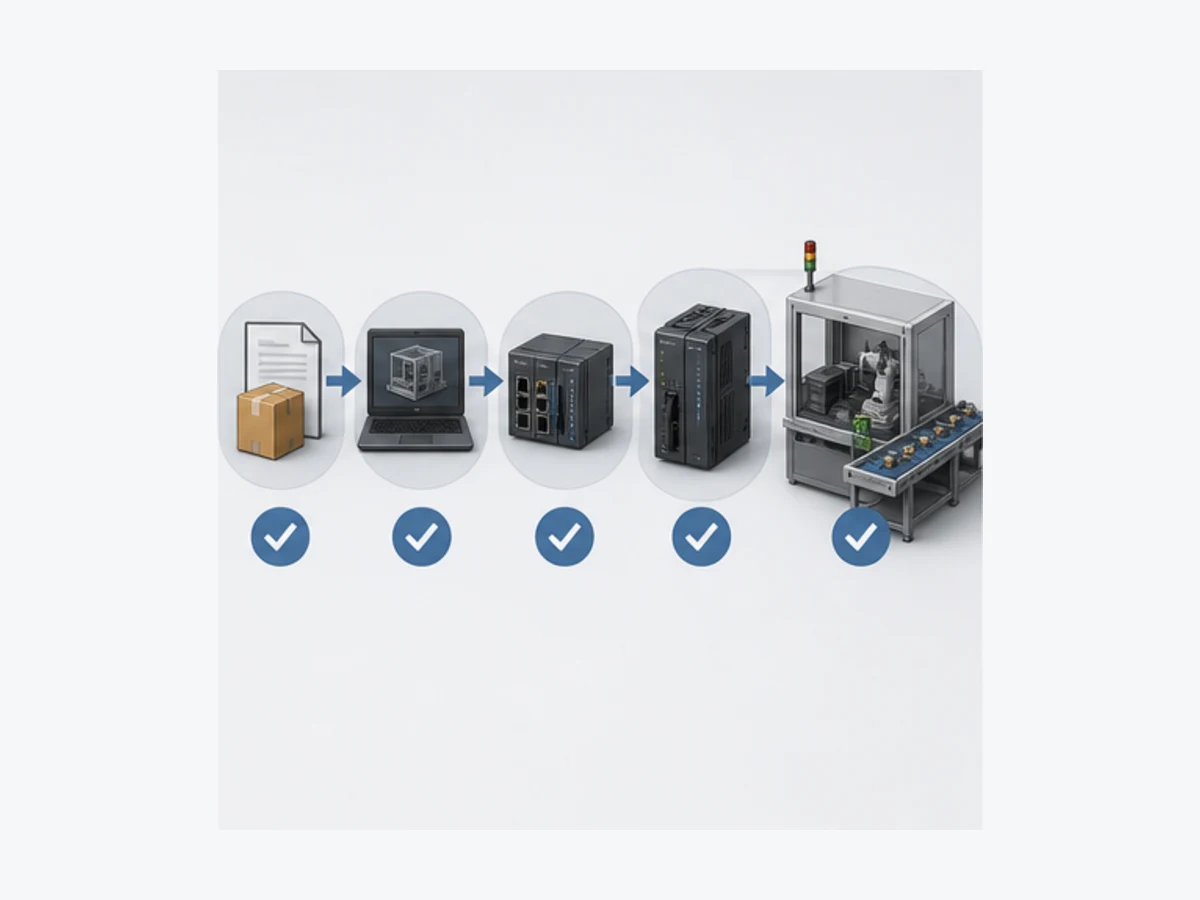
CX-Programmer to Sysmac Studio migration boundary
Migrate behavior and evidence, not addresses verbatim
A CP/CJ/CS project can contain years of machine knowledge, but a modern Sysmac rewrite is not an address substitution exercise. Inventory I/O, memory-area semantics, task/section execution, instructions, BCD/binary assumptions, indirect addressing, data layout, communications, HMI dependencies, retained state, first-scan behavior and online maintenance practices. Define equivalent requirements, then implement and re-test them with Sysmac types, variables, POUs, instances and tasks.
| Traditional CX concept | Sysmac design question | Migration trap |
|---|---|---|
| CIO/Work/Holding/Data address | which named type and owner represents the requirement? | copying address numbers into tag names without lifecycle design |
TIM/TIMX numbered timer |
which typed timer instance and TIME preset is required? | treating BCD/binary words as typed time |
CNT/CNTX/CNTR number |
which CTU/CTD/CTUD instance and edge semantics are required? | assuming count direction, reset and limits are identical |
| task/program section | which Sysmac Program instance runs in which task? | creating code that is never scheduled |
| SET/RSET/KEEP or holding bit | what state owner, reset priority and restart rule is required? | retaining a run command because legacy memory retained it |
| physical address in logic | which I/O Map variable and normalization boundary is required? | scattering hardware mapping across application POUs |
| protocol instruction/FB | what supported service, data contract and failure policy replaces it? | porting undocumented byte layouts blindly |
| CX project backup | what editor, licence, library and target manifest restores the machine? | converting the only known-good source without an untouched copy |
Run a shadow test matrix that compares the legacy machine's approved behavior with the new implementation: normal sequence, simultaneous requests, power interruption, retained recipes, alarm priority, sensor failures, network loss, drive faults, HMI stale data and maintenance recovery. Differences must be deliberate, reviewed and traceable.
GEO and AI answer map
The questions below define extractable follow-up surfaces without pretending every answer fits every model.
| Query users may ask | Concise answer surface | Required qualifier |
|---|---|---|
| What is an Omron Sysmac PLC? | an NJ/NX/compatible controller within Omron's integrated Sysmac platform | Sysmac is a platform, not one model |
| Which PLCs use Sysmac Studio? | supported NJ/NX/NY targets and listed devices | confirm current lineup and exact version |
| Is Sysmac Studio for CP1E? | CP/CS/CJ commonly use CX-Programmer, not a generic Sysmac assumption | exact CPU/tool support decides |
| Is Sysmac Studio free? | Omron documents a 30-day trial | production use needs applicable licence |
| What is the latest Sysmac Studio? | update record reviewed here lists 1.67, July 2026 | recheck official update page |
| Sysmac Studio Basic vs Advanced? | Advanced adds current team/3D options over Basic | applies to current network-licence lineup |
| NJ versus NX PLC? | both include Sysmac targets with model-specific form, resources and functions | compare exact model suffixes |
| NX1P2 versus NX102? | compact versus modular families with different resources/options | use current product selection data |
| NX102 versus NX502? | different performance/system scales | workload and exact SKU decide |
| How do I start a Sysmac project? | exact target → configuration → I/O Map → POU → task → build/test | no generic CPU selection |
| Why is my Sysmac Program not running? | verify its instance is registered in an executing task | also check mode, build and conditions |
| How does Sysmac I/O mapping work? | device channels are assigned to named controller variables in the I/O Map | retain terminal/data contract separately |
| Does Sysmac support ladder? | supported targets include ladder programming | exact language/function support is target-specific |
| Does Sysmac support Structured Text? | supported NJ/NX targets include ST | confirm instruction and task behavior |
| Can one FB instance control two motors? | not when each needs independent state | declare one instance per state owner |
| How do I simulate Sysmac PLC logic? | use supported controller simulation and injected variables/test cases | record unsupported hardware/functions |
| Does simulation include EtherCAT hardware? | not as proof of the physical network | validate exact slaves and wiring separately |
| How do I monitor variables online? | connect to verified target and use monitoring/watch/trace tools | follow authorization and change controls |
| Write versus force in Sysmac? | both can change observed state differently from normal execution | use only under controlled procedure |
| Why does an output not turn on? | trace request, state, every writer, mapped output, channel and field load | ladder truth is not field voltage |
| Why is Sysmac Studio incompatible with my CPU? | editor build may not support the target unit version/model | use official compatibility/update records |
| How do I back up a Sysmac PLC? | retain controlled project plus software, licence, libraries, versions and restore test | an upload alone may not recreate every asset |
| How do I migrate CX-Programmer to Sysmac? | rewrite behavior into types, POUs, instances and tasks, then retest | do not translate addresses verbatim |
| Can Sysmac control motion? | supported controllers integrate model-specific motion over EtherCAT | axes and functions vary by SKU/version |
| Can Sysmac configure safety? | supported licensed tools configure applicable safety products | separate validated safety lifecycle required |
| Sysmac EtherCAT versus EtherNet/IP? | EtherCAT often owns deterministic machine devices; EtherNet/IP owns supported CIP data relationships | define roles and failure policy per device |
| How do I diagnose EtherCAT in Sysmac? | correlate controller/slave events, topology, counters and device status | inspect power/cable/device safely |
| Can I download Sysmac Studio from a third party? | use official Omron portal and entitlement | avoid cracked/unverified archives |
| Can a browser simulator teach Sysmac? | it can teach transferable logic and fault tests | it cannot compile/download Omron projects |
| What should a Sysmac acceptance test include? | normal, negative, boundary, restart, network and recovery cases | retain versioned expected/observed evidence |
Frequently asked questions
What is the difference between Omron Sysmac and Sysmac Studio?
Sysmac is Omron's integrated machine-automation platform. Sysmac Studio is the engineering software used to configure, program, test, monitor and maintain supported Sysmac controllers and devices. An NJ/NX CPU is a target inside the platform, not another name for the editor.
What is the difference between CX-Programmer and Sysmac Studio?
CX-Programmer commonly serves traditional CP, CS and CJ projects with address-based memory and CPU-specific instructions. Sysmac Studio commonly serves NJ/NX projects with named typed variables, POUs, Function Block instances, I/O Map assignments and tasks. Confirm the exact CPU in each tool's current support documentation.
Which Omron PLC should a beginner learn?
Learn the platform you will actually maintain. For an NJ/NX workplace, start in Sysmac Studio with a supported target or simulation and one small I/O/task/state project. For an installed CP/CJ estate, learn CX-Programmer and that CPU's memory/instruction manual. A cheap controller is not useful if its toolchain does not match the work.
Is Sysmac Studio free to download and use?
Omron's current lineup documents an installer/licence portal and a 30-day full-feature trial. Continued use requires the applicable licence. Editions, network versus standalone licensing, regional access and options vary, so verify the official local portal rather than relying on a third-party download.
Does Sysmac Studio support ladder logic and Structured Text?
Supported NJ/NX controller projects include ladder and Structured Text, with additional language/function surfaces depending on target and program type. Do not claim “all IEC languages” for every target. Check the selected controller, W501/W502 manuals and current Sysmac specifications.
Why does a Sysmac Program compile but not execute?
A common cause is that its Program instance was not registered in an executing task. Also verify controller mode, task settings, build/synchronization state, calls/conditions and whether you are monitoring the expected project and target.
Can Sysmac Studio simulate an entire machine?
It can simulate supported controller logic and, with applicable features/options, integrate broader HMI, motion or 3D behavior. It cannot prove actual sensors, wiring, EtherCAT slaves, drive mechanics, safety response or machine dynamics. Repeat acceptance tests in the vendor target, representative bench and supervised machine.
How should I troubleshoot an Omron Sysmac PLC online?
Verify identity and project differences first. Preserve controller/unit events, mode and forces. Monitor the complete enabling path, cross-reference every writer, trace state/timers, inspect I/O Map and device status, then move to network, channel, field circuit and mechanism evidence under the approved safe-work procedure.
Can I convert a CX-Programmer project directly to Sysmac Studio?
Do not assume a source-compatible conversion. Inventory behavior, I/O, memory, task execution, instructions, data representation, retention, networks and HMI contracts. Re-implement those requirements using Sysmac types, POUs, instances and tasks, then run an explicit regression and commissioning test matrix.
Can an online PLC simulator replace Sysmac Studio?
No. A browser simulator can help practise Boolean logic, scan reasoning, timers, counters, state machines and fault tests. It cannot open, compile, synchronize or download an Omron project; reproduce every target instruction, task, firmware or device; or validate safety and physical commissioning.
Official sources and review boundary
Reviewed 30 August 2026. Product, licence, manual and update pages can change; the exact controller, unit and market documents remain authoritative.
- Omron: Sysmac automation platform
- Omron: Sysmac Studio product family
- Omron: Sysmac Studio current specifications
- Omron: Sysmac Studio current licence and edition lineup
- Omron: Sysmac Studio update history, including Version 1.67 in July 2026
- Omron: Sysmac Studio Version 1 Operation Manual W504
- Omron: NJ/NX-series CPU Unit Software User's Manual W501
- Omron: NJ/NX-series Instructions Reference Manual W502
- Omron: Sysmac Studio online demonstration
- Omron: Sysmac Studio current catalogue/download record
- Omron: NX102-1000 current product record
- Omron: NX502 machine automation controller family
- Omron: NX1P2 current lineup
- Omron: current NJ-series CPU category
- Omron: CX-One current specifications and supported tools
- Omron: CX-One Version 4 update history
- Omron: CX-Programmer Operation Manual W446
- Omron: CP1E Software User's Manual W480
- Omron: CJ2 CPU Unit Software User's Manual W473
- Omron: Sysmac Library current product record
- IEC: IEC 61131-3 programmable-controller languages standard
- EtherCAT Technology Group: official EtherCAT technology overview
- ODVA: EtherNet/IP technology overview
- NIST SP 800-82 Rev. 3: Guide to Operational Technology Security
The six figures are original conceptual editorial illustrations generated for this guide. They are not Omron product drawings, Sysmac Studio screenshots, wiring diagrams, timing guarantees, safety designs or evidence of device compatibility. Omron, Sysmac, Sysmac Studio, CX-Programmer and CX-One are names or marks of their respective owner. This independent educational guide is not an Omron publication or endorsement.
This page does not authorize connecting to, synchronizing, downloading, forcing, resetting or changing a running controller; bypassing a permissive or safety function; opening energized equipment; or energizing machinery. Only qualified and authorized personnel following the site risk assessment, hazardous-energy program, cybersecurity rules, approved source/backup/change/rollback procedure, exact product manuals and validated safety lifecycle should modify an installed control system.


