Free SCADA Training Online: A Practical, Testable Learning Path
Build SCADA competence with verified free learning resources, an isolated lab, tag and alarm contracts, historian and access tests, failure injection and a reviewable portfolio.
Free SCADA training in one answer
You can learn substantial SCADA engineering skills with free official lessons, eligible non-commercial editions, evaluation software and open-source tools—but “free” describes access, not competence or production rights. A defensible self-study path makes you model a process, define a PLC-to-SCADA tag contract, build overview and detail displays, configure alarms and history, restrict commands by role, detect stale/bad communications, restore a baseline and present reproducible test evidence.
Start in an isolated local or lab network. Use simulated data or a soft controller. Record the exact software version, licence/access mode, modules, protocol, operating system and review date. Never connect an unmanaged training system to an operational-control network, copy production credentials, or expose a gateway to the internet for convenience.
No calendar, playlist or free credential makes someone universally “job ready.” Advance when an unseen task passes a practical assessment. Paid instruction becomes valuable when you need supervised hardware, platform-specific feedback, a recognized assessed credential or faster correction—not merely because free resources ran out.
What this page owns
| Search task | Owner | Boundary |
|---|---|---|
| find and sequence verified free SCADA resources | this page | free-access verification, self-study lab and competency assessment |
| learn PLC and SCADA as one connected curriculum | PLC and SCADA training | complete combined controller-to-supervisory sequence |
| build one SCADA system step by step | SCADA tutorial for beginners | detailed implementation tutorial |
| compare production SCADA products | SCADA software comparison | proof-of-fit, architecture, licensing and lifecycle selection |
| learn HMI design | HMI design guide | operator tasks, hierarchy, display and alarm presentation |
| choose a paid PLC course | PLC course selection guide | PLC provider and course procurement |
The Mangools research keeps SCADA-only training separate from combined PLC-and-SCADA training: scada training records 1,600 global / 300 US monthly searches at KD 23, while the combined cluster has materially different result overlap and its own completed curriculum owner. This page therefore stays focused on verified free SCADA resources and a SCADA-only evidence path.
Verify “free” before committing your learning project
Free can mean open-source software, a non-commercial personal licence, a resettable evaluation, a time-limited trial, free lessons around paid software, or a hosted lab with access limits. These are not interchangeable.
| Access model | Suitable learning use | Verify before install | Production boundary |
|---|---|---|---|
| open-source project | inspect, run and modify under its licence | repository owner, licence, release/activity, dependencies, security notices | support, hardening and deployment remain your responsibility |
| personal/non-commercial edition | private educational project where terms permit | eligibility, module/client/tag limits, prohibited uses and registration | not a commercial plant licence |
| resettable evaluation | repeated local engineering practice | reset behavior, enabled modules, data persistence and terms | evaluation is not production authorization |
| fixed-duration trial | focused vendor sprint | start date, exact edition, runtime/simulation, expiry and export | activation and production licences still required |
| free course | knowledge and guided exercises | version, prerequisites, lab/software included, assessment and access period | completion may be neither certification nor practical proof |
| community edition | limited deployment or learning | tag/client/device/history limits, update channel and support | scale, redundancy or commercial use may be restricted |
Create an access record on the day you begin. The following options are useful starting points, not a permanent ranking:
| Resource | Publisher-stated learning surface | Important boundary to verify |
|---|---|---|
| Inductive University | free official Ignition video courses and knowledge checks | current course version, credential rules and software prerequisites |
| Ignition trial | official evaluation workflow with documented trial behavior | current version, module scope, reset behavior and commercial prohibition |
| Ignition Maker Edition | free licence for eligible personal, non-commercial use | eligibility and published edition limitations |
| FUXA | MIT-licensed web HMI/SCADA project with repository documentation | supported connectors/features in the exact release and project security |
| SCADA-LTS | open-source SCADA project and source repository | release state, deployment dependencies and documentation |
| WinCC Unified | Siemens product/trial information for engineering and simulation | current regional trial, TIA compatibility, runtime scope and licence |
| OpenPLC | open-source controller/editor/runtime documentation for a lab data source | exact runtime, protocol support and isolation from operational networks |
Download the free SCADA resource verification ledger. Recheck links and terms instead of copying this table into a procurement decision months later.
Build an isolated learning architecture
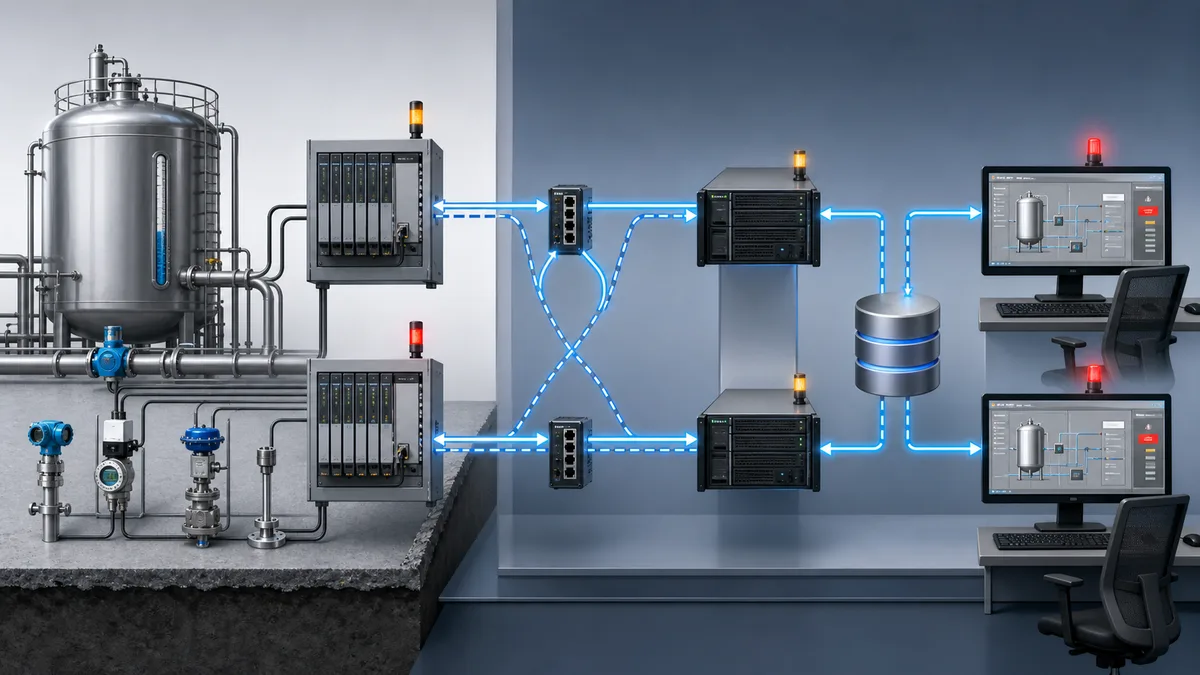
Use a simulated tank, pump station or conveyor. Keep process state in a model or controller and supervisory state in SCADA. Do not put core control inside an HMI button script.
| Layer | Example learning component | Evidence to produce |
|---|---|---|
| process model | tank level, flows, pumps, valves and disturbances | declared equations/states and known initial condition |
| controller/soft PLC | start/stop, modes, permits, sequence and faults | program/version, test matrix and command/feedback separation |
| protocol | OPC UA or Modbus TCP on an isolated host/network | endpoint/map, types, byte order where relevant and quality/loss behavior |
| SCADA tag model | commands, status, feedback, measurements, quality and units | tag contract with source/ownership/update expectations |
| visualization | overview, detail, navigation and diagnostic reasons | operator-task walkthrough and abnormal-state recognition |
| alarms/events | condition, priority, delay, acknowledgement and return-to-normal | alarm philosophy excerpt and lifecycle tests |
| historian/trends | sampled/change-driven values and event context | time/quality-aware queries and trend interpretation |
| identity/access | learner/operator/engineer roles | allowed and denied action tests plus audit evidence |
| recovery | backup/export and clean restore | versioned baseline restored on a fresh instance where feasible |
NIST SP 800-82 Rev. 3 frames OT security around performance, reliability and safety. Use host-only or otherwise isolated networking, unique lab credentials, minimum services, documented software sources and clean snapshots/backups. Do not port-forward a SCADA gateway or weaken authentication to make a tutorial easier.
Live mini-lab
Try it: press START, then STOP
A stop-dominant seal-in rung: START latches the motor output through its own contact, and STOP breaks the circuit.
Watch the output lamp: it stays on after START until you press STOP.
Free to start · runs in your browserOpens plcsimulationsoftware.com — same team
Gate 1: model tags as a typed data contract
Tags need more than a name and value. Record source, direction/owner, data type, units, engineering range, expected update, quality/staleness behavior, read/write policy and safe handling.
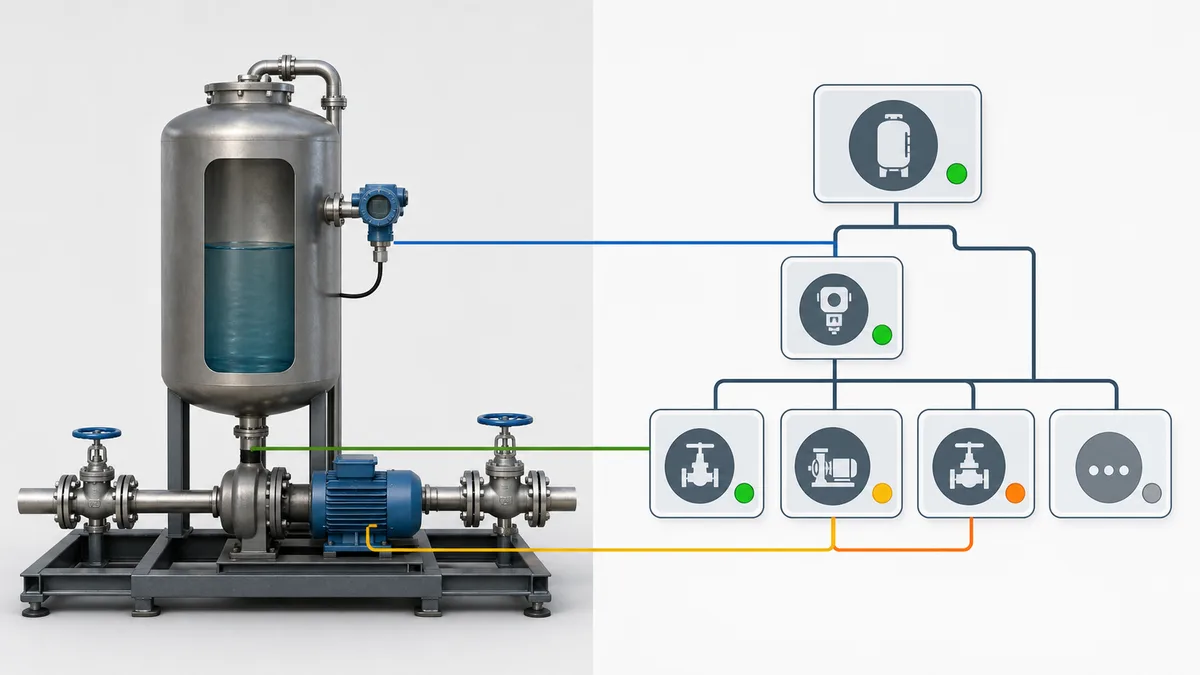
| Tag | Source/owner | Type and unit | Access | Required abnormal case |
|---|---|---|---|---|
Tank.LevelPV |
PLC/model | REAL, percent or declared engineering unit | read | bad quality, stale update, under/over-range |
Pump.RunCmd |
PLC control logic | Boolean | read | command true while feedback absent |
Pump.RunFb |
field/model feedback through PLC | Boolean | read | feedback stuck or delayed |
Pump.StartReq |
SCADA request consumed by PLC | Boolean/event | controlled write | unauthorized write and duplicate/held request |
System.CommsHealthy |
SCADA/device diagnostic | Boolean/quality | read | connection loss and reconnect |
Assessment: connect five tags, disconnect the source, restore it and explain value, quality, timestamp and screen/alarm behavior before and after reconnect. You fail if the display silently presents stale data as current.
Gate 2: design displays around operator tasks
An overview should answer: What is operating? What is abnormal? What needs attention? Where should the user navigate? Avoid using saturated color for normal decoration; reserve salience for state that requires attention and pair color with text, shape or icon where appropriate.
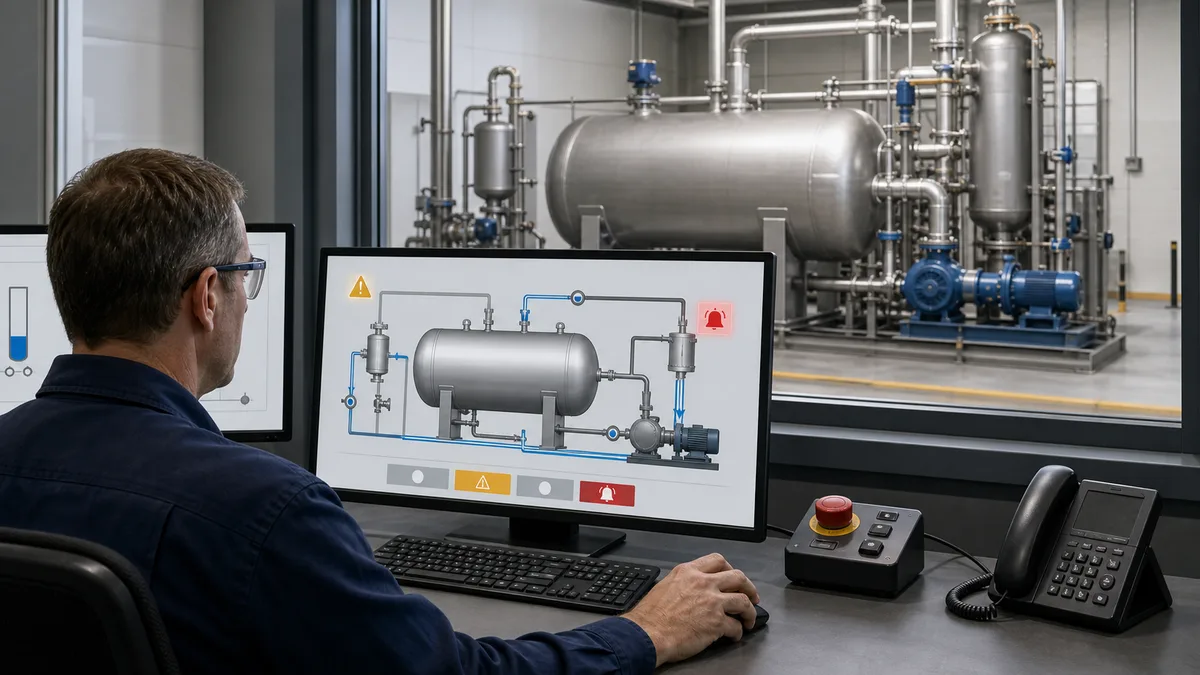
Build an overview, one equipment detail and one diagnostic view. Test at the intended resolution and with keyboard/focus where the platform supports it. The learner should identify a stopped-by-permissive condition, communication loss and high-level alarm without being told where to look.
Assessment: give a reviewer three hidden conditions. Score time to identify, correct interpretation, navigation path, incorrect action and evidence cited. Visual polish without task success does not pass.
Gate 3: implement the complete alarm lifecycle
An alarm is not simply a red tag. Define the monitored condition, setpoint/deadband, on/off delays, priority, message, operator response, acknowledgement, shelving/suppression rules where used, return-to-normal behavior, audit/event record and ownership. Use ISA-18.2/IEC 62682 and the asset owner's alarm philosophy as context; training examples are not a site rationalization.
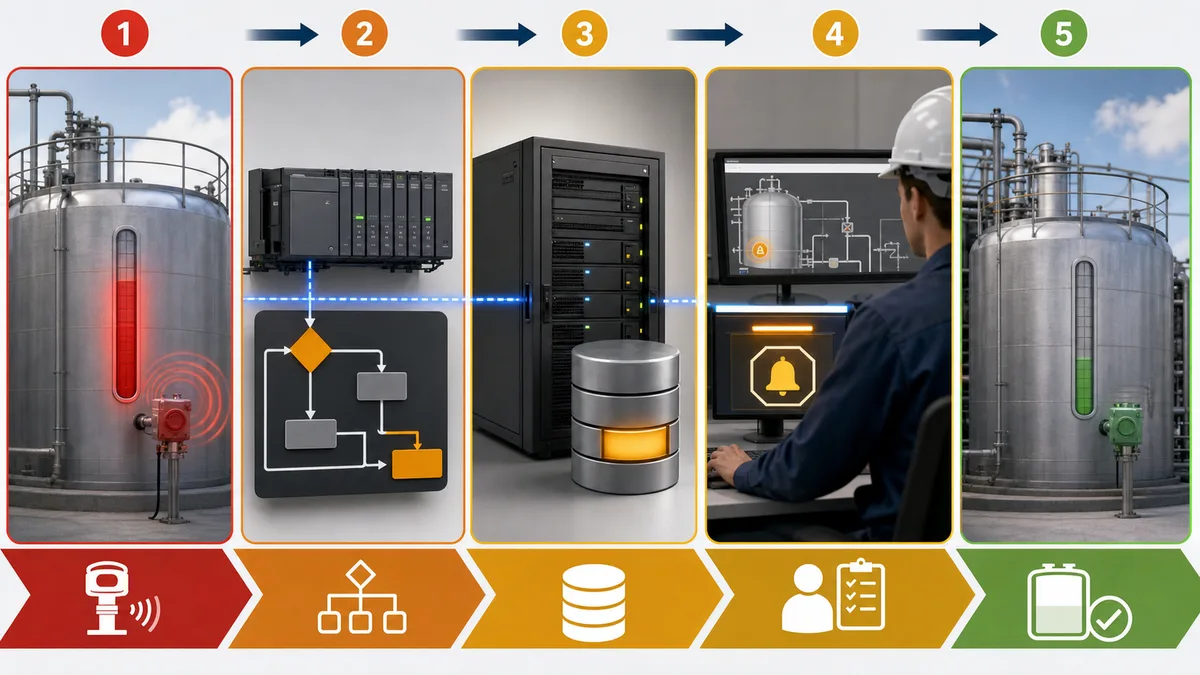
| Case | Injected condition | Expected alarm evidence |
|---|---|---|
| threshold chatter | value oscillates near limit | declared deadband/delay prevents nuisance behavior |
| active unacknowledged | condition persists | correct state, priority, time and response text |
| acknowledgement | authorized user acknowledges | condition remains active; audit/event records identity/time |
| return to normal | condition clears | correct active/acknowledged/cleared lifecycle |
| communication loss | source quality becomes bad/stale | distinct communication diagnostic; value not treated as safe normal |
| restart | SCADA service/gateway restarts | declared alarm state/history recovery without fabricated transitions |
Assessment: execute every row and export or capture the event evidence. A screen color change alone is insufficient.
Gate 4: configure history with units, quality and time context
Historian training should cover sampling/change behavior, timestamp source, time zone, quality, retention, aggregation and gaps. A smooth line can be wrong if values were stale, backfilled, averaged or plotted in mismatched units.
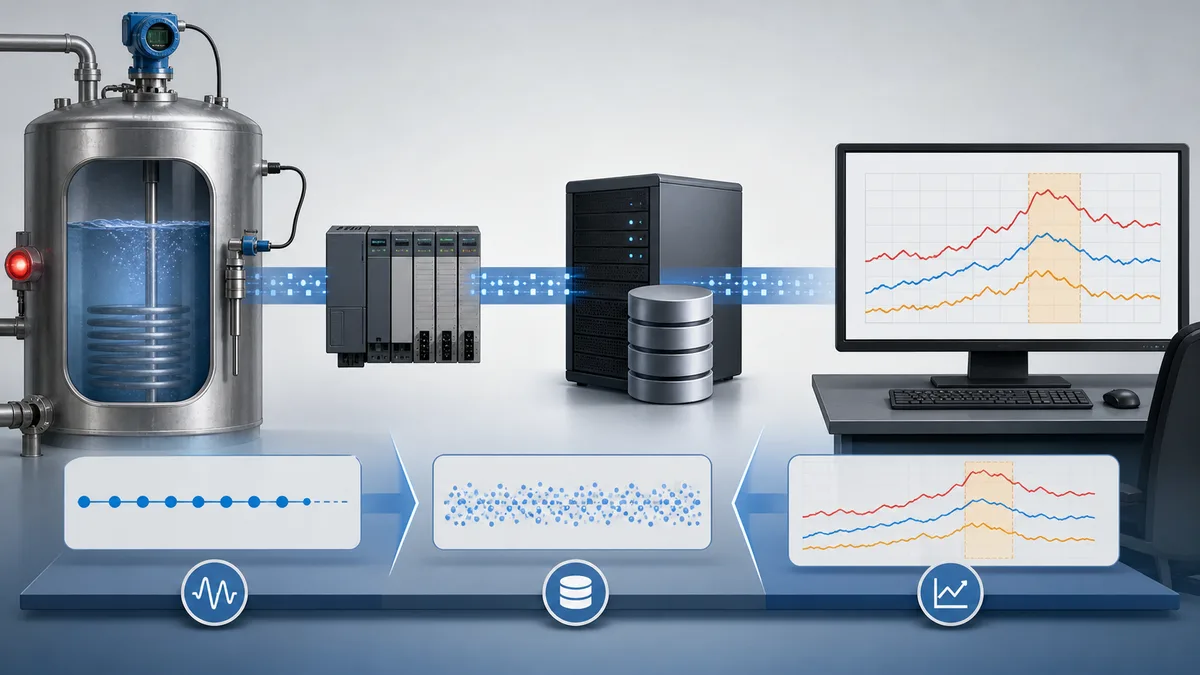
Assessment: create a known ramp, hold, step and communication gap. Query a fixed window and explain stored samples, aggregation, bad-quality interval and the alarm/state events that give the trend meaning.
Gate 5: enforce command ownership and access
SCADA usually requests an action; the controller owns final eligibility and interlocks. A button should not write directly to a physical output. Define who may view, request, acknowledge, change setpoints, edit configuration and administer the system. Test denial as deliberately as success.
| Role | Example allowed action | Required negative test |
|---|---|---|
| viewer | view status/trends | command and acknowledgement rejected |
| operator | permitted request and alarm acknowledgement | engineering/configuration rejected |
| supervisor | approved setpoint/operational override workflow | system administration rejected |
| engineer | authorized configuration in controlled environment | action outside assigned scope rejected/logged |
| administrator | identity/system administration | operational use from admin account discouraged and audited |
The exact role model is system- and organization-specific. Follow current vendor security documentation, the asset owner's policy and applicable IEC 62443/NIST guidance. Do not make a tutorial work by granting every account administrator privileges.
Gate 6: inject communication and recovery faults
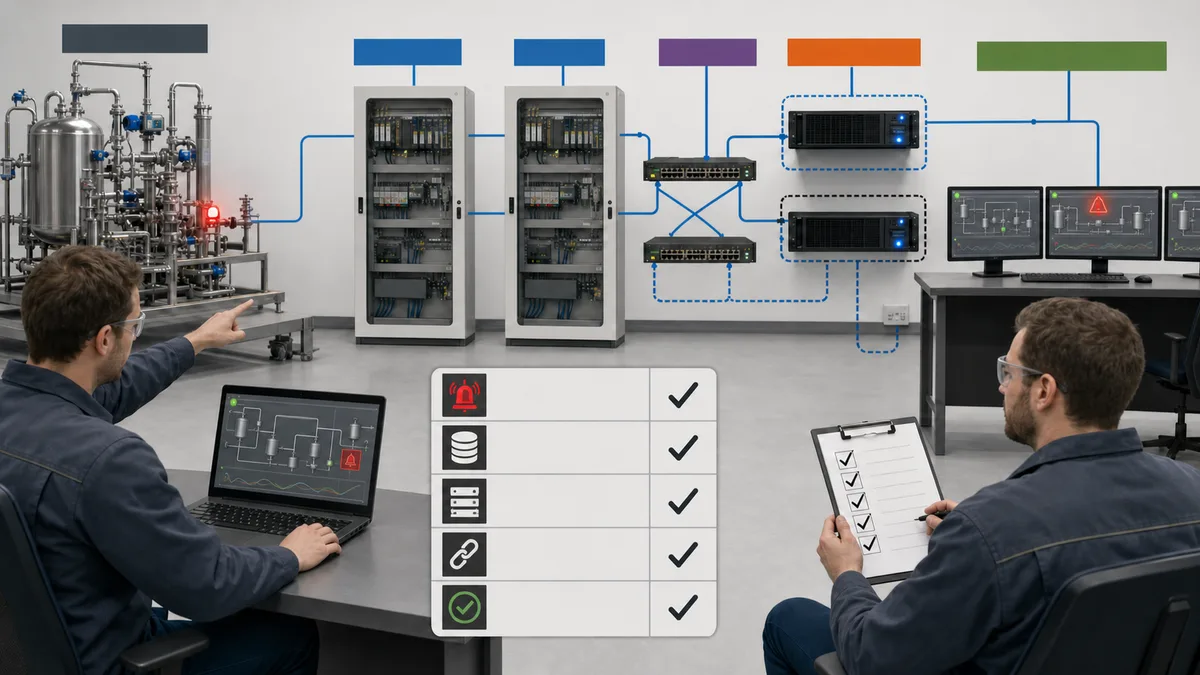
Run this minimum fault set:
| Fault | Expected behavior to declare and test |
|---|---|
| controller/source stopped | bad/stale quality, visible communication state, controlled command behavior |
| network interrupted | deterministic timeout, no silent use of old value, recorded loss/recovery |
| malformed/wrong mapping | value rejected or visibly implausible; units/type evidence exposes defect |
| unauthorized command | denied, visible to user where appropriate and audited |
| duplicate/held request | PLC/SCADA contract prevents unintended repeated action |
| SCADA restart | services, tags, alarms and history recover per documented baseline |
| database unavailable | bounded queue/store-forward or explicit data-loss behavior per platform/configuration |
| backup restore | clean instance returns to declared version and passes smoke tests |
Download the SCADA capstone acceptance matrix and the SCADA learner evidence-pack checklist.
Practice PLC-to-SCADA tag, alarm and communication-loss reasoning in the disclosed browser environment if it matches your learning objective. This does not validate Ignition, WinCC, AVEVA, VTScada, FUXA or another SCADA product; a real PLC/protocol; production networking; cybersecurity; field I/O; process behavior; or site authorization.
A flexible four-stage self-study cycle
The stages can take days or months depending on prerequisites, feedback and tool access. The old claim that four weeks produces employability is removed; use the exit evidence instead.
| Stage | Work | Exit evidence |
|---|---|---|
| architecture and access | verify software terms, isolate lab, model process/controller/protocol/SCADA layers | architecture, resource ledger and clean baseline |
| tags and displays | typed tag contract, overview/detail/diagnostic views | loss/stale tests and operator-task review |
| alarms, history and users | lifecycle, trends, roles, audit and negative permissions | alarm matrix, known trend case and denied-action evidence |
| fault/recovery capstone | communication, database, restart and restore scenarios | reproducible matrix, versioned export/backup and handover |
How to audit a free course or resource
| Criterion | Strong evidence | Warning sign |
|---|---|---|
| access | exact version, eligibility, duration and included software/lab stated | “free” hides a sales call or unusable demo |
| curriculum | tags, quality, HMI, alarms, history, identity, faults and recovery | screen drawing only |
| practice | resettable lab with known expected outcomes | passive video completion |
| feedback | answer explanations, instructor/community review or scored artifact | quiz retries without diagnostic feedback |
| assessment | unseen practical task and reproducible evidence | attendance badge presented as competence |
| currency | current platform/version and maintained links | screenshots and menus from an unsupported release |
| security | isolated lab, least privilege and recovery taught | public gateway, shared admin or disabled protections |
| credential | issuer, assessment, expiry and verification explained | “certification” used for an unassessed completion certificate |
Frequently asked questions
Can I learn SCADA online for free?
Yes. Free official lessons, open-source projects, eligible non-commercial editions and evaluations can teach architecture, tags, displays, alarms, history, access and failure testing. Recheck current access terms and add practical assessment; free access alone does not establish competence.
What is the best free SCADA software for beginners?
There is no universal best. Choose by licence eligibility, operating system, documentation, required protocol, visualization/alarm/history scope, security, persistence and the target platform you need to understand. Use a small proof-of-fit before committing.
Is Ignition free for learning?
Inductive Automation publishes a trial workflow and Maker Edition for eligible personal, non-commercial use, and Inductive University is a free official training surface. Verify the current edition, licence, modules, reset/access behavior and use restrictions on the official pages.
Is FUXA free?
FUXA's official repository publishes it under the MIT licence. Verify the exact release, dependencies, supported connectors and security posture yourself; an open-source licence is not a production-support or hardening guarantee.
Do I need PLC programming before learning SCADA?
You need enough controller understanding to distinguish requests, commands, feedback, interlocks, scan/state and communication quality. You can learn those prerequisites in parallel, but a SCADA project without an external data/control contract remains incomplete.
Can I use OpenPLC for SCADA training?
Yes, an isolated OpenPLC runtime can be a learning data source where its documented version and protocol support fit. Record the exact stack and do not treat it as evidence for an unrelated commercial PLC or production deployment.
How long does free SCADA training take?
There is no universal duration. Advance when you can build and explain the system, pass tag/alarm/history/access tests, diagnose unseen faults and restore a baseline. Prior PLC, networking, databases and HMI experience change the time substantially.
What should a beginner SCADA project include?
Use a small process with a controller/model, typed tag contract, overview and equipment detail, commands/feedback, alarms, history/trends, user roles, communication-loss behavior, backup and acceptance matrix.
How do I practice SCADA without connecting to a real plant?
Run a model or soft PLC and SCADA on isolated hosts or a lab network. Simulate known values and faults, document the protocol map and use clean snapshots/backups. Do not expose the lab to production OT or the public internet.
What should I test when a SCADA connection fails?
Check endpoint/device identity, network reachability, protocol/session state, tag address/type, value/quality/timestamp, staleness behavior, alarms, command handling and reconnect recovery. Stop at the first failed boundary.
Does completing a free SCADA course make me job ready?
Not by itself. Course completion is one learning artifact. Stronger evidence includes an unseen practical assessment, connected project, abnormal tests, troubleshooting, versioned backup and clear scope. Employers and roles have different prerequisites.
Is an Inductive University credential the same as certification?
Use the publisher's current terminology and rules. A course credential or knowledge check should not be relabeled as independent professional certification. State the issuer, version, assessment and date exactly.
Can free SCADA software be used in production?
Only if the exact licence permits the intended use and the system meets engineering, security, support, lifecycle and regulatory requirements. An evaluation or personal/non-commercial edition is not production authorization.
What is the difference between free SCADA training and PLC-and-SCADA training?
This page helps you verify free SCADA resources and learn supervisory functions. The combined PLC and SCADA training guide teaches the full controller logic, tag ownership, integration, course selection and connected capstone sequence.
Primary sources and verification trail
- Inductive University
- Ignition official trial quick start
- Ignition Maker Edition documentation
- Ignition security overview
- FUXA official GitHub repository and MIT licence
- SCADA-LTS official GitHub repository
- OpenPLC documentation
- Siemens WinCC Unified
- Siemens SCE learning and training documents
- OPC Foundation: OPC UA overview
- Modbus Organization specifications
- NIST SP 800-82 Rev. 3—Guide to OT Security
- CISA Industrial Control Systems resources
- IEC 62443 overview
- ISA-101 HMI standard overview
- ISA-18 alarm-management standards committee
- IEC 62682—Management of alarm systems
- IEC 61131-3:2025 Edition 4—PLC programming languages
- PostgreSQL documentation
Continue with the right next task
- Follow the complete PLC and SCADA training roadmap.
- Build one system with the SCADA beginner tutorial.
- Learn HMI design best practices.
- Compare production options in the SCADA software guide.
- Learn the controller side with the PLC programming roadmap.
Now run it · free to start
Follow a hands-on PLC training path
Move from contacts and coils to timers, sequences and troubleshooting with runnable lessons and objective checks. Free to start, nothing to install.
Ownership disclosure: PLC Programming IO and PLC Simulation Software are operated by the same publisher.


