Siemens S7-200 PLC: Identify, Program, Diagnose and Migrate
Separate traditional S7-200 from S7-200 SMART and S7-1200, identify the exact CPU and Micro/WIN path, preserve the project, trace I/O and plan a controlled migration.
Review status: Editorially reviewed against Siemens traditional S7-200 and current S7-200 SMART V3 system documentation, Micro/WIN lineage material, S7-1200 documentation, IEC 61131-3, NIST and OSHA sources; exact order number, regional product, firmware, project, cable/interface, software/OS compatibility, password, module, lifecycle and migration support require installed-system and current Siemens verification
Direct answer: “S7200 PLC” can mean three different things
A Siemens S7-200 PLC is not an S7-1200 with a shortened name. Searchers writing S7200, S7 200 or S7-200 may mean a traditional S7-200 CPU such as a CPU 22x engineered with STEP 7-Micro/WIN; the separate S7-200 SMART product line engineered with STEP 7-Micro/WIN SMART; or an S7-1200 whose hyphen was omitted. Identify the label and order number before installing software, choosing a cable, opening a project or proposing a replacement.
For an installed traditional S7-200, preserve the original project and engineering environment before going online. For S7-200 SMART, use the exact SMART generation/system manual and Micro/WIN SMART version. For S7-1200, use the S7-1200 programming guide and TIA Portal path. The program formats, hardware, accessories, instruction details, addressing, communications and migration risks are not interchangeable.
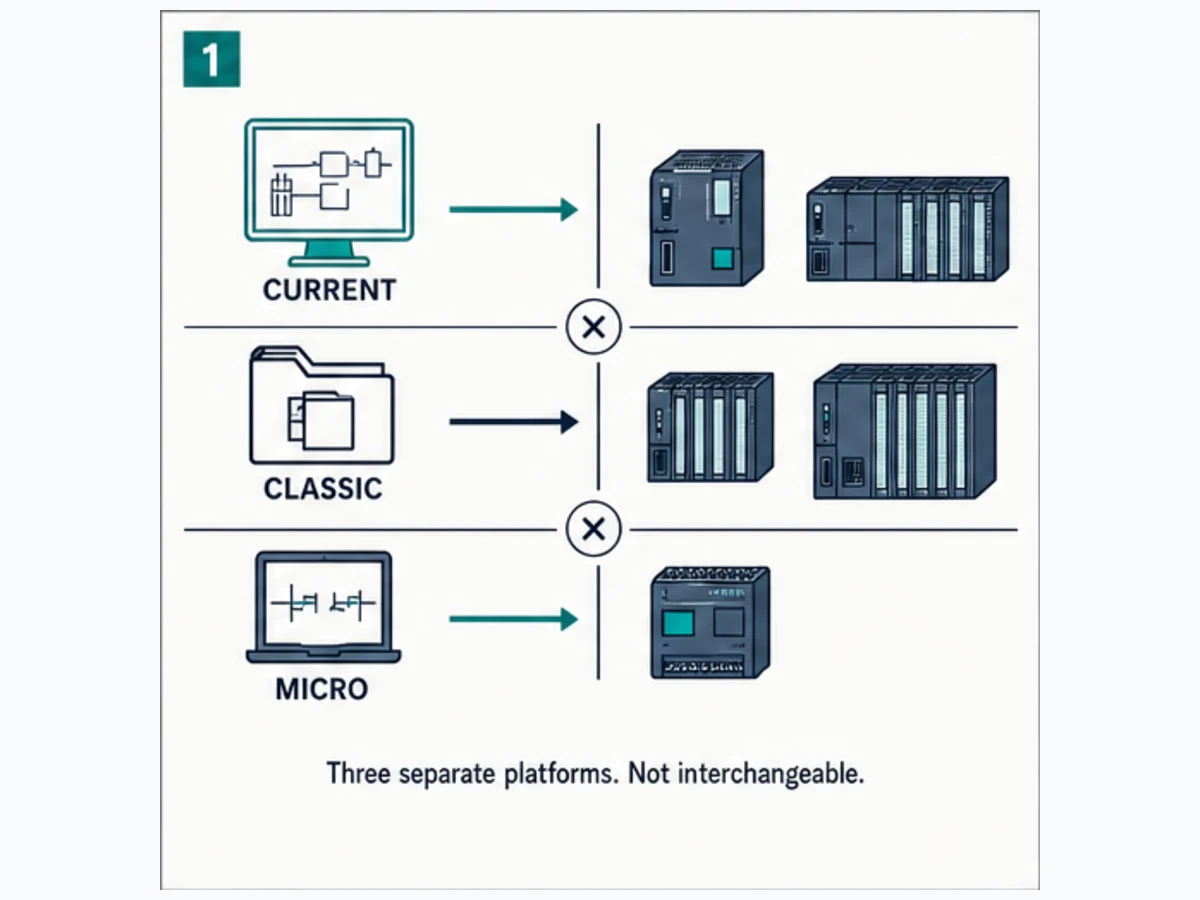
Ownership boundary
| Task | Owner | Boundary |
|---|---|---|
| identify, support, program or migrate S7-200/S7-200 SMART | this page | model/software distinction, preservation, logic, diagnosis and migration evidence |
| choose current STEP 7 generation | Siemens STEP 7 guide | TIA vs Classic vs Micro/WIN family selection |
| program S7-1200 | S7-1200 programming guide | current compact-controller project workflow |
| choose across Siemens controller families | Siemens S7 family guide | application and lifecycle selection |
| connect a specific Siemens PC adapter | Siemens PC Adapter USB guide | exact adapter/driver/network workflow after compatibility verification |
The production inventory records 1,600 global / 30 United States monthly searches for the assigned s7200 plc wording. No fresh dedicated SERP validation was available after the Mangools quota was exhausted, so this page does not claim additive synonyms or a live KD. Its publication justification is the real identity/support task and primary Siemens documentation—not the invention of new volume.
Build an identity and compatibility record
Photograph labels without exposing sensitive site data. Record:
| Field | Traditional S7-200 example category | S7-200 SMART category | Why it controls work |
|---|---|---|---|
| full CPU order number | exact 6ES7 21x... from label |
exact SMART CPU order/reference | selects the actual manual and capabilities |
| CPU firmware/hardware | recorded from device/project | recorded from SMART device/software | controls instructions, project and replacement |
| engineering product | STEP 7-Micro/WIN lineage | STEP 7-Micro/WIN SMART lineage/version | project formats and support paths differ |
| original project | .mwp or exact archived format/version |
exact SMART project/version | source may contain symbols/comments not recoverable from CPU |
| communication | exact CPU port, adapter/cable and protocol/settings | Ethernet/RS485 as documented for selected SMART CPU | a connector shape does not prove interface compatibility |
| modules | order number, slot and wiring | order number, position and wiring | avoids visually similar substitution |
| password/protection | status and authorized owner | status and authorized owner | protection is not permission to erase/reset |
| lifecycle | current Siemens status for exact order number/region | current SMART availability/support for region | family statements are too broad |
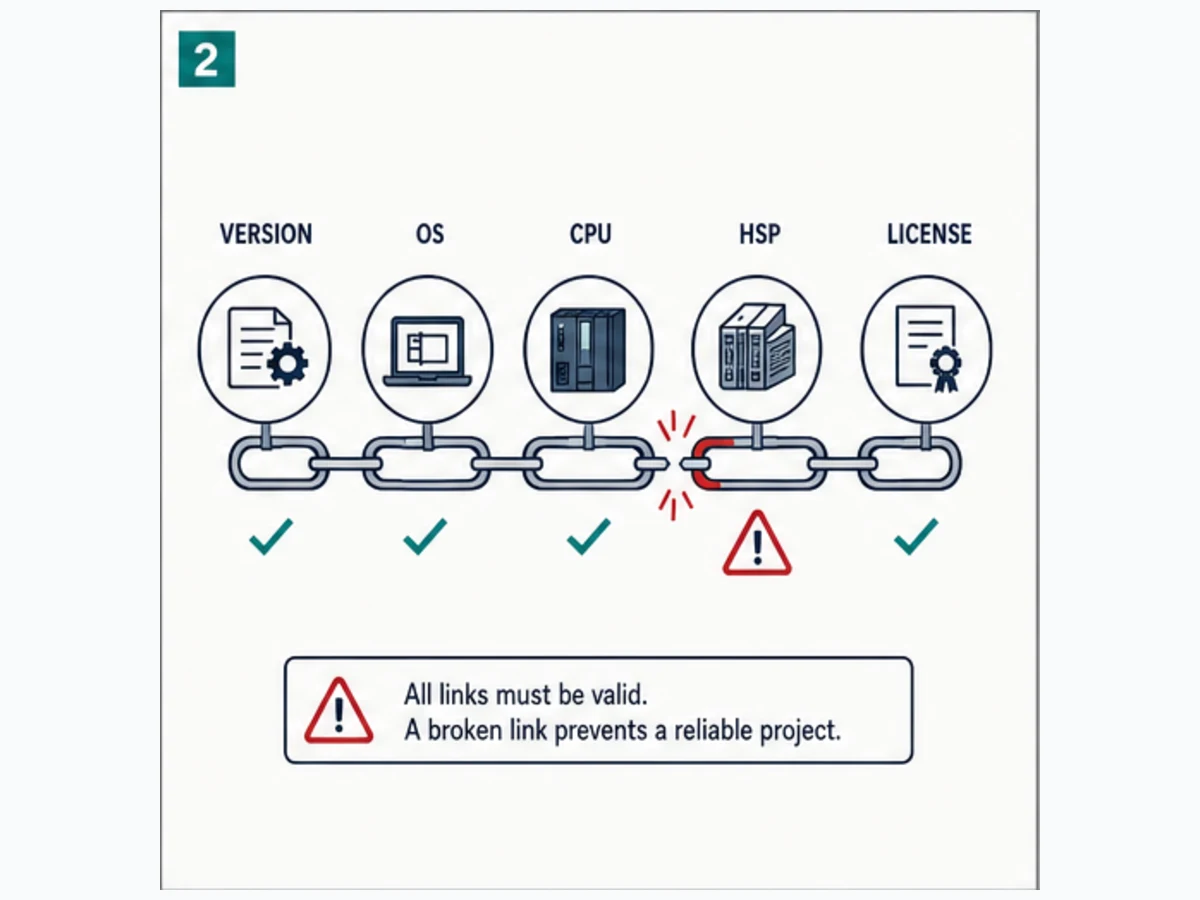
Download the S7-200 identity and compatibility manifest. Never treat a forum post naming only “CPU 224” as proof for a different suffix or regional model.
Traditional S7-200, S7-200 SMART and S7-1200 are separate paths
| Question | Traditional S7-200 | S7-200 SMART | S7-1200 |
|---|---|---|---|
| engineering lineage | STEP 7-Micro/WIN for exact supported CPU/project | STEP 7-Micro/WIN SMART for exact SMART generation | STEP 7 in compatible TIA Portal |
| primary manual | traditional S7-200 system manual for CPU generation | current SMART V2/V3 system manual | S7-1200 or G2 system/TIA docs |
| project reuse | preserve/open only in compatible Micro/WIN environment | preserve/open only in compatible SMART environment | TIA project; not an S7-200 file |
| hardware replacement | exact order/firmware/module compatibility | exact SMART catalog and region | migration/redesign, not drop-in |
| migration | recover requirements, I/O, logic, data and behavior; reimplement/test | same disciplined redesign when changing platform | target for some migrations, but no automatic equivalence |
Siemens' March 2025 S7-200 SMART V3 manual explicitly identifies STEP 7-Micro/WIN SMART V3, a project-associated CPU type and a download workflow that can prompt for STOP when the project/CPU interaction requires it. Those facts apply to the documented SMART V3 system—not automatically to traditional S7-200, another SMART generation or a production procedure.
Preserve evidence before connecting or changing anything
An upload may recover executable program/data but not necessarily the original symbolic names, comments, library source, HMI project, recipes, commissioning baselines or machine intent. The offline project is often the richer source.
- establish authorization, asset ownership and a maintenance window;
- photograph CPU/modules/wiring and record operating/LED state;
- locate OEM, integrator, maintenance and backup archives;
- copy original media/projects read-only and calculate hashes where practical;
- record Micro/WIN product/version, OS/VM and communication interface;
- preserve HMI, drive and network configuration separately;
- document password/protection ownership—do not use destructive reset tools;
- create a restore/rollback decision before online changes;
- keep the original project unchanged; work on versioned copies;
- compare any recovered CPU content with the candidate offline source.
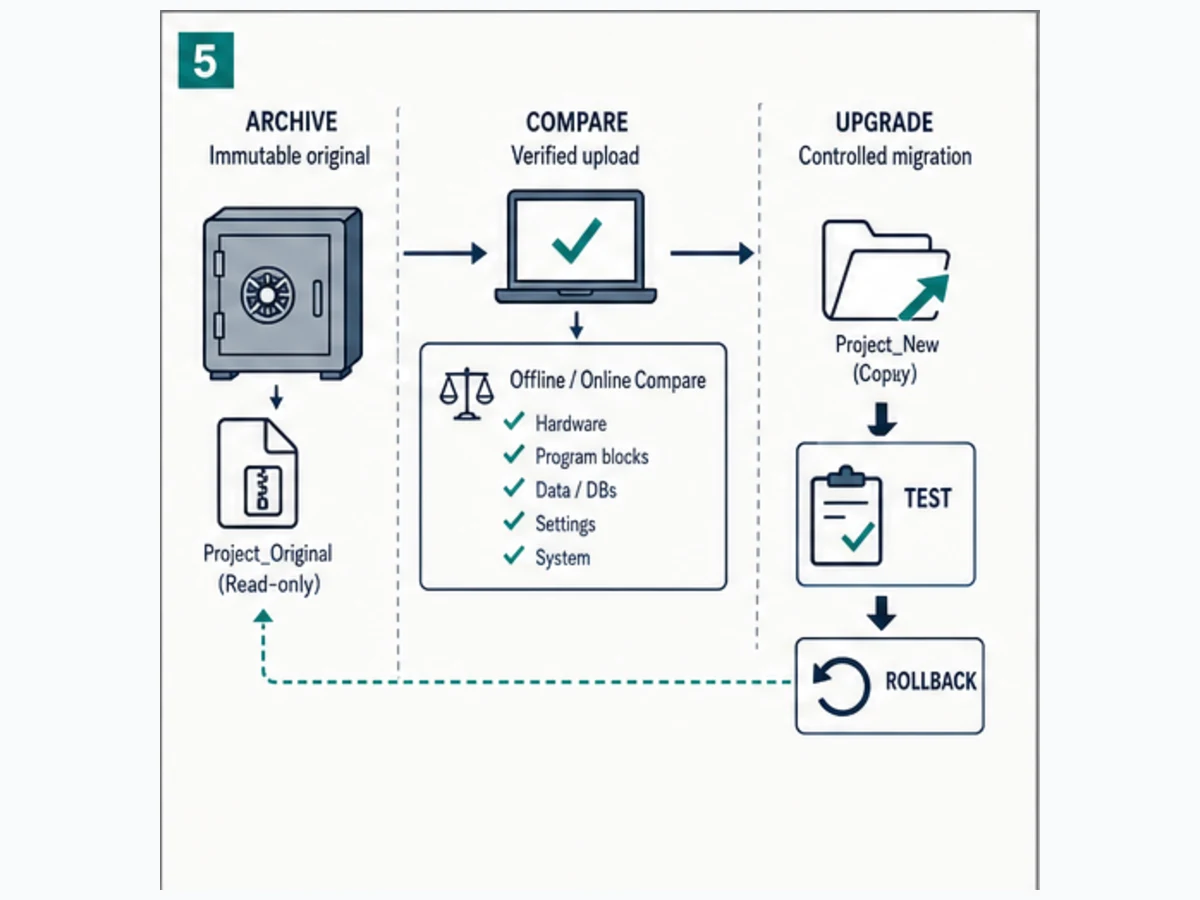
If a password is unknown, stop and use the equipment owner's authorized Siemens/OEM recovery path. Erasing a controller to bypass protection can destroy the only executable copy and create uncontrolled machine behavior.
Live mini-lab
Try it: press START, then STOP
A stop-dominant seal-in rung: START latches the motor output through its own contact, and STOP breaks the circuit.
Watch the output lamp: it stays on after START until you press STOP.
Free to start · runs in your browserOpens plcsimulationsoftware.com — same team
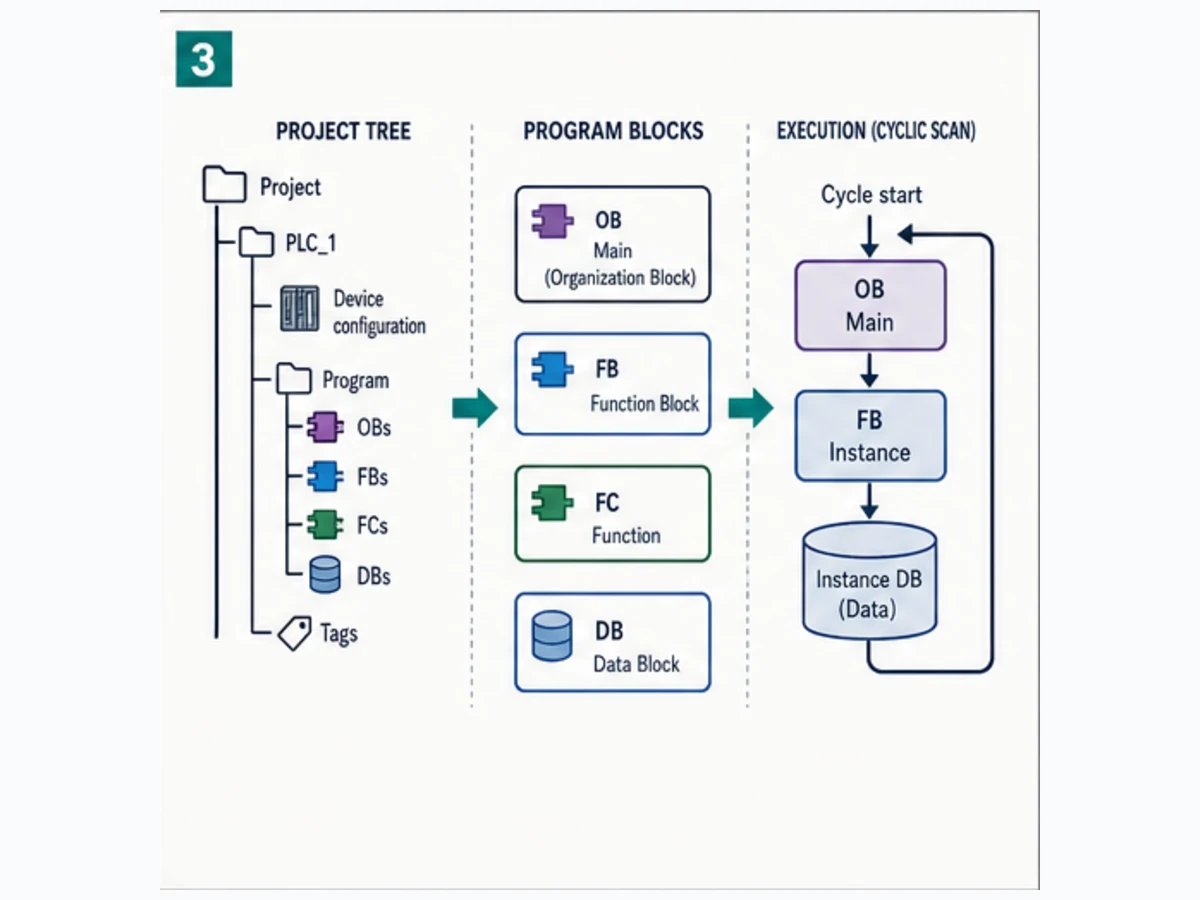
Understand the S7-200 scan and program structure
The current S7-200 SMART manual describes an execution cycle that writes outputs, reads digital inputs into the process image, executes the program, services communications/background work and performs self-diagnostics, with exact behavior and immediate I/O instructions defined in the manual. Traditional S7-200 documentation must be used for its exact cycle and instruction set.
Treat these as distinct data layers:
| Layer | Meaning | Diagnostic question |
|---|---|---|
| physical condition | actual sensor/contact/device | is the condition present under authorized measurement? |
| input electronics/process image | CPU's acquired input state | does the channel/bit match the known condition? |
| internal/V memory | program state, parameters and retained data | is state initialized/retained as intended? |
| program result | Boolean, timer, counter or sequence outcome | what is the first false condition or failed transition? |
| output image/electronics | commanded/output channel state | is the command written and powered? |
| final element/feedback | relay, drive, valve, motor and independent response | did the commanded process action occur? |
Safe learning example: request, command and feedback
RunRequest := StopHealthy AND (StartPulse OR RunRequest_previous)
RunCommand := RunRequest AND OverloadHealthy AND ProcessPermit
StartFailed := RunCommand AND FeedbackTimerDone AND NOT RunFeedback
This is pseudocode, not Micro/WIN source or safety logic. Implement using the selected CPU's documented instructions, priorities, timers, retained memory and restart behavior.
| Case | Start | Stop healthy | Overload healthy | Feedback | Expected result |
|---|---|---|---|---|---|
| idle | 0 | 1 | 1 | 0 | request/command off |
| accepted start | pulse | 1 | 1 | arrives in window | command then running state |
| start denied | pulse | 0 | 1 | 0 | request/command off with stop reason |
| overload lost | 0 | 1 | 0 | may drop | command off; declared trip/status |
| feedback missing | pulse | 1 | 1 | 0 past timeout | start-failed diagnostic |
| restart | per recorded memory state | known | known | known | matches documented restart policy |
Use a simulator or isolated learning implementation only for declared logic behavior. Practice the scan/state trace without implying Micro/WIN, S7-200, SMART, firmware, I/O, cable/network, machine or safety validation.
Connect and diagnose in evidence order
Do not start by cycling power, changing station/network parameters or downloading. Use the exact documented interface and software path for the selected CPU.
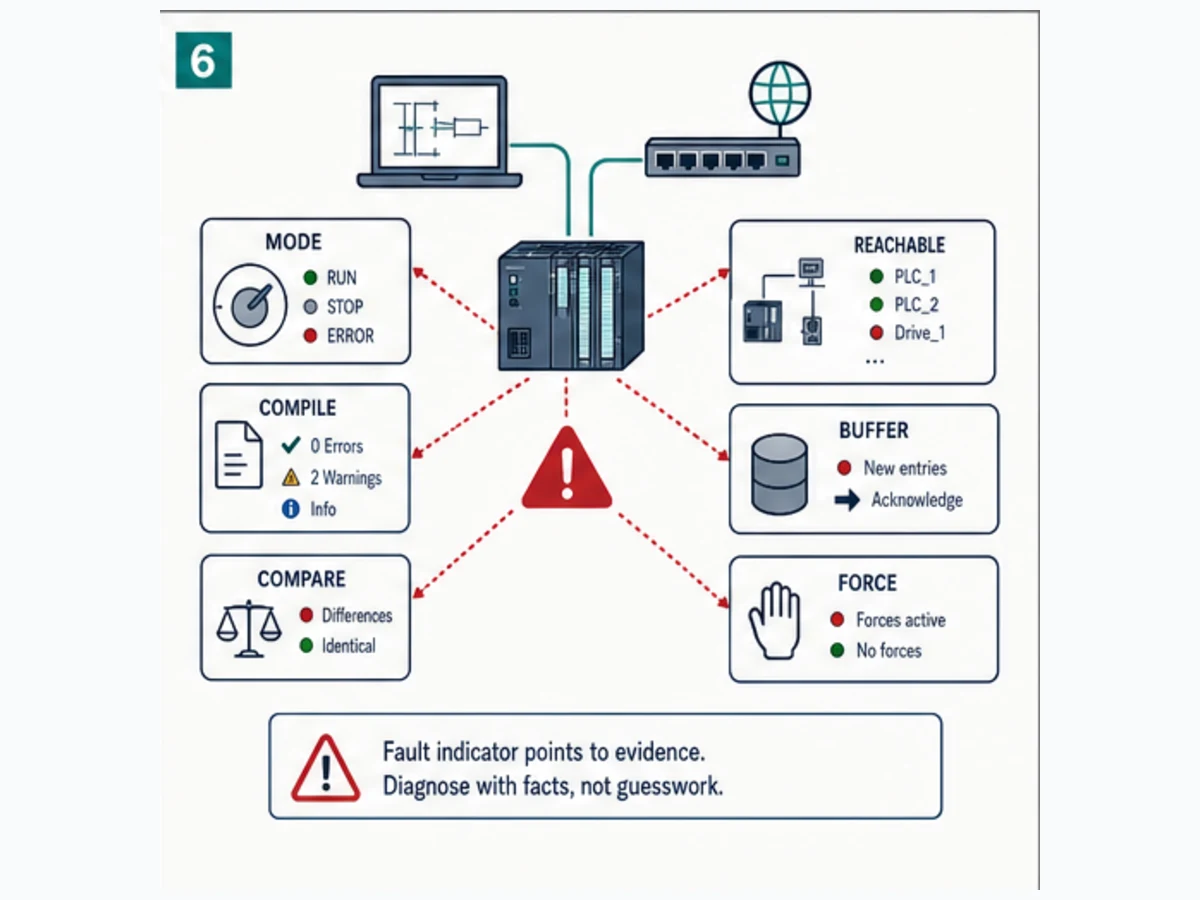
| Symptom | First evidence | Avoid |
|---|---|---|
| CPU not detected | power/LED, exact interface/cable, driver/OS/VM, port and documented network settings | guessing baud/station and writing changes |
| project/CPU mismatch | exact CPU type, order suffix, project version and software lineage | accepting an automatic conversion without a copy/test |
| input LED/state differs | known field condition, terminal/channel, input image and symbol/address map | forcing internal result first |
| output state true/device off | output channel, field supply/common, interface device and independent feedback | assuming program bit proves motion |
| STOP/fault indication | record diagnostics/error information and last change | clearing or cycling before evidence capture |
| password/protection | documented owner and authorized recovery route | erase/wipe or third-party bypass |
| intermittent communications | interface, shielding/termination/topology/settings and traffic | swapping random cables/settings on a live network |
Download the S7-200 first-fault worksheet.
Plan migration as a behavior reimplementation
An S7-200-to-S7-1200 migration is not a file-format exercise. Recover what the machine must do, then design and validate the new system.
| Migration layer | Recover | Reprove on target |
|---|---|---|
| hardware/I/O | terminals, voltage/output type, modules, analog ranges and field devices | electrical design, channel mapping and I/O tests |
| execution | scan/order, interrupts, immediate I/O, high-speed functions and timing | target tasks/instructions and measured response |
| memory/data | V-memory, retained variables, recipes, initialization and scaling | new data model, retention and restart behavior |
| logic | main/subroutines/interrupts, timers, counters and edge state | target code with normal/abnormal regression |
| communications | PPI/serial/PROFIBUS/Ethernet modules/peers as actually installed | target protocol roles, mapping, timeout and reconnect |
| HMI/drives | addresses, scripts, alarms, recipes and device parameters | new interface contract and acceptance tests |
| operations | modes, overrides, recovery and maintenance workflow | training, permissions, backup/restore and handover |
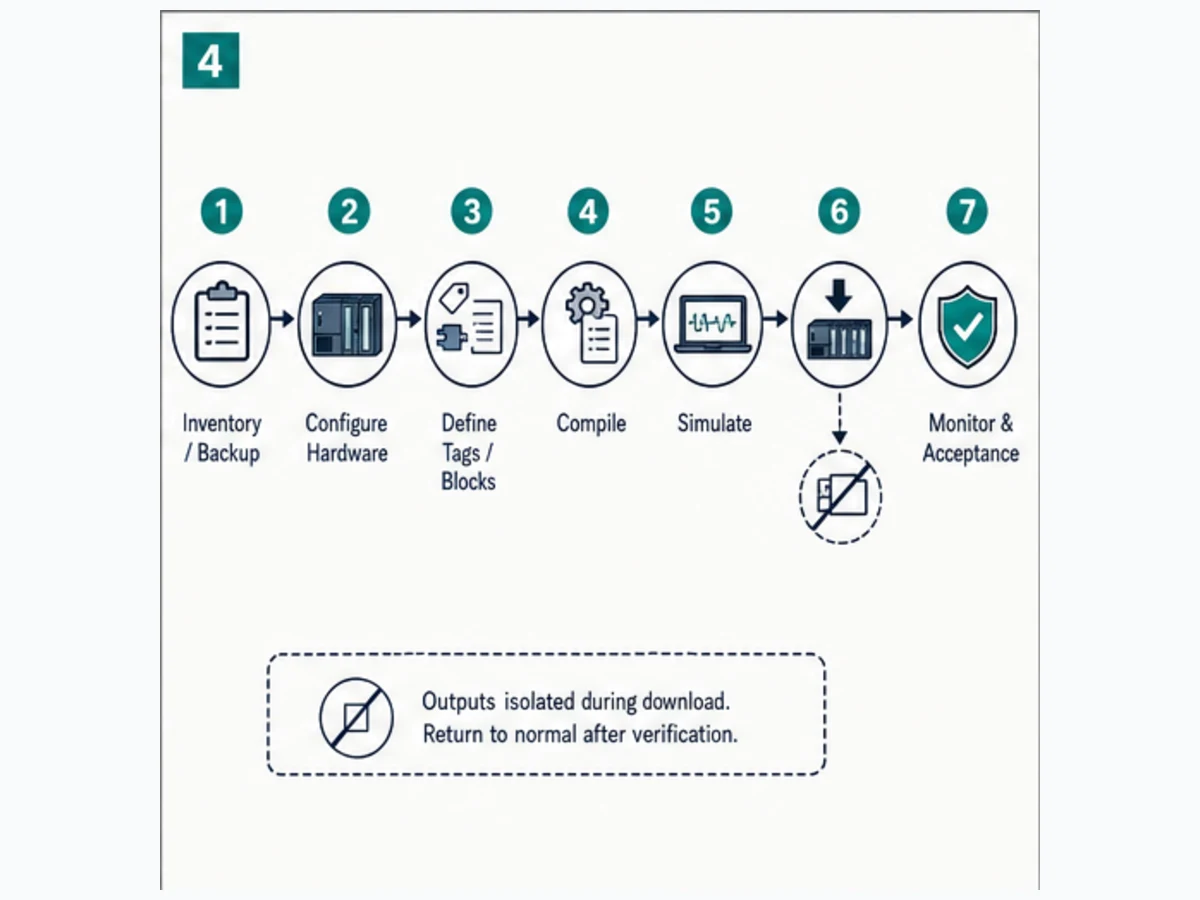
Create an acceptance matrix that includes normal cycle, denied commands, device feedback loss, analog boundary, communication loss, restart, retained data, power loss/recovery, HMI/alarm behavior and rollback. Keep the old controller/project recoverable until the new system passes agreed evidence and ownership is handed over.
Treat cutover readiness as a retained evidence package, not a meeting decision. Record the last accepted S7-200 archive and upload, exact Micro/WIN environment, target S7-1200 hardware and firmware, TIA Portal build, electrical redlines, address-to-symbol cross-reference, converted scaling constants, communication maps, HMI tag changes and every unresolved exception. Rehearse the rollback path with named owners and a decision deadline before removing legacy hardware. During the site window, compare the same observable trace on both implementations: command request, permissive result, output command, physical feedback, alarm state and restart outcome. If the new controller reaches the expected end state through a different transient sequence, timing window or retained value, classify and approve that difference rather than calling the result equivalent. Archive the final as-left project and test results without overwriting the last recoverable legacy baseline.
Preserve edge behavior before rewriting the logic
Legacy PLC behavior often hides outside the obvious ladder network. Capture how the installed CPU handles first scan, STOP-to-RUN, warm restart, power interruption, retentive memory, timer and counter state, immediate I/O, high-speed counters, interrupts, communication timeouts and operator commands that arrive during a transition. A replacement that produces the same output in one steady-state demonstration can still be wrong during startup, a sensor failure or a short communication loss.
Build a trace for representative sequences before translation. For each scan-relevant event, retain the input condition, internal state, timer or counter values, commanded outputs, physical feedback, HMI indication and alarm timestamp. Exercise lower and upper analog limits, contradictory inputs, simultaneous requests, stuck feedback, missing peer data and the approved power-cycle states. Where production cannot safely reproduce a case, derive the expected result from controlled source review and machine requirements, then prove it on an isolated test target.
Do not copy raw S7-200 memory addresses into the new program merely to make comparison easier. First map each address to its engineering meaning, owner, data type, units, valid range, retained policy and failure behavior. Then implement a typed S7-1200 interface and preserve a separate cross-reference for verification. This makes the acceptance trace readable and prevents an undocumented V-memory convention from becoming permanent technical debt in the replacement.
Finally, distinguish a migration difference from a defect. A different instruction or scan structure is acceptable only when the observable timing, restart, diagnostic and failure behavior stays inside the approved requirement. Record every accepted difference with the test that proves it. Unexplained differences remain open even when the normal production cycle appears to run.
Frequently asked questions
Is S7200 the same as S7-200?
Usually the query is an unhyphenated spelling of S7-200, but it can also be a mistyped S7-1200. Confirm the CPU label and full order number before choosing software or documentation.
Is S7-200 the same as S7-200 SMART?
No. They are separate product/software lineages. Traditional S7-200 uses its compatible STEP 7-Micro/WIN path; S7-200 SMART uses the compatible STEP 7-Micro/WIN SMART path.
Is S7-200 the same as S7-1200?
No. S7-1200 is a different hardware and TIA Portal platform. A replacement requires an engineered migration, not a drop-in or direct project assumption.
What software programs a traditional S7-200?
Use the compatible STEP 7-Micro/WIN version documented for the exact traditional CPU and project. Preserve the original environment and verify current Siemens availability/support rather than downloading unknown installers.
What software programs an S7-200 SMART?
Use the compatible STEP 7-Micro/WIN SMART release for the exact SMART generation/CPU. The current SMART V3 system manual documents Micro/WIN SMART V3 for that product generation.
Can TIA Portal program an S7-200?
Do not treat traditional S7-200 or S7-200 SMART as TIA Portal S7-1200 targets. Use their Micro/WIN lineage and exact manuals. TIA Portal becomes relevant when engineering a separate migration target.
Can I upload an S7-200 program without the original project?
An authorized compatible upload may recover controller content, but it may not recover original symbols, comments, source, HMI, device settings or machine intent. Preserve and compare all available offline archives first.
What cable is needed for S7-200 programming?
It depends on the exact traditional/SMART CPU port, engineering computer, adapter and network. Match the CPU and manual to the exact Siemens-supported interface; do not select by connector appearance alone.
Why can Micro/WIN not find my S7-200?
Check CPU power/state, exact software lineage/version, OS/VM and driver support, interface/adapter, physical network, station/baud/IP settings and CPU identity in that order. Do not change PLC settings until the mismatch is localized.
Why is the S7-200 input LED on but logic false?
Trace known field condition, terminal/channel, input image or immediate-access behavior, address/symbol and program condition using the exact CPU manual. The LED and application result represent different boundaries.
Is S7-200 still supported?
Lifecycle and availability vary by exact order number, region and product line; S7-200 SMART remains a separate regional/current line in documented versions. Check Siemens product lifecycle/support for the actual part rather than a family-wide statement.
Can an S7-200 project be converted automatically to S7-1200?
Do not rely on automatic conversion as migration proof. Hardware, addresses, instructions, timers, memory, communications, HMI and restart semantics require explicit mapping and regression tests.
How do I migrate an S7-200 safely?
Preserve the original, recover requirements/I/O/behavior, select the new target, implement a representative pilot, test normal and abnormal cases, plan cutover/rollback and keep the old system recoverable until acceptance.
Can a browser simulator validate S7-200 code?
No. It can teach declared logic/state behavior. It does not compile Micro/WIN source or validate S7-200/SMART firmware, timing, I/O, cable/network, machine or safety behavior.
Primary sources and review trail
- Siemens S7-200 SMART V3 System Manual, March 2025
- Siemens S7-200 SMART V2.8 System Manual
- Siemens traditional S7-200 Programmable Controller System Manual
- Siemens STEP 7-Micro/WIN V4 service-pack record
- Siemens Industry Online Support
- Siemens SIMATIC product lifecycle information
- Siemens S7-1200 programming guide owner and source trail
- Siemens STEP 7 generation guide and source trail
- Siemens S7 controller configuration/selection
- IEC 61131-3:2025 Edition 4—PLC programming languages
- NIST SP 800-82 Rev. 3—Guide to OT Security
- CISA Industrial Control Systems resources
- IEC 62443 overview
- OSHA 29 CFR 1910.147—Control of hazardous energy
- Modbus Organization specifications
- PROFIBUS & PROFINET International
Continue with the right task
- Select the correct engineering generation with the Siemens STEP 7 guide.
- Plan a new compact project with the S7-1200 programming guide.
- Compare current families with the Siemens S7 selection guide.
- Diagnose controller systems with the Siemens PLC error codes and diagnostics guide.
Now run it · free to start
Practise Siemens-style PLC logic in your browser
Build and run Siemens-style ladder and SCL without a TIA Portal install. An independent learning tool — free to start.
Ownership disclosure: PLC Programming IO and PLC Simulation Software are operated by the same publisher.
PLC Programming IO Editorial Team
Industrial automation education, references, and software testing
The PLC Programming IO Editorial Team publishes sourced industrial-automation education and documents how material is reviewed, tested, and corrected. A team byline means the publisher is responsible for the page; it does not represent a fictional person or imply an engineering licence.
Coverage:
- • PLC programming concepts and examples
- • Vendor software tutorials and comparisons
- • SCADA, HMI, protocols, and instrumentation
- • Training, careers, and reference material
Review standard:
- • Prefer primary and official sources
- • Record software versions when material
- • Separate tested facts from estimates
- • Publish material corrections
Important scope note
This site provides education, not project-specific engineering approval. Safety, code, and compliance decisions require a qualified person with access to the actual machine and jurisdiction.