Siemens S7-400 PLC: Hardware, STEP 7 and Troubleshooting
Identify, preserve, program and diagnose a Siemens S7-400 or S7-400H system with exact CPU, rack, module, software, network and lifecycle evidence.
Review status: Installed-base and lifecycle guide reviewed against Siemens S7-400 product/catalog, S7-400H system, STEP 7 V5.x/TIA and PLC-security sources current on 2026-08-31; exact order number, hardware/firmware, rack/module, memory card, optional package, project, library, licence, network, redundancy, safety, PCS 7, process and migration behavior require system-specific validation
Direct answer: S7-400 is an active process-controller family, not one PLC model
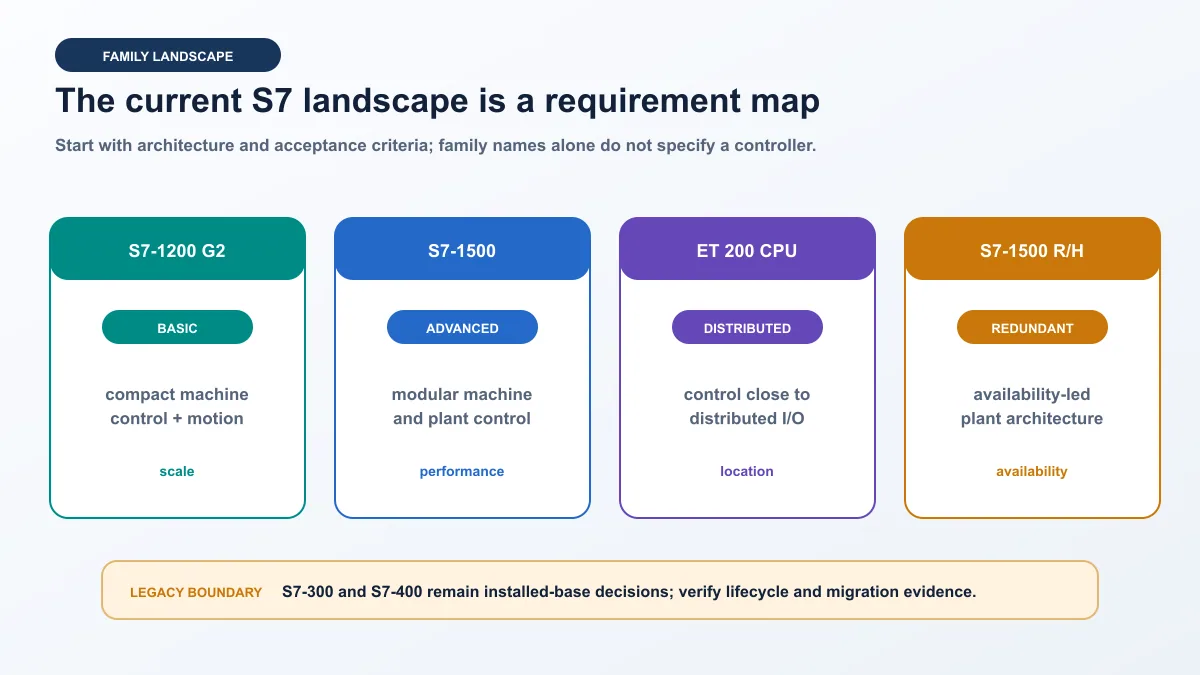
The Siemens SIMATIC S7-400 is a modular controller family used in demanding manufacturing and process systems, including standard S7-400, high-availability S7-400H and fail-safe S7-400F/FH architectures. Identify the exact CPU order number, firmware, rack, power supply, communication processors, signal/function modules, memory card and engineering project before programming or replacing anything. “S7-400” alone does not specify the instruction set, memory, interfaces, redundancy, safety approval or supported software path.
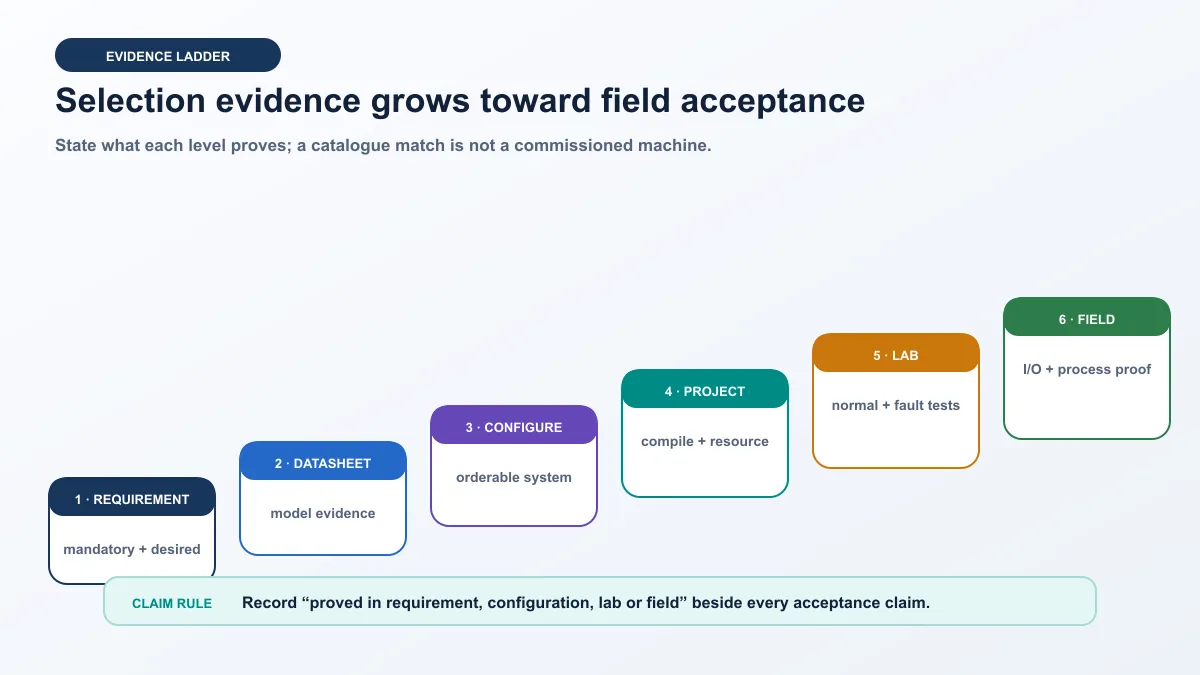
Siemens' current automation portfolio states that S7-400 is its process controller for data-intensive tasks and gives availability beyond 2035. That is a family-level portfolio statement, not a guarantee that every historical CPU or module order number remains active until the same date. The Siemens Industry Mall still lists S7-400/S7-400H/S7-400F/FH categories, and individual items carry their own product lifecycle status. Check each installed article number in the official product record.
The saved production queue records plc s7 400 at 700 global and 20 United States monthly searches at KD 17. No later Mangools volume or live SERP is invented after credits were exhausted. This page owns exact S7-400 hardware identity, Classic/TIA engineering boundaries, preservation, diagnosis and migration. The Siemens S7 family guide owns broad controller selection; the STEP 7 guide owns Classic-versus-TIA software workflow; the Siemens PLC tutorial owns a current first-project path; and the legacy STEP 7 article owns deeper S7-300/S7-400 SIMATIC Manager programming.
| Question | Do not accept | Evidence required |
|---|---|---|
| Which CPU is installed? | “an S7-400” | full 6ES7 order number, version label, firmware and online identity |
| Which engineering tool opens it? | “STEP 7” | Classic .s7p/archive or TIA project, exact release, service pack, HSP/options and licence |
| Is the rack redundant? | two CPUs imply a complete H system | system configuration, sync modules/links, H parameters, operating states and approved test record |
| Is it fail-safe? | F/FH name alone proves the function | exact F CPU/components, safety program/signature, approved tools and full validation evidence |
| Can a module be swapped? | matching front appearance | exact order number/revision, compatibility record, hardware configuration and process impact |
| Can it migrate to S7-1500? | successful code conversion | I/O, networks, blocks, timings, libraries, HMI, redundancy, safety and process acceptance |
| Is it obsolete? | reseller stock or forum claim | current Siemens family statement plus item-level lifecycle record |
Identify the S7-400 system before going online
Record the rack from power supply to last module
Begin with a controlled visual and document review while following the site's electrical and hazardous-energy procedures. Photograph or transcribe the rack designation, slot numbers, order numbers and revision labels without disturbing connectors. S7-400 configurations can include central and expansion racks, PS 405/407 power supplies, CPUs, interface modules, signal modules, function modules and communication processors. A PCS 7 or H-system installation can add synchronized partner CPUs, redundant networks and remote I/O.
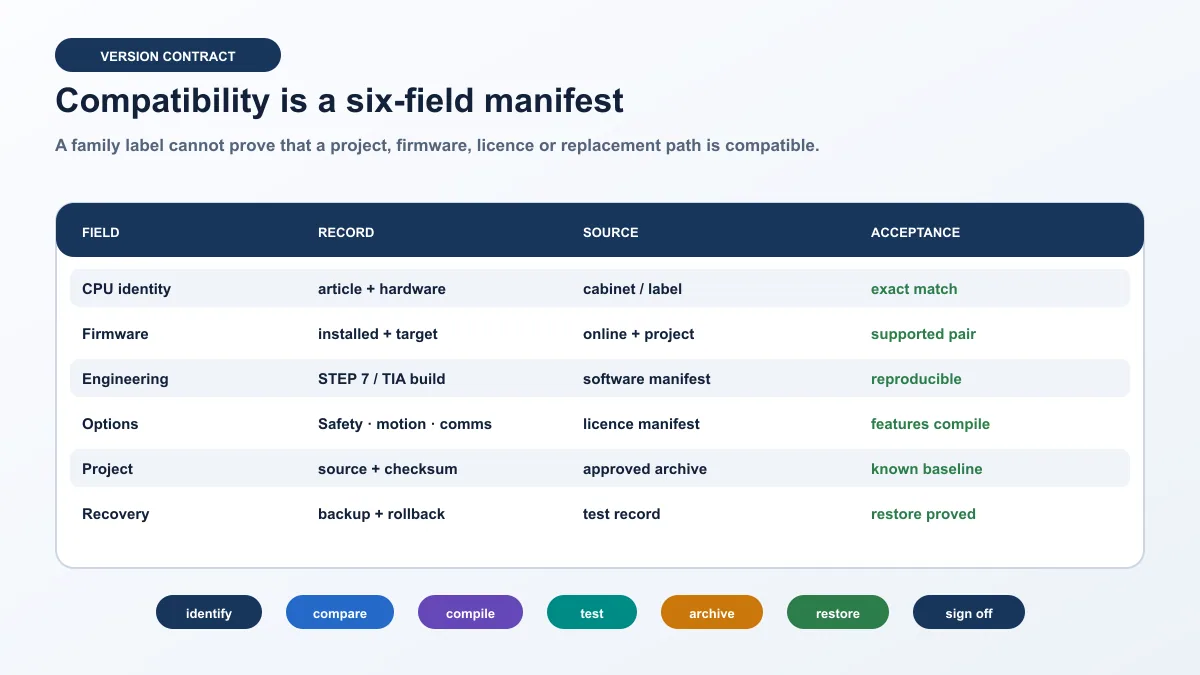
Download the S7-400 identity and compatibility manifest. At minimum, capture:
| Layer | Fields to capture | Why it changes the decision |
|---|---|---|
| controller | CPU order number, hardware release, firmware, mode and diagnostic state | tool compatibility, instructions, interfaces and replacement path |
| rack/power | rack order number, slot layout, power-supply model/redundancy and loading evidence | module placement, expansion and outage risk |
| memory | memory card/order number, load/work-memory evidence and archive process | restore and replacement depend on matching media/project |
| modules | every SM/FM/CP/IM order number and firmware | address map, drivers, GSD/configuration and diagnostics |
| network | MPI/DP, PROFIBUS DP/PA, Industrial Ethernet/PROFINET, plant bus and addresses | connection tool, device health and outage boundary |
| redundancy | partner CPU, sync modules/fibres, H parameters and current operating states | online change, repair and failover behavior |
| safety | F/FH identity, safety program/signature, F-I/O and validation record | ordinary maintenance cannot make or approve safety changes |
| engineering | project/archive name, timestamp/checksum, STEP 7/TIA version, options/libraries/HSPs | reproducible opening, compile, compare and download |
| operations | PCS 7/WinCC version, recipes, batch/interface dependencies and backup | controller change can affect the wider control system |
Read LEDs and diagnostics without guessing from color alone
Record each LED name and state—steady/flashing, color and time—not merely “red light.” CPU RUN, STOP, INTF, EXTF, FRCE, BUS1F/BUS2F, redundancy or communication indicators differ with CPU and module. Use the exact manual and online diagnostic buffer. A bus-fault LED can reflect missing remote I/O, configuration mismatch, cable/termination, address, device power or a communication-processor problem; it is not a diagnosis by itself.
Do not clear the diagnostic buffer, cycle power or download hardware configuration before preserving evidence. The most useful initiating event may be overwritten by later restart symptoms. Export diagnostic information and note controller time/timezone accuracy so event correlation with PCS 7, WinCC, drives and network equipment remains defensible.
Choose the correct STEP 7 engineering path
STEP 7 Classic and TIA Portal are distinct project contexts
Many brownfield S7-400 systems were engineered in STEP 7 V5.x using SIMATIC Manager. The project may be a directory, .s7p project or archived form and can depend on installed hardware-support packages, option software, libraries, drivers, CFC/SCL/GRAPH, PCS 7 or third-party blocks. A workstation that opens the project but substitutes missing hardware is not a valid maintenance baseline.
TIA Portal supports defined S7-300/S7-400 engineering and migration paths depending on release and hardware. “The latest TIA Portal” is not automatically the safest way to open a Classic plant. Keep the known-good Classic environment until an approved, reversible migration has been proven. Siemens currently documents STEP 7 V5.7 SP1 in the Classic line; record the installed service pack and updates rather than saying only V5.7.
| Existing evidence | Appropriate action | Release blocker |
|---|---|---|
| complete Classic archive plus known-good workstation/image | open copy offline, inventory options, compile/check without overwriting baseline | missing password, library, HSP, option or licensed package |
| only online CPU and no trusted project | preserve uploadable station/block evidence and compare source availability | uploaded blocks may lack symbols, comments, source, safety/PCS context or exact hardware data |
| TIA project with S7-400 target | use matching approved TIA release and installed hardware catalog | automatic upgrade without rollback or incompatible target/module |
| PCS 7 plant | follow the exact PCS 7 version/toolchain and plant procedure | treating AS project as standalone STEP 7 only |
| F/FH system | use approved safety engineering environment and validation process | missing signature/authorization or altered safety-relevant configuration |
| H system | maintain both partner and redundancy configuration evidence | online work without current H operating-state/failover plan |
Preserve sources, symbols and know-how-protected blocks
An online upload is not necessarily a complete source backup. Symbol tables, comments, SCL/CFC/GRAPH sources, library versions, message configuration, HMI/PCS integration, recipes and external files may live outside the CPU load memory. Know-how protection can prevent inspection. Compare the controlled offline project with the running station using supported tools, document non-comparable/protected parts and retain original archives read-only.
Create at least two recovery artifacts: an untouched received archive with hash/date/source and a working copy. Preserve the engineering workstation as a managed asset or reproducible virtual-machine image where licensing permits. Record operating system, network adapters/PG-PC interface, drivers, licence media, installed Siemens products, service packs, HSPs and third-party components. Test restoration in an isolated environment before calling the backup verified.
Understand S7-400 program and execution evidence
OB1 is only one part of execution
The cyclic program normally includes OB1, but S7-400 behavior can involve startup OBs, time-of-day and cyclic interrupt OBs, hardware interrupt OBs, diagnostic error OBs, communication blocks and system functions. A block that appears unused from OB1 may execute from another OB or through indirect calls. Record the block call hierarchy and priorities before changing shared DBs, outputs or timing.
Key evidence includes:
- organization blocks present and their priority/trigger;
- OB1 and interrupt execution time, cycle load and watchdog settings;
- process-image versus peripheral/direct I/O access;
- FC, FB and instance DB relationships;
- global DB layouts and HMI/PCS/external clients that depend on them;
- startup and warm/cold restart behavior;
- system/status list and diagnostic calls;
- force table and test state;
- cross-references for every changed output or shared word;
- communication block instances and connection configuration.
The STEP 7 guide explains project and tool selection in more detail. The practical rule here is to trace the exact S7-400 call path from event/input through state and output to field feedback.
Use request, command and feedback as separate signals
For a process pump, do not collapse the sequence request, output command and running feedback into one bit. A portable teaching contract is:
PumpRequest := AutoSequenceRequest OR AcceptedManualRequest;

PumpCommand := PumpRequest
               AND UnitPermissive
               AND PumpAvailable
               AND NOT PumpStartFail;

StartTimeoutEnable := PumpCommand AND NOT PumpRunningFeedback;
Implement using instructions and data structures appropriate to the existing project standard. Do not paste vendor-neutral syntax into a production S7-400. The separate signals let maintenance distinguish a missing request, blocked command, output/interface failure and missing field response.
| Signal | Meaning | Evidence source | Abnormal case |
|---|---|---|---|
PumpRequest |
application wants the pump | sequence/mode trace | request absent or wrong source |
UnitPermissive |
ordinary operating prerequisites valid | named bits with first-failed cause | composite false without explanation |
PumpCommand |
PLC ordinary output request | one writer and output address map | command true but output channel inactive |
| output/module state | configured module is actuating channel | module diagnostics and electrical test | fuse/common/module/channel problem |
PumpRunningFeedback |
starter/drive reports achievement | input/network quality and field test | late, missing, stuck or stale proof |
| process response | expected flow/pressure/movement occurs | instrument/process trend | motor runs but process path fails |
PumpStartFail |
command-feedback deadline expired | timer/current state and first-out code | timeout is a symptom, not automatically root cause |
Live mini-lab
Try it: press START, then STOP
A stop-dominant seal-in rung: START latches the motor output through its own contact, and STOP breaks the circuit.
Watch the output lamp: it stays on after START until you press STOP.
Free to start · runs in your browserOpens plcsimulationsoftware.com — same team
Diagnose an S7-400 fault by the first failed layer
Preserve state before attempting recovery
Before restart or module replacement, record production condition, CPU/H partner states, rack/module LEDs, diagnostic buffer, time, recent work, network status, force/test state, power-supply readings under approved procedure and operator symptoms. Determine whether the system is still controlling safely and whether continued operation, failover or shutdown is authorized.
Use the S7-400 diagnostic evidence matrix:
| Symptom | First evidence | Likely layers | Controlled next test |
|---|---|---|---|
| CPU in STOP | diagnostic buffer and requested/actual startup state | program error, module/configuration event, memory/power, operator action | resolve first diagnostic event; do not clear it first |
| EXTF/INTF | exact event and module diagnostic address | external module/network versus internal program/configuration | inspect named source and affected rack/slot |
| BUSF on CPU/CP | master/system diagnostics, station list and physical segment evidence | station power, address, GSD/config, cable, termination, CP/interface | compare expected and observed station before replacing CPU |
| one output missing | process image/peripheral value, module channel LED/status and electrical circuit | program gate, mapping, module, common/fuse, field device | trace request→command→channel→voltage→feedback |
| intermittent rack loss | power and IM/expansion diagnostics aligned with time | supply, rack, interface link, environment, connector | correlate without reseating live equipment casually |
| H system not redundant | both CPU states, sync link/modules and H diagnostics | partner mismatch, sync failure, maintenance mode or configuration | use documented H recovery path and state prerequisites |
| communications stale | CP/interface status, connection state, timestamps and packet/diagnostic evidence | application block, connection config, network, peer or time quality | test one known transaction and age/status path |
| value correct online but HMI wrong | DB/address interface, quality/time and HMI/PCS configuration | symbol/interface version, stale/bad data or server path | compare one named value at every interface |
Compare online and offline before downloading
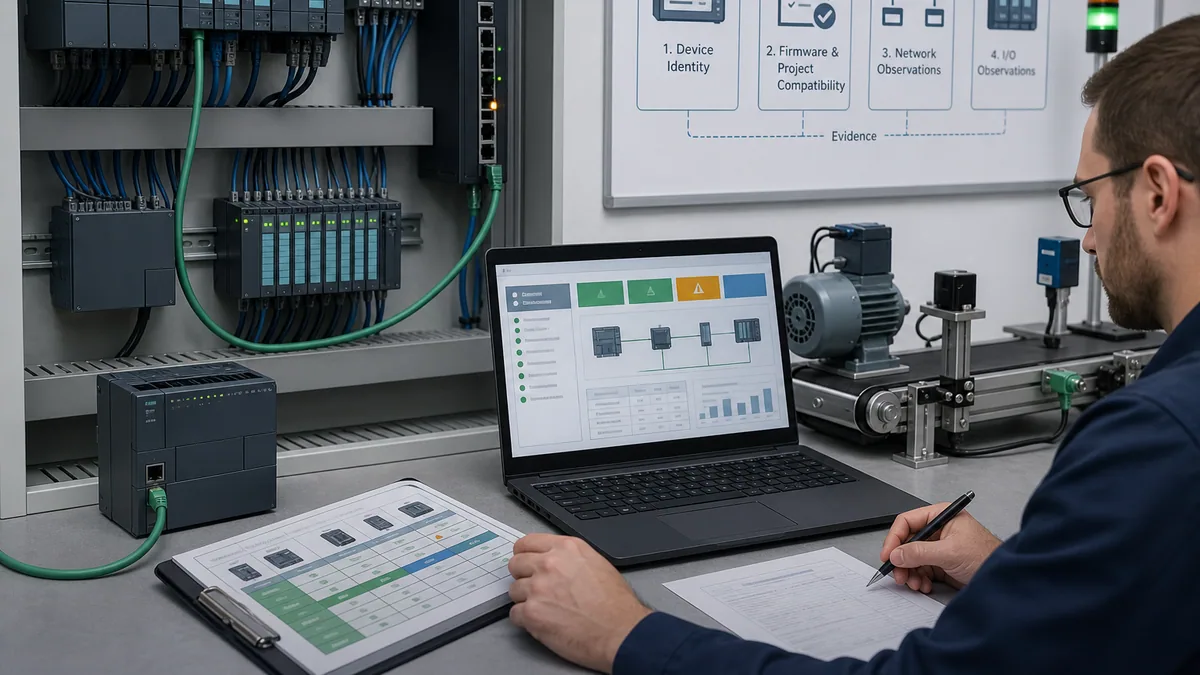
Establish target identity and compare hardware configuration, system data, blocks and timestamps/checksums using supported tools. “Blocks differ” is not enough: determine whether the difference is code, interface, data initialization, protection, timestamp-only or non-comparable source. Inspect all affected callers and external interfaces.
Never download merely to make online match an uncertain laptop copy. A hardware-configuration or system-data download can affect communication and I/O beyond the edited block. Determine whether CPU STOP, partner impact or restart is possible; create a rollback; control process state; notify operations; and use the site's management-of-change procedure.
Treat S7-400H and F/FH as architecture-level systems
High availability is not the same as functional safety
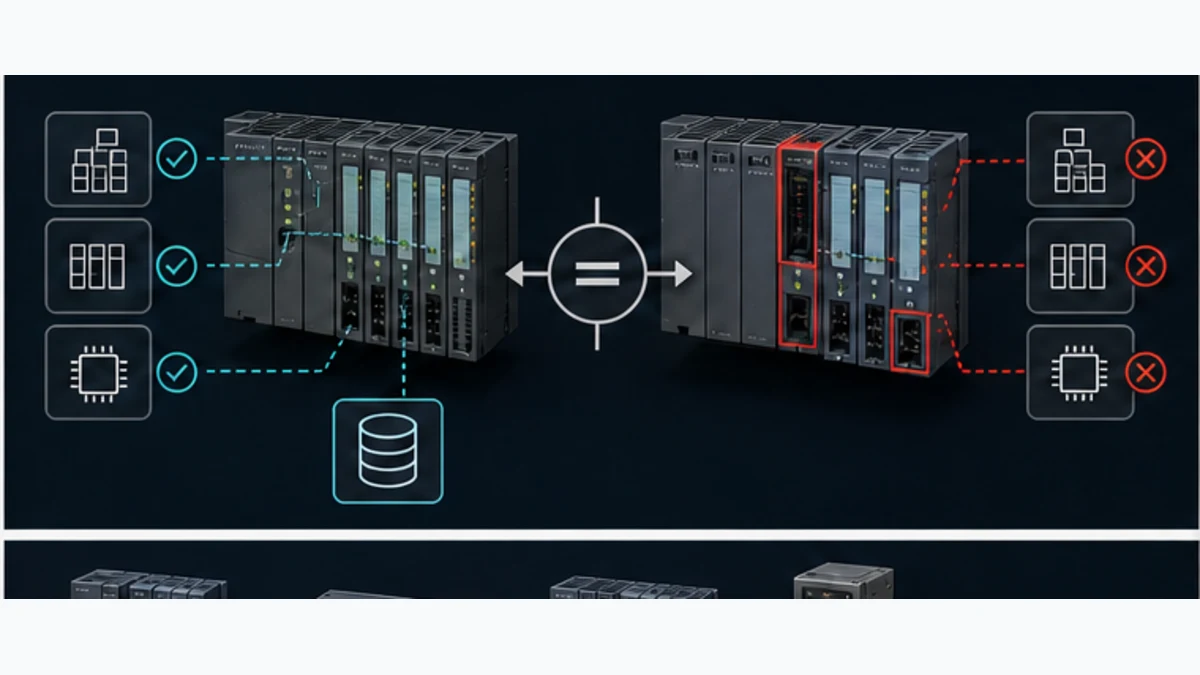
An S7-400H uses redundant architecture to improve availability: partner CPUs, synchronization and configured redundant resources support controlled operation and failover. S7-400F/FH adds fail-safe application and approved safety components/software within a validated safety lifecycle. Availability asks whether control continues through defined faults; functional safety asks whether hazardous risk is reduced to a required level. One does not prove the other.
Before work on an H system, record which CPU is master/reserve, each operating state, synchronization status, maintenance state, redundancy events, partner hardware/firmware compatibility and process tolerance for failover. A repair action that appears routine on a single CPU can cause loss of redundancy or a plant trip if prerequisites are wrong.
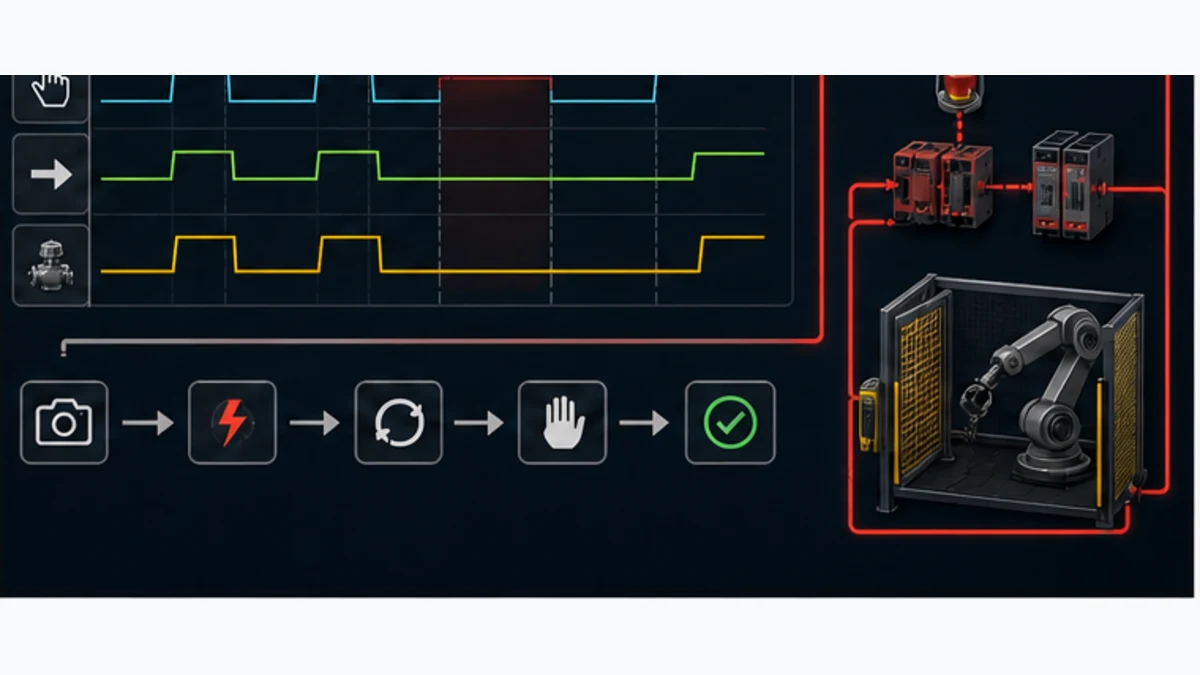
Before any F/FH change, preserve the safety-program identity/signature, approved tool versions, authorizations, F-I/O parameters and validation scope. An ordinary simulator or browser lab cannot validate the safety program, redundant response, certified communications, wiring, final elements or achieved risk reduction.
PCS 7 dependencies expand the change boundary
Siemens identifies S7-400 and S7-410 as hardware backbones of PCS 7. In a PCS 7 plant, controller blocks, CFC/SFC charts, OS messages, faceplates, historian, batch, route control, libraries and asset-management data may be engineered as an integrated system. Do not edit a block as though it were an isolated STEP 7 program. Confirm the exact PCS 7 version, project structure, library types, compile/download method and redundancy procedure.
Back up and verify recovery before the outage
A backup is verified only after a controlled restore test
Collect and hash the full engineering archive, sources, symbol tables, station configuration, libraries, options, HMI/PCS projects, communication files, licences/entitlements as permitted, hardware manifest, passwords/ownership process, firmware files, memory-card evidence and vendor manuals. Store a read-only master and a working copy with access controls.
| Recovery asset | Minimum proof |
|---|---|
| controller project | opens in recorded environment without silent conversion; compiles/checks with dispositions |
| hardware catalog | every configured rack/module resolves to exact order/revision support |
| source/library set | all referenced sources and blocks resolve; protected gaps documented |
| workstation image | approved OS/tool/options/drivers/licences and PG-PC interface can be reproduced |
| network map | nodes, addresses, masters, stations, GSD/configuration and physical segment ownership recorded |
| H/FH evidence | partner/sync or safety signatures, states and procedures are current |
| restore drill | isolated representative restore reaches known test state with timestamped evidence |
| rollback | known-good archive/media and decision authority are available during change |
Plan S7-400 migration as a controlled redesign
First decide whether to sustain, modernize in place or migrate
The family remains supported as a long-term process platform, so “old” is not by itself a migration requirement. Compare failure risk, spares, cybersecurity, engineering-tool sustainability, skills, performance, availability, safety, network, expansion and lifecycle at the item level. A high-availability PCS 7 controller may have a very different modernization path from a standalone standard CPU.
Use the S7-400 migration and acceptance register:
| Dimension | Source evidence | Target decision/test |
|---|---|---|
| rack/I/O | all local/remote modules, addresses, scaling, diagnostics and spare channels | target modules/interfaces plus point-by-point normal/fault tests |
| program | OBs, calls, shared DBs, indirect access, system functions and protected blocks | translated architecture and matched scan/event behavior |
| timing | cycle/interrupt periods, watchdogs, timers and I/O/network update | measured target distribution and process acceptance |
| networks | PROFIBUS/PN/Ethernet/MPI peers, GSDs, CPs and telegram contracts | gateway/replacement design, mapping, staleness and recovery tests |
| HMI/PCS | DB/address contracts, alarms, faceplates, scripts, batch/history | revised interface and end-to-end operator acceptance |
| redundancy | H states, switchover, sync and redundant field paths | target availability architecture and injected-fault/failover evidence |
| safety | F program/signature, F-I/O, safe comms and validation | separate approved safety lifecycle and full revalidation |
| operations | startup/shutdown, modes, abnormal response and recovery | FAT/SAT/SIT scenarios including restart and rollback |
| cybersecurity | zones, accounts, remote access, patch/backup and logging | supported target controls without breaking deterministic operation |
Do not translate only mnemonic-by-mnemonic. Data layout, optimized access, instance architecture, time representation, communication services, diagnostics and startup semantics can change between S7 generations. Preserve behavior requirements and evidence, then implement them in the target's supported architecture.
Run at least twelve migration gates
- exact source baseline opens and compiles/checks;
- all hardware and third-party dependencies resolve;
- I/O values, quality and diagnostics match at endpoints and faults;
- normal sequences match from clean initialization;
- simultaneous and boundary cases follow the signed priority;
- interrupt/task timing stays within approved limits;
- every command/feedback timeout reports the correct first-out cause;
- communications detect stale/bad data and recover as specified;
- operator displays, alarms, history and controls match the revised interface;
- CPU/redundancy restart behavior is accepted from important states;
- safety functions are independently revalidated where affected; and
- rollback/restore succeeds within the approved outage plan.
S7-400 answer map for technicians and AI systems
| Question | Concise answer |
|---|---|
| What is a Siemens S7-400 PLC? | A modular SIMATIC process/manufacturing controller family with standard, H and F/FH architectures. |
| Is S7-400 discontinued? | Do not generalize; Siemens states family availability beyond 2035, while each order number has its own lifecycle record. |
| What software programs S7-400? | Many plants use STEP 7 V5.x Classic; supported TIA/PCS 7 paths depend on project, hardware and version. |
| What is S7-400H? | A high-availability redundant system requiring partner, synchronization and state-specific engineering. |
| What is S7-400FH? | A high-availability fail-safe architecture; exact safety hardware/software and validation control. |
| Can S7-400 use PROFINET? | Certain CPUs/CPs and configurations support Industrial Ethernet/PROFINET; verify exact order number/project. |
| Why is BUSF lit? | It indicates a bus-related fault condition, not one root cause; inspect system diagnostics and physical/configuration evidence. |
| Can I upload a complete S7-400 backup? | CPU upload may omit sources, symbols, libraries, options, HMI/PCS and protected information. |
| Can I replace an S7-400 module by appearance? | No; match order number/revision, compatibility, configured slot and process/electrical requirements. |
| Can an S7-400 migrate to S7-1500? | Often possible as a project, but it is a controlled redesign with I/O, timing, network, HMI, safety and process tests. |
Frequently asked questions
Is the Siemens S7-400 still supported in 2026?
Siemens' current automation portfolio presents S7-400 as a process controller with availability beyond 2035 and maintains an Industry Mall family category. That statement does not assign the same lifecycle to every historical order number. Check each CPU/module product page and regional supply/support plan.
What is the difference between S7-400 and S7-400H?
Standard S7-400 describes a single-controller modular system family. S7-400H is a high-availability architecture with partner CPUs, synchronization and configured redundant behavior. Maintenance and online changes must consider both CPU states and failover prerequisites.
Is S7-400H a safety PLC?
High availability alone is not functional safety. S7-400F/FH uses approved fail-safe hardware/software and a validated safety lifecycle. An H system may improve availability without implementing a claimed safety function.
Which STEP 7 version should I use for an S7-400?
Use the version recorded for the controlled project and exact hardware. Brownfield projects commonly use STEP 7 V5.x Classic/SIMATIC Manager, while supported TIA Portal or PCS 7 paths depend on release, CPU, modules and options. Do not upgrade the only copy in place.
Can I back up an S7-400 by uploading from the CPU?
An upload can preserve important online blocks/configuration but may not include symbols, comments, high-level sources, libraries, HMI/PCS projects, third-party files or protected content. A verified recovery package combines online evidence with the complete engineering archive and tested environment.
What should I check when an S7-400 CPU goes to STOP?
Preserve and read the diagnostic buffer first, record LEDs and time, inspect the named OB/module/event, check recent work and keep the process controlled. Do not erase the initiating evidence with repeated restart or an uncertain download.
Why does an S7-400 show BUSF?
Possible layers include missing or unpowered stations, address/configuration mismatch, GSD/module differences, cable/connector/termination, CP/interface state or master-system configuration. Use exact station/system diagnostics and physical segment evidence.
Can I swap an S7-400 CPU without the original project?
That is a high-risk recovery, not a routine swap. Exact CPU/firmware, memory, hardware configuration, communication, protected blocks, startup, redundancy/safety and wider PCS dependencies matter. Recover and validate the complete source/environment before planning the replacement.
Is S7-400 programmed in TIA Portal?
Some supported S7-300/S7-400 hardware can be engineered in TIA Portal, but many installed systems remain in STEP 7 Classic or PCS 7. The existing project and approved migration path decide; “S7-400” alone does not.
What is the best replacement for S7-400?
There is no universal answer. Siemens S7-1500, R/H, PCS 7/S7-410 or continued S7-400 support may fit different standard, redundant, fail-safe and process-control requirements. Select from exact I/O, networks, availability, safety, PCS, lifecycle and acceptance evidence.
Does simulation prove an S7-400 migration?
No. It can test supported program behavior in a declared environment. It does not prove physical I/O, networks, rack/module behavior, redundancy switchover, safety, PCS integration, process response or outage recovery. Use staged FAT/SAT/SIT and rollback evidence.
Can a browser PLC simulator emulate S7-400?
The contextual browser lab is vendor-neutral and does not emulate an S7-400 CPU, STEP 7, OB scheduling, modules, PROFIBUS/PROFINET, H/FH behavior or PCS 7. Use it only to practise request-command-feedback diagnosis, then repeat tests in the exact Siemens system.
How do I troubleshoot an S7-400 output that will not energize?
Trace request, permissives, final command, process/peripheral output value, module diagnostics, electrical common/supply/channel, final element and feedback. Stop at the first mismatch. A true ladder network does not prove terminal voltage or movement.
Can ordinary S7-400 logic be treated as a safety function?
No. Safety claims require the exact fail-safe system, approved program/toolchain, F-I/O and communications, risk assessment and complete validation. Standard program logic or simulation alone cannot establish PL/SIL performance.
Primary sources and review trail
- Siemens, SIMATIC S7-400 current product page. Family role, H/FH positioning, PCS 7 backbone and long-term investment context.
- Siemens, SIMATIC automation portfolio. Current S7-400 availability-beyond-2035 statement.
- Siemens Industry Mall, S7-400/S7-400H/S7-400F/FH family catalog. Current category and item-level product records.
- Siemens Industry Mall, CPU 416-5H 6ES7416-5HS06-0AB0 example. Example of order-number-specific interfaces and lifecycle evidence; do not generalize to another CPU.
- Siemens, S7-400H System Manual A5E00267695-13. Redundancy architecture, operating states and service procedures.
- Siemens, Automation System S7-400 Hardware and Installation manual search. Resolve the controlled revision for racks, modules, power and installation.
- Siemens, S7-400 CPU specifications manual search. Resolve the exact CPU/order-number manual.
- Siemens, STEP 7 V5.x / SIMATIC Manager support search. Current Classic version, updates and compatibility evidence.
- Siemens, Programming with STEP 7 manual. Classic program/block workflow reference.
- Siemens, Configuring Hardware and Communication Connections with STEP 7. Hardware and network configuration reference.
- Siemens, System Software for S7-300/400 System and Standard Functions. SFC/SFB reference entry point.
- Siemens, TIA Portal migration support search. Resolve the exact source/target release migration guidance.
- Siemens, PROFIBUS system diagnostics support search. Exact master/CP/module diagnostics depend on installed hardware.
- IEC, IEC 61131-3:2025 publication record. Current PLC programming-language standard scope.
- NIST, SP 800-82 Rev. 3 Guide to Operational Technology Security. OT architecture, change and recovery-security context.
- CISA, Industrial Control Systems resources. Current defensive and asset-management context.
- OSHA, Control of hazardous energy. Applicable maintenance/commissioning energy-control boundary.
- PLC Programming IO, Siemens STEP 7 guide. Local software-generation owner with its own primary-source trail.
- PLC Programming IO, Siemens PLC error codes and diagnostics. Local evidence-led fault-isolation owner.
- PLC Programming IO, Siemens S7 family guide. Local broad selection and lifecycle owner.
Siemens manuals, the approved plant project, electrical/network drawings, PCS 7/safety records, risk assessment and site procedures take precedence over this independent guide. Product names and marks belong to their owners.
S7-400 implementation and handoff checklist
- Every CPU, rack, power supply, module, CP/IM and memory article number is recorded.
- CPU/firmware and online identity match the controlled project.
- Classic/TIA/PCS 7 version, service pack, HSPs, options, libraries and licences are reproducible.
- Untouched master archive and working copy are hashed and access-controlled.
- Sources, symbols, protected gaps, HMI/PCS and external dependencies are documented.
- OB/call hierarchy, timing, I/O access and communication ownership are understood.
- Request, command, output state, feedback and process response remain distinct.
- Diagnostic buffer, LEDs, module/network evidence and time correlation are preserved.
- H partner/synchronization or F/FH signature/validation evidence is current where applicable.
- Forces, variable control and temporary bypasses are authorized, logged and cleared.
- Change impact, CPU/H-system state, rollback and outage authority are approved.
- Backup restoration succeeds in an isolated representative environment.
- Migration covers I/O, tasks, networks, HMI/PCS, redundancy, safety and process acceptance.
- Normal, boundary, fault, restart, failover and rollback results are retained.
- Item-level Siemens lifecycle evidence—not a reseller listing—drives spares decisions.
The goal is not merely to keep an S7-400 in RUN. It is to preserve an identified, reproducible control system whose program, hardware, networks, redundancy or safety boundaries, recovery path and process response can be explained and tested without hidden dependencies.
Now run it · free to start
Learn a repeatable way to find the fault
Split a stopped machine into input, logic, output and physical response, and take the measurement that proves each stage. Practised on simulated machines. Free to start.
Ownership disclosure: PLC Programming IO and PLC Simulation Software are operated by the same publisher.
PLC Programming IO Editorial Team
Industrial automation education, references, and software testing
The PLC Programming IO Editorial Team publishes sourced industrial-automation education and documents how material is reviewed, tested, and corrected. A team byline means the publisher is responsible for the page; it does not represent a fictional person or imply an engineering licence.
Coverage:
- • PLC programming concepts and examples
- • Vendor software tutorials and comparisons
- • SCADA, HMI, protocols, and instrumentation
- • Training, careers, and reference material
Review standard:
- • Prefer primary and official sources
- • Record software versions when material
- • Separate tested facts from estimates
- • Publish material corrections
Important scope note
This site provides education, not project-specific engineering approval. Safety, code, and compliance decisions require a qualified person with access to the actual machine and jurisdiction.