Wonderware Is Now AVEVA: Product Name Map (2026)
Wonderware products now use AVEVA names. Map InTouch, System Platform, Historian, Edge and MES, then audit a legacy installation before upgrading.
Wonderware is now part of AVEVA's industrial software portfolio. The old name most often maps to AVEVA InTouch HMI, while larger Wonderware deployments may also include AVEVA System Platform, Historian, Edge or MES. AVEVA says the software, support teams and partner network continued through the name transition, but an upgrade still needs a version-specific compatibility and licence check.
This guide gives legacy-system owners a current name map, an evidence checklist and a practical migration workflow. It does not assume that every site called “Wonderware” has the same architecture.
Evidence note: The diagrams below are original editorial illustrations, not AVEVA interface screenshots. Product-name and portfolio claims are linked to AVEVA's current pages; exact compatibility, lifecycle and licence terms must be verified for the release and entitlement on your site.

Start with the installed architecture, not the name printed on an old licence certificate.
Wonderware-to-AVEVA product name map
AVEVA's own Wonderware transition page publishes the following current relationships:
| Legacy name you may find | Current AVEVA name | Main job in the system | Verify before changing it |
|---|---|---|---|
| Wonderware InTouch | AVEVA InTouch HMI | Operator visualisation, alarms, trends and scripting | InTouch release, Windows support, application type and licence entitlement |
| Wonderware System Platform / ArchestrA | AVEVA System Platform | Distributed supervisory control, object templates and plant-wide applications | Galaxy Repository version, platform topology, redundancy and OMI use |
| Wonderware Historian / IndustrialSQL | AVEVA Historian | Time-series, alarm and event history | Historian version, storage paths, replication, clients and retention |
| InduSoft Web Studio / InTouch Edge HMI | AVEVA Edge | Machine-level and embedded HMI/SCADA | Runtime platform, driver support, tag count and deployment target |
| Wonderware MES | AVEVA Manufacturing Execution System | Manufacturing operations, performance and quality workflows | Modules in use, interfaces, custom workflows and database dependencies |
| Wonderware Development Studio | AVEVA Development Studio | Engineering bundle for operations applications | Included products, support agreement and current commercial packaging |
This is a product-family map, not proof that an old project can be opened directly by the newest release. Get the exact installed versions before choosing an upgrade path.
What changed—and what did not
AVEVA describes the transition as more than a logo change because the former Wonderware products now sit inside a broader operations and data portfolio. For an existing plant, three separate questions matter:
- Name: Documentation and current product pages now use AVEVA names.
- Version: Your installed build may predate current operating-system, database and security requirements.
- Commercial entitlement: Current purchasing and support options can differ from an old perpetual licence and maintenance agreement.
Do not infer the second and third answers from the first. A licence server that still works does not prove the software is supported, and a current AVEVA product page does not prove a direct migration path from every Wonderware-era release.

Prove conversion, communications, alarms and history in an isolated copy before touching production.
How to identify what is actually installed
Before contacting a distributor or building a migration estimate, collect this evidence from a backed-up or read-only inspection:
- Product names, full version and patch levels from each engineering station, server and runtime.
- Host operating-system editions, database versions, virtualisation platform and domain membership.
- Licence type, licence-server location, serial or activation references, support status and spare entitlements.
- InTouch application type, System Platform galaxy name, object/template counts and deployed platform topology.
- I/O servers or communication drivers, PLC models, protocols, topic names and redundancy configuration.
- Historian version, tag count, data paths, retention, replication and all reporting clients.
- Custom scripts, .NET controls, ActiveX controls, SQL procedures, reports and third-party integrations.
- Alarm providers, acknowledgement behaviour, priorities, shelving rules and notification systems.
- Backup method, restore test date, rollback point and owners for each dependent system.
If you cannot reproduce the current system from backups, the first project is recovery assurance—not an upgrade.

An upgrade inventory should count navigation levels, pop-ups and diagnostic displays—not just the home screen.
Live mini-lab
Try it: press START, then STOP
A stop-dominant seal-in rung: START latches the motor output through its own contact, and STOP breaks the circuit.
Watch the output lamp: it stays on after START until you press STOP.
Free · no signup to try · runs in your browserOpens plcsimulationsoftware.com — same team
A safe migration workflow
1. Freeze and document the baseline
Create verified backups of application folders, galaxies, historian configuration, databases, licences where permitted and virtual machines. Record checksums and prove at least one restore on isolated infrastructure.
2. Obtain a supported path in writing
Give AVEVA or an authorised partner the version inventory. Ask for the supported intermediate versions, operating systems, database requirements, licence conversion, known unsupported features and rollback constraints. Avoid a one-step upgrade assumption.
3. Clone the system into an isolated test environment
Use non-routable or tightly controlled networks. Replace live outputs with a simulator or test PLC. Never let a copied server acquire the same production identity or write to live control tags.
4. Convert and test by function
Test more than whether screens open:
| Test area | Evidence to retain |
|---|---|
| Communications | Driver status, tag quality, reconnect after cable/server loss |
| Graphics | Navigation, symbols, faceplates, animation, fonts and scaling |
| Alarms | Trigger, priority, acknowledgement, history, shelving and time stamps |
| Historian | Collection, late data, retrieval, trends, reports and retention |
| Security | Roles, least privilege, audit events, service accounts and remote access |
| Resilience | Primary failure, redundant takeover, restart order and recovery time |
| Performance | Client start, display change, alarm burst and historical query response |
5. Run operator and maintenance acceptance
Operators should complete normal and abnormal scenarios. Maintenance should diagnose bad quality, failed communications and stale data. Record expected result, observed result, evidence and owner for every defect.
6. Rehearse cutover and rollback
Time the shutdown, final backup, conversion, validation and rollback in the test environment. Production should not be the first full rehearsal.

Migration is an opportunity to verify alarm intent, but uncontrolled redesign can expand scope and risk.
Historian and data-integrity checks
AVEVA positions Historian as the current process-data historian integrated with InTouch, Edge, Plant SCADA and System Platform. In a legacy migration, verify:
- Tag identity and engineering units before and after conversion.
- Time-zone, daylight-saving and clock-source behaviour.
- Store-and-forward behaviour during network loss.
- Late or out-of-order data handling.
- Alarm/event context in trends and reports.
- Query and report compatibility for every downstream consumer.
- Backup, restore, replication and disaster-recovery procedures.
Do not declare success from a short live trend. Compare a controlled test dataset and retained historical windows by timestamp, value, quality and sample count.

Availability, recovery and cybersecurity
An HMI/SCADA migration changes software on systems operators depend on. Include the control-system owner, operations, maintenance, OT cybersecurity and IT infrastructure teams.
- Document zone and conduit boundaries; do not expose an HMI server directly to the internet.
- Use controlled remote access, multifactor authentication where supported and session logging.
- Separate engineering, operator, historian and service-account privileges.
- Validate endpoint protection and patch compatibility against the applicable release.
- Test loss of a server, network path, domain dependency and historian storage.
- Keep offline, protected backups and prove recovery against an agreed recovery-time target.
Use the current NIST SP 800-82 Rev. 3 as an OT security baseline, then apply the exact AVEVA security and compatibility guidance for your release.


Should a new project choose AVEVA?
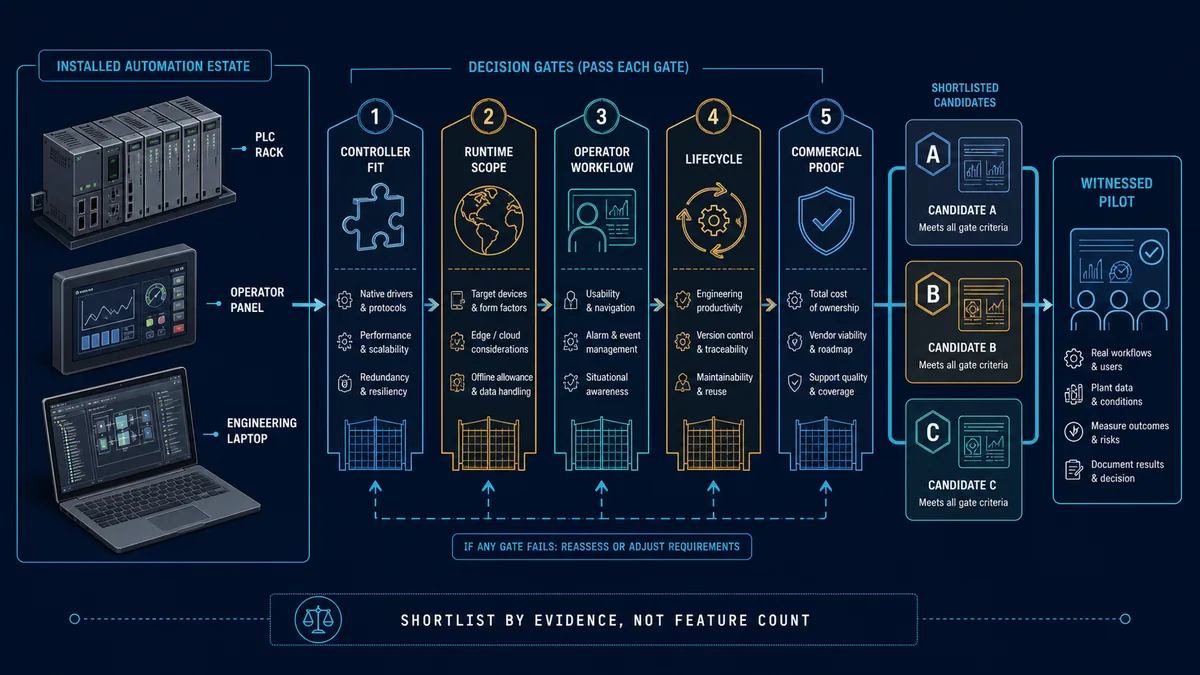
AVEVA InTouch HMI and System Platform belong on the shortlist when the organisation already has Wonderware/AVEVA skills, applications, standards or partner support. For a greenfield project, compare at least:
- Required architecture: machine HMI, standalone station, redundant SCADA or multi-site platform.
- PLC and driver fit, including the exact protocol and controller versions.
- Engineering workflow, source control, reusable objects and deployment governance.
- Alarm, historian, reporting, audit and cybersecurity requirements.
- Licence metrics, support, training, test licences and five-year lifecycle cost.
- Availability of qualified integrators in the plant's region.
Our SCADA software comparison, best HMI software shortlist and HMI design guide provide the broader selection and operator-interface context.
Practise the PLC logic before connecting a SCADA system
PLC Simulation Software is a separately operated product under the same ownership as PLCProgramming.io. It is not AVEVA software and does not emulate an InTouch or System Platform runtime. Use it to practise and verify the PLC-side sequence, timers, interlocks and fault states that an HMI/SCADA project will observe—then validate the real communications and graphics in the vendor environment.
Official sources and verification scope
- AVEVA: Wonderware solutions are now AVEVA solutions — current product-name map, 2014/2018/2021 transition summary and continuity statements.
- AVEVA InTouch HMI — current InTouch positioning and commercial packaging references.
- AVEVA Historian — current historian role, integrations, availability and recovery capabilities.
- AVEVA product listing — current portfolio names; use the exact release documentation for compatibility.
- NIST SP 800-82 Rev. 3 — control-system cybersecurity baseline, not AVEVA-specific implementation guidance.
Source check completed 25 July 2026. Product packaging and lifecycle status can change; confirm the current release, support policy and quotation directly with AVEVA or an authorised partner.
Frequently asked questions
What is Wonderware called now?
The brand name now maps to multiple AVEVA products. Wonderware InTouch is AVEVA InTouch HMI, Wonderware System Platform is AVEVA System Platform, Wonderware Historian is AVEVA Historian, and Wonderware MES is AVEVA Manufacturing Execution System.
Is Wonderware the same as InTouch?
InTouch was Wonderware's best-known HMI product, so plant teams often use the names interchangeably. “Wonderware” can also refer to System Platform, Historian, MES, Edge and related components; inspect the installed products before assuming it means InTouch alone.
Does an old Wonderware application require replacement?
Not solely because the brand changed. The decision depends on release support, operating-system and database compatibility, security exposure, licence status, hardware condition and recoverability. A documented risk assessment is more useful than a name-based replacement rule.
Can the newest AVEVA release open every Wonderware project directly?
Do not assume so. Ask AVEVA or an authorised partner for the supported path from the exact installed release and test a copied application through every required intermediate step.
Now run it · free · no signup
Practise the PLC side of a SCADA system
Complete a guided first program in the browser without an account, then build the tags, alarms and operator views a SCADA layer reads.
Ownership disclosure: PLC Programming IO and PLC Simulation Software are operated by the same publisher.