Siemens PLC Training: TIA Portal Learning Path
Choose Siemens SCE, SITRAIN, online or hardware training, then follow a 12-week S7-1200/TIA Portal roadmap with graded labs, diagnostics and portfolio evidence.
Review status: Training modes, Siemens entities and dated product examples reviewed against current official Siemens SITRAIN, SCE, SIMATIC, STEP 7, controller and simulation pages; course codes, dates, prices, regional availability, licences, software versions, hardware access and credentials require current provider and project-specific verification
Direct answer
The strongest Siemens PLC training path for a beginner is a staged program, not one video playlist or one course certificate. Start with electrical and PLC scan fundamentals, learn current S7-1200 or S7-1500 engineering in SIMATIC STEP 7 inside TIA Portal, practise logic and fault cases in a simulator, complete a controlled hardware lab, and retain a requirements sheet, I/O contract, test matrix, fault report and handoff package. Choose S7-1200 first when you need an accessible compact-controller lab; choose S7-1500 when your employer or target role uses it. Learn STEP 7 V5.x and S7-300/S7-400 only when brownfield work makes that generation relevant.
Use Siemens Automation Cooperates with Education (SCE) for official curriculum-oriented learning documents and modules where the access terms fit. Use SITRAIN when you need a current Siemens course, instructor, regional delivery, virtual exercises, a formal learning journey or an assessed path. Use a reputable third-party provider when its feedback, projects, exact software release and support are better aligned with your constraints. Whatever the source, reject a path that does not make you execute, diagnose, modify and explain working control behavior.
| Learner goal | Best starting platform | Training mode to shortlist | Evidence required before progression |
|---|---|---|---|
| complete beginner | S7-1200 plus current compatible TIA Portal | SCE material plus guided browser/simulation labs | scan trace, I/O map, basic ladder tests and safe-boundary explanation |
| maintenance technician | installed plant generation | SITRAIN service path or supervised employer lab | online/offline comparison method, first-divergence diagnosis and recovery note |
| PLC programmer | S7-1200/1500 in TIA Portal | programming path with reviewed projects | modular program, state sequence, negative tests and reproducible archive |
| commissioning engineer | exact employer target and devices | instructor-led or supervised hardware program | manifest, backup, load checklist, I/O proof and signed acceptance evidence |
| brownfield specialist | S7-300/400 plus current migration context | STEP 7 V5.x service/programming and TIA migration training | source-tool identification, preserved archive and conversion test plan |
| credential candidate | platform required by the live exam listing | official regional learning/exam path | prerequisite confirmation and practical readiness before booking |
This guide owns the training-roadmap and course-selection task. The Siemens PLC programming tutorial owns the detailed TIA Portal build, simulation, download and diagnostic workflow. The Siemens PLC certification guide owns credential and exam decisions. The verified free PLC course list and online PLC course comparison remain the cross-vendor resource owners.
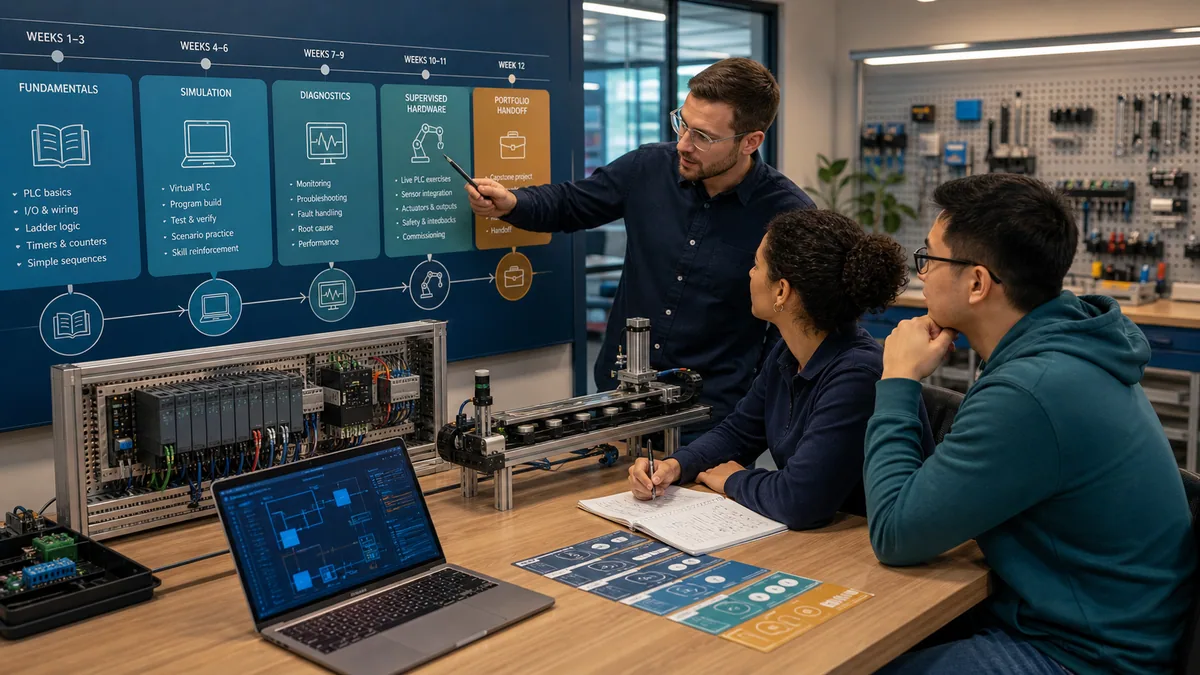
Choose the Siemens platform before the course
Current TIA Portal path
Siemens describes STEP 7 in TIA Portal as its integrated environment for configuring, programming, testing and diagnosing SIMATIC controllers. For a learner targeting current compact and advanced controllers, the normal route is S7-1200 or S7-1500 with a compatible TIA Portal and STEP 7 edition. Do not select training from the word “Siemens” alone: the controller generation, CPU, firmware, engineering release, edition, option packages and licences determine what the learner can reproduce.
As reviewed on August 30, 2026, Siemens' current pages feature S7-1200 G2 and TIA Portal V21-era material. That dated observation is not a command to upgrade an employer project or buy the newest package. A course using a different supported release can still teach transferable concepts, but it must disclose the release and show how the learner will handle version differences.
Legacy STEP 7 path
S7-300 and S7-400 systems engineered in STEP 7 V5.x remain relevant in brownfield plants. Siemens' SIMATIC training page still distinguishes S7-1500/TIA Portal courses from S7-300/-400 STEP 7 V5.x courses. A learner entering an installed plant should inventory its controllers and tools before choosing. Mixing Classic and TIA terminology in a generic course without an explicit migration boundary creates confusion rather than breadth.
Controller-generation decision table
| Evidence from target job or plant | Primary learning target | Secondary learning | Avoid assuming |
|---|---|---|---|
| S7-1200, recent compact machine | TIA Portal, STEP 7 Basic/compatible edition, S7-PLCSIM where supported | HMI, PROFINET and physical I/O | every S7-1200 firmware works with every TIA release |
| S7-1500 or ET 200SP CPU | TIA Portal, STEP 7 Professional/required edition | diagnostics, communication, motion or safety as role requires | a Basic licence covers the selected target and features |
| S7-300/S7-400 with Classic project | STEP 7 V5.x and installed architecture | controlled migration concepts | a TIA course alone makes the legacy project maintainable |
| no employer target yet | S7-1200-style compact system and vendor-neutral control patterns | compare S7-1500 structure and diagnostics | the first training kit becomes a universal platform choice |
| safety-related CPU or project | standard skills first, then approved safety training and lifecycle | applicable standards and independent verification | standard simulator success validates a safety function |
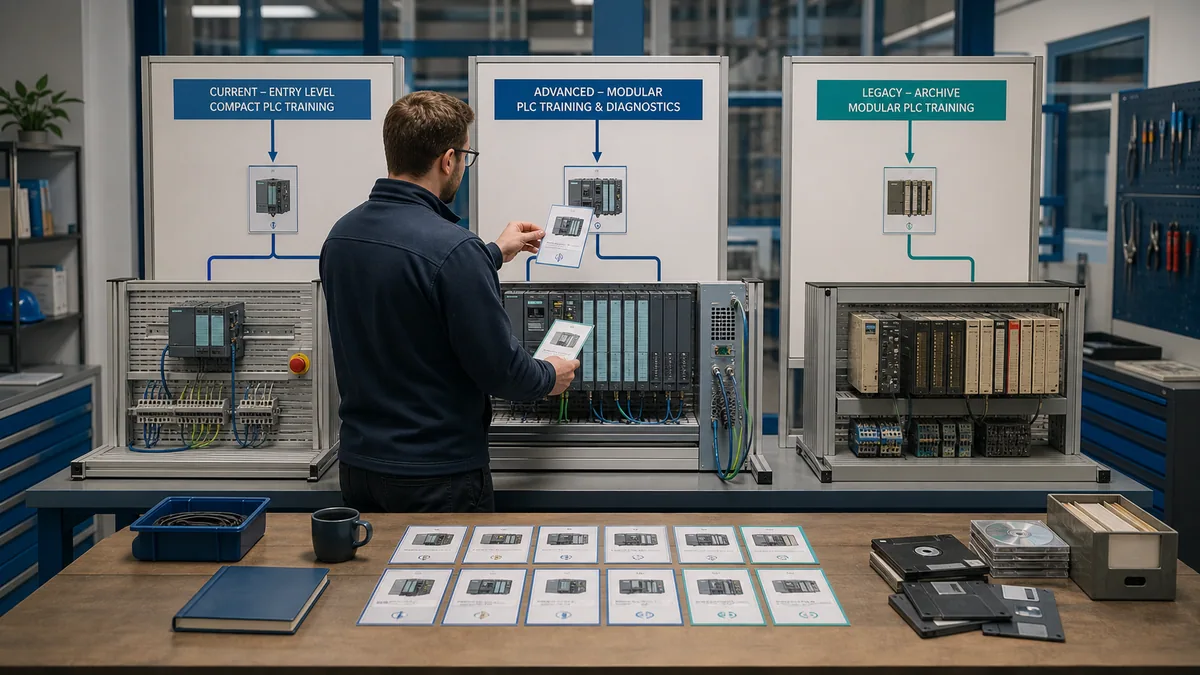
Compare SCE, SITRAIN and third-party training
Siemens SCE
Siemens SCE is designed around education and curriculum support. Its official course page lists basic and advanced SIMATIC S7/TIA Portal material, Classic-to-TIA conversion, visualization, communication, safety and security topics. Siemens also publishes learning/training documents and technical-support links. This makes SCE a strong self-study or educator-led source when the learner is eligible and the usage terms fit.
SCE should not be described as a free universal commercial training licence. Individual documents state their permitted educational use, and trainer-package eligibility has specific institutional and training conditions. Verify access, software, account, language and use rights on the current Siemens page.
Siemens SITRAIN
SITRAIN is Siemens' industrial training offer. Siemens describes modular courses and learning paths across programming, service, safety, HMI, communication and other TIA topics, delivered in training centers, virtually or at an organization. The global search spans classroom, instructor-led online, learning journeys, learning paths and e-learning, while regional availability controls what a learner can actually book.
SITRAIN is the first shortlist when manufacturer-led instruction, a current course code, trainer support or an official assessment path matters. It is not automatically the best financial or scheduling choice for every learner. Record the exact course code, region, language, release, prerequisites, lab access, assessment, price and cancellation terms from the live listing.
Third-party and employer-led programs
A specialist provider can be valuable when it offers stronger asynchronous support, project feedback, remote hardware, a specific plant generation or local scheduling. An employer program can be strongest when it pairs theory with the exact installed standards and supervised access. Evaluate the evidence, not the marketing label “complete.”
| Training source | Strong use | Evidence to verify | Main limitation |
|---|---|---|---|
| Siemens SCE | official curriculum, documents and educator-led modules | current module, language, access terms, software/hardware prerequisites | not a universal commercial-use or credential promise |
| Siemens SITRAIN | official instructor-led, virtual, self-paced and learning-path options | course code, region, release, exercises, assessment, dates and price | catalog and availability vary by market |
| specialist self-paced provider | flexible sequence and repeated access | named instructor, update date, executable files, feedback and support | certificate may only prove completion |
| college or technical center | supervised labs and broader electrical context | individual hands-on time, target platform, instructor competence and assessment | equipment and software may be older |
| employer-led lab | exact standards, hardware and workflows | qualified supervision, safe isolation, protected sandbox and objective rubric | plant access cannot substitute for a training environment |
| video playlist | concept preview and revision | release, accuracy, exercise files and learner tasks | passive viewing produces little performance evidence |
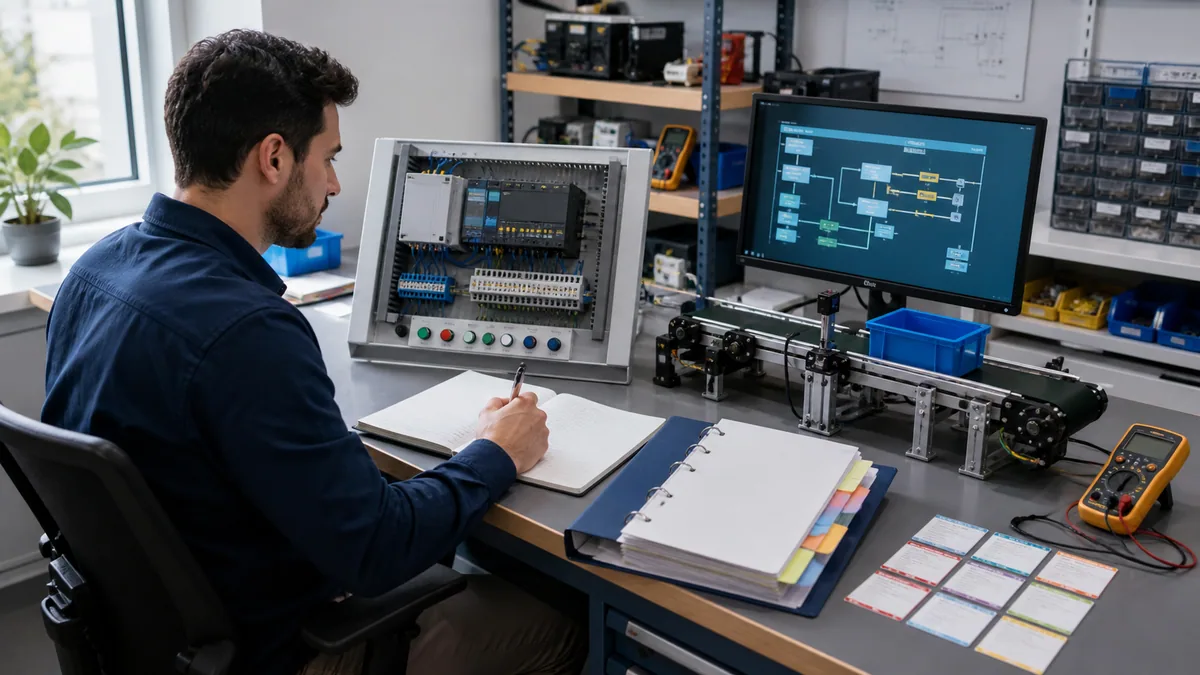
Select training by job role
Maintenance technician path
Maintenance training should emphasize evidence across the physical process, field device, wiring, I/O channel, controller tag, program condition, command, feedback and HMI. The technician must learn online/offline comparison, diagnostics buffers, status observation and first-divergence reasoning without treating a force or download as a diagnostic shortcut. A service-oriented SITRAIN path or supervised plant-replica lab may fit better than a code-heavy programming course.
The acceptance task is not “find a fault.” It is to state the expected behavior, capture the first evidence that differs, isolate the layer, correct only within authorization, rerun the negative and recovery cases, and write a handoff another technician can follow.
Programmer path
A programmer needs hardware configuration, symbolic tags, data types, organization blocks, functions, function blocks, data blocks, reusable interfaces, state-based sequences, alarms and systematic tests. Ladder Diagram may be the first language; Function Block Diagram and Structured Control Language can follow according to the target. The path should teach why blocks own state and how data crosses interfaces, not merely which toolbar button creates them.
Programming competence is demonstrated by a clean project that another engineer can build from its manifest, plus tests covering normal operation, held inputs, conflicting requests, timeout, reset, power-up assumptions and communication loss.
Commissioning path
Commissioning adds exact device selection, network addressing, controlled load, I/O checks, rotation/direction proof, loop checks, backups, change control, rollback and stakeholder acceptance. These tasks need authorized, supervised hardware and plant context. No unsupervised online course can confer that authority.
| Role | Minimum Siemens-specific skills | Transferable control skills | Practical pass evidence |
|---|---|---|---|
| maintenance | navigate project, compare online/offline, read diagnostics and traces | evidence ladder, input/output isolation, timeout diagnosis | fault report with first divergence and verified recovery |
| programmer | configure target, structure OB/FB/FC/DB, compile and simulate | interfaces, state machines, interlocks, test design | archived project, manifest, test matrix and review notes |
| commissioning | connect approved target, load under procedure, prove I/O and recovery | change control, rollback, handoff and risk communication | signed checklist, backup identity and exception log |
| controls designer | select architecture and reusable patterns | requirements, failure modes, observability and lifecycle | design rationale linked to acceptance cases |
| integrator | coordinate PLC, HMI, drives, networks and third-party devices | interface contracts, timeouts, quality and ownership | end-to-end signal proof and recovery demonstration |
Prerequisites before TIA Portal
Electrical and machine fundamentals
Before software, understand voltage and current at a safe conceptual level, normally-open and normally-closed behavior, sourcing/sinking context, relays/contactors, overloads, sensors, actuators and why control power is not hazardous-energy isolation. Practical electrical work requires the applicable qualifications, procedures and protective equipment; a browser exercise is not a live-panel qualification.
PLC execution fundamentals
Be able to explain the input image, logic execution, output update, tasks or organization blocks, one-scan events, retained versus non-retained state and deterministic ordering. A learner who cannot predict a rung or state transition before running it will struggle to diagnose TIA Portal code even if the interface feels familiar.
Computer and evidence discipline
Create a version manifest, use descriptive names, preserve original files, maintain read-only baselines and record test results. Know basic IPv4 addressing without changing a production adapter as an experiment. Separate a training virtual machine, simulated controller and approved hardware network from unrelated or production networks.
Live mini-lab
Try it: press START, then STOP
A stop-dominant seal-in rung: START latches the motor output through its own contact, and STOP breaks the circuit.
Watch the output lamp: it stays on after START until you press STOP.
Free to start · runs in your browserOpens plcsimulationsoftware.com — same team
A 12-week Siemens PLC training roadmap
Weeks 1-4: control foundations
Weeks one and two cover scan behavior, Boolean logic, contacts, coils, start/stop control, seal-in behavior and truth tables. Week three adds timers, counters, edge detection and clear reset rules. Week four introduces I/O contracts, symbolic tags and simple motor permissives. Each week ends with at least one negative test, not only a successful animation.
Weeks 5-8: TIA structure and simulation
Week five creates an exact training target and hardware/software manifest. Week six structures a project with an organization block, a reusable motor function block and its instance data. Week seven adds states, feedback, timeout and first-out fault reasons. Week eight compiles, simulates supported behavior and uses watch/trace evidence to diagnose a planted defect.
Weeks 9-12: integration and proof
Week nine adds an HMI-style request/feedback contract or communications model without letting the display own safety or control state. Week ten focuses on abnormal conditions, restart behavior and recovery. Week eleven transfers the approved cases to a supervised hardware bench if available. Week twelve packages the capstone, review notes, limitations and a short demonstration.
| Week | Build task | Required failure case | Retained artifact |
|---|---|---|---|
| 1 | scan trace and Boolean truth table | contradictory expectation | annotated trace |
| 2 | start/stop and seal-in pattern | stop priority and held start | rung tests |
| 3 | timer/counter exercise | reset during timing and rollover boundary | timing table |
| 4 | motor I/O and permissive contract | missing permissive | I/O sheet and cause text |
| 5 | exact target and project manifest | unsupported or mismatched target example | version manifest |
| 6 | OB call and reusable FB instance | shared-state or interface defect | block/interface review |
| 7 | state sequence with feedback | feedback timeout | state-transition table |
| 8 | simulation and diagnosis | injected logic defect | fault report |
| 9 | HMI/communication contract | stale or bad-quality request | interface acceptance table |
| 10 | restart and recovery behavior | restart with request held | restart test log |
| 11 | supervised bench transfer | unplugged or mismapped input | bench discrepancy log |
| 12 | capstone demonstration | reviewer-selected hidden fault | handoff archive and video/demo notes |
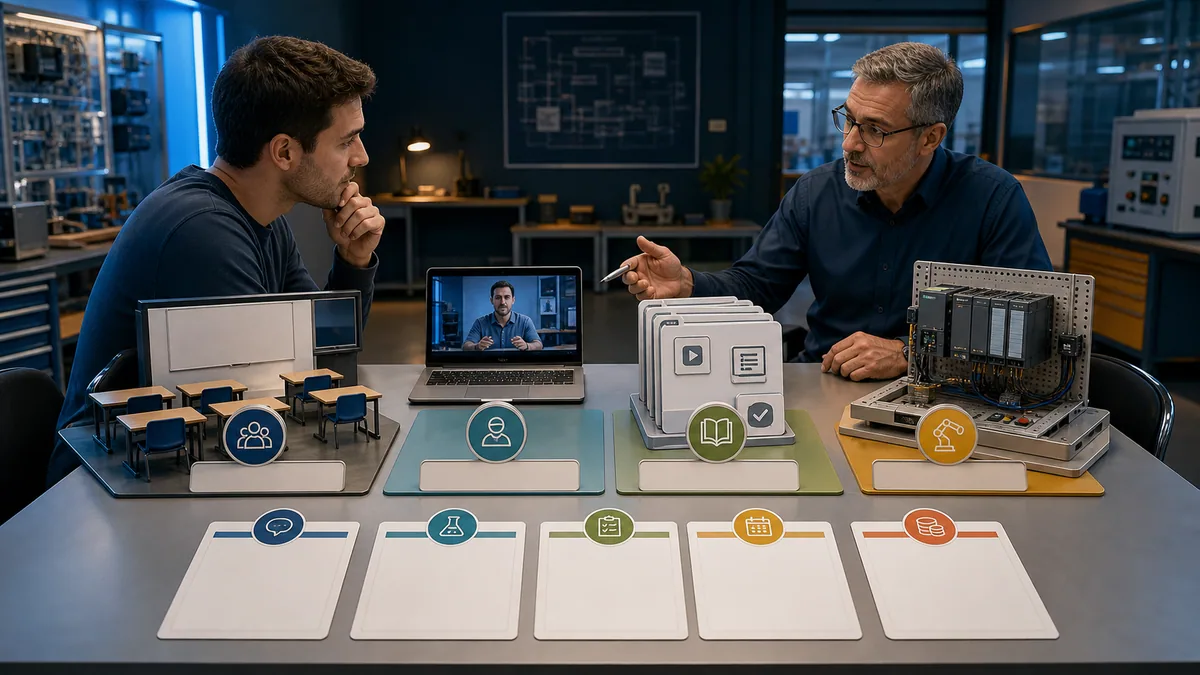
Build the software and lab manifest
Software record
Record the operating system, TIA Portal major release and update, STEP 7 edition and licence, PLCSIM product/version, installed hardware-support packages, libraries, project version and regional download source. Siemens says STEP 7 Basic is a price-optimized subset of Professional; verify exact target and functions rather than assuming the names are interchangeable.
Hardware record
For a bench, record CPU article number, hardware revision, firmware, power supply, signal modules, I/O voltage and type, communications, trainer wiring, protective devices and connected loads. An educational trainer package may simplify acquisition, but Siemens' SCE packages have eligibility and use conditions. A generic low-voltage trainer is still physical electrical equipment requiring suitable supervision and documentation.
Reproducibility gate
Another learner or reviewer should be able to open the archive in a clean approved environment, identify the target, compile without hidden dependencies and rerun the tests. If only one laptop can build the project, the exercise has exposed an environment problem worth fixing before field work.
| Manifest field | Example evidence | Why it matters | Stop condition |
|---|---|---|---|
| CPU identity | full article number and firmware | selects hardware object and compatibility | family name only |
| TIA/STEP 7 | edition, major release and update | controls project and target support | “latest” without a recorded release |
| simulator | product, release and supported CPU | defines what can be executed | simulator assumed to support every device |
| packages/libraries | name, version and source | affects compile and behavior | undeclared dependency on one laptop |
| project | filename, hash, baseline and owner | preserves provenance and rollback | only copy overwritten by conversion |
| network | isolated training interfaces and addressing | prevents accidental production contact | uncontrolled plant/network connection |
| hardware | CPU, I/O, supply, protection and load | bounds bench evidence | unlabeled wiring or unknown voltage |
| authorization | supervisor and allowed actions | separates learning from operational access | training task used as permission to connect |
Use graded skill gates
Gate 1: predict
Before running a program, write the expected output and state for defined inputs. Include held, conflicting and timed conditions. Prediction exposes misconceptions that a colorful online monitor can hide.
Gate 2: execute and observe
Run the exact case. Capture input state, relevant block/state, command, feedback, timer and fault reason. Do not grade by whether the learner eventually made the output turn green. Grade whether the observations can explain the behavior.
Gate 3: diagnose and recover
Inject one fault whose location is hidden from the learner. Require an expected-versus-observed statement, the first divergent boundary, a discriminating test, the least invasive correction and a rerun of normal plus recovery cases. This converts software familiarity into troubleshooting evidence.
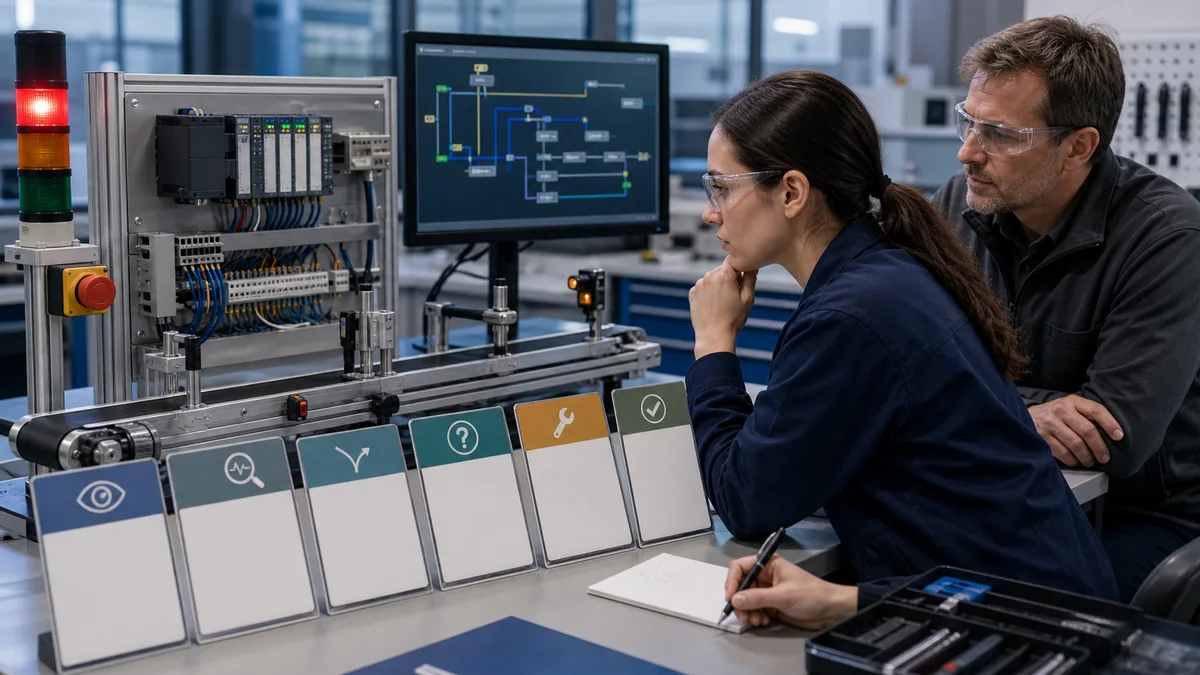
Complete one capstone project
Capstone requirement
Build a reversible motor or conveyor training sequence with a run request, stop, safety-permissive model, process permissives, command, auxiliary feedback, start timeout, fault latch, first-out reason, reset criteria and explicit restart behavior. Keep physical safety functions outside the simulated standard logic and state that separation in the requirements.
Test matrix
Normal cases should include start, run, stop and repeated cycle. Negative cases should include missing permissive, feedback stuck low, feedback stuck high, conflicting request, reset while the cause remains, communication-quality loss if modeled, and restart with the request held. A reviewer should select at least one hidden defect.
Acceptance rubric
| Criterion | Beginner pass | Job-ready evidence | Reject condition |
|---|---|---|---|
| requirements | names request, command and feedback | defines state, timing, fault and restart contracts | logic built before behavior is defined |
| program structure | separates main call and equipment logic | clear interfaces, owned state and diagnostic outputs | duplicated coils or hidden cross-write behavior |
| normal tests | start/stop sequence passes | repeatable matrix with expected/actual evidence | demonstration only |
| negative tests | one fault is detected | boundary-specific timeout, reason, reset and recovery cases | fault clears without cause criteria |
| diagnosis | finds planted defect | explains first divergence and minimal discriminating test | random edits or forces |
| reproducibility | archive opens on known environment | clean manifest and independent rerun | undeclared libraries or only one working laptop |
| safety boundary | states simulation is not isolation | separates standard control, safety and authorization | implies software stop makes equipment safe |
| communication | explains solution coherently | concise operator/maintenance handoff | proprietary or sensitive data exposed |
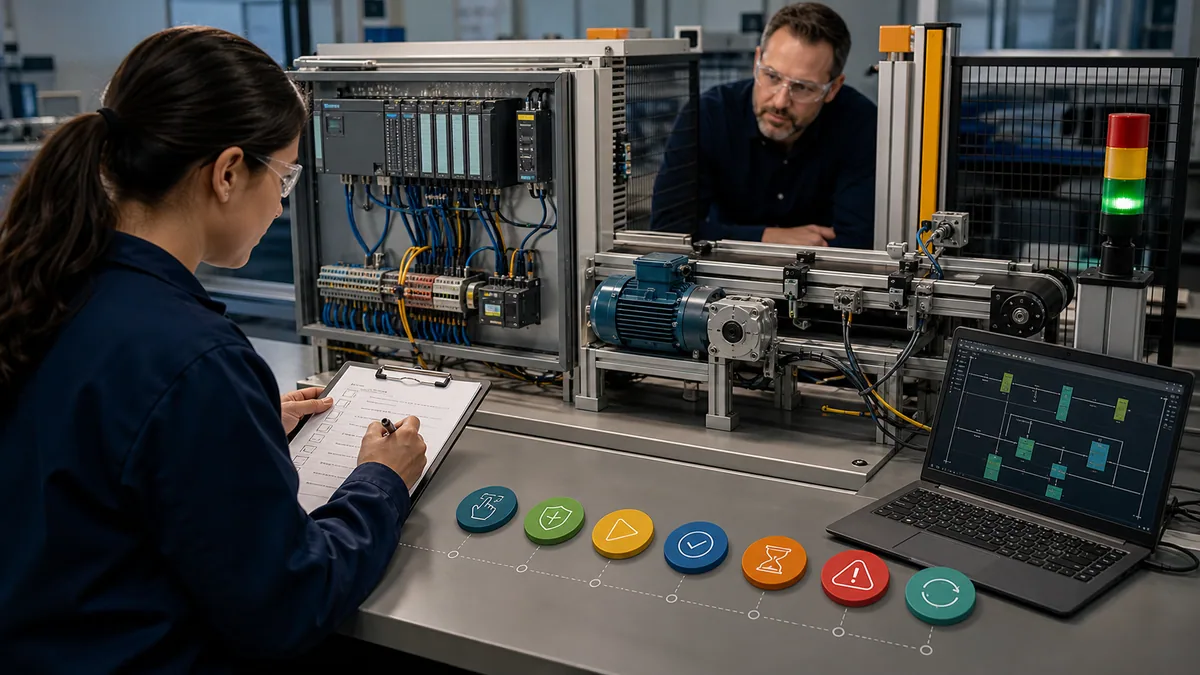
Separate simulation from hardware proof
What simulation can teach
Simulation can develop scan reasoning, block interfaces, state transitions, timers, sequence behavior, diagnostics and repeatable fault tests. Siemens documents S7-PLCSIM as integrated with TIA Portal for supported devices and describes its monitoring, program-status, diagnostic and simulation tools. Exact supported hardware and licence relationships vary by product and release, so read the current help for the selected target.
A vendor-neutral browser simulator adds rapid practice before a licensed exact-version environment is available. It is useful for transferable request/permissive/command/feedback patterns and hidden-fault diagnosis. It does not emulate Siemens syntax, project files, devices or every instruction.
What requires hardware
Physical proof includes sensor output type, wiring polarity, channel configuration, voltage, noise, actuator behavior, drive state, network device identity, real timing, loss of power, energy, protective devices and safe commissioning. Even a Siemens simulator cannot validate those layers.
| Claim | Browser control lab | S7-PLCSIM for a supported target | Supervised hardware bench |
|---|---|---|---|
| Boolean/state behavior | strong learning evidence | target-oriented software evidence | confirms with physical system |
| TIA project structure | no | yes | yes |
| exact CPU/instruction support | no | release/target dependent | exact installed evidence |
| physical I/O and wiring | no | no | yes |
| network/device behavior | conceptual | capability dependent | yes, within bench scope |
| actual energy and motion | no | no | controlled physical evidence |
| safety-function validation | no | no | only through applicable safety lifecycle—not a casual bench claim |
| production authorization | never | never | never by training alone |
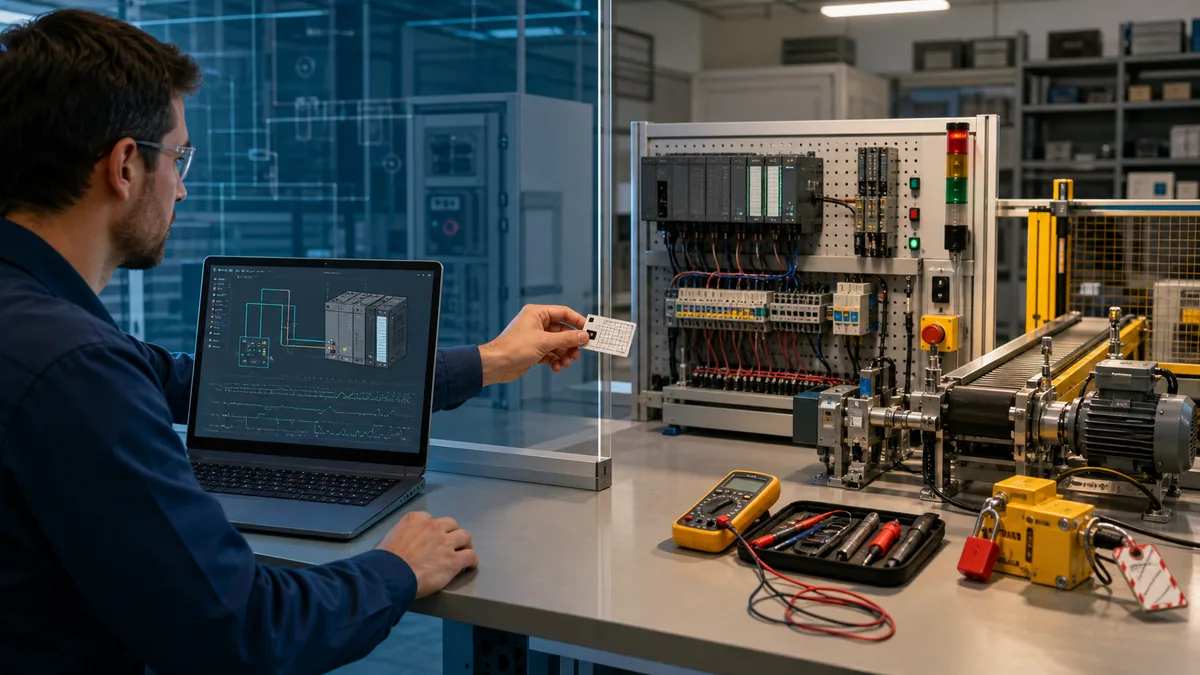
Evaluate online, local and paid courses
Online course checklist
For online Siemens PLC training, verify the exact TIA/STEP 7 release, controller family, whether the learner gets executable project files, whether a simulator or remote lab is included, who reviews work, response times, individual assessment, access duration, prerequisites and software/licence requirements. A prerecorded course can work when the labs are strong and feedback exists; “40 hours of video” is not a competence metric.
Training near me
For Siemens PLC training near me, begin with Siemens' regional SITRAIN search, then compare colleges, technical centers, distributors and integrators. Do not trust a stale location list. Ask to see the current course code, controller rack, software version, maximum learners per station, time each learner spends hands-on, instructor background, fault-injection method and refund/reschedule terms.
Price and total cost
Prices change by region, tax, format, membership, equipment and scheduling. Compare total learning cost: course fee, software entitlement, computer requirements, hardware or remote lab, travel, time away from work, support, retakes and access after completion. This guide does not publish a fixed SITRAIN price because the live regional listing controls.
| Provider question | Strong answer | Weak answer |
|---|---|---|
| Which exact platform? | named CPU family, TIA release, STEP 7 edition and update policy | “all Siemens PLCs” |
| What will I execute? | defined projects, negative cases and individual lab time | watch demonstrations |
| Who reviews work? | named instructor or objective automated rubric plus escalation | completion percentage only |
| How are faults assessed? | planted logic, I/O or communication cases with retained evidence | quiz definitions only |
| What does the fee include? | course, lab, files, licence/access, support and assessment boundaries | headline price with prerequisites hidden |
| Is there a credential? | issuer, assessment, validity and verification method identified | “industry recognized” without issuer evidence |
| How current is it? | release/date shown and differences explained | no visible update history |
| Can I reproduce it? | downloadable archive, manifest and clear access window | platform disappears when subscription ends |
Build an employer-facing evidence portfolio
Keep proof, not proprietary data
Use an original training process, generic addresses and sanitized screenshots. Do not upload employer projects, credentials, network diagrams, controller backups or plant vulnerabilities. The portfolio should prove method without exposing an operational system.
Minimum portfolio package
Include a one-page requirement, I/O and tag contract, controller/software manifest, state diagram, block/interface map, test matrix, one normal trace, one fault trace, diagnostic report, recovery result, limitations and a short handoff. Link a brief video only if it makes the evidence easier to review; the archive and test results remain primary.
Explain your contribution
State which parts you designed, which source material you followed, what you changed, which fault you diagnosed and what remains outside scope. This gives an interviewer a credible route to ask deeper questions and makes copied coursework easier to distinguish from independent competence.
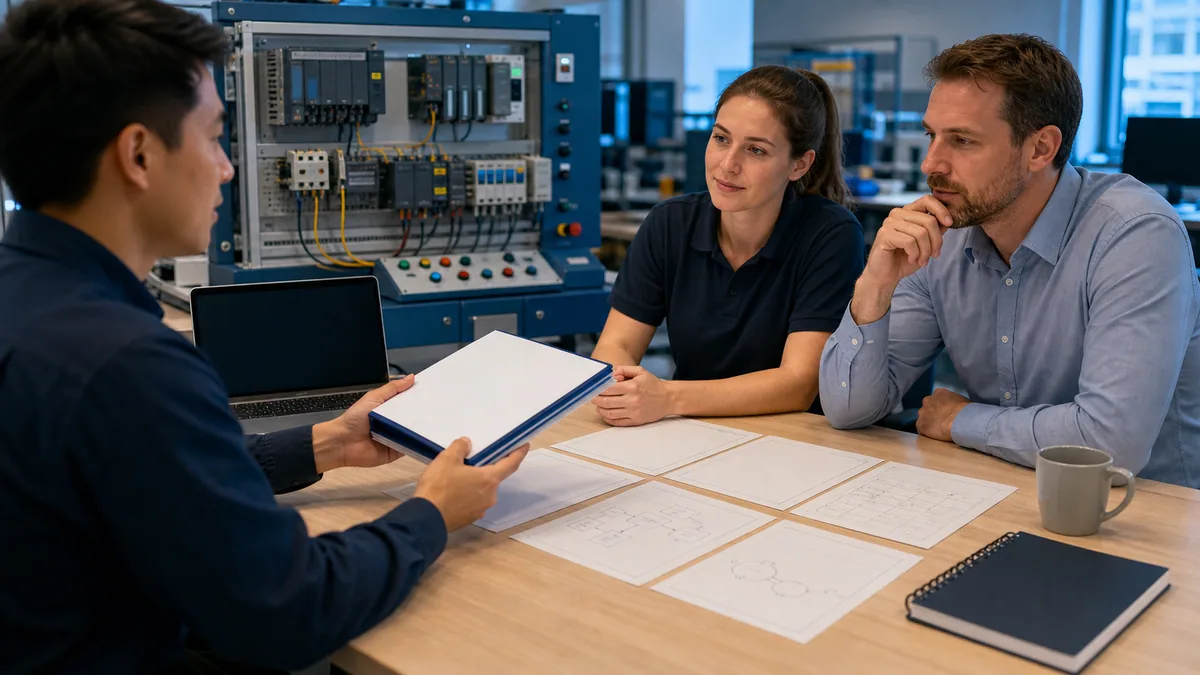
Know when you are ready for certification
Skills before credentials
Consider certification after you can build and explain the capstone, diagnose an unfamiliar defect and reproduce your environment. A credential can document performance against a defined Siemens assessment, but it is not one universal global ladder. Course and exam codes, prerequisites, language, availability and certificate rules vary by region.
Keep the intent boundary
Use the Siemens PLC certification guide to verify the live regional listing and practical exam path. This training page does not restate or invent credential names. Likewise, completing an SCE module, SITRAIN course, third-party certificate or this roadmap does not make someone a Siemens-certified professional unless the applicable issuing body says so.
Apply cybersecurity, safety and authorization boundaries
Training environments are OT assets
Engineering software, virtual machines, project archives, trainer networks, credentials and removable media require controls. NIST SP 800-82 Rev. 3 treats PLCs and other programmable systems as operational technology whose security must account for performance, reliability and safety. Siemens' operational guidance uses defense in depth across plant security, network security and system integrity. Keep labs isolated, use approved media and software sources, preserve clean baselines and do not expose a training PLC directly to the public internet.
Software stop is not energy isolation
A stopped simulation, false output tag, software stop command or disconnected network is not electrical, pneumatic, hydraulic, mechanical, thermal or stored-energy isolation. Physical work follows the site’s approved hazardous-energy and electrical-safe-work procedures under qualified authorization.
Training is not permission
Course completion never authorizes upload, download, force, bypass, firmware change, safety edit or production operation. Before an approved connection, identify the exact CPU and firmware, confirm the project and toolchain, protect the known-good backup, define the change and rollback, coordinate with operations and cybersecurity, and use the required safe-work controls.
Diagnostic answer map
| If the reader asks… | Start here | Then verify |
|---|---|---|
| Which Siemens PLC training is best? | role table and SCE/SITRAIN/provider matrix | exact job platform, feedback, lab and assessment |
| Should I learn S7-1200 or S7-1500? | controller-generation table | employer hardware, firmware and required STEP 7 edition |
| Can I learn online for free? | SCE and online-course sections | current access terms, software licence and executable practice |
| Where can I train near me? | local-provider checklist | live Siemens regional search and current provider evidence |
| How long will it take? | 12-week roadmap | pass each skill gate; calendar time alone is not proof |
| Do I need hardware? | simulation-versus-hardware matrix | physical I/O, commissioning and safe-work evidence required by role |
| What project should I build? | motor capstone and rubric | negative tests, hidden fault, recovery and reproducible archive |
| Am I ready for certification? | skills-before-credentials gate | live official course/exam listing and regional requirements |
| Can I connect to a plant PLC? | authorization boundary | exact target, backup, approved change, safety and cybersecurity controls |
| How do I prove competence? | portfolio package | sanitize all employer and infrastructure information |
Frequently asked questions
What is the best Siemens PLC training path for a beginner?
Start with PLC scan and electrical-control fundamentals, then learn an S7-1200-style project in TIA Portal, practise logic and fault cases in simulation, and finish with a supervised hardware transfer plus a documented capstone. Use objective skill gates instead of judging progress by videos watched.
What is the difference between Siemens SCE and SITRAIN?
Siemens SCE supports education with curriculum-oriented courses, learning documents and eligible trainer resources. SITRAIN is Siemens' industrial training offer with regional classroom, instructor-led online, learning-journey and other formats. Verify current audience, terms, course code and availability on Siemens' official pages.
Can I learn Siemens PLC programming online?
Yes. Online material can teach TIA Portal structure, control patterns, simulation and diagnosis when it includes executable labs and feedback. Field competence still requires the applicable supervised hardware, wiring, device, network, energy and commissioning evidence.
Is there free Siemens PLC training?
Siemens publishes SCE learning resources and technical-support material, subject to current access and use terms. Free course material does not imply that every TIA Portal edition, simulator, hardware package, instructor service or credential is free.
Should I learn S7-1200 or S7-1500 first?
Choose the controller used by the target employer. Without that constraint, S7-1200 is a practical compact-controller starting point, while S7-1500 becomes important for advanced plant and machine work. Both current families use TIA Portal, but exact capabilities, firmware and licences differ.
Do I need TIA Portal for Siemens PLC training?
For current S7-1200 and S7-1500 project-specific skills, use a compatible official TIA Portal and STEP 7 environment. A browser simulator can teach transferable logic first, but it cannot replace Siemens project, instruction, device, licence and version evidence.
Can S7-PLCSIM replace a physical PLC trainer?
No. S7-PLCSIM can provide strong software-behavior evidence for supported targets, but it does not validate actual sensors, wiring, voltage, noise, actuators, network devices, energy isolation or production commissioning.
How long does Siemens PLC training take?
A focused beginner can use the 12-week sequence in this guide, but readiness depends on demonstrated skills, prior electrical and programming experience, weekly practice and access to feedback. Pass the prediction, execution, diagnosis and recovery gates rather than relying on elapsed time.
How do I choose Siemens PLC training near me?
Use Siemens' current regional SITRAIN search, then compare local colleges, technical centers, distributors and integrators by exact controller, software release, individual lab time, instructor, fault assessment, class size and total cost. Avoid undated location directories.
Does completing Siemens PLC training make me certified?
Not automatically. A course-completion record and a Siemens credential are different claims. Verify the exact issuing body, course or exam code, assessment, region, prerequisites and certificate terms using the current official listing and the separate certification guide.
Sources, review scope, and limitations
Reviewed August 30, 2026. Current vendor pages can change after review; live Siemens product, regional training and support pages control software, course, licence, hardware and credential details.
- Training and learning — Siemens
- Training for SIMATIC and TIA Portal — Siemens
- SITRAIN global training search — Siemens
- SCE practice-oriented PLC courses — Siemens
- SCE technical support and getting-started resources — Siemens
- SCE trainer packages — Siemens
- STEP 7 in TIA Portal — Siemens
- SIMATIC controller selection guide — Siemens
- SIMATIC S7-1200 G2 — Siemens
- S7-1200 programmable controller system manual — Siemens
- SCE basics of PLC programming module — Siemens
- SCE S7-1200 learning/training textbook — Siemens
- SCE SCL programming for S7-1200 — Siemens
- SCE GRAPH programming for S7-1500 — Siemens
- S7-PLCSIM Advanced getting started — Siemens
- Training for SIMATIC HMI — Siemens
- Operational guidelines for industrial security — Siemens
- NIST SP 800-82 Rev. 3, Guide to Operational Technology Security — NIST
- ICS recommended practices — CISA
- ISA/IEC 62443 series overview — ISA
- 29 CFR 1910.147 control of hazardous energy — OSHA
- 29 CFR 1910 Subpart S electrical — OSHA
The role paths, 12-week sequence, manifests, skill gates, capstone, acceptance rubric, provider questions, portfolio package and diagnostic answer map are original editorial synthesis. The images are generated editorial illustrations, not Siemens product screenshots, course photography or evidence that a depicted trainer is an exact commercial reference.
This independent educational page is not Siemens documentation, a live course catalogue, a software or hardware licence, a credential grant, a compatibility guarantee, a safety validation or authorization to access installed equipment. Qualified and authorized personnel must apply current manufacturer instructions, regional course terms, exact software and hardware requirements, cybersecurity policy, energy-control and electrical-safe-work procedures, management of change, backups, independent protection and approved commissioning and recovery plans.
Now run it · free to start
Follow a hands-on PLC training path
Move from contacts and coils to timers, sequences and troubleshooting with runnable lessons and objective checks. Free to start, nothing to install.
Ownership disclosure: PLC Programming IO and PLC Simulation Software are operated by the same publisher.
PLC Programming IO Editorial Team
Industrial automation education, references, and software testing
The PLC Programming IO Editorial Team publishes sourced industrial-automation education and documents how material is reviewed, tested, and corrected. A team byline means the publisher is responsible for the page; it does not represent a fictional person or imply an engineering licence.
Coverage:
- • PLC programming concepts and examples
- • Vendor software tutorials and comparisons
- • SCADA, HMI, protocols, and instrumentation
- • Training, careers, and reference material
Review standard:
- • Prefer primary and official sources
- • Record software versions when material
- • Separate tested facts from estimates
- • Publish material corrections
Important scope note
This site provides education, not project-specific engineering approval. Safety, code, and compliance decisions require a qualified person with access to the actual machine and jurisdiction.