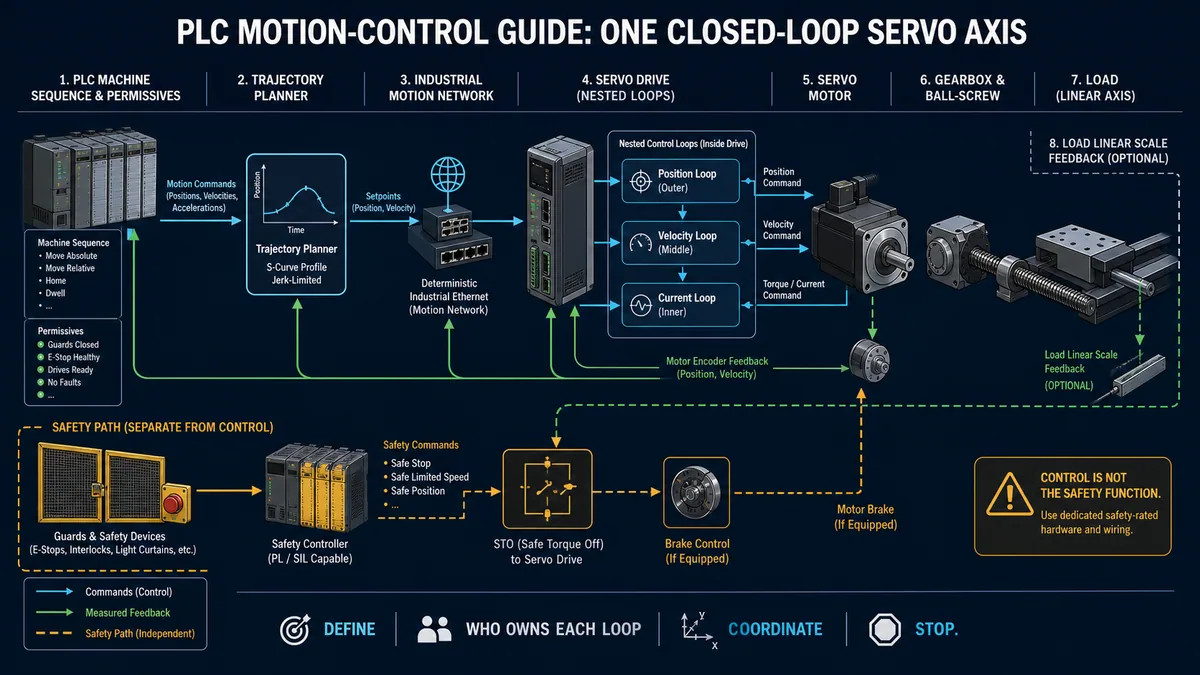
Packaging PLC Programming: Filling & Changeover
Program packaging machines with a reproducible filling and changeover example, test matrix, safety boundary, fault handling and commissioning checklist.
Packaging-machine PLC logic should be built around explicit states, permissives, product tracking, recipe validation and fault recovery. A filling command should never be derived from speed alone: it needs a valid container, approved recipe, healthy dosing path and defined response to lost feedback.
This guide uses a reproducible container-fill/changeover workflow. The logic examples are educational templates: verify instruction syntax, task timing, motion behavior and I/O polarity against the exact controller, drive, instrument and machine risk assessment.
Minimum filling-sequence test matrix
| Test | Container present | Recipe valid | Dosing path healthy | Expected result |
|---|---|---|---|---|
| Idle | 0 | 1 | 1 | Fill output off; state remains ready |
| Valid fill | 1 | 1 | 1 | One fill cycle may start |
| Missing container | 0 | 1 | 1 | Fill inhibited; no quantity increment |
| Invalid recipe | 1 | 0 | 1 | Fill inhibited; actionable recipe alarm |
| Feedback lost | 1 | 1 | 0 | Fill command removed per approved process response; fault latched |
| Restart after fault | 1 | 1 | 1 | No automatic fill until the defined reset/restart sequence completes |
| Changeover | 1 | 0→1 | 1 | New recipe checked before motion or dosing resumes |
Practice a stop-dominant packaging sequence in the browser and save the state results before adapting it to a real controller. Then compare the machine-specific safety work with the E-stop safety circuit guide.
Chapter 1: Packaging Machine Types and Automation Requirements
Understanding Modern Packaging Equipment Architecture
Packaging machinery encompasses diverse equipment types, each with specific automation requirements, control challenges, and programming considerations. Understanding the operational principles and control objectives for each machine type enables effective system design and appropriate technology selection for reliable high-performance automation.
Filling Machines: Precision Dosing and Dispensing
Filling equipment dispenses liquid, powder, granular, or solid products into containers with specified accuracy and repeatability. Control complexity ranges from simple time-based filling for non-critical applications to sophisticated closed-loop weight or volume control for pharmaceutical and specialty chemical applications requiring exceptional precision.
Liquid filling machines use volumetric piston fillers, time-pressure fillers, gravity fillers, or flow meter-based systems depending on product characteristics, required accuracy, and production speed. PLC programming must coordinate fill valve actuation, servo-driven piston motion, flow meter integration, or weight-based control while managing container indexing, nozzle lowering, and drip prevention sequences.
Powder and granular filling presents additional challenges including product bridging, static buildup, and density variations affecting dose accuracy. Auger fillers, vibratory feeders, and vacuum filling systems each require specialized control algorithms accounting for product characteristics and environmental factors affecting fill consistency.
Labeling Machines: High-Speed Product Decoration
Label applicators apply pressure-sensitive labels, wraparound labels, or shrink sleeves to containers. Servo-driven applicators can use electronic gearing to synchronize label feed with product motion; the achievable rate and placement tolerance depend on the selected mechanics, sensor, drive, controller task and validated product range.
Pressure-sensitive label applicators use precise servo positioning to peel labels from backing material and transfer them to containers using wipe-on, air-blow, or tamp applicator heads. PLC programming must manage label registration using sensors detecting label gaps or printed marks, servo motion profiles matching container velocity, and applicator head positioning adapting to different container geometries.
Print-and-apply systems integrate thermal transfer printers with label applicators, enabling variable data printing of barcodes, lot codes, and expiration dates. Programming complexity increases as the control system must synchronize printing with product flow, manage print head maintenance, verify barcode quality, and handle missing or defective label conditions.
Wrapping and Sealing Machines: Form-Fill-Seal Operations
Form-fill-seal (FFS) machines create packages from roll stock film, fill them with product, and seal them in continuous high-speed operations. Horizontal FFS machines produce flow-wrapped products like candy bars and bakery items, while vertical FFS machines create pillow bags, quad-seal bags, and standup pouches for snacks, coffee, and frozen foods.
Servo motion control coordinates film unwinding, forming operations, product feeding, sealing jaw actuation, and package cutting with precise timing and position synchronization. Electronic gearing synchronizes film feed with product flow, while electronic cams coordinate complex multi-axis motion profiles for sealing jaws and cutting knives.
Temperature control for heat sealing systems requires PID loops managing multiple heating zones maintaining precise seal bar temperatures despite varying line speeds and environmental conditions. Programming must also manage film tension control preventing wrinkles and registration defects that compromise package quality.
Cartoning and Case Packing: Secondary Packaging Automation
Cartoners erect flat carton blanks, load products, and close cartons in continuous or intermittent motion operations. Horizontal cartoners load products horizontally into cartons using pick-and-place robotics or servo-driven bucket conveyors, while vertical cartoners load products from above using gravity or pick-and-place mechanisms.
Case packers accumulate products into specific patterns and load them into corrugated cases for shipping. Programming must manage product accumulation, pattern formation, case erection, product loading in prescribed orientations, and case closing with gluing or taping. Vision systems often guide robotic pick-and-place operations, requiring integration between PLC control and vision processor communications.
Intermittent motion cartoners use servo-driven indexing systems moving cartons between stations in discrete steps. Continuous motion cartoners maintain constant carton velocity while loading operations occur on-the-fly using coordinated servo motion. The programming complexity and performance requirements differ significantly between these architectures.
Palletizing Systems: End-of-Line Automation
Palletizers stack cases or products onto pallets in optimized patterns maximizing pallet stability and cube utilization. Conventional palletizers use coordinated multi-axis motion systems moving products from infeed conveyors to pallet positions, while robotic palletizers use industrial robots offering greater flexibility for mixed product palletizing.
Conventional palletizer programming manages complex multi-axis coordination for X-Y-Z positioning systems, layer formation using sweep bars or push plates, pallet dispensing and removal, and optional slip sheet or tier sheet placement. Recipe management systems store pallet patterns for different products and shipping requirements.
Robotic palletizing requires integration between PLC and robot controller, typically using industrial Ethernet protocols like EtherNet/IP or PROFINET. The PLC manages material flow, pallet handling, and system coordination while delegating pick-and-place motion to the robot controller's specialized motion planning algorithms.
Industry-Specific Requirements and Standards
Food and Beverage Packaging Regulations
Food packaging automation must comply with FDA regulations including 21 CFR Part 11 for electronic records and signatures, Current Good Manufacturing Practices (cGMP), and food safety requirements under FSMA. Equipment design must use food-grade materials, facilitate sanitation through washdown-rated components and hygienic design principles, and provide traceability documentation for all packaged products.
PLC programming must implement traceability systems recording lot numbers, production dates, and process parameters for each packaged unit. Recipe management systems ensure consistent execution of approved packaging specifications, while alarm and event logging provides documentation required for regulatory compliance and quality investigations.
Sanitation cycles and clean-in-place (CIP) sequences require specialized programming managing equipment positioning for cleaning access, coordinating cleaning solution circulation, monitoring cleaning parameters, and validating successful sanitation before production resumes. Programs must prevent production operations during cleaning modes and ensure complete cleaning validation before product contact.
Pharmaceutical Packaging Compliance
Pharmaceutical packaging operates under stringent cGMP requirements mandated by FDA and international regulatory agencies. Equipment qualification through Installation Qualification (IQ), Operational Qualification (OQ), and Performance Qualification (PQ) protocols requires extensive documentation, validation testing, and controlled software change management.
PLC programs must provide serialization and track-and-trace capabilities meeting Drug Supply Chain Security Act (DSCSA) requirements. Each package receives unique serial numbers with data aggregation tracking packages into cases and cases into pallets throughout the supply chain.
Electronic batch records capture all critical process parameters, operator actions, and system events during production. Programming must ensure data integrity through audit trails, electronic signatures for critical operations, and data backup systems preventing loss of regulatory documentation.
Safety Standards for Packaging Machinery
Packaging machinery safety must be designed from the documented risk assessment and the standards and regulations that apply to the machine, location and intended use. ANSI/PMMI B155.1 provides a packaging-machinery risk-assessment framework, but it does not make one control-system category universal. Determine each required safety function and its target performance, architecture, diagnostics and validation method with a qualified machinery-safety professional; implement it with safety-rated equipment where the assessment requires it.
Safeguards can include safety-rated guard switches, trapped-key systems, light curtains, scanners and emergency-stop devices. The required safety functions, locations, architecture and stopping performance come from the machine risk assessment and validated safety design—not from the standard PLC sequence shown in this tutorial.
Where a stop category is required, select and validate it using the applicable machine-safety requirements and the exact equipment documentation. ISO 13850 covers emergency-stop design principles; stop categories are described in IEC 60204-1. A Category 2 stop is not an emergency-stop option under ISO 13850. See the E-stop safety circuit guide for the boundary between status logic and the safety-rated function.
Chapter 2: PLC Selection and System Architecture for Packaging Machines
Choosing the Right PLC Platform for Packaging Applications
Packaging machine control systems require PLCs offering high-speed I/O processing, advanced motion control capabilities, robust communication options, and extensive memory for complex programs and recipe storage. The appropriate PLC selection depends on machine complexity, speed requirements, motion axis count, and integration needs.
Entry-Level Packaging Controllers
Compact controller families may fit a simple labeler, filler or semi-automatic cartoner when the exact CPU supports the required I/O, HMI protocol, high-speed inputs and motion functions. Do not select by product-family name alone: make a requirements sheet and check every item against the current CPU, firmware, option-module and software manuals.
Mid-Range Packaging Controllers
Larger controller families can add memory, distributed I/O, coordinated motion and network options for multi-station machines. Available functions vary substantially by CPU and license. Verify axis count, supported motion instructions, update rate, safety architecture, communications, memory headroom and lifecycle status for the exact bill of materials.
High-Performance Machine Automation Controllers
Machine-automation platforms such as Omron NX/NJ, Beckhoff TwinCAT and B&R Automation can combine PLC logic with motion, robotics or vision coordination. Benchmark the intended project on the proposed CPU and network with the real task configuration: record worst-case task time, network update time, following error, application jitter and diagnostic behavior before committing the architecture.
Motion Control Requirements and Servo Integration
Understanding Packaging Motion Control Needs
Packaging machines extensively use servo motors and drives for precise positioning, speed control, and coordinated multi-axis motion. Applications include product indexing, pick-and-place operations, label feed synchronization, film feed control, filling pump drives, and robotic material handling.
Electronic gearing synchronizes slave axes to master axes using programmable gear ratios, enabling applications like label applicators where label feed must match conveyor speed despite varying product sizes. Electronic camming executes complex motion profiles coordinating multiple axes through repeating cycles, essential for form-fill-seal machines and rotary packaging equipment.
Registration control uses encoder feedback and high-speed registration marks detected by photoelectric sensors to correct position errors and maintain precise timing despite mechanical variations. Flying knife applications cut moving film or materials without stopping the web by matching knife velocity to material velocity during the cutting operation.
Servo Drive Communication and Configuration
Packaging systems may use EtherCAT, POWERLINK, EtherNet/IP, PROFINET or another drive interface. Update rates and synchronization guarantees depend on the protocol profile, controller, drive, topology and configuration; use the selected vendors' timing specifications and a measured loaded-network test.
PLC configuration includes defining servo drive parameters such as motor type and size, encoder resolution, gear ratios, position units, velocity limits, acceleration rates, and electronic gearing or camming relationships. Drive diagnostics including following error, torque monitoring, and fault conditions integrate into PLC programs for operational monitoring and error recovery.
Servo tuning optimizes motion performance through adjustment of PID control parameters balancing responsiveness against stability and mechanical vibration. Packaging applications often require aggressive tuning for rapid acceleration and deceleration while preventing package damage from excessive vibration or motion overshoot.
High-Speed I/O and Sensor Integration
Product Detection and Counting Systems
Packaging lines use photoelectric sensors for product presence, counting, label verification, registration marks and carton checks. For a fast event, calculate the minimum pulse width from product geometry and maximum speed, then confirm the sensor response, input filter, hardware capture function and task timing can preserve it.
Through-beam photoelectric sensors provide reliable detection of opaque products on conveyor systems. Diffuse sensors detect products by reflection from product surfaces, while retroreflective sensors use reflector targets on the opposite side of detection areas. Fiber optic sensors with remote amplifiers enable detection in confined spaces or harsh environments.
Hardware counters or timestamp inputs are appropriate when an event can occur between normal program scans. Determine the required input frequency and pulse width from the encoder or product sensor, then validate the counter mode and electrical interface against the exact module manual.
Vision System Integration
Vision systems inspect package quality, verify label placement and content, read barcodes and date codes, and guide robotic pick-and-place operations. Integration approaches include discrete I/O for simple pass/fail inspection results, serial communication for basic data exchange, or industrial Ethernet protocols for complex vision-PLC coordination.
Smart cameras with integrated image processing provide simple integration using Ethernet or EtherNet/IP communication. PC-based vision systems using Cognex, Keyence, or Omron vision processors offer advanced inspection capabilities with PLC communication via industrial Ethernet protocols.
PLC programming manages vision system triggering synchronized with product position, receives inspection results for quality control and reject diversion, and coordinates vision-guided motion for robotic applications. Data logging captures inspection statistics for quality analysis and continuous improvement initiatives.
Chapter 3: Product Detection, Counting, and Tracking Systems
Photoelectric Sensor Configuration and Programming
Photoelectric sensors form the backbone of packaging automation, providing critical feedback for product presence detection, counting, spacing verification, and position registration. Proper sensor selection, installation, and programming ensure reliable detection despite varying product characteristics, lighting conditions, and operating speeds.

Sensor Types and Application Selection
Through-beam sensors transmit light from an emitter to a separate receiver and detect products that interrupt the beam. They require mounting and alignment on both sides of the detection area. Use the exact sensor's range, response-time, environmental and target-property specifications.
Retroreflective sensors combine emitter and receiver in one housing with a reflector opposite. Polarization, clear-object behavior, reflector choice and maximum distance are model-specific, so test the real container and background at the worst expected alignment.
Diffuse sensors detect reflected light from the product and require mounting on only one side. Their usable distance varies with colour, texture, reflectivity and background. Background suppression can help, but it still requires testing across the approved product range.
High-Speed Detection and Fast Input Configuration
Fast packaging events require the sensor and input path to capture the shortest valid pulse. Calculate that pulse as target length in the sensing direction ÷ maximum line speed, include tolerance and jitter, and select hardware with documented margin.
Fast-input modules can capture signals shorter than a normal program scan. Set the input filter from the minimum valid pulse and measured noise rather than copying a generic value; confirm both the hardware filter and software update path in the module manual.
Input interrupts can service registration or count events without waiting for the normal task. Do not treat a standard input interrupt as an emergency-stop safety function; safety inputs, logic, outputs and response time require a safety-rated, validated architecture.
High-Speed Counter Implementation for Product Tracking
Hardware Counter Configuration
High-speed counters use dedicated hardware or specialised input channels to count independently of the normal scan. Their maximum frequency, input voltage, filter, quadrature mode and compare-output behaviour are model-specific and must be checked against the signal source.
Counter configuration includes selecting count mode (up, down, or up/down), setting preset values triggering outputs or alarms, defining reset conditions, and configuring input filtering appropriate for signal characteristics. Many counters provide compare outputs activating when count reaches programmed values, enabling applications like batch counting or reject diversion without program intervention.
Differential input configurations improve noise immunity for long cable runs or electrically noisy environments by using paired signal conductors with complementary signals rejecting common-mode interference. This approach is essential for reliable encoder signal transmission in packaging machines with extensive cabling and proximity to motor drives and other electrical noise sources.
Product Counter with Reject Logic Example
This complete example demonstrates product counting with automatic reject diversion when defective packages are detected:
// Product Counter with Quality Inspection and Reject Diversion
// Allen-Bradley ControlLogix Structured Text Example

PROGRAM ProductCounter
VAR
    ProductSensor : BOOL;           // Product detection sensor input
    QualityPass : BOOL;             // Vision system quality pass signal
    RejectDiverter : BOOL;          // Reject diverter solenoid output

    ProductCount : DINT := 0;       // Total product count
    GoodCount : DINT := 0;          // Good product count
    RejectCount : DINT := 0;        // Reject count
    BatchSetpoint : DINT := 1000;   // Batch size

    ProductDetected : BOOL;         // Rising edge detection
    ProductDetectedOld : BOOL;

    RejectQueue : ARRAY[0..49] OF BOOL; // Reject tracking queue
    QueueIndex : DINT := 0;         // Current queue position
    DivertIndex : DINT := 0;        // Divert position index

    TimeToDivert : TIME;            // Time from detection to diverter
    DivertTimer : TON;              // Timer for diverter activation
    DiverterOnTime : TON;           // Diverter activation duration
END_VAR

// Detect product rising edge
ProductDetected := ProductSensor AND NOT ProductDetectedOld;
ProductDetectedOld := ProductSensor;

// On product detection, increment counters and queue quality result
IF ProductDetected THEN
    ProductCount := ProductCount + 1;

    // Store quality result in tracking queue
    RejectQueue[QueueIndex] := NOT QualityPass;

    // Advance queue index with wraparound
    QueueIndex := QueueIndex + 1;
    IF QueueIndex >= 50 THEN
        QueueIndex := 0;
    END_IF;

    // Update quality counters
    IF QualityPass THEN
        GoodCount := GoodCount + 1;
    ELSE
        RejectCount := RejectCount + 1;
    END_IF;

    // Check for batch completion
    IF ProductCount >= BatchSetpoint THEN
        ProductCount := 0;  // Reset for next batch
        // BatchComplete output would trigger here
    END_IF;
END_IF;

// Diverter control logic
// Products reach diverter after fixed delay (e.g., 2 seconds at current speed)
// This example uses simplified time-based tracking
// Production systems often use encoder-based position tracking

DivertTimer(IN := ProductDetected,
            PT := T#2s,  // Time from detection to diverter
            Q => ,
            ET => );

// Activate diverter when reject product arrives
IF DivertTimer.Q THEN
    // Check if product at diverter should be rejected
    RejectDiverter := RejectQueue[DivertIndex];

    // Advance divert index
    DivertIndex := DivertIndex + 1;
    IF DivertIndex >= 50 THEN
        DivertIndex := 0;
    END_IF;
END_IF;

// Diverter activation duration timer
DiverterOnTime(IN := RejectDiverter,
               PT := T#500ms,  // Diverter activation time
               Q => ,
               ET => );

// Turn off diverter after activation time
IF DiverterOnTime.Q THEN
    RejectDiverter := FALSE;
END_IF;

END_PROGRAM
Run Structured Text in the simulator
This example demonstrates several key packaging programming techniques:
- Rising edge detection prevents multiple counts from single product
- Quality tracking queue associates inspection results with specific products through the line
- Batch counting tracks production quantities and triggers batch-complete actions
- Time-based or position-based tracking coordinates actions occurring at different locations
- Statistics tracking provides production monitoring and OEE data
Production implementations often use encoder-based position tracking rather than time-based delays, calculating exact product positions and triggering diversions based on physical position rather than elapsed time. This approach accommodates speed changes without requiring program modifications.
Encoder-Based Product Positioning and Registration
Encoder Integration for Position Tracking
Incremental encoders mounted on a conveyor drive or tracking roller provide position feedback for position-based control. Calculate counts per unit from encoder resolution, decoding mode, transmission ratio and roller circumference; then measure slip and backlash rather than assuming the calculated resolution equals process accuracy.
Quadrature encoder signals (A and B channels with 90-degree phase shift) enable direction detection and 4x resolution through edge detection on both channels. Index (Z) channel provides absolute reference position for registration and position synchronization applications.
PLC configuration includes setting encoder counts per measurement unit (e.g., counts per inch or counts per mm), determining home position from index pulse or registration mark sensor, and configuring position tracking mode (linear for continuous conveyors or rotary for indexing systems).
Registration Control for Print-to-Cut Applications
Registration control maintains precise position relationships between product features (printed marks, package seals, or product edges) and machine operations (cutting, sealing, or application points). Registration marks printed on film or packaging materials are detected by photoelectric sensors providing position feedback for error correction.
Position error calculation compares actual mark detection position against expected position based on encoder count. Error correction adjusts machine speed or position using electronic gearing ratio changes or position offset modifications to eliminate position errors over multiple registration cycles.
Leading packaging platforms provide dedicated registration control instructions simplifying implementation:
// Siemens TIA Portal Registration Control Example
// Using CTRL_REG function block for mark-based registration

PROGRAM RegistrationControl
VAR
    RegControl : CTRL_REG;           // Registration control FB
    ConveyorEncoder : INT;           // Encoder position input
    RegMark : BOOL;                  // Registration mark sensor
    CutKnife : BOOL;                 // Cut knife execute signal

    MarkDistance : REAL := 250.0;    // Distance between marks (mm)
    CutPosition : REAL := 200.0;     // Cut position from mark (mm)
    EncoderCPM : REAL := 100.0;      // Counts per mm
END_VAR

// Configure registration control
RegControl.Enable := TRUE;
RegControl.Position := ConveyorEncoder;
RegControl.PositionMark := RegMark;
RegControl.MarkDistance := MarkDistance * EncoderCPM;
RegControl.ExecutePosition := CutPosition * EncoderCPM;

// Call registration function block
RegControl();

// Use execute output to trigger cutting knife
CutKnife := RegControl.Execute;

// Monitor registration error
IF ABS(RegControl.PositionError) > 5.0 * EncoderCPM THEN
    // Registration error exceeds 5mm - alarm condition
    // RegistrationAlarm := TRUE;
END_IF;

END_PROGRAM
Run Structured Text in the simulator
Registration control provides several critical capabilities:
- Automatic position correction eliminates accumulated errors from mechanical variations
- Cut position adjustment compensates for mark spacing variations
- Dynamic speed compensation maintains registration during acceleration/deceleration
- Error monitoring detects missing marks or excessive position errors indicating material problems
Live mini-lab
Try it: press START, then STOP
A stop-dominant seal-in rung: START latches the motor output through its own contact, and STOP breaks the circuit.
Watch the output lamp: it stays on after START until you press STOP.
Free · no signup to try · runs in your browserOpens plcsimulationsoftware.com — same team
Chapter 4: Servo Motion Control for Packaging Applications
Electronic Gearing for Synchronized Motion
Electronic gearing creates precise speed relationships between master and slave axes without mechanical coupling. This capability is fundamental to packaging applications including label applicators, film feed systems, product transfer mechanisms, and any operation requiring synchronized motion at variable speeds.

Gearing Principles and Configuration
Electronic gearing establishes a mathematical relationship between master axis position and slave axis position through numerator and denominator values defining the gear ratio. A ratio of 2:1 (numerator 2, denominator 1) causes the slave to move 2 units for every 1 unit of master movement.
Gearing applications include:
- Label applicators - synchronizing label feed with conveyor speed accounting for label length and product spacing
- Film feed systems - matching film advance to product flow for wrapping operations
- Transfer mechanisms - coordinating product hand-off between conveyor sections running at different speeds
- Multi-head fillers - synchronizing multiple filling heads with rotating indexing tables
Gear ratio calculations often involve product dimensions, machine geometries, and sprocket or roller diameters:
Gear Ratio = (Slave Sprocket Diameter / Master Sprocket Diameter) ×
             (Master Product Spacing / Slave Product Spacing)
Label Applicator with Servo Control Example
This complete example demonstrates electronic gearing for a pressure-sensitive label applicator:
// Label Applicator Servo Control
// Omron NJ-Series Structured Text Example
// Using MC_GearIn and MC_GearOut function blocks

PROGRAM LabelApplicator
VAR
    // Axes
    ConveyorAxis : AXIS_REF;         // Virtual master axis from encoder
    LabelFeedAxis : AXIS_REF;        // Label feed servo axis
    ApplicatorAxis : AXIS_REF;       // Applicator head positioning axis

    // Motion control function blocks
    GearIn : MC_GearIn;              // Engage electronic gearing
    GearOut : MC_GearOut;            // Disengage electronic gearing
    MoveAbsolute : MC_MoveAbsolute;  // Applicator positioning

    // Sensors and I/O
    ProductSensor : BOOL;            // Product detection
    LabelGap : BOOL;                 // Label gap sensor
    ApplyTrigger : BOOL;             // Apply trigger signal
    VacuumSolenoid : BOOL;           // Label vacuum pickup

    // Product and label dimensions
    ProductSpacing : REAL := 200.0;  // Product spacing (mm)
    LabelLength : REAL := 150.0;     // Label length (mm)
    LabelGapSize : REAL := 3.0;      // Gap between labels (mm)

    // Calculated gear ratio
    GearRatio : REAL;
    RatioNumerator : DINT;
    RatioDenominator : DINT;

    // State machine
    State : INT := 0;
    ProductDetected : BOOL;
    LabelReady : BOOL;
END_VAR

// Calculate gear ratio for label feed synchronization
// Slave (label) advances LabelLength + LabelGapSize per product
GearRatio := (LabelLength + LabelGapSize) / ProductSpacing;
RatioNumerator := REAL_TO_DINT(GearRatio * 1000.0);
RatioDenominator := 1000;

// Label application state machine
CASE State OF
    0:  // Idle - waiting for product
        IF ProductSensor THEN
            ProductDetected := TRUE;
            State := 10;
        END_IF;

    10: // Check label ready at peel position
        IF LabelGap THEN
            // Label gap detected - feed to position label
            LabelReady := FALSE;
        ELSE
            // Label ready at peel point
            LabelReady := TRUE;
            State := 20;
        END_IF;

    20: // Engage electronic gearing - match conveyor speed
        GearIn.Master := ConveyorAxis;
        GearIn.Slave := LabelFeedAxis;
        GearIn.RatioNumerator := RatioNumerator;
        GearIn.RatioDenominator := RatioDenominator;
        GearIn.MasterSyncPosition := ConveyorAxis.Position;
        GearIn.SlaveSyncPosition := LabelFeedAxis.Position;
        GearIn.Execute := TRUE;

        IF GearIn.InGear THEN
            GearIn.Execute := FALSE;
            State := 30;
        END_IF;

    30: // Wait for apply position
        IF ApplyTrigger THEN
            VacuumSolenoid := TRUE;  // Pick label from web
            State := 40;
        END_IF;

    40: // Position applicator head to container
        MoveAbsolute.Axis := ApplicatorAxis;
        MoveAbsolute.Position := 50.0;  // Apply position (mm)
        MoveAbsolute.Velocity := 500.0;
        MoveAbsolute.Execute := TRUE;

        IF MoveAbsolute.Done THEN
            MoveAbsolute.Execute := FALSE;
            VacuumSolenoid := FALSE;  // Release label to container
            State := 50;
        END_IF;

    50: // Return applicator to home
        MoveAbsolute.Position := 0.0;  // Home position
        MoveAbsolute.Execute := TRUE;

        IF MoveAbsolute.Done THEN
            MoveAbsolute.Execute := FALSE;
            State := 60;
        END_IF;

    60: // Disengage gearing for next cycle
        GearOut.Slave := LabelFeedAxis;
        GearOut.Execute := TRUE;

        IF GearOut.Done THEN
            GearOut.Execute := FALSE;
            ProductDetected := FALSE;
            State := 0;
        END_IF;

END_CASE;

// Call motion function blocks
GearIn();
GearOut();
MoveAbsolute();

END_PROGRAM
Run Structured Text in the simulator
This example illustrates several important packaging motion control concepts:
- Electronic gearing synchronizes label feed with product flow using calculated gear ratios
- State machine programming sequences complex operations with safety interlocks
- Conditional gearing engages only when products are present, conserving label material
- Coordinated multi-axis motion manages label feed, vacuum pickup, and applicator positioning
- Position-based triggering ensures precise label placement regardless of speed variations
Electronic Cam Profiles for Packaging Operations
Electronic cams execute complex repeating motion profiles coordinating multiple axes through complete machine cycles. This capability is essential for rotary packaging machines, form-fill-seal equipment, and any application requiring intricate motion relationships that would traditionally require mechanical cams.
Cam Profile Design and Implementation
Electronic cam profiles define slave axis position as a function of master axis position through lookup tables or mathematical functions. As the master axis (often a virtual axis representing machine angle or cycle position) advances, the slave axis follows the defined profile executing complex motion including dwells, accelerations, and coordinated movements.
Cam applications include:
- Rotary fillers - coordinating filling nozzle vertical motion with rotary table position
- Form-fill-seal machines - synchronizing sealing jaws, cutting knives, and film feed
- Pick-and-place mechanisms - executing complex pick, transfer, and place motions
- Cartoning machines - coordinating flap folding, gluing, and closing operations
Profile development uses specialized cam editor tools within PLC programming software enabling graphical design of motion profiles with automatic calculation of velocities and accelerations ensuring smooth motion without mechanical shock.
Registration Control for Flying Knife Applications
Flying knife operations cut moving material without stopping by accelerating a cutting blade to match material velocity during the cut, then decelerating for the next cycle. This technique enables high-speed cutting of film, paper, or other materials without reducing production speed.
// Flying Knife Control Using Electronic Cam
// Beckhoff TwinCAT Structured Text Example

PROGRAM FlyingKnife
VAR
    WebAxis : AXIS_REF;              // Material web virtual axis
    KnifeAxis : AXIS_REF;            // Cutting knife servo axis

    CamTableID : DINT := 1;          // Cam profile table reference
    EngageCam : MC_CamIn;            // Engage cam profile
    DisengageCam : MC_CamOut;        // Disengage cam profile

    CutMark : BOOL;                  // Cut registration mark sensor
    KnifeHome : BOOL;                // Knife home position sensor

    WebSpeed : REAL := 200.0;        // Web speed (mm/s)
    CutLength : REAL := 500.0;       // Cut length (mm)

    State : INT := 0;
END_VAR

// Flying knife state machine
CASE State OF
    0:  // Waiting for cut mark
        IF CutMark THEN
            State := 10;
        END_IF;

    10: // Engage cam profile
        EngageCam.Master := WebAxis;
        EngageCam.Slave := KnifeAxis;
        EngageCam.CamTableID := CamTableID;
        EngageCam.MasterOffset := WebAxis.Position;
        EngageCam.Execute := TRUE;

        IF EngageCam.InSync THEN
            EngageCam.Execute := FALSE;
            State := 20;
        END_IF;

    20: // Monitor cam execution
        // Cam profile automatically executes knife motion
        // Profile includes:
        // - Accelerate knife to match web speed
        // - Maintain synchronized motion during cut
        // - Decelerate knife back to home position

        // Wait for cam cycle completion
        IF EngageCam.EndOfProfile THEN
            State := 30;
        END_IF;

    30: // Disengage cam
        DisengageCam.Slave := KnifeAxis;
        DisengageCam.Execute := TRUE;

        IF DisengageCam.Done THEN
            DisengageCam.Execute := FALSE;
            State := 0;  // Ready for next cut
        END_IF;

END_CASE;

// Call motion function blocks
EngageCam();
DisengageCam();

END_PROGRAM
Run Structured Text in the simulator
The cam profile itself would be designed in the PLC's cam editor defining knife position vs. master position:
- 0-20% of cycle: Knife accelerates from home, matching web velocity
- 20-40% of cycle: Knife maintains web velocity during cutting operation
- 40-60% of cycle: Knife decelerates while maintaining contact with web
- 60-100% of cycle: Knife returns to home position, ready for next cycle
Chapter 5: Filling and Dosing Control Systems
Volumetric Filling Control Methods
Volumetric filling systems dispense precise product volumes using mechanical displacement (piston/cylinder), flow meters, or time-based control with flow regulation. The appropriate method depends on product characteristics, required accuracy, production speed, and cost constraints.

Time-Pressure Filling Systems
Time-pressure fillers dispense product by opening a fill valve for a calibrated time duration with regulated pressure. This simple approach works well for low-viscosity liquids, non-critical applications, and products where minor volume variations are acceptable.
Filling accuracy depends on consistent product properties (viscosity, temperature, density) and stable supply pressure. Temperature compensation adjusts fill time based on product temperature when viscosity variations affect flow rate significantly.
// Time-Based Filling Control
// Simple Fill Sequence with Temperature Compensation

PROGRAM TimePressureFiller
VAR
    FillValve : BOOL;                // Fill valve output
    ContainerPresent : BOOL;         // Container detection sensor
    FillComplete : BOOL;             // Fill complete signal

    FillTimer : TON;                 // Fill time timer
    DrainTimer : TON;                // Drain time after valve close

    BaselineTime : TIME := T#2500ms; // Baseline fill time at 20°C
    ProductTemp : REAL;              // Product temperature (°C)
    TempCoefficient : REAL := 0.02;  // Time adjustment per degree
    AdjustedTime : TIME;             // Temperature-compensated time

    State : INT := 0;
END_VAR

// Calculate temperature-compensated fill time
// Increase time for higher temperatures (lower viscosity = faster flow)
AdjustedTime := TIME_TO_DINT(BaselineTime) *
                (1.0 - TempCoefficient * (ProductTemp - 20.0));

// Fill state machine
CASE State OF
    0:  // Idle - wait for container
        FillComplete := FALSE;
        IF ContainerPresent THEN
            State := 10;
        END_IF;

    10: // Open valve and start fill timer
        FillValve := TRUE;
        FillTimer(IN := TRUE,
                  PT := AdjustedTime,
                  Q => ,
                  ET => );

        IF FillTimer.Q THEN
            FillTimer(IN := FALSE);
            FillValve := FALSE;
            State := 20;
        END_IF;

    20: // Drain delay for valve drip prevention
        DrainTimer(IN := TRUE,
                   PT := T#200ms,
                   Q => ,
                   ET => );

        IF DrainTimer.Q THEN
            DrainTimer(IN := FALSE);
            FillComplete := TRUE;
            State := 0;
        END_IF;

END_CASE;

END_PROGRAM
Run Structured Text in the simulator
Flow Meter-Based Volumetric Control
Flow meter systems provide accurate volumetric dispensing independent of time duration by measuring actual dispensed volume. Positive displacement meters, turbine meters, or electromagnetic flow meters generate pulse or analog outputs proportional to flow volume.
Pulse-type flow meters output pulses representing a configured volume increment. A high-speed counter can totalise those pulses and request valve closure before the target to account for material still in flight. Meter accuracy, turndown, temperature effects and installation requirements come from the selected meter's specification and calibration record.
// Flow Meter Volumetric Filling
// Using High-Speed Counter for Pulse Counting

PROGRAM FlowMeterFiller
VAR
    FillValve : BOOL;                // Fill valve output
    ContainerPresent : BOOL;         // Container detection
    FlowMeterPulses : DINT;          // HSC accumulator
    FillComplete : BOOL;

    TargetVolume : REAL := 500.0;    // Target volume (ml)
    PulsesPerML : REAL := 10.0;      // Flow meter calibration
    TargetPulses : DINT;             // Calculated target count

    PrecloseOffset : DINT := 20;     // Early shutoff for valve delay

    HSC_Reset : BOOL;                // Counter reset signal

    State : INT := 0;
END_VAR

// Calculate target pulse count
TargetPulses := REAL_TO_DINT(TargetVolume * PulsesPerML);

// Fill control state machine
CASE State OF
    0:  // Idle - wait for container
        FillComplete := FALSE;
        IF ContainerPresent THEN
            // Reset counter for new fill cycle
            HSC_Reset := TRUE;
            FlowMeterPulses := 0;
            State := 10;
        END_IF;
        HSC_Reset := FALSE;

    10: // Fill until target volume reached
        FillValve := TRUE;

        // Pre-close valve accounting for fill-in-flight
        IF FlowMeterPulses >= (TargetPulses - PrecloseOffset) THEN
            FillValve := FALSE;
            State := 20;
        END_IF;

    20: // Wait for final volume registration
        // Allow time for residual flow to be measured
        IF FlowMeterPulses >= TargetPulses THEN
            FillComplete := TRUE;
            State := 0;
        END_IF;

        // Timeout protection if volume not reached
        // (indicates flow meter fault or empty supply)
        // TimeoutTimer logic would go here

END_CASE;

END_PROGRAM
Run Structured Text in the simulator
Measuring flow can reduce dependence on a time-only assumption, but it does not automatically remove viscosity, temperature, entrained-air, pressure, meter or valve errors. Verify the installed system with traceable test fills across the approved operating envelope.
Weight-Based Filling with Load Cell Integration
Weight-based filling measures the container before, during and after filling and can support a closed-loop cutoff. Achievable uncertainty depends on the load cell, mechanics, vibration, sampling, settling, calibration and product flow; define the acceptance tolerance and prove it with repeatable trials.
Load Cell Signal Processing and Calibration
Load cells generate millivolt-level analog signals proportional to applied weight. Signal conditioning amplifiers or load cell transmitters convert these signals to standard analog ranges (0-10V, 4-20mA) suitable for PLC analog input modules.
Calibration involves applying known weights and recording corresponding analog input values to establish the weight-to-count relationship. Most PLCs provide scaling functions converting raw analog counts to engineering units (grams, kilograms, ounces, pounds).
Multi-stage filling can trade cycle time against settling and cutoff uncertainty:
- Fast fill: Open fully until a recipe-defined cutoff
- Slow fill: Reduce flow before the final target
- Settle and verify: Close, wait for a stable reading, then accept or reject
The cutoff values in the example below are demonstration parameters, not universal settings. Determine them from witnessed trials and store them in a controlled recipe.
Liquid Filling Station with Load Cell Control
This complete example demonstrates precision weight-based filling with multi-stage control:
// Weight-Based Filling Station
// Siemens S7-1500 SCL (Structured Control Language)
// Using load cell with multi-stage fill algorithm

PROGRAM WeightBasedFiller
VAR
    // I/O
    FastFillValve : BOOL;            // Fast fill valve output
    SlowFillValve : BOOL;            // Precision fill valve output
    ContainerPresent : BOOL;         // Container on scale
    ScaleStable : BOOL;              // Scale stabilization signal

    // Load cell analog input (scaled to grams)
    ContainerWeight : REAL;          // Current weight reading
    TareWeight : REAL;               // Empty container weight
    NetWeight : REAL;                // Product weight only

    // Setpoints and parameters
    TargetWeight : REAL := 1000.0;   // Target fill weight (grams)
    Tolerance : REAL := 2.0;         // Acceptable tolerance (±grams)
    FastFillCutoff : REAL := 0.90;   // Fast fill to 90% of target
    SlowFillCutoff : REAL := 0.98;   // Slow fill to 98% of target

    FastFillWeight : REAL;           // Calculated fast cutoff weight
    SlowFillWeight : REAL;           // Calculated slow cutoff weight

    // Overrun compensation
    TypicalOverrun : REAL := 5.0;    // Typical fill after valve close
    CompensatedTarget : REAL;        // Target adjusted for overrun

    // Statistics
    ActualWeight : REAL;             // Final filled weight
    FillError : REAL;                // Deviation from target

    // State machine
    State : INT := 0;
    FillComplete : BOOL;

    // Timers
    StabilizationTimer : TON;        // Scale stabilization delay
    TimeoutTimer : TON;              // Fill timeout protection

END_VAR

// Calculate fill stage cutoffs with overrun compensation
CompensatedTarget := TargetWeight - TypicalOverrun;
FastFillWeight := CompensatedTarget * FastFillCutoff;
SlowFillWeight := CompensatedTarget * SlowFillCutoff;

// Calculate net product weight
NetWeight := ContainerWeight - TareWeight;

// Fill sequence state machine
CASE State OF
    0:  // Idle - wait for container
        FastFillValve := FALSE;
        SlowFillValve := FALSE;
        FillComplete := FALSE;

        IF ContainerPresent THEN
            State := 10;
        END_IF;

    10: // Wait for scale stabilization and tare
        StabilizationTimer(IN := TRUE,
                          PT := T#500ms,
                          Q => ScaleStable);

        IF ScaleStable THEN
            StabilizationTimer(IN := FALSE);
            TareWeight := ContainerWeight;
            State := 20;
        END_IF;

    20: // Fast fill stage
        FastFillValve := TRUE;

        // Monitor timeout
        TimeoutTimer(IN := TRUE,
                    PT := T#10s);

        // Advance when fast fill target reached
        IF NetWeight >= FastFillWeight THEN
            FastFillValve := FALSE;
            TimeoutTimer(IN := FALSE);
            State := 30;
        END_IF;

        // Timeout fault handling
        IF TimeoutTimer.Q THEN
            // Fill timeout - fault condition
            FastFillValve := FALSE;
            State := 100;  // Fault state
        END_IF;

    30: // Slow fill stage
        SlowFillValve := TRUE;

        TimeoutTimer(IN := TRUE,
                    PT := T#5s);

        IF NetWeight >= SlowFillWeight THEN
            SlowFillValve := FALSE;
            TimeoutTimer(IN := FALSE);
            State := 40;
        END_IF;

        IF TimeoutTimer.Q THEN
            SlowFillValve := FALSE;
            State := 100;  // Fault state
        END_IF;

    40: // Wait for fill-in-flight and final stabilization
        StabilizationTimer(IN := TRUE,
                          PT := T#1s);

        IF StabilizationTimer.Q THEN
            StabilizationTimer(IN := FALSE);
            State := 50;
        END_IF;

    50: // Check final weight and complete
        ActualWeight := NetWeight;
        FillError := ActualWeight - TargetWeight;

        // Update overrun compensation using exponential smoothing
        TypicalOverrun := 0.9 * TypicalOverrun +
                         0.1 * (ActualWeight - CompensatedTarget);

        // Verify weight within tolerance
        IF ABS(FillError) <= Tolerance THEN
            FillComplete := TRUE;
            State := 0;  // Return to idle
        ELSE
            // Weight out of tolerance - may require corrective fill
            State := 60;
        END_IF;

    60: // Corrective fill if underfilled
        IF FillError < 0 THEN  // Underfilled
            SlowFillValve := TRUE;

            IF NetWeight >= TargetWeight THEN
                SlowFillValve := FALSE;
                State := 40;  // Re-stabilize and check
            END_IF;
        ELSE
            // Overfilled - cannot correct
            // Log quality exception
            FillComplete := TRUE;
            State := 0;
        END_IF;

    100: // Fault state
        FastFillValve := FALSE;
        SlowFillValve := FALSE;
        // Fault handling and operator notification
        // Manual reset required

END_CASE;

END_PROGRAM
Run Structured Text in the simulator
This comprehensive filling example demonstrates advanced techniques:
- Multi-stage filling balances speed and accuracy through fast and slow fill phases
- Overrun compensation learns typical fill-in-flight and adjusts targets automatically
- Adaptive control uses exponential smoothing to continuously improve accuracy
- Tolerance checking verifies acceptable fill before releasing container
- Corrective fill capability handles underfill conditions automatically
- Fault detection identifies timeout conditions indicating supply or equipment problems
Weight-based systems provide superior accuracy compared to volumetric methods and automatically compensate for product density variations, making them ideal for pharmaceutical, chemical, and high-value product filling applications.
Chapter 6: Sequence Control and State Machine Programming
State Machine Architecture for Packaging Equipment
State machine programming provides structured, reliable sequence control for complex packaging machines with multiple operating modes, safety interlocks, and coordinated operations. This approach organizes control logic into distinct states representing machine conditions with well-defined transitions between states based on sensors, timers, and operator commands.

State Machine Design Principles
Effective state machine implementation follows these principles:
- Single state active: Only one state executes at any time, preventing conflicts and ambiguous conditions
- Clear transition conditions: State changes occur only when specific conditions are satisfied
- State isolation: Each state contains logic relevant only to that operational phase
- Default state: System returns to safe default state on faults or shutdowns
- Mode management: Separate state machines for Auto, Manual, and Setup modes
State machine programming improves code maintainability, simplifies troubleshooting, and facilitates validation testing for regulated industries requiring extensive documentation and qualification.
Operating Mode Selection and Management
Packaging machines typically implement multiple operating modes:
- Automatic: Full automatic operation with minimal operator intervention
- Manual: Individual device control for setup, testing, and troubleshooting
- Semi-Automatic: Automatic sequence requiring operator start for each cycle
- Setup: Equipment positioning and adjustment mode with reduced speed and interlocks
- Maintenance: Service mode with additional safety interlocks and controlled movement
Mode selection uses keyswitch selectors or HMI screens with appropriate security levels preventing unauthorized mode changes during operation.
Blister Packaging Machine Sequence Example
This comprehensive example demonstrates state machine programming for a blister packaging machine performing forming, filling, sealing, and cutting operations:
// Blister Packaging Machine State Machine
// Allen-Bradley ControlLogix Ladder Logic and Structured Text

PROGRAM BlisterPackager
VAR
    // Operating mode selection
    ModeSelector : INT := 0;         // 0=Stop, 1=Auto, 2=Manual, 3=Setup
    CycleStart : BOOL;               // Cycle start button
    CycleStop : BOOL;                // Cycle stop button
    EStop : BOOL;                    // Emergency stop active

    // Machine state
    State : INT := 0;
    StateDescription : STRING;       // For HMI display

    // I/O - Inputs
    FilmUnwind : BOOL;               // Film unwind ready
    HeatingReady : BOOL;             // Heating zones at temperature
    FormingComplete : BOOL;          // Forming station complete
    FillingComplete : BOOL;          // Filling complete
    SealingComplete : BOOL;          // Sealing complete
    CuttingComplete : BOOL;          // Cutting complete
    PressureOK : BOOL;               // Pneumatic pressure OK

    // I/O - Outputs
    FilmAdvance : BOOL;              // Film advance servo enable
    FormingStation : BOOL;           // Forming station activate
    FillingStation : BOOL;           // Filling station activate
    SealingStation : BOOL;           // Sealing station activate
    CuttingStation : BOOL;           // Cutting knife activate
    VacuumEnable : BOOL;             // Vacuum system enable

    // Position and motion
    FilmPosition : DINT;             // Film advance position
    AdvanceDistance : DINT := 150;   // Index distance per cycle

    // Timers
    FormingTimer : TON;
    FillingTimer : TON;
    SealingTimer : TON;
    CuttingTimer : TON;

    // Statistics
    CycleCount : DINT := 0;
    FaultCount : DINT := 0;
    CycleTime : TIME;
    CycleTimer : TON;

END_VAR

// Automatic mode state machine
IF ModeSelector = 1 THEN  // Auto mode

    CASE State OF
        0:  // Idle - Ready to start
            StateDescription := 'Idle - Ready';

            // Reset outputs
            FilmAdvance := FALSE;
            FormingStation := FALSE;
            FillingStation := FALSE;
            SealingStation := FALSE;
            CuttingStation := FALSE;

            // Check start conditions
            IF CycleStart AND NOT EStop AND HeatingReady AND PressureOK THEN
                VacuumEnable := TRUE;
                CycleTimer(IN := TRUE,
                          PT := T#1h,
                          ET => CycleTime);
                State := 10;
            END_IF;

        10: // Film advance
            StateDescription := 'Film Advance';
            FilmAdvance := TRUE;

            // Wait for position reached
            IF FilmPosition >= (CycleCount * AdvanceDistance) THEN
                FilmAdvance := FALSE;
                State := 20;
            END_IF;

            // Safety check - stop command
            IF CycleStop OR EStop THEN
                FilmAdvance := FALSE;
                State := 0;
            END_IF;

        20: // Forming station
            StateDescription := 'Forming Blisters';
            FormingStation := TRUE;

            FormingTimer(IN := TRUE,
                        PT := T#2s,
                        Q => FormingComplete);

            IF FormingComplete THEN
                FormingTimer(IN := FALSE);
                FormingStation := FALSE;
                State := 30;
            END_IF;

        30: // Filling station
            StateDescription := 'Product Filling';
            FillingStation := TRUE;

            FillingTimer(IN := TRUE,
                        PT := T#3s,
                        Q => FillingComplete);

            IF FillingComplete THEN
                FillingTimer(IN := FALSE);
                FillingStation := FALSE;
                State := 40;
            END_IF;

        40: // Sealing station
            StateDescription := 'Sealing Package';
            SealingStation := TRUE;

            SealingTimer(IN := TRUE,
                        PT := T#2.5s,
                        Q => SealingComplete);

            IF SealingComplete THEN
                SealingTimer(IN := FALSE);
                SealingStation := FALSE;
                State := 50;
            END_IF;

        50: // Cutting station
            StateDescription := 'Cutting Package';
            CuttingStation := TRUE;

            CuttingTimer(IN := TRUE,
                        PT := T#1s,
                        Q => CuttingComplete);

            IF CuttingComplete THEN
                CuttingTimer(IN := FALSE);
                CuttingStation := FALSE;
                State := 60;
            END_IF;

        60: // Cycle complete
            StateDescription := 'Cycle Complete';

            CycleCount := CycleCount + 1;
            CycleTimer(IN := FALSE);

            // Check for continuous operation
            IF CycleStart AND NOT CycleStop THEN
                State := 10;  // Continue to next cycle
            ELSE
                VacuumEnable := FALSE;
                State := 0;   // Return to idle
            END_IF;

        100: // Fault state
            StateDescription := 'Fault - Reset Required';

            // Disable all outputs
            FilmAdvance := FALSE;
            FormingStation := FALSE;
            FillingStation := FALSE;
            SealingStation := FALSE;
            CuttingStation := FALSE;
            VacuumEnable := FALSE;

            FaultCount := FaultCount + 1;

            // Require manual reset
            // Manual reset logic would clear to State 0

    END_CASE;

    // Fault detection - transition to fault state
    IF NOT PressureOK OR NOT HeatingReady THEN
        State := 100;
    END_IF;

    IF EStop THEN
        State := 0;  // E-stop returns to idle
    END_IF;

ELSIF ModeSelector = 2 THEN  // Manual mode
    // Manual mode logic - individual device control
    // Operator controls each station independently
    // Safety interlocks still enforced

    StateDescription := 'Manual Mode';

    // Manual control logic here
    // Individual pushbuttons control each station

ELSIF ModeSelector = 3 THEN  // Setup mode
    // Setup mode - reduced speed, additional interlocks

    StateDescription := 'Setup Mode';

    // Setup mode logic here

ELSE  // Mode 0 - Stop
    StateDescription := 'Stopped';
    State := 0;

    // Ensure all outputs disabled
    FilmAdvance := FALSE;
    FormingStation := FALSE;
    FillingStation := FALSE;
    SealingStation := FALSE;
    CuttingStation := FALSE;
    VacuumEnable := FALSE;

END_IF;

END_PROGRAM
Run Structured Text in the simulator
This state machine example demonstrates:
- Structured sequence control through clearly defined states and transitions
- Mode management separating Auto, Manual, and Setup operation
- Safety integration with E-stop and interlock monitoring
- Fault handling with dedicated fault state and recovery procedures
- Production tracking including cycle counting and timing
- Operator interface through state descriptions and status indicators
Recipe Management Systems
Recipe management enables rapid product changeovers by storing complete sets of operating parameters for different products. This capability is essential for packaging lines running multiple SKUs with varying container sizes, fill volumes, label types, and operating speeds.

Recipe Data Structure
Recipes typically include:
- Product identification: Name, code, and description
- Fill parameters: Volume/weight, fill speeds, tolerances
- Motion parameters: Conveyor speeds, servo positions, timing offsets
- Temperature setpoints: Sealing temperatures, heating zone settings
- HMI settings: Operator displays, alarm limits, quality thresholds
Data structures organize recipe parameters:
TYPE RecipeData :
STRUCT
    RecipeName : STRING[40];
    RecipeID : INT;

    // Filling parameters
    TargetFillVolume : REAL;
    FillTolerance : REAL;
    FastFillSpeed : REAL;
    SlowFillSpeed : REAL;

    // Motion parameters
    ConveyorSpeed : REAL;
    IndexDistance : REAL;
    LabelOffset : REAL;

    // Temperature setpoints
    SealTemp1 : REAL;
    SealTemp2 : REAL;

    // Quality parameters
    MinWeight : REAL;
    MaxWeight : REAL;

    // Timing parameters
    FormingTime : TIME;
    SealingTime : TIME;
    DwellTime : TIME;

END_STRUCT;
END_TYPE
Recipe selection loads parameters from persistent storage (EEPROM, SD card, or network database) into active process variables controlling machine operation. Changeover procedures guide operators through mechanical adjustments required for different products while automatically configuring all programmable parameters.
Chapter 7: Practical Application - Bottle Filling and Capping Line
Complete System Architecture
This comprehensive example demonstrates integration of all previous concepts in a complete automated bottle filling and capping line. The system includes:

- Bottle infeed conveyor with accumulation
- Bottle rinser with inverting mechanism
- Multi-head filling station with 6 filling heads
- Capping station with cap sorting and application
- Labeling station with wraparound applicator
- Inspection station with vision system
- Reject diversion for defective bottles
- Case packing with robotic pick-and-place
System Network Topology
The control system uses EtherNet/IP industrial Ethernet connecting distributed I/O, servo drives, HMI, and vision system:
- Main PLC: Allen-Bradley ControlLogix L83 processor
- I/O system: POINT I/O distributed modules (8 nodes)
- Servo drives: Kinetix 5500 drives (8 axes)
- HMI: PanelView Plus 7" operator interface
- Vision system: Cognex In-Sight vision processor
- VFDs: PowerFlex 525 drives for conveyor motors
I/O List Summary
Digital Inputs (118 total):
- Photoelectric sensors: 24
- Proximity sensors: 12
- Limit switches: 8
- Pushbuttons and selectors: 16
- Safety devices: 8
- Servo drive status: 16
- Vision system discrete outputs: 8
- Miscellaneous: 26
Digital Outputs (84 total):
- Conveyor motor starters: 6
- Pneumatic solenoid valves: 42
- Indicator lights: 12
- Servo drive enables: 8
- Vision system triggers: 4
- Miscellaneous: 12
Analog Inputs (16):
- Load cells: 6
- Pressure transducers: 4
- Temperature sensors: 4
- Level sensors: 2
Analog Outputs (12):
- VFD speed commands: 6
- Pneumatic pressure regulators: 4
- Valve position controls: 2
Complete Filling Line Program Structure
// Main Bottle Filling Line Control Program
// Allen-Bradley ControlLogix Platform
// Structured Text with Ladder Logic Subroutines

PROGRAM BottleFillingLine
VAR
    // Global system status
    SystemMode : INT := 0;           // 0=Stop, 1=Auto, 2=Manual
    SystemState : INT := 0;          // Main state machine
    SystemRunning : BOOL;
    SystemFaulted : BOOL;

    // Station status flags
    InfeedRunning : BOOL;
    RinserRunning : BOOL;
    FillerRunning : BOOL;
    CapperRunning : BOOL;
    LabelerRunning : BOOL;
    InspectionRunning : BOOL;
    PackerRunning : BOOL;

    // Production statistics
    BottlesProcessed : DINT := 0;
    BottlesRejected : DINT := 0;
    CurrentRecipe : INT := 1;

    // Communication tags
    HMI_Interface : HMI_Data;
    Vision_Interface : Vision_Data;

END_VAR

// Main program execution
CASE SystemMode OF
    0:  // Stopped
        System_Stop();

    1:  // Automatic
        System_Auto();

    2:  // Manual
        System_Manual();

END_CASE;

// Call individual station control routines
Infeed_Control();
Rinser_Control();
Filler_Control();
Capper_Control();
Labeler_Control();
Inspection_Control();
Packer_Control();

// OEE data collection
OEE_Tracking();

// Communications
HMI_Update();
Vision_Update();

END_PROGRAM


// Filler Station Control Routine
PROGRAM Filler_Control
VAR
    State : INT := 0;

    // Six-head filler positions
    Head1_Position : REAL;
    Head2_Position : REAL;
    Head3_Position : REAL;
    Head4_Position : REAL;
    Head5_Position : REAL;
    Head6_Position : REAL;

    // Fill control for each head
    Head1_Fill : FillControl;
    Head2_Fill : FillControl;
    Head3_Fill : FillControl;
    Head4_Fill : FillControl;
    Head5_Fill : FillControl;
    Head6_Fill : FillControl;

    // Conveyor positioning
    BottleIndexer : AXIS_REF;
    IndexPosition : DINT := 0;
    BottleSpacing : REAL := 200.0;   // 200mm between bottles

    // Sensors
    BottleAtHead1 : BOOL;
    BottleAtHead2 : BOOL;
    BottleAtHead3 : BOOL;
    BottleAtHead4 : BOOL;
    BottleAtHead5 : BOOL;
    BottleAtHead6 : BOOL;

END_VAR

IF FillerRunning THEN
    CASE State OF
        0:  // Idle - waiting for bottles
            IF BottleAtHead1 THEN
                State := 10;
            END_IF;

        10: // Position bottles under nozzles
            // Move indexer to fill position
            // All 6 bottles positioned simultaneously
            State := 20;

        20: // Lower nozzles and fill
            // Trigger fill for all heads with bottles present
            Head1_Fill.Trigger := BottleAtHead1;
            Head2_Fill.Trigger := BottleAtHead2;
            Head3_Fill.Trigger := BottleAtHead3;
            Head4_Fill.Trigger := BottleAtHead4;
            Head5_Fill.Trigger := BottleAtHead5;
            Head6_Fill.Trigger := BottleAtHead6;

            // Wait for all active fills to complete
            IF Fill_All_Complete() THEN
                State := 30;
            END_IF;

        30: // Raise nozzles and index
            // Lift nozzles
            // Index conveyor forward by BottleSpacing
            IndexPosition := IndexPosition + 1;
            BottlesProcessed := BottlesProcessed + Bottles_Filled_Count();
            State := 0;

    END_CASE;

    // Call individual fill control function blocks
    Head1_Fill();
    Head2_Fill();
    Head3_Fill();
    Head4_Fill();
    Head5_Fill();
    Head6_Fill();

END_IF;

END_PROGRAM


// Fill Control Function Block (reusable for all heads)
FUNCTION_BLOCK FillControl
VAR_INPUT
    Trigger : BOOL;                  // Start fill command
    TargetWeight : REAL;             // Target fill weight
    LoadCell : REAL;                 // Load cell weight input
END_VAR

VAR_OUTPUT
    FillComplete : BOOL;             // Fill complete flag
    FillValve : BOOL;                // Fill valve output
    ActualWeight : REAL;             // Final filled weight
    WithinTolerance : BOOL;          // Quality check result
END_VAR

VAR
    State : INT := 0;
    TareWeight : REAL;
    NetWeight : REAL;
    Tolerance : REAL := 5.0;         // ±5g tolerance
END_VAR

NetWeight := LoadCell - TareWeight;

CASE State OF
    0:  // Idle
        FillComplete := FALSE;
        FillValve := FALSE;

        IF Trigger THEN
            TareWeight := LoadCell;
            State := 10;
        END_IF;

    10: // Filling
        FillValve := TRUE;

        IF NetWeight >= (TargetWeight - 10.0) THEN
            FillValve := FALSE;
            State := 20;
        END_IF;

    20: // Settling and verification
        ActualWeight := NetWeight;
        WithinTolerance := (ABS(ActualWeight - TargetWeight) <= Tolerance);
        FillComplete := TRUE;
        State := 0;

END_CASE;

END_FUNCTION_BLOCK
Run Structured Text in the simulator
OEE Tracking Implementation
Overall Equipment Effectiveness (OEE) tracking provides critical production metrics combining availability, performance, and quality:
// OEE Tracking System
PROGRAM OEE_Tracking
VAR
    // Time tracking (minutes)
    PlannedProductionTime : REAL;
    ActualRunTime : REAL;
    UnplannedDowntime : REAL;
    PlannedDowntime : REAL;

    // Production counts
    TotalProduced : DINT;
    GoodProduced : DINT;
    Rejected : DINT;

    // Speed tracking
    IdealCycleTime : REAL := 0.1;    // 0.1 min per bottle (600/hr)
    ActualCycleTime : REAL;

    // OEE components (percentages)
    Availability : REAL;
    Performance : REAL;
    Quality : REAL;
    OEE : REAL;

END_VAR

// Calculate availability
// Available time = Planned time - Unplanned downtime
Availability := ((PlannedProductionTime - UnplannedDowntime) /
                PlannedProductionTime) * 100.0;

// Calculate performance
// Actual output vs. theoretical maximum at ideal cycle time
Performance := ((TotalProduced * IdealCycleTime) / ActualRunTime) * 100.0;

// Calculate quality
// Good units / Total units produced
IF TotalProduced > 0 THEN
    Quality := (DINT_TO_REAL(GoodProduced) /
                DINT_TO_REAL(TotalProduced)) * 100.0;
END_IF;

// Calculate overall OEE
OEE := (Availability * Performance * Quality) / 10000.0;

// Compare the result with site-approved baselines.
// Do not embed an unsupported "world-class" target in machine logic.

END_PROGRAM
Run Structured Text in the simulator
Chapter 8: Best Practices for Packaging Machine Programming
Modular Program Design for Maintainability
Effective packaging machine programs use modular architecture organizing code into reusable function blocks, organized subroutines, and hierarchical structures mirroring machine physical layout. This approach improves maintainability, simplifies troubleshooting, and enables code reuse across similar machines.
Program Organization Strategies
- Equipment modules: Separate programs/routines for each major equipment module (filler, capper, labeler)
- Function blocks: Reusable components for common operations (fill control, product tracking, servo motion)
- Add-on instructions: Custom instructions encapsulating complex operations with standardized interfaces
- Global vs. local variables: Minimize global tags, use structured data types for related parameters
Code Documentation Standards
Comprehensive documentation includes:
- Routine headers: Purpose, inputs/outputs, modification history
- Inline comments: Explaining non-obvious logic and calculations
- State descriptions: Clear descriptions for each state machine state
- I/O descriptions: Complete tag descriptions identifying physical devices
- Revision tracking: Formal change management documenting all modifications
Documentation becomes especially critical for machines requiring regulatory validation where complete traceability of all changes must be maintained throughout equipment lifecycle.
Safety System Integration
Modern packaging machines integrate safety functions within the primary control system using safety-rated PLCs or dedicated safety controllers communicating with the main control system.
Safety System Architecture
Safety systems implement:
- Emergency stop circuits: Category 0 or 1 stop functionality
- Guard interlocks: Preventing access during hazardous operation
- Light curtains: Perimeter protection for operator safety
- Safe speed monitoring: Ensuring reduced speed during certain operations
- Safe position monitoring: Verifying safe machine positions before enabling hazardous functions
Integration approaches include:
- Hardwired safety: Traditional safety relays with discrete inputs to PLC
- Safety PLC: GuardLogix, S7F controller, or Pilz safe controller
- Safe I/O: Safety-rated I/O modules on main network
- Communication: CIP Safety, PROFIsafe, or FSoE protocols
Programming must ensure safety functions have priority over normal control logic and fault conditions result in safe machine states.
Changeover Time Reduction Through Automation
Minimizing changeover time directly impacts production efficiency and OEE. Automation strategies include:
Recipe Management Systems
Automated parameter loading eliminates manual adjustments:
- Product selection from HMI loads all operating parameters
- Servo positions automatically adjust for container size changes
- Fill volumes, speeds, and temperatures update automatically
- Guided changeover sequences walk operators through required mechanical changes
Tool-Less Adjustments
Servo-driven adjustments replace manual mechanical adjustments:
- Guide rail width adjustment via servo positioning
- Nozzle height and spacing via coordinated multi-axis motion
- Label applicator positioning for different label sizes
Minimal Mechanical Changes
Design machines with flexible capabilities reducing physical changeovers:
- Universal guide rails handling size ranges without adjustment
- Quick-change tooling for format parts (filling nozzles, capping heads)
- Modular construction enabling rapid component exchange
Measure changeover from the site's agreed start and end events, record causes of delay, and improve the verified bottleneck. Do not assign a generic target without considering sanitation, validation, tooling and product-approval requirements.
Data Collection and Industry 4.0 Integration
Modern packaging lines integrate with enterprise systems providing real-time production visibility, quality trending, and predictive maintenance:
Data Collection Architecture
- Edge devices: PLCs collect process data, alarms, quality metrics
- Industrial middleware: OPC UA servers aggregate data from multiple sources
- MES integration: Manufacturing Execution Systems coordinate production
- Cloud platforms: Azure IoT, AWS IoT, or industrial clouds for analytics
Collected Data Types
Production monitoring:
- Units produced per SKU
- Production rates and efficiency metrics
- Downtime events with categorization
- Changeover durations and frequencies
Quality data:
- Fill weights/volumes for statistical process control
- Vision inspection results and defect categories
- Temperature and pressure process parameters
- Reject rates by reason code
Predictive maintenance:
- Servo drive torque trends indicating mechanical wear
- Cycle time creep suggesting mechanical degradation
- Sensor response time changes indicating sensor aging
- Vibration analysis for bearing and drive component monitoring
Frequently Asked Questions
What PLC is best for packaging machines?
There is no universal best PLC for packaging. Build a traceable requirements matrix for I/O, motion axes, task and network timing, safety architecture, environmental ratings, supported protocols, diagnostics, lifecycle and local support. Shortlist exact CPUs and licenses, run the representative motion and communications load, and compare worst-case results—not family-level marketing claims or stale price ranges.
How do I program servo motion for packaging?
Servo motion programming for packaging uses function blocks provided in PLC motion libraries including MC_MoveAbsolute for positioning applications, MC_MoveVelocity for continuous speed control, MC_GearIn for electronic gearing synchronization, and MC_CamIn for electronic cam profiles. Start by configuring servo drive communication (EtherCAT, EtherNet/IP, or PROFINET), defining axis parameters including motor specifications and gear ratios, then implementing motion sequences using state machine programming. Electronic gearing applications like label feed synchronization calculate gear ratios from product and label dimensions. Registration control maintains print-to-cut accuracy using high-speed counters tracking encoder position and photoelectric sensors detecting registration marks. Test motion profiles offline using simulation tools before commissioning on actual equipment.
What sensors are used in packaging automation?
Packaging machines use photoelectric sensors for presence and registration, proximity sensors for suitable targets, vision systems for inspection, load cells or flow meters for filling, encoders for position, and pressure or temperature instruments for process feedback. Select the exact model from the shortest valid event, target and background, environmental rating, uncertainty, mounting, electrical interface and proof-test method. Test all approved products and credible failure modes.
How do I implement product tracking?
Product tracking systems follow individual packages through processing stations enabling reject diversion, quality data association, and serialization. Implement tracking using encoder-based position tracking where high-speed counters accumulate encoder pulses representing conveyor travel distance, or use time-based tracking calculating product position from elapsed time and conveyor speed. Create tracking arrays or FIFO queues storing product attributes (quality status, serial numbers, weight data) associated with position indices. As products advance, shift tracking data through the array matching physical product flow. Trigger actions (diversion, labeling, case packing) when product position reaches action point locations. Advanced systems use recipe-based tracking accommodating mixed product flows where different products have different processing requirements. Encoder-based tracking provides superior accuracy especially during speed changes, while time-based approaches offer simpler implementation for constant-speed applications.
What is electronic gearing in packaging?
Electronic gearing creates precise speed relationships between master and slave servo axes through programmable gear ratios without mechanical coupling. This technology enables packaging applications including label applicators synchronizing label feed with conveyor speed, film feed systems matching film advance to product flow, and transfer mechanisms coordinating hand-offs between conveyor sections. The gear ratio (slave speed / master speed) is calculated from mechanical dimensions and product specifications. For example, a label applicator feeding 150mm labels on a conveyor running 200mm product spacing uses gear ratio = (150mm label + 3mm gap) / 200mm spacing = 0.765:1. PLCs implement gearing through MC_GearIn function blocks accepting integer numerator and denominator values, commonly scaling decimal ratios by 1000 for precision (numerator=765, denominator=1000). Electronic gearing automatically maintains synchronization during speed changes without programming intervention, simplifying applications compared to explicit speed matching calculations.
How do I program a filling machine?
Filling-machine logic depends on the measuring method. Time-based filling uses calibrated duration; pulse or analog flow measurement supports a measured cutoff; weighing supports recipe-defined fast and slow phases followed by a stable-reading check. Determine cutoffs and overrun compensation from controlled trials, and bound any adaptive value inside approved recipe limits. A state machine should tare, fill, settle, verify and route out-of-tolerance containers while exposing clear timeout and instrument-fault states.
What communication protocols are used in packaging?
Packaging machines may use EtherCAT, EtherNet/IP, PROFINET, POWERLINK, Sercos or vendor-specific interfaces for drives and distributed I/O, while HMIs and higher-level systems may use standard Ethernet services or OPC UA. Choose from the supported profiles of the exact controller and devices, required synchronization, diagnostics, topology, cybersecurity design and maintainability. Validate the loaded network rather than declaring one protocol universally fastest or dominant by region.
How do I integrate vision systems with PLCs?
Vision system integration ranges from simple discrete I/O for pass/fail results to sophisticated Ethernet communication for complex data exchange. Simple applications use discrete outputs from vision processor to PLC inputs signaling inspection results, part locations, or feature measurements translated to binary signals. Serial communication (RS-232, RS-485) supports basic data exchange including part counts, measurement values, and configuration commands. Industrial Ethernet integration via EtherNet/IP, PROFINET, or proprietary protocols enables comprehensive communication including triggering inspection cycles synchronized with product position, receiving detailed inspection results with measurement data, sending product recipe information to vision system, and accessing diagnostic information for maintenance. PLC programming manages trigger signals synchronized with encoders ensuring images capture products at consistent positions, interprets vision results for quality decisions and reject diversion, and logs inspection statistics for SPC trending. Advanced applications use vision-guided robotic picking where vision systems determine part locations and orientations communicated to robot controllers for dynamic path planning.
What is OEE and how do I track it?
Overall Equipment Effectiveness (OEE) combines availability, performance and quality using definitions agreed by the site. Track planned time, actual run time, ideal-cycle definition, good units and rejects, and retain the raw events behind every calculation. Display the site-approved baseline and trend; avoid presenting a generic percentage as universally “world class.” Accurate comparison depends on stable event definitions and honest downtime categorisation.
How do I program recipe management?
Recipe management systems store complete sets of operating parameters enabling rapid product changeovers. Define structured data types containing all recipe parameters: fill volumes/weights, motion parameters (speeds, positions, distances), temperature setpoints, timing parameters, quality limits, and product identification. Create arrays of recipe structures storing multiple products (e.g., Recipe[1..50]). Implement recipe selection through HMI screens providing product lists, loading selected recipe parameters from persistent storage (PLC memory, SD card, or network database) into active process variables controlling machine operation. Include recipe security preventing unauthorized modifications through user access levels and password protection. Provide recipe editing interfaces for qualified personnel with change validation preventing invalid parameter entry. Implement recipe download/upload capabilities for backup and multi-machine deployment. Develop changeover sequences guiding operators through required mechanical adjustments (guide rails, tooling changes) while automatically configuring all programmable parameters. Log recipe changes and usage for validation compliance and production traceability. Advanced systems support recipe versioning tracking parameter changes over time and recipe optimization automatically adjusting parameters based on production results and quality feedback.
Conclusion: Building Expertise in Packaging Machine PLC Programming
Packaging machine PLC programming represents one of the most sophisticated and rewarding applications of industrial automation technology. Success requires mastering not just fundamental PLC programming concepts but specialized techniques including high-speed motion control, product tracking and registration, precision filling and dosing algorithms, coordinated multi-axis synchronization, and state machine sequence programming. The comprehensive knowledge presented in this guide provides the foundation needed to design, program, and optimize modern packaging automation systems meeting demanding requirements for speed, accuracy, reliability, and flexibility.
The packaging automation industry continues evolving with increasing integration of Industry 4.0 technologies, expanding use of robotics and vision systems, higher speed requirements pushing control system performance limits, and greater flexibility demands supporting rapid changeovers and mixed-product production. Engineers developing expertise in packaging machine programming position themselves for valuable careers with OEM machine builders, CPG manufacturers, system integrators, and specialized packaging automation companies serving global markets.
Practical experience remains essential for developing true proficiency. Apply the concepts, examples, and techniques from this guide to actual packaging applications, starting with simpler machines and progressively tackling more complex systems as your skills develop. Study existing packaging machine programs, participate in commissioning activities, troubleshoot production issues, and continuously learn from experienced automation professionals. The combination of theoretical knowledge from this guide and hands-on practical experience creates the comprehensive expertise required for success in the demanding but fascinating world of packaging automation engineering.
For further learning, explore related topics including Omron PLC Programming Tutorial for comprehensive coverage of Omron platforms popular in packaging applications, EtherCAT Protocol Tutorial for high-performance motion control networking, Conveyor Belt PLC Programming for material handling fundamentals, PLC Programming Best Practices for professional development standards, and SCADA Best Practices for production monitoring and data collection integration.
Now run it · free · no signup
Run your first PLC program in your browser
Build one rung, press Run and watch the output change in a free browser lab. Nothing to install and no signup needed to try it.
Ownership disclosure: PLC Programming IO and PLC Simulation Software are operated by the same publisher.