Schneider PLC Software: Controller Selection Guide
Match M221, M241, M251, M262, M340, M580 and Zelio controllers to the correct Schneider engineering software, then verify downloads, versions, licences and legacy-project compatibility.
Review status: Controller-to-software mappings and dated version examples reviewed against current Schneider Electric product pages, programming guides, download records, support FAQs and security notices; exact controller reference, firmware, project format, libraries, licence, operating system and site authorization require project-specific verification
Direct answer
There is no single Schneider PLC software package for every Schneider Electric controller. Select the engineering tool from the exact controller family: Modicon M221 uses EcoStruxure Machine Expert – Basic; M241, M251 and M262 use EcoStruxure Machine Expert; M340 and conventional M580 PACs use EcoStruxure Control Expert, formerly Unity Pro; Zelio Logic SR2/SR3 uses Zelio Soft 2. An M580 dPAC designed for EcoStruxure Automation Expert is a materially different target, so identify its exact reference rather than applying the conventional M580 rule blindly.
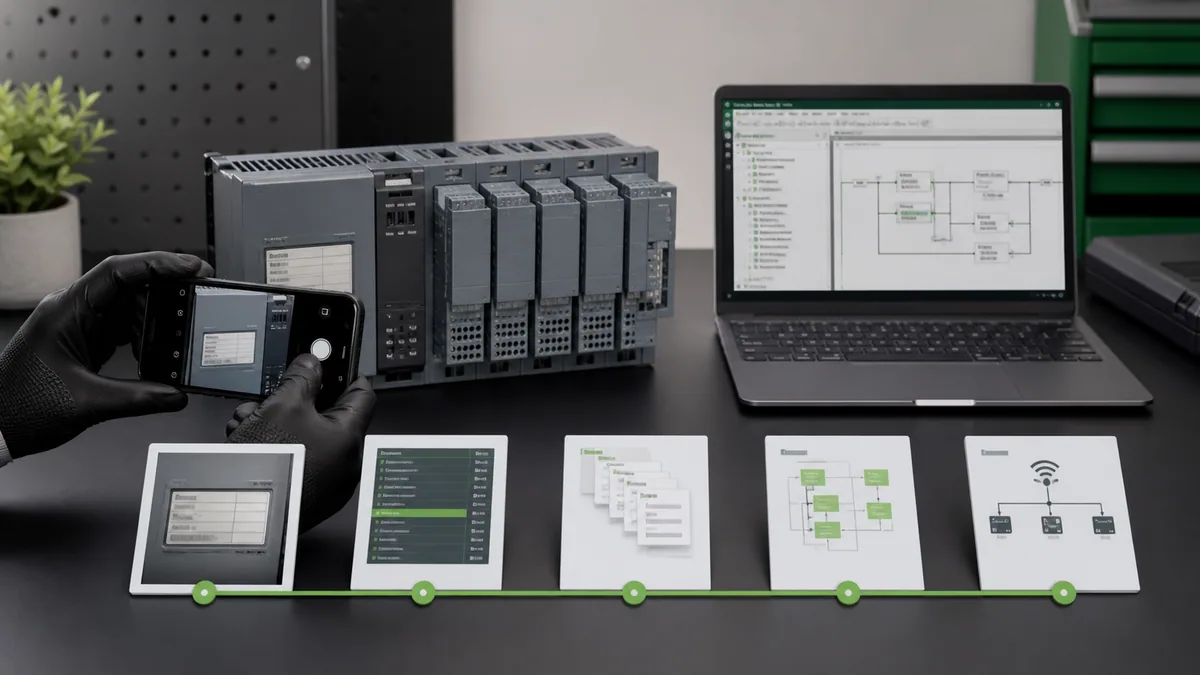
Before downloading anything, photograph the controller nameplate and record its full reference, firmware, current project-file type, software name and version, installed libraries, communication path and licence evidence. Use only an official Schneider Electric product or document page. Keep the original project and installer evidence read-only; open or convert a copy in an isolated engineering environment before connecting to hardware.
| Controller or family | Primary engineering software | Older name a brownfield project may use | Cost statement you can safely make | First verification |
|---|---|---|---|---|
| Modicon M221 | EcoStruxure Machine Expert – Basic | SoMachine Basic | Schneider provides a free M221 licence/download | exact M221 reference, project and Basic release |
| Modicon M241 / M251 / M262 | EcoStruxure Machine Expert | SoMachine | trial, free-mode and paid capabilities are release/licence dependent | controller firmware, tool release, package and libraries |
| Modicon M340 | EcoStruxure Control Expert | Unity Pro | edition and entitlement dependent | CPU reference, project version and Control Expert support |
| conventional Modicon M580 / M580 Safety | EcoStruxure Control Expert | Unity Pro | edition, add-on and safety lifecycle dependent | exact CPU type, firmware, certified release and security mode |
| M580 dPAC BMED family | EcoStruxure Automation Expert | none assumed | product entitlement dependent | exact BMED reference; do not confuse with BMEP/BMEH M580 |
| Momentum / Premium / Quantum supported projects | EcoStruxure Control Expert | Unity Pro or older family tools | support and conversion path are version specific | installed CPU, source archive, conversion documentation |
| Zelio Logic SR2 / SR3 | Zelio Soft 2 | Zelio Soft | official free download | relay reference, cable and supported Zelio Soft release |
| Modicon M171 / M172 / M173 HVAC controllers | EcoStruxure Machine Expert – HVAC | SoMachine HVAC in older material | product/version dependent | exact HVAC controller and official tool page |
The table is a selector, not a compatibility certificate. Schneider updates products, releases, licensing and support. Confirm the current official page for your region and exact hardware before purchase, installation or project conversion.
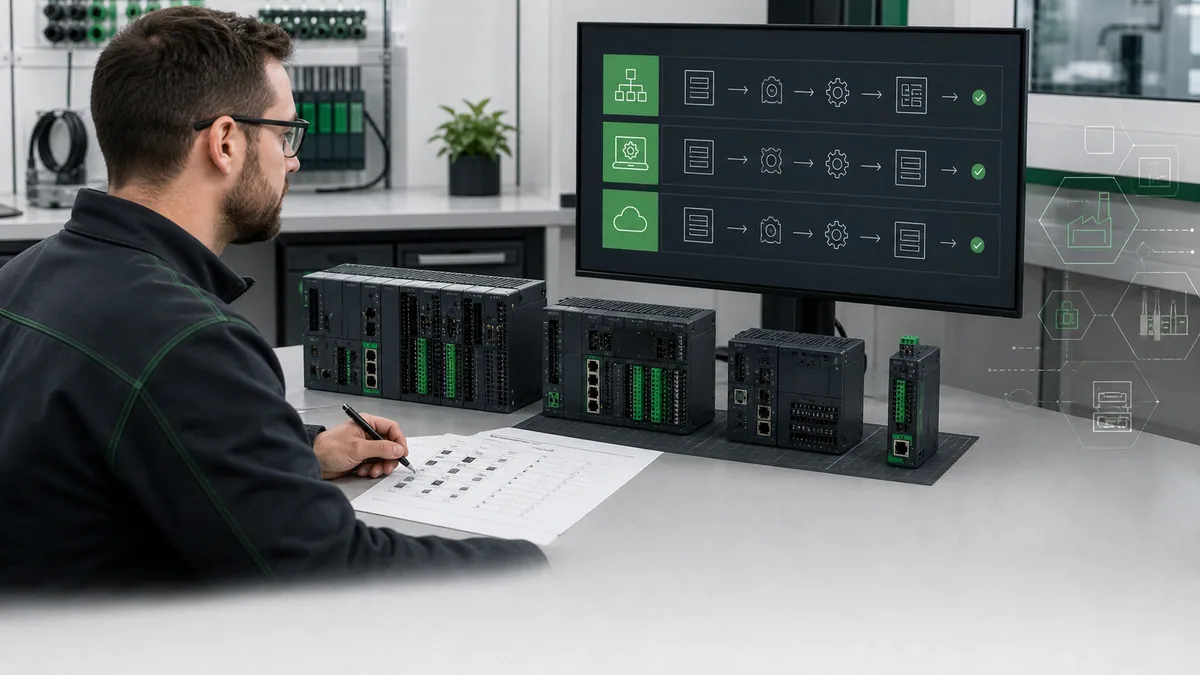
This guide owns the software-selection, official-download, licensing-boundary and wrong-tool diagnostic task. For ladder logic, project structure and commissioning instruction, use the Schneider Electric PLC programming tutorial. For a cross-vendor comparison, use the PLC programming software rankings.
Identify the controller before choosing software
Read the full product reference
“Schneider PLC” and even “Modicon PLC” are not enough. Record the text from the front and side nameplates, including prefixes and suffixes. A compact M221, a machine controller in the M2xx family, a process PAC in the M340/M580 family and a Zelio smart relay have different engineering environments. Within M580, the conventional BMEP/BMEH Control Expert targets must not be confused with BMED dPAC references documented for Automation Expert.
If the equipment is installed, obtain identity through the approved asset record or a non-invasive observation by authorized personnel. Do not remove covers, reach into energized equipment or connect a laptop merely to discover a model number. A controls drawing, bill of materials, backup register or maintenance record may provide safer evidence.
Capture the current engineering state
The controller reference answers only the first question. A usable manifest also records controller firmware, application/project version, engineering-software edition and patch, device-description and library versions, add-ons, communication method, licence type and the last known-good archive. Preserve hashes or immutable copies where the organization’s process supports them.
| Manifest field | Example format | Why it changes the decision | Evidence source |
|---|---|---|---|
| controller reference | complete printed part number | separates M221, M241, M340, M580 and dPAC targets | nameplate, approved asset register |
| hardware revision | vendor revision field | may constrain firmware or supported modules | nameplate and hardware guide |
| controller firmware | full numeric release | may set minimum/maximum engineering-tool support | approved online diagnostic or asset record |
| project file | original filename, extension, date and hash | identifies likely product generation and preserves provenance | controlled backup repository |
| engineering tool | product, edition, version and hotfix | determines open, build, convert and online behavior | engineering workstation manifest |
| libraries/add-ons | names and exact versions | missing or changed libraries can alter builds | project/library manager export |
| licence | edition, entitlement owner and expiry if applicable | determines available targets and functions | official licence portal or purchase record |
| communication path | USB/Ethernet/other plus approved settings | affects discovery and online security behavior | network/change documentation |
Separate selection from authorization
Finding the correct software does not authorize connection, upload, download, firmware change, force, bypass or operation. Selection can be completed offline. Any online action requires the site’s approved access, risk assessment, backup, change control, cybersecurity controls, operating window and recovery plan.
EcoStruxure Machine Expert Basic for M221
M221 software mapping
Schneider’s current M221 programming guide identifies EcoStruxure Machine Expert – Basic as the M221 configuration and programming environment. Schneider’s support FAQ says it replaced SoMachine Basic and is available as a free download. The official free-licence product record is stronger evidence than an independent download catalogue because it names both the product and the target.
Use the Basic product, not the full Machine Expert product merely because the names are similar. The safe workflow is to verify the M221 reference, follow the current official Basic product/document path for the reader’s region, record the downloaded release and publisher evidence, install in an approved workstation or VM, and open a copy of the project offline.
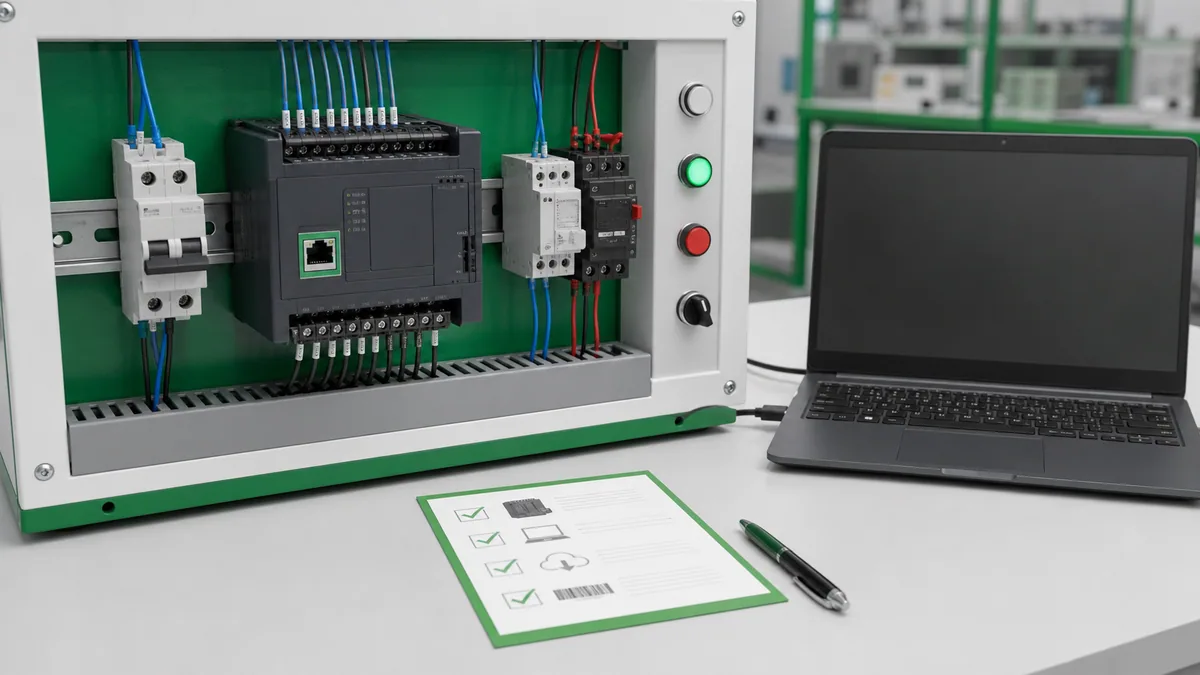
M221 download checklist
| Check | Pass condition | Stop condition |
|---|---|---|
| source | page is on Schneider Electric’s official domain and names Machine Expert Basic/M221 | mirror, repackaged archive or unclear publisher |
| region | official page is accessible and appropriate to the organization/region | an unofficial mirror is proposed to bypass availability |
| release | release identifier and publication metadata are retained | filename is “latest” with no recorded version |
| integrity | available signature, hash or publisher evidence is checked under policy | security warning is ignored |
| project | original M221 archive is copied and protected | only known project is opened destructively |
| environment | OS, privileges, licence and isolation meet current official requirements | production engineering station is modified without approval |
| online boundary | no controller connection until offline build/review passes | connection is used as a discovery shortcut |
“Free” describes the documented licence/download offer, not the total engineering cost. Workstation management, backups, cables, training, test hardware, field verification and authorized commissioning still require time and controls.
EcoStruxure Machine Expert for M241, M251 and M262
Machine-controller software family
Schneider describes EcoStruxure Machine Expert, formerly SoMachine, as the engineering environment for machine-automation controllers that include M241, M251 and M262 in current product material. Its scope is different from Machine Expert Basic and Control Expert. The exact supported devices and packages depend on the release, so use the current product page and release notes rather than copying a static compatibility list indefinitely.
For M241 specifically, Schneider’s August 2026 support answer maps the controller to Machine Expert and records firmware/software-generation boundaries. That is useful evidence for a known M241, but it is not permission to assume the same firmware path for M251, M262 or an unknown M2xx device.
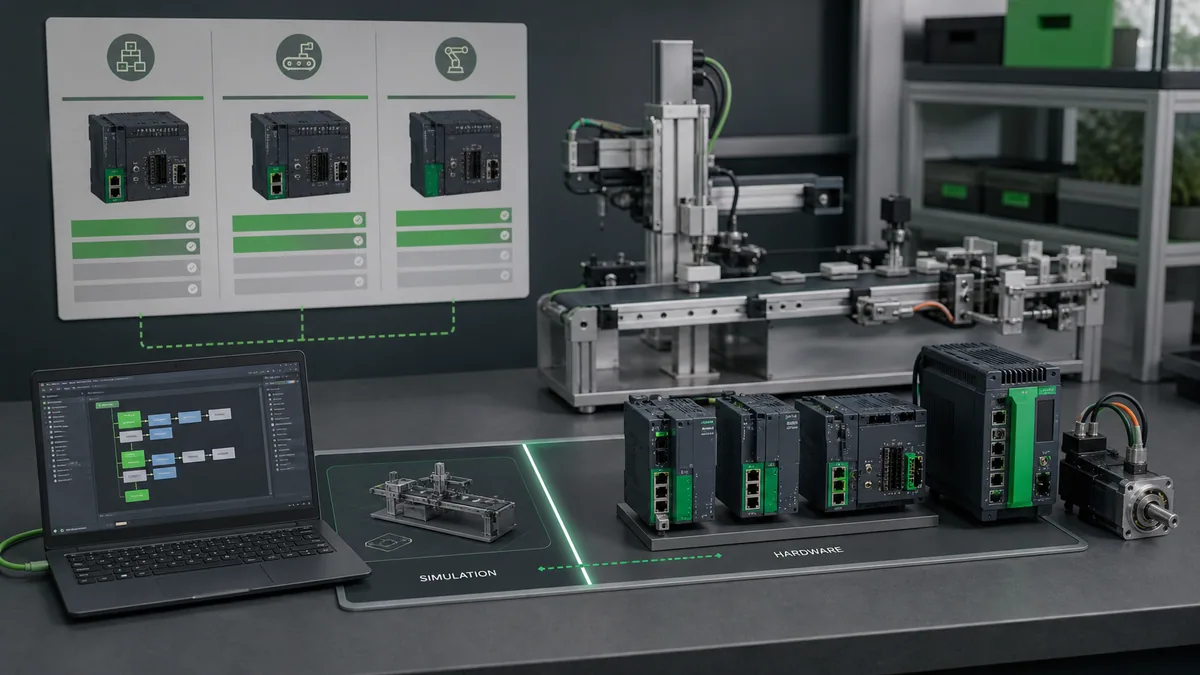
Trial, free mode and paid capability
Do not write “Machine Expert is free” without a release and capability boundary. Schneider’s current M241 support FAQ states that the software has a free version after a 42-day trial and directs readers to documentation for limitations. Schneider also publishes edition and licence information that changes over time. Therefore, verify whether the functions, target packages and team workflow required by the project are available under the intended entitlement.
| Question | Evidence to collect | Why “installed” is not enough |
|---|---|---|
| Can it open the project? | project version and conversion prompt/result | opening may convert a copy or omit a package |
| Can it build reproducibly? | clean build log and library manifest | cached libraries can hide missing dependencies |
| Is the exact controller present? | device repository and supported-device evidence | a related family does not prove the target |
| Is simulation available? | documented target/release capability | simulator support does not cover every feature |
| Is online work permitted? | licence capability plus organizational authorization | a menu item is not site approval |
| Can another engineer reproduce it? | installer, package, patch, licence and archive manifest | one workstation may have undocumented state |
SoMachine projects
SoMachine is the older product name found in many machine-controller archives. Treat it as migration evidence, not a synonym that guarantees compatibility. Preserve the original project and a record of the original workstation/tool if available. Read the current Machine Expert migration and compatibility documentation for the exact source version, controller and libraries. Convert a copy, retain the conversion log and compare project structure, warnings, build outputs and simulated/bench behavior.
Live mini-lab
Try it: press START, then STOP
A stop-dominant seal-in rung: START latches the motor output through its own contact, and STOP breaks the circuit.
Watch the output lamp: it stays on after START until you press STOP.
Free · no signup to try · runs in your browserOpens plcsimulationsoftware.com — same team
EcoStruxure Control Expert for M340 and M580
Process-controller software family
Schneider’s Control Expert product page states that EcoStruxure Control Expert, formerly Unity Pro, is the common programming, debugging and operating software for Modicon M340, M580, M580 Safety, Momentum, Premium and Quantum ranges. That statement establishes the family mapping. It does not erase edition, version, add-on, controller-lifecycle, firmware or safety restrictions.
The M340 support FAQ independently maps M340 to Control Expert. For M580, record the full CPU reference and architecture. Conventional M580 BMEP/BMEH targets use Control Expert, while Schneider documents BMED dPAC targets for Automation Expert and explicitly distinguishes them. “M580” alone is therefore not a sufficient selector.
Current version examples require dates
As reviewed on August 29, 2026, Schneider’s United States FAQ says Control Expert V16.2 replaced V16.1 in June 2025, and the official V16.2 download record publishes integrity-verification information. That is a dated checkpoint, not an evergreen promise that V16.2 will always be current. A durable page records the review date and links the product/download page so the reader can verify the current release.
Current versions may also change online security behavior. Schneider documents Engineering Link Mode for M580 with specified Control Expert and firmware conditions. Follow the exact current security documentation and site controls; do not weaken an engineering-link setting merely to make a connection convenient.
Safety and add-on boundary
M580 Safety engineering belongs to a governed safety lifecycle. The applicable certified Control Expert release, hotfixes, add-on, hardware, libraries and validation evidence must match the approved system. A generic software selector, simulator or successful standard-project build cannot validate a safety function or authorize a safety-project change.
Zelio Soft and other Schneider controller tools
Zelio Logic uses Zelio Soft 2
Zelio Logic SR2/SR3 is a smart-relay family, not a Modicon M221. Schneider’s official Zelio product pages identify Zelio Soft 2 and describe it as a free download. Select the exact relay reference and supported software release, then verify the programming cable and operating environment. Do not force a Zelio task into Machine Expert Basic because both products serve small applications.
HVAC and specialist families
Modicon M171/M172/M173 HVAC controllers have a dedicated Machine Expert – HVAC environment. PacDrive and safety packages can add separate dependencies within the broader machine-automation ecosystem. Legacy Twido, Premium, Quantum, Momentum and other installed families may require source-version tools, conversion utilities or modernization planning.
When a controller is absent from the headline matrix, stop and use the exact official product/document page. A broad brand guide should teach the selection method, not invent support for every historical reference.
| Ambiguous label | Why it is unsafe | Better question |
|---|---|---|
| small Schneider PLC | could mean Zelio, M221 or another compact controller | what is the complete printed reference? |
| M580 software | conventional BMEP/BMEH and BMED dPAC differ | which CPU prefix and architecture? |
| Machine Expert | Basic, standard machine and HVAC names are distinct | which full product name and controller? |
| Unity software | could describe Unity Pro-era project or loader utility | which project extension, source release and target? |
| free Schneider software | free product, free mode and trial are different | which target and required capability? |
| latest version | becomes stale and may not support the archive | which dated official release supports this manifest? |
Download Schneider PLC software safely
Use official product and document pages
Start from Schneider Electric’s official PLC programming-software category, controller product page, product-range page, document download record or support FAQ. Confirm the domain, product name, controller relationship, publication/update date and file metadata. Where Schneider supplies a hash, signature or integrity procedure, apply it under the organization’s security process.
This site does not host Schneider installers, licence keys, cracks or repackaged archives. An independent “free download” page may be outdated, altered, incomplete, unlawfully distributed or disconnected from the exact controller. The short route to a binary is not the short route to a recoverable engineering system.
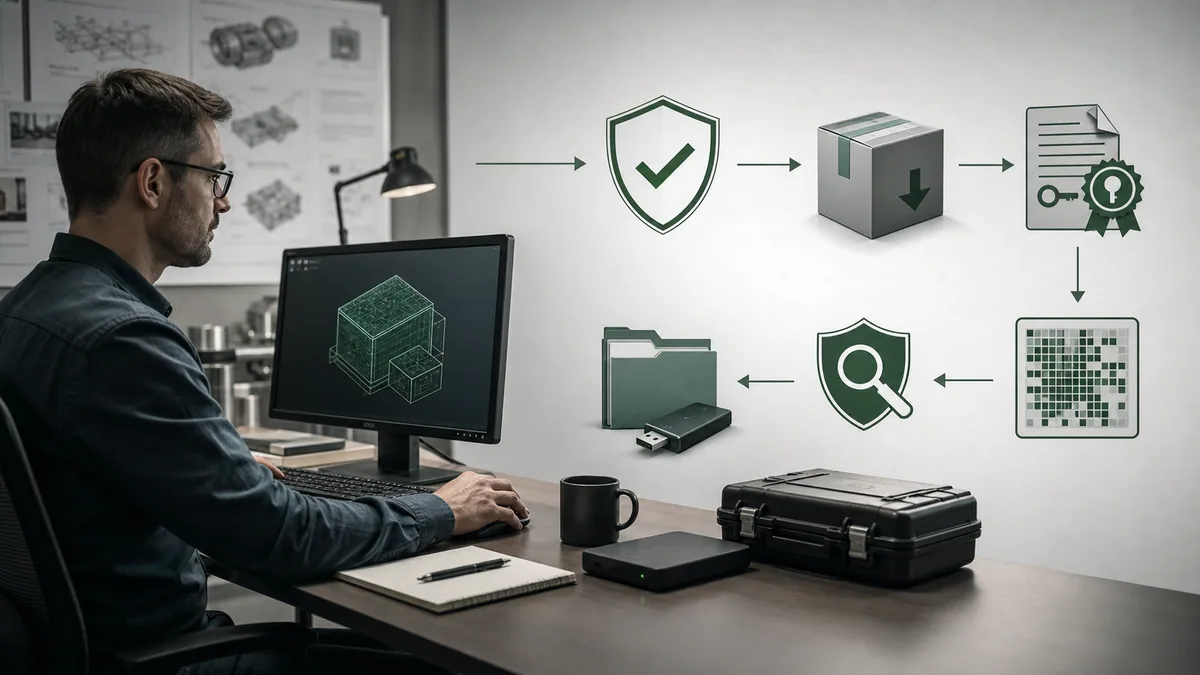
Reproducible installation record
| Stage | Record | Acceptance evidence | Failure response |
|---|---|---|---|
| select | exact controller-to-product rationale | official page names the target/product | stop and resolve ambiguity |
| acquire | URL, date, filename, size and release | official HTTPS source and matching metadata | reject mirrors/repackages |
| verify | hash/signature/publisher and security scan per policy | no unresolved integrity warning | quarantine and escalate |
| license | edition, entitlement owner, limitations and expiry | required feature/target is entitled | obtain correct entitlement |
| install | OS/VM baseline, prerequisites, selected packages and patch | repeatable clean installation | restore baseline and diagnose |
| open offline | copied archive, conversion prompt and log | original untouched; copied project opens/builds | retain source environment |
| validate | build, simulation/bench tests and differences | approved acceptance cases pass | investigate before online work |
| hand off | manifest, media, licence, archive and recovery notes | second engineer can reproduce | do not call the system maintainable |
Avoid the “download then discover” workflow
Do not install several Schneider suites hoping one recognizes the controller. That contaminates the workstation with overlapping packages, libraries, services and licence state while hiding the selection problem. Decide from hardware and project evidence first; then build a controlled environment for the chosen product.
Version compatibility and legacy migration
Treat conversion as an engineering change
A newer tool may offer to convert an older project. Conversion can change project format, libraries, diagnostics, defaults, communication settings or supported objects. Preserve the original archive and original tool evidence. Convert a copy; save the conversion report; rebuild from clean state; compare warnings, program organization, data types, initial values, retained data, I/O configuration, network configuration, timing and diagnostics; then run normal, abnormal, restart and recovery tests.
Translate legacy product names carefully
| Legacy term | Current family relationship | What does not follow automatically |
|---|---|---|
| SoMachine Basic | succeeded by Machine Expert Basic for M221 | every source release/project converts without issue |
| SoMachine | succeeded by Machine Expert for supported machine controllers | every controller, library, visualization or package is supported |
| Unity Pro | renamed/succeeded by Control Expert for supported Modicon PACs | every legacy CPU, module or project is supported in every current edition |
| TwidoSuite | legacy Twido engineering | direct programming by Machine Expert Basic without a documented migration path |
| PL7/Concept-era tooling | legacy Premium/Momentum/Quantum contexts may exist | a current tool can open an arbitrary archive without source details |
Minimum migration acceptance set
Run a clean build and retain warnings. Compare hardware configuration and address mapping. Verify initialization and retained-data behavior. Test permissives, interlocks, sequences, timers, counters, analog scaling, communications, alarms, restart and fault recovery. Where motion, safety, redundancy or process libraries are involved, use the applicable specialist lifecycle and independent review.
A brownfield project may be safer to maintain temporarily in a controlled legacy environment while a formal modernization is designed. “Newest” is not automatically “lowest risk.” Unsupported software still creates lifecycle and security risk, so document the decision, controls and migration plan rather than silently freezing it.
Diagnose the wrong software, version or package
Start with the first divergence
If a project will not open, build, find a controller or go online, avoid random upgrades and network changes. Compare expected versus observed evidence in a fixed order: product family, project format, software version/edition, controller package, libraries/add-ons, controller firmware, communication/security settings and access authorization.
| Symptom | Likely boundary | Discriminating check | Do not do first |
|---|---|---|---|
| file type is unrecognized | wrong product family or source generation | identify original tool/version from archive and records | rename the extension or use random converters |
| project opens but target is unavailable | missing device package, wrong edition or unsupported release | compare target reference with official supported-device/release evidence | select a “close enough” CPU |
| build reports unresolved blocks | missing/incompatible libraries or add-ons | export and compare exact library manifest | replace blocks until errors disappear |
| tool discovers hardware but cannot go online | firmware/tool/security/access mismatch | compare manifest and current connection/security guide | disable security or change production addressing |
| online comparison differs | wrong archive, build state or controller application | verify project identity, timestamps, hashes and approved backup | download the local copy |
| controller is found by another Schneider suite | mistaken family assumption | validate complete hardware reference against official mapping | let discovery determine authorization |
| simulation passes but hardware fails | I/O, device, timing, communications or plant boundary | trace first real evidence divergence | claim the simulator validates hardware |
Worked case: unknown M221 archive
Suppose the cabinet record says M221 and the only archive has an unfamiliar Basic-era extension. Photograph or verify the full M221 reference, duplicate and hash the archive, check Schneider’s current M221 programming guide and Basic product page, create an isolated Machine Expert Basic environment appropriate to the source evidence, and open only the copy. Record every conversion prompt and build warning. Do not connect to the controller until the approved backup, exact target, offline build and regression plan are reviewed.
Worked case: M241 labelled “SoMachine”
An M241 project may have been developed in SoMachine, while Schneider now maps M241 to Machine Expert. Preserve the original environment and source. Match controller firmware and source-tool generation using current official documentation. Test conversion on a copy and verify device packages, libraries, communication settings, retained state, motion or fieldbus behavior as applicable. The rename establishes a migration family, not automatic equivalence.
Worked case: M580 that will only monitor
Do not treat a monitoring-only connection as proof that the wrong software was selected. Schneider documents version/firmware-specific Engineering Link Mode behavior for M580. Capture the exact CPU, firmware, Control Expert version and configured security mode; follow the current official secure connection procedure and local authorization. Do not reduce security settings to recover programming access casually.
Simulation, testing and the product bridge
What a vendor-neutral lab can prove
A browser simulator can test transferable control behavior before the exact Schneider environment is available: request versus command, permissives, interlocks, feedback, timeouts, first-out fault reasons, reset and restart cases. It can also teach the evidence habit—predict, execute, observe, isolate, correct and rerun.
It cannot open or convert Schneider project files, emulate every Schneider instruction, verify a controller/device package, prove firmware compatibility, grant a licence, validate communication security, reproduce physical I/O or certify a safety application. After the control pattern is understood, repeat the relevant tests in the approved exact-version Schneider environment and then on approved target hardware.
Selection acceptance checklist
| Gate | Pass evidence |
|---|---|
| identity | exact controller reference and architecture recorded |
| product | official Schneider source maps that controller to the selected tool |
| version | software, firmware, project and libraries form a reviewed manifest |
| entitlement | licence/edition covers the required target and functions |
| acquisition | installer came from an official source with integrity evidence retained |
| preservation | original archive and last-known-good evidence remain protected |
| offline proof | copied project opens/builds with reviewed conversion and warnings |
| behavior proof | normal, abnormal, restart and recovery cases are repeatable |
| field boundary | change, cybersecurity, safety and commissioning authorization exists |
| handoff | another engineer can reproduce the environment and decisions |
Cybersecurity, safety and production boundaries
Engineering software is part of the OT attack surface
Treat installers, engineering workstations, project archives, libraries, credentials and controller connections as controlled OT assets. Schneider publishes product security notifications, including notices affecting Control Expert and Modicon controllers. Review current advisories for the exact deployed products, apply organizational vulnerability-management decisions and preserve verified installation media and recovery assets.
Do not connect an unmanaged laptop, download cracked software, share licence credentials, expose controller services to the public internet or weaken security modes for convenience. Separate training from production, use least privilege, control removable media, log changes and test recovery.
Software control is not energy isolation
A stop command, disabled output, simulation state or offline project does not isolate electrical, pneumatic, hydraulic, mechanical, thermal or stored energy. Physical inspection and commissioning require the approved energy-control and electrical-safe-work procedures and qualified authorization.
Simulator success is not safety validation
Neither this guide nor the linked simulator validates emergency stops, guards, safety I/O, safety PLC logic, SIL/PL claims, reaction time or risk reduction. M580 Safety and any other safety-related system require the applicable standards, approved hardware/software versions, safety lifecycle, independent verification and site acceptance process.
Common Schneider software selection mistakes
Selecting from the brand instead of the controller
Installing “the Schneider software” skips the decisive evidence. M221, M241 and M340 deliberately map to different products. Record the full controller reference first.
Treating Basic and full Machine Expert as editions of one file
Machine Expert Basic is the M221 environment; Machine Expert serves supported machine controllers such as M241/M251/M262. Similar naming does not make the project formats and targets interchangeable.
Assuming M580 always means Control Expert
Conventional M580 and M580 Safety projects are associated with Control Expert, but Schneider also documents BMED dPAC targets for Automation Expert. The exact prefix and architecture matter.
Calling all Schneider software free
M221’s Basic tool has an official free licence. Zelio Soft is presented as free. Machine Expert can have trial/free-mode/paid capability boundaries. Control Expert editions and entitlements vary. State the exact product, release, capability and date.
Downloading from a mirror
An unofficial binary removes source, integrity, version, licence and support confidence. Link to official Schneider records and retain acquisition evidence.
Converting the only project copy
Conversion is an engineering change. Protect the original and convert a copy in isolation with a recorded test result.
Going online to identify the system
Connection has operational and cybersecurity consequences. Use nameplates and controlled asset/project records first, and obtain authorization before online access.
Diagnostic answer map
| Natural-language query | Concise answer | Boundary to preserve |
|---|---|---|
| Which Schneider PLC software do I need? | Match the exact controller: M221 → Machine Expert Basic; M241/M251/M262 → Machine Expert; conventional M340/M580 → Control Expert; Zelio SR2/SR3 → Zelio Soft 2. | Confirm full reference, release and current official support. |
| What software programs a Modicon M221? | EcoStruxure Machine Expert – Basic, formerly SoMachine Basic. | Use the official M221/Basic page and preserve the project source. |
| What software programs M241? | EcoStruxure Machine Expert, formerly SoMachine. | Firmware, package, libraries and release must match. |
| Can Machine Expert program an M340? | M340 belongs to the Control Expert family, not the M241/M251/M262 machine-controller environment. | Check exact CPU and official support before installing. |
| Is Unity Pro the same as Control Expert? | Control Expert is the current name/family succeeding Unity Pro for supported Modicon PACs. | Project conversion and legacy hardware support are version specific. |
| Is Schneider PLC software free? | Machine Expert Basic for M221 and Zelio Soft have official free offers; other products have changing trial, free-mode, edition and licence conditions. | “Free” does not prove required capability or entitlement. |
| Where should I download Schneider PLC software? | Use Schneider Electric’s official product, document, installer or support pages. | This site hosts no installers; avoid mirrors and cracks. |
| Why will my project not open? | First distinguish wrong product, unsupported source version, missing package/library and damaged archive. | Work on a protected copy and retain the original environment. |
| Why can I only monitor an M580? | Tool/firmware/security-mode conditions may restrict programming access. | Follow current secure connection documentation; do not weaken controls casually. |
| Can a simulator validate my Schneider project? | It can test vendor-neutral logic patterns and diagnostic method. | It cannot validate Schneider files, firmware, I/O, licensing, security or safety. |
Frequently asked questions
What is the programming software for Schneider PLCs?
Schneider Electric uses several tools. Modicon M221 uses EcoStruxure Machine Expert – Basic. M241, M251 and M262 use EcoStruxure Machine Expert. Conventional M340 and M580 PACs use EcoStruxure Control Expert. Zelio Logic SR2/SR3 uses Zelio Soft 2. Verify the exact controller reference and current official documentation.
What software is used to program a Modicon M221?
EcoStruxure Machine Expert – Basic programs the Modicon M221. Schneider describes it as the replacement for SoMachine Basic and provides an official free licence/download. Capture the M221 reference, source project, firmware and required Basic release before installing or converting anything.
Is EcoStruxure Machine Expert Basic free?
Schneider publishes a free-licence product for EcoStruxure Machine Expert Basic and identifies it as the M221 programming software. Verify the current regional product/download page and release. Free software does not eliminate workstation, backup, training, test or commissioning costs.
Is EcoStruxure Machine Expert free?
Do not describe every Machine Expert capability as permanently free. Schneider’s current M241 support FAQ describes a 42-day trial followed by a free version with limitations, while paid editions and licences also exist. Confirm the current release, target packages and required features on official pages.
What replaced SoMachine and SoMachine Basic?
EcoStruxure Machine Expert succeeded SoMachine for supported machine controllers, while EcoStruxure Machine Expert – Basic succeeded SoMachine Basic for M221. The name transition does not guarantee that every legacy project, device, visualization or library converts without review and testing.
What replaced Unity Pro?
EcoStruxure Control Expert is Schneider Electric’s current name/family for the software formerly known as Unity Pro. It supports documented Modicon PAC families including conventional M340 and M580. Preserve legacy projects and verify source version, CPU, libraries, edition and conversion path.
Can EcoStruxure Machine Expert program an M340 or M580?
The conventional M340 and M580 PAC families use EcoStruxure Control Expert, not the M241/M251/M262 Machine Expert environment. Some M580 dPAC BMED references use EcoStruxure Automation Expert, which is why the exact CPU reference is essential.
Where can I download Schneider PLC software safely?
Download from an official Schneider Electric product-range, software category, document-download, installer or support page. Confirm the domain, product/target relationship, release and integrity information. Avoid mirrors, repackaged installers, licence cracks and binaries with unclear provenance.
Why does my Schneider PLC project not open?
The project may belong to another Schneider product family, an older unsupported release, a missing device package or library, or it may be incomplete. Identify the original tool and target from records, protect the original archive, and diagnose a copy in an isolated environment before attempting conversion.
Can I test Schneider PLC logic without the physical PLC?
Depending on the exact product, release and target, vendor simulation may be available. A vendor-neutral browser lab can also test transferable state logic and diagnostic methods. Neither approach proves physical I/O, controller firmware, installed communications, licensing, cybersecurity settings or safety behavior.
Sources, review scope, and limitations
This guide was reviewed on August 29, 2026. Schneider Electric can change product names, supported hardware, versions, downloads, trials, licences, operating-system requirements, cybersecurity behavior and lifecycle status. The dated Control Expert V16.2 and Machine Expert V2.6 references below are review checkpoints, not promises that those releases remain current. Verify the exact official record for the installed controller and region.
- PAC and PLC programming software category — Schneider Electric
- PLC, PAC and controller product category — Schneider Electric
- EcoStruxure Machine Expert product range — Schneider Electric
- EcoStruxure Machine Expert programming guide, document EIO0000002854 — Schneider Electric
- Machine Expert V2.6 release notes, document RN0000000035 — Schneider Electric
- M241 programming-software and firmware guidance, FAQ000282792 — Schneider Electric
- Industrial automation software FAQ collection — Schneider Electric
- Modicon M221 programming guide, document EIO0000003297 — Schneider Electric
- Modicon M221 user guide, document EIO0000000976 — Schneider Electric
- M221 programming-software FAQ FA233597 — Schneider Electric
- Machine Expert Basic free licence for M221 — Schneider Electric
- EcoStruxure Control Expert product range — Schneider Electric
- Control Expert operating modes guide, document 33003101K01000 — Schneider Electric
- Control Expert guidelines, document EIO0000004875 — Schneider Electric
- Control Expert V16.2 download FAQ FAQ000274751 — Schneider Electric
- Control Expert V16.2 installation record and integrity information — Schneider Electric
- M340 programming-software FAQ FA242942 — Schneider Electric
- M580 and M340 FAQ collection — Schneider Electric
- M580 Control Expert Engineering Link Mode FAQ000278111 — Schneider Electric
- M580 dPAC Automation Expert user guide, document EIO0000004215 — Schneider Electric
- Zelio Soft product range — Schneider Electric
- Zelio Logic SR2/SR3 and Zelio Soft overview — Schneider Electric
- Zelio Soft 2 download record — Schneider Electric
- Control Expert and Modicon security notification SEVD-2024-044-01 — Schneider Electric
- NIST SP 800-82 Rev. 3, Guide to Operational Technology Security — NIST
- 29 CFR 1910.147 control of hazardous energy — OSHA
The controller matrix, manifests, decision gates, worked cases, diagnostic order, migration acceptance set and answer map are original editorial synthesis. The images are generated editorial illustrations, not Schneider product screenshots, wiring diagrams or evidence that a depicted device is an exact commercial reference.
This page is independent educational material and is not Schneider Electric documentation, a download mirror, a licence grant, a compatibility guarantee, an approved migration plan or authorization to connect to installed equipment. Qualified and authorized personnel must apply current manufacturer instructions, exact software and hardware requirements, licensing, cybersecurity policy, risk assessment, energy-control and electrical-safe-work procedures, management of change, backups, independent protection and approved commissioning/recovery plans.
Now run it · free · no signup
Skip the installer and run PLC logic now
Run one guided program in your browser without an account or card, then create a free account when you want the practice library.
Ownership disclosure: PLC Programming IO and PLC Simulation Software are operated by the same publisher.
PLC Programming IO Editorial Team
Industrial automation education, references, and software testing
The PLC Programming IO Editorial Team publishes sourced industrial-automation education and documents how material is reviewed, tested, and corrected. A team byline means the publisher is responsible for the page; it does not represent a fictional person or imply an engineering licence.
Coverage:
- • PLC programming concepts and examples
- • Vendor software tutorials and comparisons
- • SCADA, HMI, protocols, and instrumentation
- • Training, careers, and reference material
Review standard:
- • Prefer primary and official sources
- • Record software versions when material
- • Separate tested facts from estimates
- • Publish material corrections
Important scope note
This site provides education, not project-specific engineering approval. Safety, code, and compliance decisions require a qualified person with access to the actual machine and jurisdiction.