Allen-Bradley PLC Training: Role-Based 12-Week Plan
Choose the right Allen-Bradley controller path, map official Rockwell courses, complete hands-on labs and prove job-ready programming or maintenance skills.
Review status: Editorially reviewed against current Rockwell Automation training, certificate-program, controller-software and Logix documentation; exact regional course availability, delivery, prerequisites, prices, software entitlements and equipment require live verification
Direct answer
The best Allen-Bradley PLC training path starts with the controller family and the job you must perform. For current CompactLogix or ControlLogix work, learn the Logix 5000 model in Studio 5000 Logix Designer. For Micro800 controllers, use Connected Components Workbench (CCW). For many installed SLC 500 and MicroLogix systems, the relevant legacy environment is RSLogix 500. These paths share control concepts, but their project files, address models, software and commissioning procedures are not interchangeable.
A new programmer should progress through controller and I/O identification, ladder-logic semantics, tags and data, tasks/programs/routines, project development, testing and controlled commissioning. A maintenance technician should prioritize electrical drawings, controller/module status, online interpretation, I/O tracing, fault evidence, backups and safe restoration before modifying logic. A useful course must include executable practice and an observed assessment; hours of video alone do not prove that a learner can diagnose or control a process.
Use the 12-week plan below as a preparation and practice framework. It is not an official Rockwell curriculum or certificate. Rockwell Automation publishes current instructor-led and Learning+ courses, including the CCP146, CCP151 and CCP143 sequence, plus separate Logix Programmer and Logix Maintainer Certificate Programs. Confirm the current course, prerequisite, regional schedule, delivery method, software access and total price with Rockwell or an authorized distributor before enrolling.
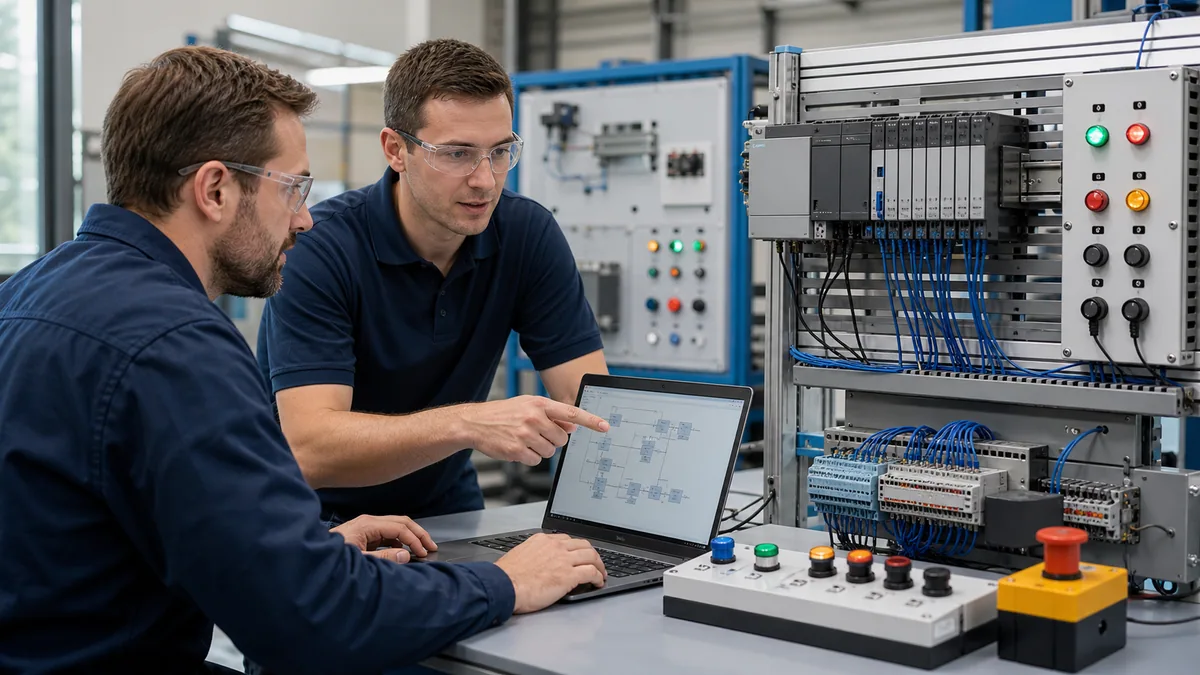
Choose the controller family before the course
Separate modern Logix, Micro800 and installed legacy systems
“Allen-Bradley” is a product brand, not one programming language or software package. Photograph the complete controller catalogue label, record the firmware and inventory the installed software before purchasing a course. A generic class can teach transferable logic, but it cannot replace platform-specific work when the job requires opening, interpreting or changing an actual project.
| Target equipment | Primary learning environment | Data and project model | Training evidence to request |
|---|---|---|---|
| CompactLogix or ControlLogix | Studio 5000 Logix Designer | tag-based Logix project with tasks, programs and routines | named software revision, controller family, physical or remote lab and project files |
| GuardLogix or Compact GuardLogix | Studio 5000 plus the applicable safety lifecycle | standard and safety content under platform-specific controls | prerequisite Logix competence, exact safety course scope and supervised validation boundaries |
| Micro800 | Connected Components Workbench | Micro800 variables, programs, device configuration and supported IEC languages | exact Micro800 catalogue, CCW version and a compatible controller or documented simulator scope |
| SLC 500 or many MicroLogix systems | RSLogix 500 | file-based addressing such as input, output, binary, timer and integer files | exact processor family, communication hardware and legal software access |
| PLC-5 or another legacy family | product-specific legacy tooling | platform-specific files and instruction behavior | installed-base match, lifecycle status, archive/recovery method and qualified supervision |
Do not choose Studio 5000 training simply because a cabinet contains an Allen-Bradley logo. Conversely, do not expect an RSLogix 500 course to prepare you for Logix tags, user-defined data types, produced/consumed data or the task model. If your goal is general employability and no employer platform is known, modern Logix is the broadest current Allen-Bradley starting point; add legacy training only when the installed base justifies it.
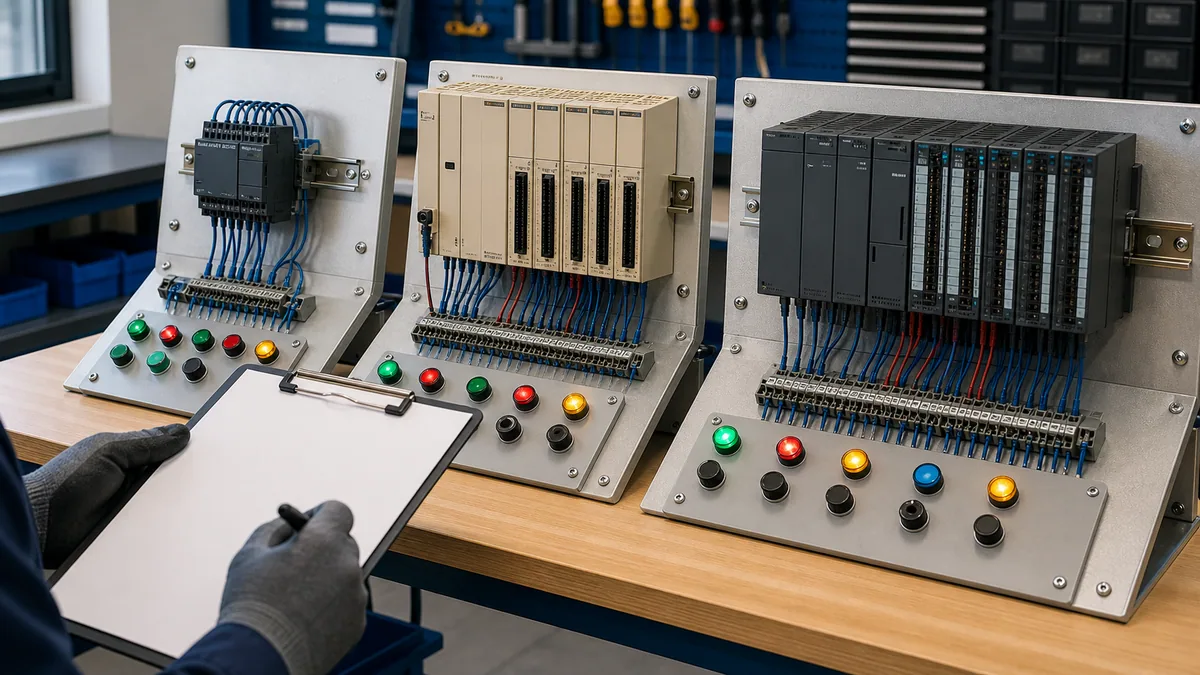
Build a one-page target profile
Before comparing providers, fill out this profile. “Latest version” is not a substitute for compatibility evidence, and a screenshot of ladder logic is not proof of the hardware used in the lab.
| Profile field | Example evidence | Why it changes the training choice |
|---|---|---|
| job outcome | maintain an existing line; create Logix projects; migrate legacy equipment | selects maintainer, programmer or migration emphasis |
| controller | complete catalogue and series from the target or a representative lab | selects Studio 5000, CCW, RSLogix 500 or another path |
| firmware/project revision | controller identity plus controlled project metadata | determines compatible engineering software and realistic exercises |
| I/O and network | local/remote I/O, EtherNet/IP devices, drives and HMI | determines commissioning and troubleshooting labs |
| learner baseline | electrical safety, drawings, Boolean logic, Windows/networking | reveals prerequisites that cannot be skipped safely |
| practice access | browser lab, vendor emulator, remote hardware or physical bench | determines which claims can be tested and which remain conceptual |
| assessment | observed task, fault injection, rubric and retained deliverable | distinguishes demonstrated skill from content completion |
Select the path by job role
Programmer, maintainer and engineer are different outcomes
The same course title may be too broad for one learner and too advanced for another. Choose by the observable task expected after training.
| Role | First required outcomes | Practical assessment | Common wrong turn |
|---|---|---|---|
| entry-level PLC programmer | create the correct project, configure representative I/O, define tags and implement a small sequence | build and test a motor/conveyor sequence from a written cause-and-effect specification | memorizing instruction icons without owning final behavior |
| maintenance technician | connect read-only, identify mode/faults, trace field input through tags and logic, distinguish command from feedback | diagnose seeded power, I/O, mapping, interlock and feedback faults without random edits | changing a rung before proving the electrical or configuration boundary |
| controls engineer | structure tasks/programs/routines, define interfaces, test abnormal/recovery states and manage change evidence | deliver a reviewed project, test matrix, rollback plan and as-left package | treating “verified” or “downloaded” as proof of correct machine behavior |
| supervisor or training buyer | map curriculum to installed assets, risks and competency gaps | compare pre/post task evidence across the same rubric | buying one generic library for every platform and role |
| technician moving from another PLC brand | translate familiar concepts while learning Logix-specific tags, scheduler, I/O and tools | rebuild one known function and explain every changed semantic boundary | assuming equivalent-looking instructions behave identically |
For a new learner, electrical fundamentals and safe work are prerequisites, not optional modules at the end. You should already be able to interpret a basic control schematic, distinguish control voltage from load power, identify input and output devices, and explain why isolation and verification precede physical work. Training equipment does not authorize work on energized production machinery.
Follow a 12-week Allen-Bradley PLC training plan
Use four stages with a deliverable every week
This schedule assumes five to seven focused hours per week. Increase lab time if the learner is new to electrical control or has no supervised hardware access. Do not progress because a video ended; progress when the deliverable passes its test.
| Week | Learning objective | Required deliverable | Pass condition |
|---|---|---|---|
| 1 | identify controller families, power, CPU, I/O and network roles | annotated asset and signal-path sheet | correct software family and safe evidence boundaries selected |
| 2 | understand Boolean logic and scan-dependent execution | truth tables plus start/stop rung explanation | predicts rung and output state for normal and held inputs |
| 3 | use XIC, XIO, OTE, latch/unlatch, timers and counters deliberately | small motor and timed-conveyor routines | no duplicate final writer; abnormal/reset behavior documented |
| 4 | distinguish raw I/O, aliases, application tags and feedback | input-to-output tag map | every value has source, owner, type and failed-state behavior |
| 5 | organize tasks, programs and routines | project structure diagram | every routine has an execution path and timing purpose |
| 6 | configure representative local or remote I/O offline | configuration and compatibility sheet | catalogue, revision, keying and connection assumptions recorded |
| 7 | implement modes, permissives and interlocks | controlled equipment module | one final command owner and visible inhibit reasons |
| 8 | build a sequence with timeout and recovery | conveyor or batch state model | normal, abort, restart and failed-feedback tests pass |
| 9 | learn online observation, upload/download meanings and change states | written change decision matrix | learner explains consequence before selecting an action |
| 10 | troubleshoot from controller to process evidence | five seeded-fault reports | each diagnosis cites a discriminating observation |
| 11 | integrate HMI/network/device boundaries conceptually or in a lab | interface contract and bad-data behavior | request, status, quality, timeout and ownership are explicit |
| 12 | complete a timed capstone and review | project, I/O list, test record, diagnosis log and handover | independent rubric passes with no critical safety or control defect |
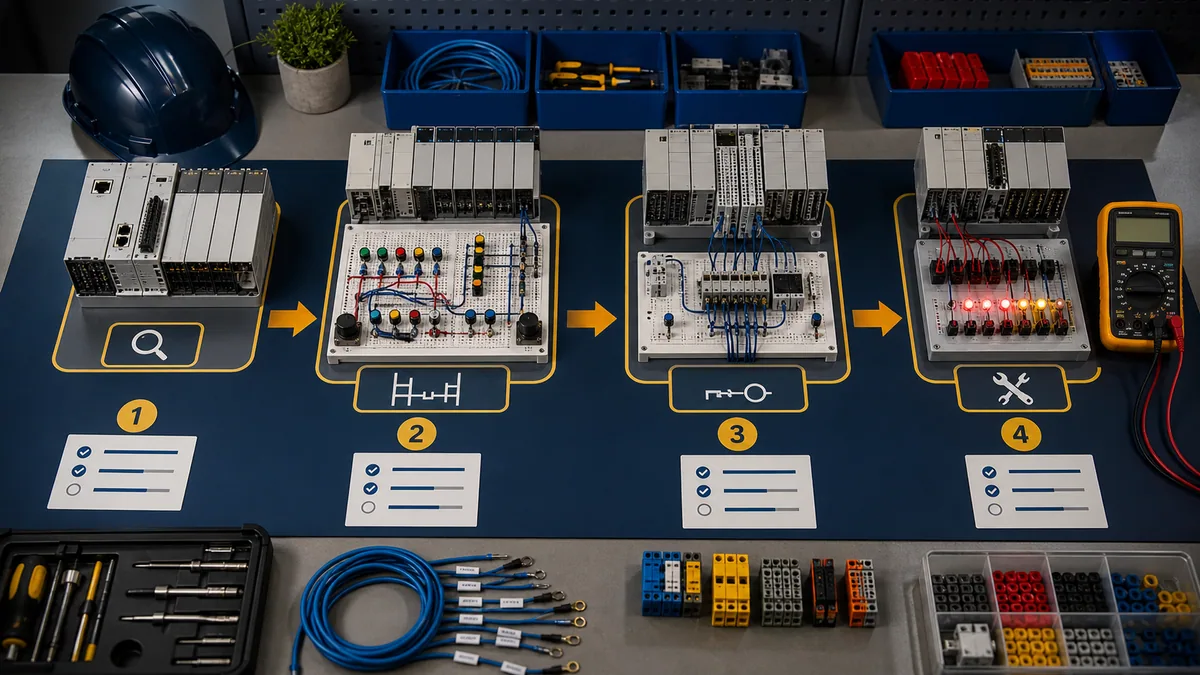
Use the programming guide as the technical reference
This page owns the training decision and competency plan. Use the Allen-Bradley PLC programming and troubleshooting guide for detailed controller/software selection, Logix execution, I/O mapping, ordinary ladder patterns, first-project workflow and diagnostic matrices. Use the RSLogix 5000 PLC tutorial for a Studio 5000 first-project walkthrough. Keeping those tasks separate prevents this training guide from becoming three shallower copies of the same reference.
Live mini-lab
Try it: press START, then STOP
A stop-dominant seal-in rung: START latches the motor output through its own contact, and STOP breaks the circuit.
Watch the output lamp: it stays on after START until you press STOP.
Free to start · runs in your browserOpens plcsimulationsoftware.com — same team
Map official Rockwell courses to the skill gap
Understand the published Logix sequence
Rockwell’s current training pages identify CCP146 as Studio 5000 Logix Designer Level 1: ControlLogix System Fundamentals, CCP151 as Level 2: Basic Ladder Logic Programming and CCP143 as Level 3: Project Development. The published instructor-led durations are two days, two days and four days respectively. Learning+ variants use -EL course codes and publish different delivery durations. Treat the live course page—not a copied timetable—as the authority for the current format and prerequisite.
| Course or path | Published emphasis | Best fit | Preparation evidence |
|---|---|---|---|
| CCP146 / CCP146-EL | ControlLogix hardware, project basics, communication, I/O, tags and basic ladder | learner new to Logix systems | control-system fundamentals and Windows competence |
| CCP151 / CCP151-EL | ladder logic programming, tags, instructions, documentation and routines | programmer after fundamentals | can navigate the project and explain basic I/O |
| CCP143 / CCP143-EL | project organization, data, modules, communication, AOIs/messages and faults | person developing Logix projects | CCP146 and CCP151 or equivalent demonstrated experience |
| CCP153 / maintenance track | maintenance and troubleshooting tasks in Logix systems | technician restoring existing systems | fundamentals plus drawings and safe diagnostic practice |
| CCP250 accelerated programmer certificate | concentrated programmer route with included assessment under the published path | experienced learner who meets the stated prerequisite | timed pre-test showing existing Logix fluency |
| CCP300 accelerated maintainer certificate | concentrated maintainer route with included assessment under the published path | experienced maintenance learner meeting prerequisites | fault interpretation, ladder reading and hardware evidence |
Course codes help compare like with like, but a code alone does not prove the delivered lab revision, instructor, location, language or equipment. Ask for a current syllabus and written proposal. If an employer is paying, map each lesson to an installed asset and a post-course supervised task.
Separate course completion from a certificate program
Rockwell’s Certificate Programs page describes Logix Programmer and Logix Maintainer curricula combining defined courses, practical exercises and a final assessment. Completing one course is not the same as completing the certificate program, and a third-party completion badge is not automatically a Rockwell certificate. The Allen-Bradley PLC certification guide covers current pathway names, course combinations, assessments and résumé wording in detail.
| Evidence | Reasonable claim | Claim it does not support by itself |
|---|---|---|
| watched free lessons | completed named learning material | can commission or troubleshoot production equipment |
| provider completion certificate | completed that provider’s stated requirements | Rockwell-issued achievement or employer competence |
| one Rockwell course completion | completed the named course | completed the full Logix Certificate Program |
| Rockwell Certificate of Achievement | met the published program and assessment requirements | experience on every controller, process or safety application |
| employer practical sign-off | passed a defined task on the employer’s scope | portable vendor credential beyond that scope |
Make online or free training genuinely hands-on
Match the practice environment to the claim
Online Allen-Bradley PLC training can be effective when it includes real tasks, inspectable behavior and feedback. The practice environment determines what can be claimed.
| Practice environment | Strong use | Cannot prove alone |
|---|---|---|
| browser PLC simulator | Boolean logic, scan reasoning, timers, sequences and repeatable fault cases | Studio 5000 menus, controller firmware, real I/O, EtherNet/IP or safety behavior |
| vendor-documented emulator | controller/project behaviors inside its documented scope | field wiring, exact module timing, device mechanics or full production response |
| remote hardware lab | real controller communication and selected I/O exercises | the learner’s local plant wiring, process hazards or complete installed system |
| physical 24 VDC training bench | wiring, I/O observation, communication and controlled faults | production scale, every device, safety validation or site authorization |
| supervised production shadowing | context, standards, drawings and real failure modes | permission for independent changes without qualification and authorization |
A free path is credible when it publishes its limitations. Begin with controller identification, Rockwell manuals and structured browser exercises. Then move to legally obtained vendor software or a supervised lab when the objective becomes platform-specific. Never download unknown virtual machines, unlicensed installers or unverifiable project archives simply because a course advertises “software included.” Confirm licensing, provenance, malware controls, operating-system compatibility and support terms.
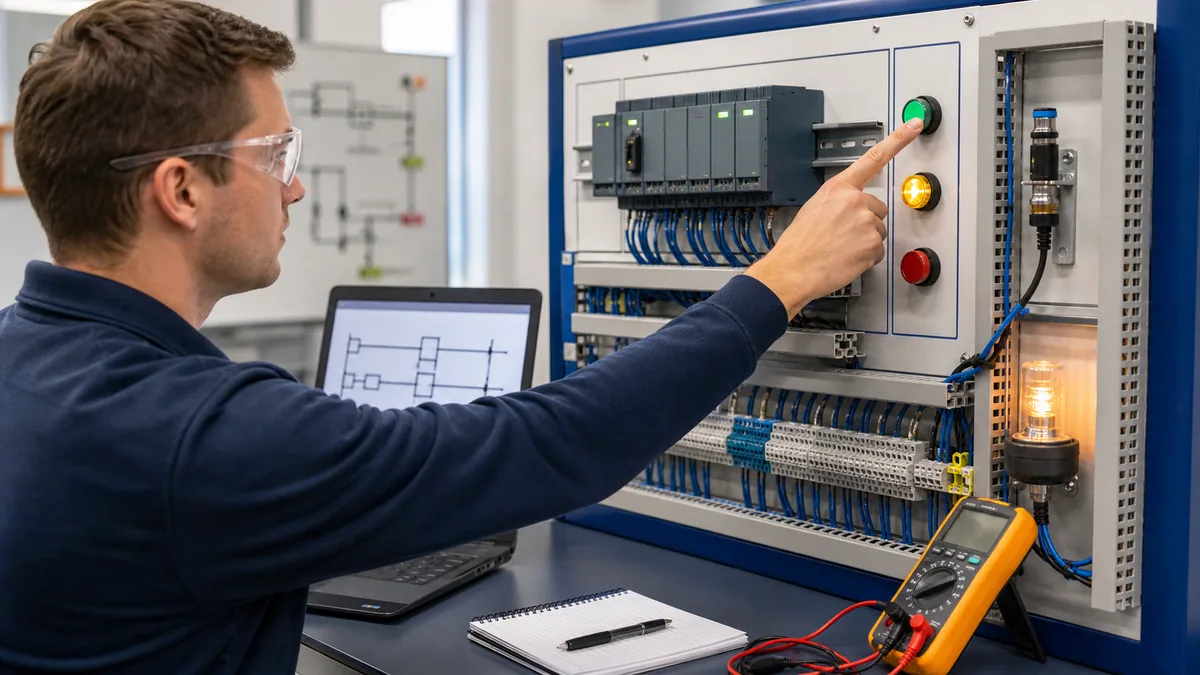
Require six core labs
- Input-to-output trace. Follow one safe pushbutton or sensor through electrical state, module input, raw tag, application condition, command, module output and feedback.
- Motor command with reasons. Implement request, mode, permissives, interlocks, command, feedback and timeout without pretending ordinary PLC logic is a safety function.
- Timed sequence. Build a conveyor or batch sequence with explicit states, transition evidence, hold, abort, reset and restart behavior.
- Analog signal. Scale a representative raw input, detect out-of-range or bad quality, apply engineering limits and define failed-value behavior.
- Seeded fault diagnosis. Distinguish controller mode/fault, failed module connection, wrong mapping, false permissive, duplicate writer and absent field feedback.
- Controlled change. Explain upload, download, online edit and force consequences; create a backup, test plan, rollback and as-left record without touching production.
The exercises should use the same naming and evidence conventions. Repetition builds a diagnostic habit: state the expected result, observe one boundary, compare, and only then move to the next boundary.
Grade practical skill, not attendance
Use a reproducible assessment rubric
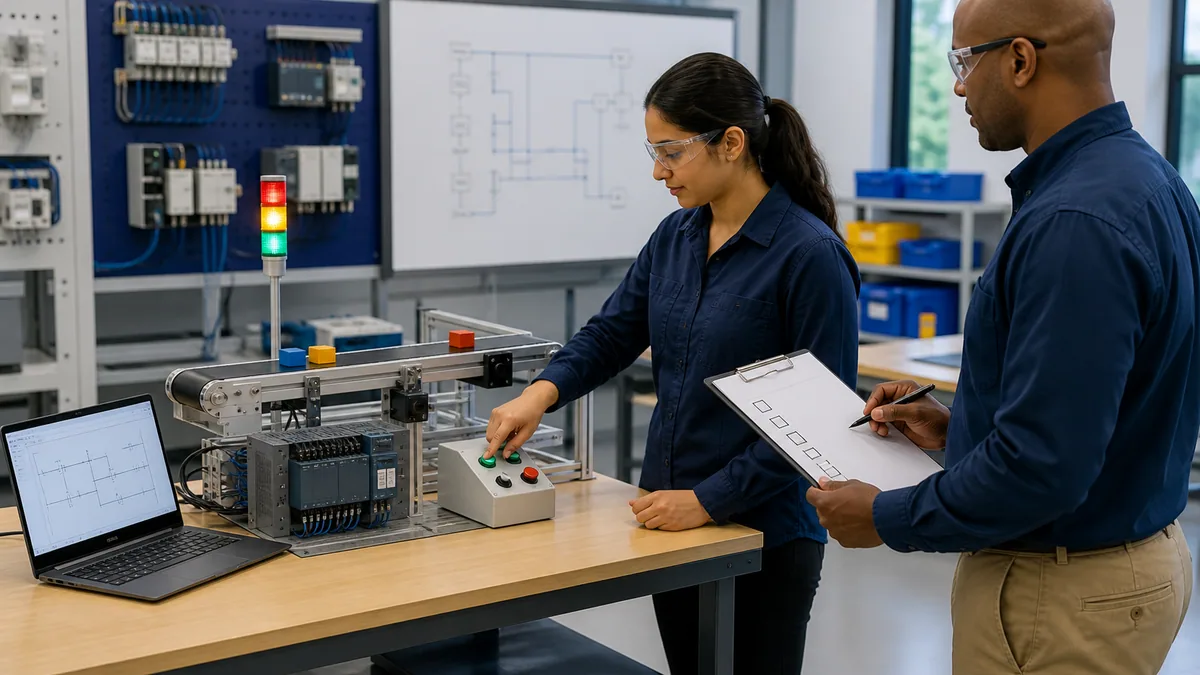
The capstone should begin with a short functional description and an I/O list, not a completed answer file. Seed at least two faults after the normal sequence passes. Score the same artifacts for every learner.
| Domain | Weight | Pass evidence | Critical failure |
|---|---|---|---|
| target and compatibility | 10% | correct controller/software path and assumptions recorded | wrong family/project or unverified download decision |
| I/O and data contract | 15% | source, type, owner, quality and mapping are traceable | command/data ownership is ambiguous |
| logic behavior | 20% | normal, boundary, timeout and reset cases pass | duplicate output ownership or unintended restart |
| project structure | 10% | tasks/programs/routines execute deliberately | routine exists but is not scheduled or called |
| diagnostics | 20% | seeded faults isolated by discriminating evidence | random edits, clears or power cycles destroy evidence |
| change and recovery | 15% | backup, compare, approval, test and rollback are explicit | uncontrolled download, edit, force or firmware action |
| documentation and handover | 10% | project, test log, open risks and as-left state retained | no reproducible record of the tested state |
Set a minimum total score, but make critical failures non-compensable. A learner should not pass because polished documentation offsets an unsafe or uncontrolled action. Have the assessor record prompts given; a result reached after step-by-step coaching is useful formative evidence, not independent competence.
Compare courses, costs and delivery without guessing
Price the complete path
Allen-Bradley PLC training cost varies by country, delivery method, course, lab, tax, travel, software access and employer agreement. A current regional quote is more reliable than an old public price. Compare the complete path, not the headline fee.
| Cost surface | Question to ask | Evidence before payment |
|---|---|---|
| instruction | live instructor, self-paced library or blended? | delivery hours, class size and support response terms |
| lab | physical, remote, emulated or browser-only? | exact controller/software and individual lab time |
| software | included, trial, employer-provided or separately licensed? | entitlement, version, duration, VM provenance and support |
| assessment | knowledge quiz or observed practical task? | rubric, retake policy, identity controls and resulting evidence |
| credential | provider completion or Rockwell program? | exact issuer, title and requirements |
| travel/time | location, schedule and production absence? | complete calendar and employer opportunity cost |
| ongoing access | expiry, downloads, project files and updates? | written access and refund terms |
| prerequisite remediation | electrical, network or logic foundation needed? | pre-test and preparatory learning plan |
Ask for a sample lesson and sample practical exercise. Verify that each learner operates the lab rather than watching an instructor. For a team purchase, run the same short pre-assessment first; experienced maintainers may need a targeted Logix bridge, while new hires may need control fundamentals before vendor training.
Learn to troubleshoot from evidence
Diagnose across boundaries in a fixed order
Training should teach the learner to locate the first disagreement between expected and observed state. A highlighted rung is only one observation.
| Boundary | Evidence | Example fault exercise |
|---|---|---|
| controller | identity, mode, major/minor fault and task execution | wrong mode or captured fault prevents expected logic |
| I/O connection | module state, catalogue/revision, keying and connection code | configured module does not match the lab hardware |
| raw input | electrical state, channel LED/status and module-defined tag | input device changes electrically but not in controller data |
| application mapping | alias, buffer, scope, routine execution and writers | raw tag changes but application tag is stale or mapped incorrectly |
| logic ownership | request, mode, permissives, interlocks and final writer | command blocked by a valid reason or overwritten later in the scan |
| output/process | module command, load supply, physical output and feedback | output command exists but contactor, sensor or process response does not |
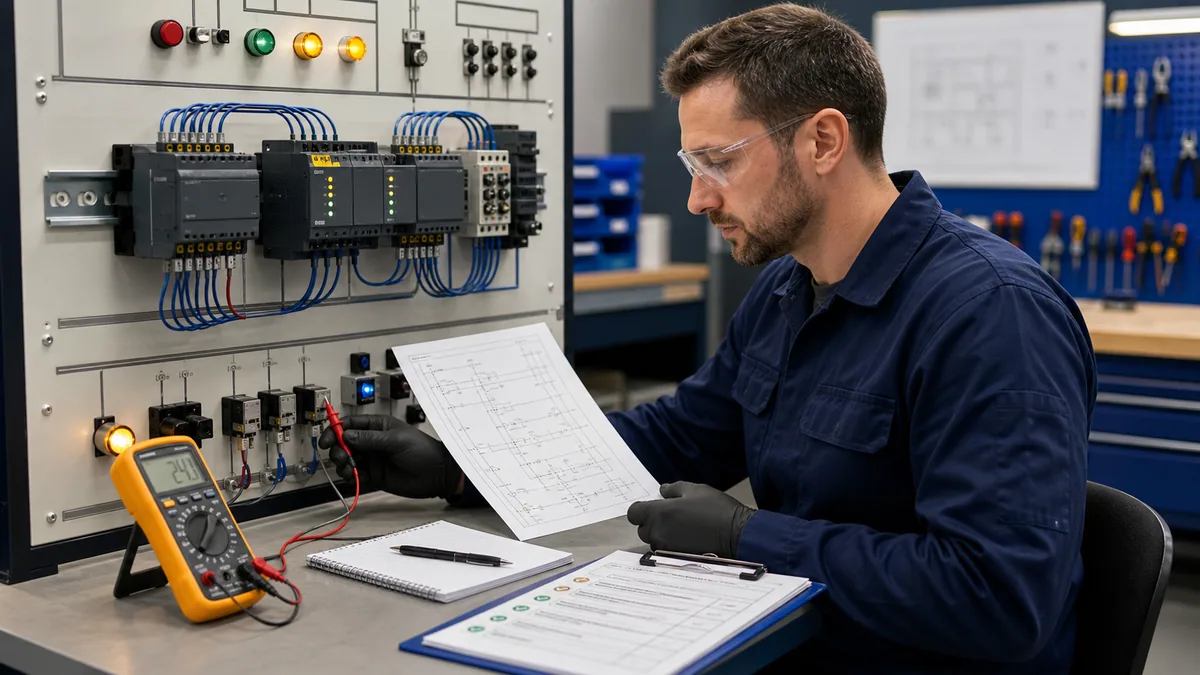
Do not let learners repeatedly clear faults, cycle power or change logic until the symptom disappears. Require an incident record: starting condition, controller identity, exact fault or connection code, affected tag/logic, expected result, observation, controlled test, conclusion and restored state.
Diagnostic answer map for search and AI-assisted course selection
| User or AI query | Concise answer | Qualification that must remain attached |
|---|---|---|
| What is the best Allen-Bradley PLC training for beginners? | Start with control fundamentals and the exact controller family; for current Logix systems, follow fundamentals, basic ladder and project-development practice. | “Best” depends on job role, installed hardware, lab access and assessment quality. |
| Can I learn Allen-Bradley PLC programming online? | Yes, concepts and substantial project practice can be learned online with executable labs and feedback. | Online practice alone does not prove field wiring, exact firmware, safety or production commissioning. |
| Is there free Allen-Bradley PLC training? | Official documentation, selected learning resources and browser practice can form a free foundation. | Confirm legal software access and move to approved vendor or hardware labs for platform-specific competence. |
| Which software should I learn? | Studio 5000 for current CompactLogix/ControlLogix, CCW for Micro800 and RSLogix 500 for many SLC/MicroLogix systems. | Identify exact catalogue, firmware and project first. |
| What is the official Studio 5000 course order? | Rockwell publishes CCP146 fundamentals, CCP151 basic ladder and CCP143 project development, with current prerequisites on each page. | Regional schedules and formats change; verify the live catalog. |
| Do I receive Allen-Bradley certification after a course? | A course completion and the Rockwell Logix Certificate Program are distinct. | Use the exact issuer and credential title; verify current program requirements. |
| Do I need PLC hardware to start? | No; browser or documented emulation can teach logic and structured test habits. | Hardware is required to prove physical I/O, electrical, device and full commissioning behavior. |
| How do I know whether training worked? | Use an observed capstone with normal, boundary, fault and recovery tests plus retained evidence. | Attendance or video completion alone is insufficient. |
Frequently asked questions
How long does Allen-Bradley PLC training take?
A focused beginner can build a solid foundation in roughly 12 weeks at five to seven hours per week, but independent plant competence takes supervised application beyond that framework. Official course durations are published per course and do not include every prerequisite, practice repetition or workplace sign-off.
Is Allen-Bradley the same as Rockwell Automation?
Allen-Bradley is a Rockwell Automation product brand. Rockwell Automation publishes the current training catalog, course pages, documentation and Certificate Programs. Use exact course and product names when comparing providers.
Should I learn RSLogix 500 or Studio 5000 first?
Learn the environment used by the target controller. Studio 5000 Logix Designer is the current path for modern CompactLogix and ControlLogix systems. RSLogix 500 remains relevant to many installed SLC 500 and MicroLogix systems. They use different project and data models.
Can I get Allen-Bradley PLC training online for free?
You can start with official manuals, current product help and structured browser exercises without paying for a course. Free resources must still be organized around deliverables and tests. Legal vendor-software access, instructor feedback, remote hardware or a physical lab may add cost when you progress to platform-specific tasks.
Does Rockwell Automation offer official PLC training?
Yes. Rockwell publishes instructor-led and Learning+ offerings for Logix and other technologies, plus Logix Programmer and Maintainer Certificate Programs. Course availability, prerequisites, delivery and pricing are regional and should be verified on the live portal or with an authorized distributor.
Is an online completion certificate the same as Rockwell certification?
No. A provider completion certificate documents that provider’s requirements. Rockwell’s Certificate Programs define course and assessment requirements for a Rockwell Certificate of Achievement. State the exact issuer and title rather than using “certified” generically.
Do I need electrical experience before PLC training?
You need enough electrical-control and safe-work knowledge for the lab you will perform. Before physical I/O work, you should understand control voltage, schematics, input/output devices, isolation, verification and the limits of your authorization. Use qualified supervision where required.
Is a PLC simulator enough to become job-ready?
No simulator proves the complete job. It can build logic, testing and diagnostic reasoning within its documented scope. Job readiness also requires exact vendor tools, hardware and I/O, drawings, safe work, controlled changes, communication and supervised practical evidence.
What projects should be in an Allen-Bradley PLC portfolio?
Include a traceable motor-control module, a timed conveyor or batch sequence, an analog signal with failure handling, a diagnostic exercise and a capstone with requirements, I/O list, tests and recovery. Remove proprietary employer code and never publish credentials, network details or unsafe field procedures.
How should an employer measure training ROI?
Use the same role-specific practical assessment before and after training. Measure independent task completion, diagnostic accuracy, critical errors, prompts required, time to evidence and documentation quality. Do not attribute downtime or safety outcomes to training without a defined baseline and adequate observation period.
Sources, review scope, and limitations
This guide was reviewed on August 29, 2026. Training catalogs, course codes, prerequisites, delivery, software, controller support, certificate requirements and regional pricing can change. Verify the live source and written enrollment proposal.
- Workforce Development and Industrial Training Services — Rockwell Automation
- Studio 5000 Logix Designer Level 1: ControlLogix System Fundamentals, CCP146 — Rockwell Automation
- Studio 5000 Logix Designer Level 2: Basic Ladder Logic Programming, CCP151 — Rockwell Automation
- Learning+ Studio 5000 Level 2: Basic Ladder Logic Programming, CCP151-EL — Rockwell Automation
- Learning+ Studio 5000 Level 3: Project Development, CCP143-EL — Rockwell Automation
- Logix, Drives and Motion Certificate Programs — Rockwell Automation
- Accelerated Logix5000 Maintainer Certificate Level 1, CCP300 — Rockwell Automation
- Studio 5000 Logix Designer v38 Online Help — Rockwell Automation
- Controller firmware and Logix Designer application compatibility — Rockwell Automation
- Logix 5000 Controllers Common Procedures, 1756-PM001 — Rockwell Automation
- Logix 5000 Controllers Tasks, Programs and Routines, 1756-PM005 — Rockwell Automation
- Logix 5000 Controllers Ladder Diagram, 1756-PM008 — Rockwell Automation
- Micro800 Controller Family Selection Guide, 2080-SG001 — Rockwell Automation
- Connected Components Workbench tutorials and Micro800 simulator scope — Rockwell Automation
- Product Compatibility and Download Center — Rockwell Automation
- 29 CFR 1910.147, control of hazardous energy — OSHA
- 29 CFR 1910.333, electrical safe-work practices — OSHA
The six figures are conceptual editorial illustrations, not Rockwell software screenshots, product-selection drawings, electrical schematics, safety designs or proof of a specific training provider’s equipment. This page does not authorize connecting to a controller, going online, uploading/downloading, flashing firmware, changing mode, editing logic, clearing faults, forcing I/O, inhibiting modules, bypassing safeguards or energizing equipment. Only qualified and authorized people following the site risk assessment, hazardous-energy and electrical safe-work programs, validated safety lifecycle, approved change plan, exact manufacturer documentation and engineered recovery method should modify or test an installed control system.
Now run it · free to start
Follow a hands-on PLC training path
Move from contacts and coils to timers, sequences and troubleshooting with runnable lessons and objective checks. Free to start, nothing to install.
Ownership disclosure: PLC Programming IO and PLC Simulation Software are operated by the same publisher.
PLC Programming IO Editorial Team
Industrial automation education, references, and software testing
The PLC Programming IO Editorial Team publishes sourced industrial-automation education and documents how material is reviewed, tested, and corrected. A team byline means the publisher is responsible for the page; it does not represent a fictional person or imply an engineering licence.
Coverage:
- • PLC programming concepts and examples
- • Vendor software tutorials and comparisons
- • SCADA, HMI, protocols, and instrumentation
- • Training, careers, and reference material
Review standard:
- • Prefer primary and official sources
- • Record software versions when material
- • Separate tested facts from estimates
- • Publish material corrections
Important scope note
This site provides education, not project-specific engineering approval. Safety, code, and compliance decisions require a qualified person with access to the actual machine and jurisdiction.