Programming Guides14 min read9ย 689 words

Delta PLC Programming Tutorial: Complete Guide to DVP and AH Series

Master Delta PLC programming with this comprehensive tutorial covering DVP, AH series, WPLSoft software, ladder logic, motion control, and cost-effective automation solutions.

IAE
Senior PLC Programmer
15+ years hands-on experience โ€ข 50+ automation projects completed
PLC
Programming Excellence
๐Ÿšง COMING DECEMBER 2025

๐ŸŽฏ Master PLC Programming Like a Pro

Preorder our comprehensive 500+ page guide with real-world examples, step-by-step tutorials, and industry best practices. Everything you need to become a PLC programming expert.

  • โœ“ Complete Ladder Logic Programming Guide
  • โœ“ Advanced Function Block Techniques
  • โœ“ Real Industrial Applications & Examples
  • โœ“ Troubleshooting & Debugging Strategies
60% Off Preorder
$47
vs $127 Final Price
Preorder Now

๐Ÿ“‹ Table of Contents

This comprehensive guide covers:

  • Introduction to PLC Programming Fundamentals
  • Understanding Ladder Logic Programming
  • Function Block Diagrams and Structured Text
  • Advanced Programming Techniques
  • Real-World Application Examples
  • Troubleshooting and Best Practices
  • Industry Standards and Compliance
  • Career Development and Certification Paths

Introduction: Master Delta PLC Programming for Cost-Effective Automation

Delta PLC programming has become increasingly popular worldwide as manufacturers and system integrators seek cost-effective automation solutions without sacrificing reliability or functionality. Delta Electronics offers comprehensive PLC product lines including the DVP and AH series that combine competitive pricing with professional-grade features, making them ideal choices for budget-conscious projects, small to medium manufacturers, and educational applications.

The Delta PLC ecosystem provides significant advantages over major brand names, primarily through completely free programming software with no feature limitations, competitive hardware pricing typically 30-50% below equivalent Siemens or Allen-Bradley systems, and extensive global support networks across Asia, Europe, and the Americas. These factors have established Delta as a leading choice for cost-sensitive automation projects worldwide.

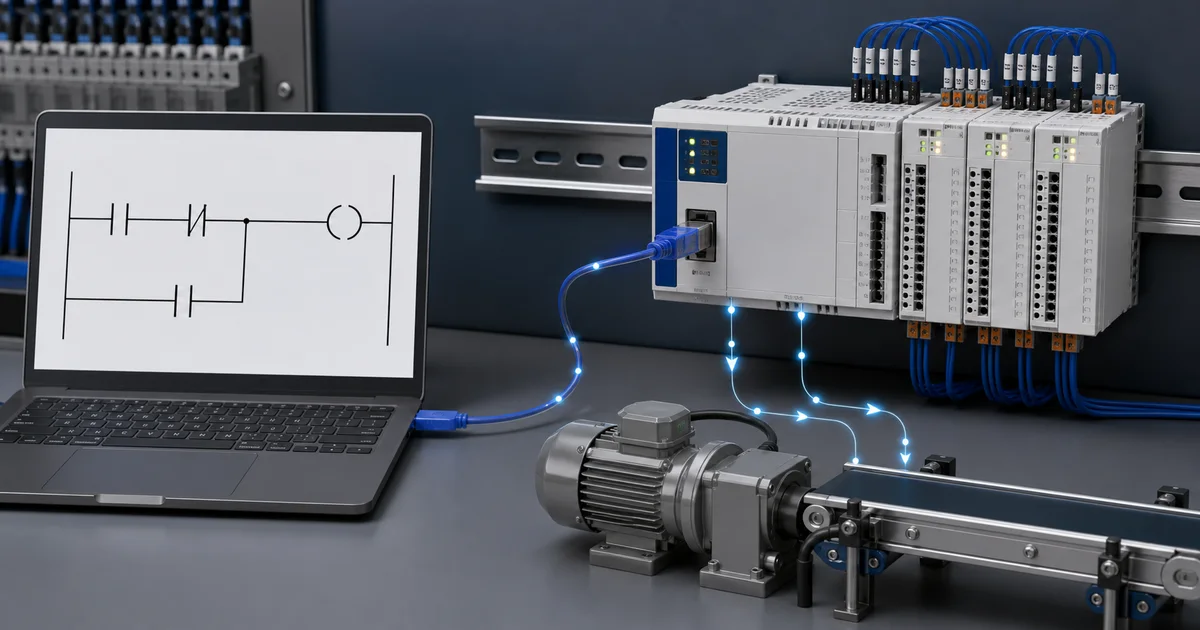
This comprehensive Delta PLC programming tutorial covers everything from fundamental concepts to advanced implementation techniques, providing practical knowledge needed for successful project deployment. You'll learn WPLSoft and ISPSoft programming environments, master ladder logic implementation specific to Delta instruction sets, configure motion control applications, implement Modbus communication networks, and develop complete automation solutions.

Delta Electronics has established itself as a trusted automation provider with decades of manufacturing experience, serving industries including packaging machinery, textile manufacturing, plastic injection molding, material handling, HVAC systems, and building automation. Understanding Delta PLC programming opens opportunities in markets where cost-effective solutions drive purchasing decisions without compromising quality or reliability.

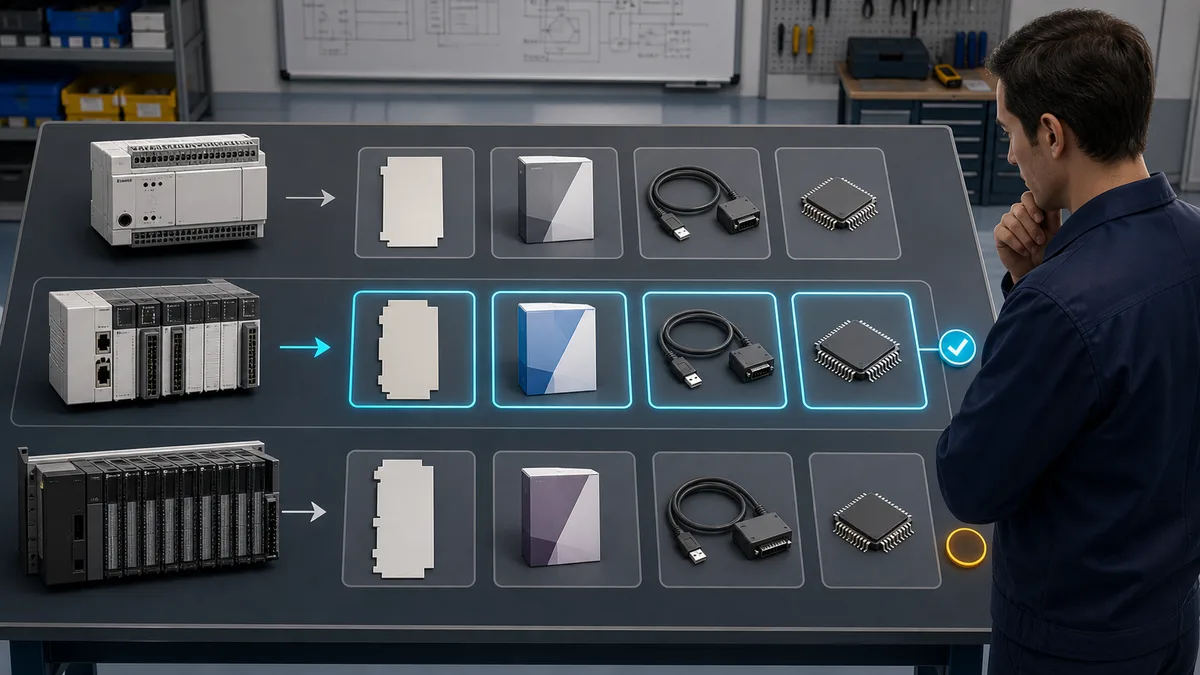
Delta PLC Product Lines: Choosing the Right Platform

DVP Series Entry-Level Compact PLCs

DVP-ES/EX Series - Budget-Friendly Solutions: The DVP-ES and DVP-EX series represent Delta's entry-level compact PLCs designed for simple automation applications with limited I/O requirements. These models provide essential programming capabilities at extremely competitive prices, making them ideal for standalone machine control, small packaging equipment, and educational applications.

Key Features:

  • 8 to 60 I/O points in compact housing
  • 8K step program memory capacity
  • Basic instruction set with timers and counters
  • 2 high-speed pulse outputs (100 kHz)
  • RS-232 and RS-485 communication ports
  • Free WPLSoft programming software
  • Extremely competitive pricing ($100-$400)

Typical Applications:

  • Simple conveyor control systems
  • Basic packaging machinery
  • Educational training platforms
  • Small standalone equipment
  • Replacement for relay logic systems

DVP-SS Series - Slim Profile Design: The DVP-SS series offers ultra-compact dimensions for space-constrained applications while maintaining essential PLC functionality. These slim-profile controllers fit in tight panel spaces common in OEM machinery and compact equipment designs.

DVP-SE/SV/SA Series Advanced Features

DVP-SE Series - Enhanced Capabilities: The DVP-SE series provides advanced features including motion control capabilities, expanded I/O capacity, and enhanced communication options. These controllers bridge the gap between basic automation and sophisticated control requirements.

Advanced Features:

  • Up to 256 I/O points with expansion modules
  • 16K step program memory
  • 4 high-speed pulse outputs (200 kHz)
  • Built-in Ethernet communication (select models)
  • PID control loop functionality
  • Motion control with interpolation
  • Enhanced instruction set
  • Analog I/O support

DVP-SV Series - Servo Integration: The DVP-SV series specializes in servo motor control applications with built-in high-speed pulse outputs and positioning instructions designed specifically for multi-axis motion control systems.

Motion Control Capabilities:

  • 2-axis independent positioning control
  • Linear and circular interpolation
  • Electronic cam and gearing functions
  • Position following and tracking
  • High-speed registration inputs
  • Integrated servo parameter tuning

DVP-SA Series - Networking Excellence: The DVP-SA series emphasizes communication and networking with built-in Ethernet ports, expanded protocol support, and integration capabilities for distributed control applications.

AH500 Series Modular Mid-Range PLCs

Professional Modular Architecture: The AH500 series represents Delta's modular PLC platform designed for medium to large automation systems requiring flexibility, expandability, and advanced functionality. This series competes directly with Siemens S7-300/400 and Allen-Bradley ControlLogix systems at significantly lower prices.

System Architecture:

  • Rack-based modular design
  • Multiple CPU options (Standard, Advanced, Motion)
  • Hot-swappable I/O modules
  • Redundant communication options
  • Distributed I/O via EtherCAT
  • Program capacity up to 512K steps
  • Maximum 8192 I/O points

Communication Capabilities:

  • Dual Ethernet ports with switching
  • EtherCAT master functionality
  • CANopen support
  • Modbus TCP/RTU master and slave
  • Proprietary Delta COMMGR protocol
  • Integration with Delta HMI and drives

Best For:

  • Large manufacturing systems
  • Process control applications
  • Multi-machine coordination
  • Factory automation systems
  • Building management systems

AS Series Advanced Motion and Networking

High-Performance Motion Control: The AS series represents Delta's flagship PLC platform optimized for sophisticated motion control applications requiring coordinated multi-axis systems, complex cam profiles, and advanced synchronization.

Advanced Capabilities:

  • 32-axis coordinated motion control
  • 3D linear and circular interpolation
  • Electronic cam profiling
  • Flying shear and registration
  • Robotic motion control
  • CNC-style programming support
  • Real-time operating system

Product Line Comparison Table

| Feature | DVP-ES/EX | DVP-SE/SV | AH500 | AS Series | |---------|-----------|-----------|-------|-----------| | Architecture | Compact | Compact | Modular | Modular | | Max I/O | 60 | 256 | 8192 | 8192 | | Program Memory | 8K steps | 16K steps | 512K steps | 1M steps | | Motion Axes | 0-2 | 2-4 | 8+ | 32+ | | Ethernet | Optional | Built-in | Dual port | Dual port | | Price Range | $100-400 | $300-800 | $800-3000 | $2000-6000 | | Programming | WPLSoft | WPLSoft | ISPSoft | ISPSoft | | Best Application | Simple | Motion | Medium | Advanced |

Price Advantages Over Major Brands

Competitive Cost Analysis: Delta PLCs typically cost 30-50% less than equivalent Siemens, Allen-Bradley, or Mitsubishi systems when comparing similar I/O capacity, memory, and features. For example:

| Capability | Delta DVP-SE | Siemens S7-1200 | Allen-Bradley Micro850 | |------------|--------------|-----------------|------------------------| | 64 I/O System | $600 | $1,200 | $1,100 | | Programming Software | FREE | $3,500+ | FREE (limited) | | Ethernet Module | Included | $300+ | $200+ | | Total Investment | $600 | $5,000+ | $1,300+ |

Cost Savings Benefits:

  • Lower initial hardware investment enables more projects
  • Free unlimited software licenses reduce overhead
  • Competitive replacement parts pricing
  • Lower maintenance costs over system lifetime
  • Excellent value for OEM equipment builders

WPLSoft Programming Software: Complete Guide

WPLSoft for DVP Series Controllers

Free Software Download and Installation: WPLSoft represents Delta's free programming software for DVP series PLCs, available for download without registration requirements or licensing fees. This professional-grade development environment provides comprehensive programming capabilities with no feature limitations or time restrictions.

Download and Setup Process:

  1. Visit Delta Industrial Automation website (www.deltaww.com)
  2. Navigate to Download Center and select DVP Series
  3. Download latest WPLSoft version (currently V2.51 or later)
  4. Extract ZIP file and run setup.exe with administrator privileges
  5. Complete installation wizard accepting default settings
  6. Launch WPLSoft and configure communication settings
  7. No license key or activation required - completely free

System Requirements:

  • Windows XP/Vista/7/8/10/11 (32-bit or 64-bit)
  • 2GB RAM minimum, 4GB recommended
  • 200MB available hard disk space
  • USB port for PLC connection
  • Screen resolution 1024x768 or higher

WPLSoft Interface Overview and Navigation

Main Window Components:

Menu Bar: Contains File, Edit, View, Compile, Online, and Tools menus providing access to all programming functions including project management, editing operations, compilation, online monitoring, and configuration utilities.

Toolbar: Quick access icons for common operations including new project, open, save, cut, copy, paste, compile, download, upload, monitor, and run/stop PLC operations. Customizable for frequently used functions.

Project Tree: Hierarchical view of project components including main program (ladder logic), subroutines, interrupt routines, device comments, and special modules. Double-click elements to open for editing.

Ladder Logic Editor: Main programming workspace displaying ladder logic rungs with contacts, coils, and function blocks. Grid-based layout ensures proper alignment and professional appearance. Supports drag-and-drop programming and keyboard shortcuts.

Device Monitor Window: Real-time display of device states including inputs, outputs, internal relays, timers, counters, and data registers. Essential for online troubleshooting and commissioning.

Status Bar: Displays current cursor position, editing mode, communication status, and PLC connection state. Provides immediate feedback on programming operations.

Creating a New Project in WPLSoft

Step-by-Step Project Creation:

Step 1: Start New Project

  1. Launch WPLSoft application
  2. Select File โ†’ New or click New Project icon
  3. Choose PLC model from dropdown list (e.g., DVP-20SX)
  4. Specify project name and save location
  5. Configure communication settings if connecting to PLC

Step 2: Hardware Configuration

  1. Open Tools โ†’ PLC Type Setting
  2. Select exact PLC model (DVP-ES, SE, SV, etc.)
  3. Configure expansion modules if used
  4. Set communication parameters:
    • Port: COM1/USB (based on connection)
    • Baud Rate: 9600, 19200, 38400, 57600, 115200
    • Data Format: 7E1, 8E1, 8N2
    • Station Number: 1 (default)

Step 3: Configure I/O Mapping Delta PLCs use fixed I/O addressing:

  • X0-X377 (Octal): Digital inputs
  • Y0-Y377 (Octal): Digital outputs
  • M0-M4095: Internal auxiliary relays
  • T0-T255: Timers
  • C0-C255: Counters
  • D0-D9999: Data registers

Important Note on Octal Addressing: Delta PLCs use octal numbering for I/O points, meaning valid digits are 0-7 only. After X7 comes X10, not X8. This is critical for proper I/O mapping and avoiding addressing errors.

Ladder Logic Programming Interface in WPLSoft

Programming Workflow:

Adding Ladder Logic Elements:

  1. Click in desired rung position in ladder editor
  2. Press keyboard shortcuts or use toolbar icons:
    • F5: Normally Open contact [/]
    • F6: Normally Closed contact [/]
    • F7: Output coil ( )
    • F8: Function block
  3. Type device address (e.g., X0, Y0, M100)
  4. Press Enter to confirm and move to next element

Contact and Coil Programming:

|--[ X0 ]----[ X1 ]----( Y0 )--|

This rung energizes output Y0 when both inputs X0 AND X1 are active, representing basic AND logic.

Series and Parallel Connections:

|--[ X0 ]--+--[ X2 ]--( Y0 )--|
           |
           +--[ X3 ]----------|

This rung implements: Y0 = X0 AND (X2 OR X3), demonstrating combination logic.

Common Function Blocks:

  • TMR (Timer): Time delay operations
  • CNT (Counter): Event counting
  • MOV (Move): Data transfer between registers
  • ADD/SUB/MUL/DIV: Arithmetic operations
  • CMP (Compare): Value comparison
  • DDRVI/DDRVA: Motion control positioning

Adding Function Blocks:

  1. Position cursor in desired location
  2. Press F8 for function block
  3. Type instruction mnemonic (e.g., TMR, CNT, MOV)
  4. Configure parameters in dialog box
  5. Assign device addresses for source/destination

Simulation Mode for Testing Without Hardware

Built-in Simulator Features: WPLSoft includes comprehensive simulation capabilities allowing complete program testing without physical PLC hardware. This invaluable feature accelerates development, enables offline testing, and facilitates learning without equipment investment.

Activating Simulation Mode:

  1. Complete program development in ladder editor
  2. Compile program (Compile โ†’ Compile All or F3)
  3. Verify no compilation errors
  4. Select Online โ†’ Simulation Mode
  5. Program window shows "SIMULATION" indicator
  6. Use monitor functions to control simulation

Simulation Operations:

  • Force Inputs: Right-click input device (X0-X377) and select Set ON/OFF to simulate physical input changes
  • Monitor Outputs: Observe output states (Y0-Y377) as program logic executes
  • View Timers/Counters: Watch accumulator values change in real-time
  • Modify Registers: Change D register values to test different scenarios
  • Step Through Program: Execute program rung-by-rung for detailed analysis
  • Breakpoints: Pause execution at specific rungs for debugging

Simulation Testing Procedure:

  1. Start simulation mode with program loaded
  2. Systematically test each input combination
  3. Verify outputs respond according to logic requirements
  4. Test timer operations by observing elapsed time
  5. Validate counter incrementing and reset functions
  6. Confirm data operations produce expected results
  7. Document any logic errors discovered
  8. Modify program and retest until correct

Simulation Limitations:

  • No physical I/O interaction (simulated only)
  • Analog values must be manually entered
  • Communication functions not fully simulated
  • High-speed counter timing may differ from hardware
  • Real-world timing and scan time variations not replicated

ISPSoft for AH/AS Series PLCs

Multi-Language Programming Support

IEC 61131-3 Compliance: ISPSoft supports all five IEC 61131-3 programming languages, providing flexibility to select the optimal programming approach for each application requirement:

Ladder Diagram (LD): Traditional relay logic representation, identical to WPLSoft interface, ideal for discrete control logic and most familiar to electricians and maintenance technicians.

Function Block Diagram (FBD): Graphical representation using interconnected function blocks, excellent for process control, PID loops, and mathematical operations where data flow visualization aids understanding.

Structured Text (ST): High-level text-based programming language similar to Pascal or C, optimal for complex algorithms, mathematical calculations, and programmers transitioning from IT backgrounds.

Instruction List (IL): Low-level assembly-style language providing compact code representation, suitable for optimization and reverse-engineering legacy programs.

Sequential Function Chart (SFC): Graphical language for representing sequential processes and state machines, perfect for batch processing, automated assembly sequences, and step-based operations.

Advanced Features and Debugging Tools

Professional Development Environment: ISPSoft provides comprehensive tools for large-scale project development including project management, version control integration, cross-reference generation, documentation tools, and team collaboration features.

Advanced Debugging Capabilities:

  • Online Monitoring: Real-time variable watching with customizable update rates
  • Forced Variables: Override I/O and internal variables for testing
  • Breakpoints: Halt execution at specified program locations
  • Watch Tables: Organize monitored variables in logical groups
  • Trend Charts: Graphical display of value changes over time
  • Recipe Management: Download parameter sets to PLC
  • Data Logging: Capture and export runtime data

Cross-Reference and Documentation:

  • Automatic cross-reference generation showing all device usage
  • Printable documentation with professional formatting
  • I/O assignment lists and address mapping
  • Tag name databases for symbolic programming
  • Customizable report templates

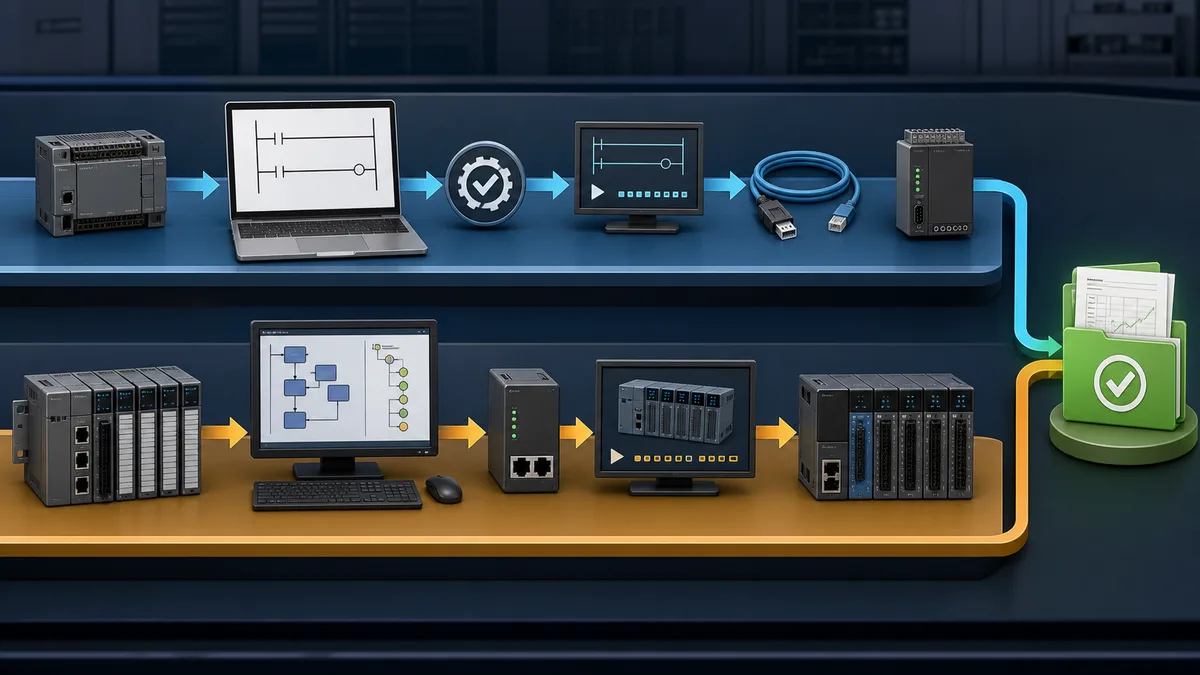
Comparison: WPLSoft vs ISPSoft

| Feature | WPLSoft | ISPSoft | |---------|---------|---------| | PLC Support | DVP Series | AH/AS Series | | Programming Languages | LD only | LD, FBD, ST, IL, SFC | | User Interface | Simple | Professional | | Learning Curve | Easy | Moderate | | Project Complexity | Small-Medium | Medium-Large | | Documentation Tools | Basic | Comprehensive | | Debugging Features | Standard | Advanced | | Price | FREE | FREE | | Best For | Compact PLCs | Modular systems |

Which Software to Choose: Use WPLSoft for DVP series compact PLCs and simple to medium complexity applications. Use ISPSoft for AH/AS series modular PLCs, multi-language projects, and applications requiring advanced debugging or documentation capabilities.

Ladder Logic Programming on Delta PLCs

Delta Ladder Logic Instruction Set

Basic Instruction Categories:

1. Bit Logic Instructions:

  • LD (Load): Start new rung with normally open contact
  • LDI (Load Inverse): Start new rung with normally closed contact
  • AND: Series connection of normally open contact
  • ANI (AND Inverse): Series connection of normally closed contact
  • OR: Parallel connection of normally open contact
  • ORI (OR Inverse): Parallel connection of normally closed contact
  • OUT: Energize output coil or relay

2. Application Instructions: Comprehensive instruction set covering data movement, arithmetic operations, comparison, conversion, and specialized functions:

  • MOV/DMOV: Move 16-bit or 32-bit data
  • ADD/SUB/MUL/DIV: Arithmetic operations
  • INC/DEC: Increment and decrement
  • AND/OR/XOR: Logical operations
  • CMP/ZCP: Comparison operations
  • BIN/BCD: Number system conversion
  • ROL/ROR: Bit rotation operations

Timer Instructions (TMR, TMRH, TTM)

TMR - General Purpose Timer: The TMR instruction provides basic timer functionality with 100ms time base, suitable for most timing applications.

Syntax:

TMR [Timer Number] [Preset Value]

Example - 5 Second Timer:

|--[ X0 ]--[TMR T0 K50]--|     Timer T0, preset 50 x 100ms = 5 sec
|
|--[ T0 ]---( Y0 )-------|     Output Y0 turns ON after 5 seconds

Parameters:

  • Timer Number: T0-T255
  • Preset Value: K0-K32767 (number of 100ms intervals)
  • Time Range: 0.1 to 3276.7 seconds

TMRH - High-Speed Timer: TMRH provides 10ms time base for precise timing requirements, offering 10x resolution compared to standard TMR instruction.

Example - 500ms High-Speed Timer:

|--[ X1 ]--[TMRH T100 K50]--|  Timer T100, preset 50 x 10ms = 500ms
|
|--[ T100 ]---( Y1 )---------|  Precise 500ms output control

TTM - Totalizing Timer: TTM accumulates elapsed time across multiple start/stop cycles, useful for tracking total equipment run time or process duration.

Example - Totalizing Timer:

|--[ X2 ]--[TTM T200 K1000]--|  Accumulate to 1000 seconds total
|
|--[ X3 ]--[RST T200]---------|  Reset totalizer when needed
|
|--[ T200 ]---( Y2 )----------|  Output when total time reached

Counter Instructions (CNT, DCNT, DCNTR)

CNT - 16-Bit Up Counter: Basic counter instruction counts input transitions, suitable for event counting, part tracking, and batch counting applications.

Example - Count 100 Parts:

|--[ X4 ]--[CNT C0 K100]--|    Count to 100
|
|--[ X5 ]--[RST C0]-------|    Reset counter
|
|--[ C0 ]---( Y3 )--------|    Batch complete output

Counter Operation:

  • Increments on rising edge (OFF to ON transition) of input X4
  • Done bit (C0) activates when count reaches preset (K100)
  • Reset input (X5) clears counter value to zero
  • Counter value retained through power cycles

DCNT - 32-Bit Up/Down Counter: Advanced counter with up/down capability and 32-bit range, suitable for bidirectional counting applications.

DCNTR - High-Speed Counter: Dedicated high-speed counters (C235-C255) for counting high-frequency pulse inputs up to 100 kHz (DVP-ES/EX) or 200 kHz (DVP-SE/SV), essential for encoder feedback and high-speed event detection.

Complete Example: Simple Packaging Machine Control

Application Description: Automated packaging machine that fills boxes with 10 products each, then signals for box change. Includes start/stop control, emergency stop, and cycle counter.

I/O Assignment:

Inputs:
X0 - Start button (NO pushbutton)
X1 - Stop button (NC pushbutton)
X2 - Emergency stop (NC)
X3 - Product sensor (photoelectric)
X4 - Box in position sensor
X5 - Reset counter button

Outputs:
Y0 - System running indicator
Y1 - Conveyor motor
Y2 - Box full indicator
Y3 - Buzzer (box change required)

Complete Ladder Logic Program:

|--[ X2 ]--+--[ X0 ]--[ M100 ]---( M100 )--|  Rung 0: Start/Stop with seal-in
           |     |                           M100 = System run
           +--[ X1 ]----------------------|

|--[ M100 ]--[ X4 ]--( Y0 )---------------|  Rung 1: Running indicator
                                             Y0 ON when running and box present

|--[ M100 ]--[ X4 ]--( Y1 )---------------|  Rung 2: Conveyor motor
                                             Run conveyor when system active

|--[ X3 ]--[ M100 ]--[CNT C0 K10]---------|  Rung 3: Count products
                                             Count sensor pulses to 10

|--[ C0 ]---( Y2 )------------------------|  Rung 4: Box full indicator
                                             Indicate when count reaches 10

|--[ C0 ]---[TMR T0 K30]------------------|  Rung 5: Buzzer timer
                                             3 second buzzer delay

|--[ T0 ]---( Y3 )------------------------|  Rung 6: Buzzer output
                                             Sound buzzer after delay

|--[ X5 ]---[RST C0]----------------------|  Rung 7: Reset counter
|                                             Operator resets for new box
|--[ X5 ]---[RST T0]----------------------|  Rung 8: Reset timer

Program Operation:

  1. Operator presses Start button (X0) with box in position (X4)
  2. System run bit (M100) latches ON, starting conveyor motor (Y1)
  3. Products pass sensor (X3), counter C0 increments each detection
  4. When 10 products counted, box full indicator (Y2) illuminates
  5. Timer T0 starts, providing 3-second delay
  6. Buzzer (Y3) sounds after timer expires, signaling operator
  7. Operator removes full box, places empty box, presses reset (X5)
  8. Counter and timer reset, cycle repeats automatically
  9. Stop button (X1) or E-stop (X2) halts system anytime

Device Addressing: X, Y, M, S, T, C, D

Complete Delta PLC Address Map:

X - Input Relays (Octal Addressing):

  • Range: X0-X377 (octal)
  • Type: Physical digital inputs
  • Configuration: NO or NC based on wiring
  • Usage: Sensors, buttons, switches, discrete inputs
  • Note: Uses octal numbering (0-7), X10 follows X7

Y - Output Relays (Octal Addressing):

  • Range: Y0-Y377 (octal)
  • Type: Physical digital outputs
  • Configuration: Relay, transistor, or triac based on PLC model
  • Usage: Motors, solenoids, indicators, discrete outputs
  • Note: Uses octal numbering (0-7), Y10 follows Y7

M - Auxiliary Relays (Internal Memory):

  • Range: M0-M4095
  • Type: Internal bits (no physical I/O)
  • Retention: M512-M999 retains state on power loss
  • Usage: Intermediate logic, flags, state tracking
  • Special: M1000-M1999 reserved for special functions

S - Step Relays (Sequential Control):

  • Range: S0-S1023
  • Type: State bits for sequential programming
  • Usage: SFC programming, sequential state machines
  • Retention: S512-S1023 retains state on power loss

T - Timers:

  • Range: T0-T255
  • Type: 16-bit timers with 10ms or 100ms time base
  • Retention: T200-T255 retains accumulated value
  • Usage: Time delays, timing control sequences

C - Counters:

  • Range: C0-C255
  • C0-C199: General 16-bit counters
  • C200-C234: 32-bit counters
  • C235-C255: High-speed counters (hardware)
  • Retention: All counters retain count value
  • Usage: Event counting, batch counting, position tracking

D - Data Registers:

  • Range: D0-D9999
  • Type: 16-bit data storage
  • Retention: D200-D999 retains data on power loss
  • Usage: Setpoints, parameters, calculated values, HMI interface
  • Special: D1000-D1999 reserved for special functions

Special Registers and Flags

Common Special M Flags:

  • M1000: RUN monitor (ON when PLC in RUN mode)
  • M1001: RUN monitor (OFF when PLC in RUN mode)
  • M1002: Initial pulse (ON for one scan on power-up)
  • M1003: One second clock pulse (50% duty cycle)
  • M1004: One minute clock pulse
  • M1013: Second negative pulse (OFF for one scan per second)
  • M1020: Zero flag (arithmetic result = 0)
  • M1021: Borrow flag (arithmetic underflow)
  • M1022: Carry flag (arithmetic overflow)

Common Special D Registers:

  • D1000: PLC scan time (ms)
  • D1001: Maximum scan time (ms)
  • D1002: Communication watchdog time
  • D1120-D1135: RTC data (year, month, day, hour, minute, second)
  • D1140-D1143: High-speed counter preset values

Using Special Registers:

|--[ M1002 ]--[MOV K100 D0]--|  Initialize D0 to 100 on power-up
|
|--[ M1003 ]--[ C0 ]--( Y10)--|  Flash output at 1Hz when counter done

Motion Control and Positioning on Delta PLCs

High-Speed Pulse Output for Servo/Stepper Control

Pulse Output Capabilities: Delta DVP PLCs feature dedicated high-speed pulse outputs for controlling servo motors and stepper motor drives:

DVP-ES/EX Series:

  • 2 pulse outputs (Y0, Y1 typically)
  • Maximum frequency: 100 kHz
  • Output types: Pulse/Direction or CW/CCW
  • Resolution: 1 pulse minimum

DVP-SE/SV/SA Series:

  • 4 pulse outputs (Y0, Y1, Y2, Y3 typically)
  • Maximum frequency: 200 kHz
  • Enhanced positioning instructions
  • Linear and circular interpolation support

Pulse Output Wiring: Connect PLC pulse outputs to stepper drive or servo drive pulse input terminals according to manufacturer wiring diagrams, ensuring proper signal levels and common ground connections.

DDRVI, DDRVA, DPLSY Instructions

DDRVI - Relative Position Drive: Moves motor a specified distance (pulses) from current position at specified speed.

Syntax:

DDRVI [Pulse Output] [Number of Pulses] [Frequency]

Example - Move 10,000 Pulses at 50 kHz:

|--[ X0 ]--[DDRVI Y0 K10000 K50000]--|
           Output  Distance  Speed
           Y0      10,000    50 kHz

Application: Incremental positioning applications where movement distance relative to current position is specified, such as indexing tables, pick-and-place operations, and conveyor positioning.

DDRVA - Absolute Position Drive: Moves motor to specified absolute position at specified speed, automatically calculating required distance and direction.

Syntax:

DDRVA [Pulse Output] [Target Position] [Frequency]

Example - Move to Position 50,000:

|--[ X1 ]--[DDRVA Y0 D100 K50000]--|
           Output  Target   Speed
           Y0      D100     50 kHz

Application: Absolute positioning applications where target position is known, such as multi-position indexing, automated assembly, and coordinate-based positioning systems.

DPLSY - Variable Speed Pulse Output: Generates continuous pulse train at specified frequency, useful for variable speed control and continuous rotation applications.

Syntax:

DPLSY [Pulse Output] [Frequency] [Total Pulses]

Example - Continuous Rotation at 20 kHz:

|--[ X2 ]--[DPLSY Y0 K20000 K0]--|
           Output  Speed   Continuous
           Y0      20 kHz  (K0 = infinite)

Example: 2-Axis Positioning System

Application: X-Y Pick and Place System

System Description: Two-axis gantry system with stepper motors positioned using absolute positioning. System picks parts from input location and places in output location.

Hardware Configuration:

  • X-axis: Stepper motor on Y0 output, 400 steps/rev, 5mm pitch ballscrew
  • Y-axis: Stepper motor on Y1 output, 400 steps/rev, 5mm pitch ballscrew
  • Home sensors: X10 (X-axis), X11 (Y-axis)
  • Part present sensor: X12
  • Vacuum pickup: Y10

Position Calculations:

  • Steps per mm = 400 steps/rev รท 5mm/rev = 80 steps/mm
  • Input position: X=100mm (8,000 steps), Y=50mm (4,000 steps)
  • Output position: X=200mm (16,000 steps), Y=150mm (12,000 steps)

Complete Program:

|--[ M1002 ]--[MOV K0 D0]--[MOV K0 D10]--|  Rung 0: Initialize positions
             X position   Y position

|--[ X0 ]--[ M20 ]--( M20 )--------------|  Rung 1: Auto cycle start
           Auto run

|--[ M20 ]/[M21]--[SET M21]--------------|  Rung 2: Start homing sequence
|
|--[ M21 ]--[DDRVI Y0 K-50000 K10000]---|  Rung 3: Home X-axis (move negative)
|
|--[ M21 ]--[DDRVI Y1 K-50000 K10000]---|  Rung 4: Home Y-axis (move negative)
|
|--[ X10 ]--[ M21 ]--[MOV K0 D0]---------|  Rung 5: Zero X position at home
|
|--[ X11 ]--[ M21 ]--[MOV K0 D10]--------|  Rung 6: Zero Y position at home
|
|--[ X10 ]--[ X11 ]--[ M21 ]--[RST M21]--|  Rung 7: Homing complete
                               [SET M22]

|--[ M22 ]/[M23]--[DDRVA Y0 K8000 K20000]---|   Rung 8: Move to input X
|
|--[ M22 ]/[M23]--[DDRVA Y1 K4000 K20000]---|   Rung 9: Move to input Y
|
|--[ M1030 ]--[ M22 ]--[SET M23]-------------|  Rung 10: Position reached
                                                 (M1030 = pulse complete flag)

|--[ M23 ]--[TMR T0 K5]-------------------|  Rung 11: Settle delay 0.5s
|
|--[ T0 ]--[ X12 ]--[SET Y10]--------------|  Rung 12: Activate vacuum if part present
|
|--[ Y10 ]--[TMR T1 K10]-------------------|  Rung 13: Vacuum delay 1.0s
|
|--[ T1 ]--[RST M23]--[SET M24]------------|  Rung 14: Start move to output

|--[ M24 ]/[M25]--[DDRVA Y0 K16000 K20000]--|  Rung 15: Move to output X
|
|--[ M24 ]/[M25]--[DDRVA Y1 K12000 K20000]--|  Rung 16: Move to output Y
|
|--[ M1030 ]--[ M24 ]--[SET M25]------------|  Rung 17: Output position reached

|--[ M25 ]--[TMR T2 K5]-------------------|  Rung 18: Settle delay
|
|--[ T2 ]--[RST Y10]--[TMR T3 K10]--------|  Rung 19: Release vacuum, delay
|
|--[ T3 ]--[RST M25]--[RST M20]-----------|  Rung 20: Cycle complete, ready for next

Using DVP-10MC Motion Control Module

Advanced Motion Capabilities: The DVP-10MC is a dedicated 4-axis motion control module providing enhanced positioning capabilities beyond built-in PLC pulse outputs.

Key Features:

  • 4 independent axes with synchronized motion
  • Linear and circular interpolation (2D and 3D)
  • Electronic cam profiles for complex motions
  • Position compare and registration
  • Flying shear and cut-to-length applications
  • Servo parameter auto-tuning
  • Position feedback via encoder inputs

Programming Interface: Motion control modules are programmed using specialized function blocks accessed through standard PLC ladder logic, with parameters configured in dedicated module settings.

Typical Applications:

  • Multi-axis CNC-style machines
  • Coordinated robotic motion
  • Label registration and printing
  • Flying cutoff and packaging
  • Electronic gearing applications

PID Control Capabilities

PID Loop Instruction: Delta PLCs include PID (Proportional-Integral-Derivative) control functionality for closed-loop process control applications.

PID Function Block:

|--[ X0 ]--[PID S1 S2 S3 D]--|
           PV  SP  Parameters  Output

Parameters:

  • S1: Process Variable (current temperature, pressure, etc.)
  • S2: Setpoint (desired value)
  • S3: PID parameters (Kp, Ki, Kd, sample time)
  • D: Output value (control signal to valve, heater, etc.)

Example - Temperature Control:

|--[ M100 ]--[PID D100 D200 D300 D400]--|
            Current  Setpoint  PID Params  Output
            Temp     Temp      Settings    to Heater
|
|--[ M100 ]--[MOV D400 D4010]------------|  Scale output to analog module

PID Tuning: Configure PID parameters in D300+ registers:

  • Proportional gain (Kp)
  • Integral time (Ki)
  • Derivative time (Kd)
  • Sample time
  • Output limits

Communication Protocols on Delta PLCs

Native Modbus RTU/ASCII Support

Built-in Modbus Communication: All Delta PLCs include native Modbus RTU protocol support on built-in RS-485 communication ports, enabling easy integration with third-party devices, HMIs, SCADA systems, and other PLCs.

Modbus Master Configuration: Delta PLCs can function as Modbus master, polling slave devices and reading/writing data:

MODRW Instruction - Read/Write Registers:

|--[ X0 ]--[MODRW H1 H3 H1 K100 K10 D100]--|
           Port Function Slave Start  Qty  Dest
           RS485 Read(03) Addr:1 100  10regs D100

Parameters:

  • H1: Communication port (H1=COM2 RS-485)
  • H3: Function code 03 (Read Holding Registers)
  • H1: Slave station address (1)
  • K100: Starting register address (40100 in 1-based)
  • K10: Quantity of registers to read (10)
  • D100: Destination in PLC (data stored D100-D109)

Modbus Slave Configuration: Configure Delta PLC as Modbus slave allowing HMI or SCADA to read/write PLC data:

Settings:

  1. Configure COM port parameters via special D registers
  2. Set station address (1-247) in D1038
  3. Set communication format in D1036 (baud, parity, stop bits)
  4. Enable Modbus slave protocol
  5. Map PLC devices to Modbus address space

Modbus Address Mapping:

  • Coils (00001-09999): Map to M relays
  • Discrete Inputs (10001-19999): Map to X inputs
  • Input Registers (30001-39999): Map to D registers
  • Holding Registers (40001-49999): Map to D registers

Modbus TCP/IP for Ethernet Communication

Ethernet Modbus Support: Delta PLCs with built-in Ethernet ports (DVP-SA, AH series) support Modbus TCP/IP protocol for network communication over standard Ethernet infrastructure.

Advantages Over Serial Modbus:

  • Higher speed communication (10/100 Mbps vs 115.2 kbps max)
  • Longer distance capability through network switches
  • Multiple simultaneous connections (8+ clients)
  • Standard Ethernet infrastructure
  • IT network integration

Configuration Example:

  1. Set PLC IP address in D1308-D1311 registers
  2. Configure subnet mask and gateway
  3. Enable Modbus TCP server function
  4. Configure security settings if required
  5. Test connection using Modbus Poll or similar tool

MODRD/MODWR Instructions: Read and write Modbus data over Ethernet connection using dedicated Modbus TCP instructions similar to serial Modbus commands.

CANopen Support on Advanced Models

CANopen Network Capability: Advanced Delta PLC models (AH500, AS series) support CANopen protocol for distributed I/O and drive communication over CAN bus networks.

CANopen Advantages:

  • Standardized industrial communication
  • Multi-master capability
  • Flexible network topology
  • Cost-effective cabling (twisted pair)
  • Wide device support (I/O modules, drives, sensors)

Typical Applications:

  • Distributed I/O expansion
  • Servo drive networks
  • Sensor integration
  • Multi-axis motion systems
  • Building automation

Delta Proprietary Protocols (DVPLINK)

DVPLINK Multi-Drop Network: Delta's proprietary DVPLINK protocol enables master-slave networking between multiple Delta PLCs, supporting up to 8 slave PLCs per master.

Network Configuration:

  • Master PLC initiates all communication
  • Slave PLCs respond to master queries
  • Shared memory area for data exchange
  • Automatic data synchronization
  • RS-485 based physical connection

Applications:

  • Multi-machine coordination
  • Distributed control systems
  • Production line synchronization
  • Large-scale automation projects

Communication with HMI and SCADA Systems

Delta HMI Integration: Delta DOP series HMIs connect seamlessly to Delta PLCs via:

  • RS-485 serial communication (native Delta protocol)
  • Ethernet TCP/IP connection
  • USB programming port
  • Direct device addressing (no gateway required)

Configuration Steps:

  1. Select Delta DVP/AH PLC in HMI project settings
  2. Configure communication port and parameters
  3. Set PLC station address
  4. Create HMI screens with device tags
  5. Map HMI objects to PLC addresses (X, Y, M, D)
  6. Download HMI project and test communication

Third-Party SCADA Integration: Delta PLCs integrate with popular SCADA packages using:

  • Modbus RTU/TCP drivers (most common)
  • OPC UA server functionality (AH/AS series)
  • Proprietary drivers (if available)
  • Ethernet/IP on select models

Common SCADA Systems:

  • Wonderware InTouch (Modbus TCP driver)
  • Ignition SCADA (Modbus driver)
  • Siemens WinCC (Modbus driver)
  • Any system with Modbus support

For comprehensive protocol information, see our Industrial Communication Protocols Guide.

Practical Application Example: Automated Sorting System

System Description and Requirements

Application Overview: Automated sorting system that separates products into three categories (A, B, Reject) based on size measurements from an ultrasonic sensor. System includes conveyor control, part detection, measurement, and pneumatic diverter gates.

System Requirements:

  • Continuously run conveyor with variable speed control
  • Detect parts on conveyor with photoelectric sensor
  • Measure part height with ultrasonic analog sensor
  • Divert parts into three categories based on height:
    • Category A: Height > 150mm
    • Category B: Height 100-150mm
    • Reject: Height < 100mm
  • Track counts for each category
  • Emergency stop capability
  • Operator interface via HMI

Hardware Components:

  • Delta DVP-20SX PLC (12 inputs, 8 outputs)
  • Delta DVP04AD-E 4-channel analog input module
  • Photoelectric sensor (part detection)
  • Ultrasonic distance sensor 4-20mA output
  • Variable frequency drive (conveyor motor)
  • Three pneumatic diverters with solenoid valves
  • Emergency stop button
  • Start/Stop control buttons
  • Delta DOP-107BV 7" HMI touchscreen

Hardware Configuration (DVP-20SX with Expansion Modules)

Main PLC Unit - DVP-20SX:

  • CPU: DVP-20SX (12 DI, 8 DO, 2 analog inputs built-in)
  • Power Supply: 24VDC, 1.5A power consumption
  • Programming Port: RS-232 (COM1)
  • Communication Port: RS-485 (COM2) for HMI

Expansion Module:

  • DVP04AD-E: 4-channel 12-bit analog input module
  • Resolution: 12-bit (4096 counts)
  • Input Range: 4-20mA, 0-10V selectable per channel
  • Data Registers: D1000-D1003 (CH0-CH3)

Module Installation:

  1. Power OFF main PLC unit
  2. Connect DVP04AD-E to right side expansion connector
  3. Secure with mounting screws
  4. Configure module type in PLC program (automatic detection)
  5. Power ON and verify module LED indicators

I/O Mapping and Addressing

Digital Input Assignment:

X0 - Start Button (Normally Open pushbutton)
X1 - Stop Button (Normally Closed pushbutton)
X2 - Emergency Stop (Normally Closed)
X3 - Part Detection Sensor (Photoelectric, NO)
X4 - Category A Gate Position Sensor
X5 - Category B Gate Position Sensor
X6 - Reject Gate Position Sensor
X7 - Conveyor VFD Ready Signal

Digital Output Assignment:

Y0 - System Running Indicator (Green Light)
Y1 - Conveyor VFD Run Command
Y2 - Category A Diverter Solenoid
Y3 - Category B Diverter Solenoid
Y4 - Reject Diverter Solenoid
Y5 - Fault Indicator (Red Light)

Analog Input Assignment:

D1000 - Ultrasonic Height Sensor (CH0 of DVP04AD-E)
        4mA = 0mm, 20mA = 200mm
        Scaling: Height(mm) = D1000 * 200 / 4095

Internal Memory Assignment:

M0 - System Enable (Start/Stop control)
M1 - Part Detected Edge Trigger
M2 - Measurement In Progress
M3 - Category A Detected
M4 - Category B Detected
M5 - Reject Detected

D0 - Measured Height Value (mm)
D10 - Category A Count
D11 - Category B Count
D12 - Reject Count
D20 - Height Setpoint A/B Boundary (150mm)
D21 - Height Setpoint B/Reject Boundary (100mm)

Full Program with Sensor Inputs and Control Logic

Complete Ladder Logic Program:

|--[ X2 ]--+--[ X0 ]--[ M0 ]--( M0 )-----|  Rung 0: Start/Stop with seal-in
           |                                 E-stop, Start, Stop control
           +--[ X1 ]---------------------|

|--[ M0 ]--( Y0 )------------------------|  Rung 1: Running indicator
                                            Green light when system active

|--[ M0 ]--[ X7 ]--( Y1 )----------------|  Rung 2: Conveyor motor
                                            Run when system enabled and VFD ready

|--[ X3 ]/[ M1 ]--[SET M1]---------------|  Rung 3: Part detection edge detect
|
|--[ M1 ]--[TMR T0 K2]-------------------|  Rung 4: Debounce timer 200ms
|
|--[ T0 ]--[SET M2]--[RST M1]------------|  Rung 5: Start measurement

|--[ M2 ]--[MOV D1000 D100]--------------|  Rung 6: Read analog input
                                            Copy raw ADC value

|--[ M2 ]--[MUL D100 K200 D102]----------|  Rung 7: Scale calculation
|                                           Multiply by 200 (max height)
|--[ M2 ]--[DIV D102 K4095 D0]-----------|  Rung 8: Complete scaling
                                            Divide by 4095 = height in mm

|--[ M2 ]--[CMP D0 D20 M10 M11 M12]------|  Rung 9: Compare to setpoint 150mm
                                            M10=greater, M11=equal, M12=less

|--[ M10 ]--[ M2 ]--[SET M3]-------------|  Rung 10: Category A (>150mm)
|
|--[ M12 ]--[ M2 ]--[CMP D0 D21 M13 M14 M15]--|  Rung 11: Compare to 100mm
|
|--[ M13 ]--[ M2 ]--[SET M4]-------------|  Rung 12: Category B (100-150mm)
|
|--[ M15 ]--[ M2 ]--[SET M5]-------------|  Rung 13: Reject (<100mm)

|--[ M3 ]--[TMR T10 K5]------------------|  Rung 14: Diverter timing
|                                           Wait for part to reach gate
|--[ T10 ]--[TMR T11 K3]--(Y2)-----------|  Rung 15: Category A diverter ON
|                                           300ms pulse to diverter
|--[ T11 ]--[INC D10]--[RST M2]----------|  Rung 16: Increment count, reset
           [RST M3]

|--[ M4 ]--[TMR T20 K8]------------------|  Rung 17: Category B timing
|
|--[ T20 ]--[TMR T21 K3]--(Y3)-----------|  Rung 18: Category B diverter ON
|
|--[ T21 ]--[INC D11]--[RST M2]----------|  Rung 19: Increment count B
           [RST M4]

|--[ M5 ]--[TMR T30 K12]-----------------|  Rung 20: Reject timing
|
|--[ T30 ]--[TMR T31 K3]--(Y4)-----------|  Rung 21: Reject diverter ON
|
|--[ T31 ]--[INC D12]--[RST M2]----------|  Rung 22: Increment count Reject
           [RST M5]

|--[ X4 ]/[ Y2 ]--[SET M20]--------------|  Rung 23: Gate A fault detection
|
|--[ X5 ]/[ Y3 ]--[SET M21]--------------|  Rung 24: Gate B fault detection
|
|--[ X6 ]/[ Y4 ]--[SET M22]--------------|  Rung 25: Reject gate fault

|--[ M20 ]--+--[ M21 ]--+--[ M22 ]--( Y5 )--|  Rung 26: Fault indicator
           |            |                      Any gate fault = red light
           +------------+

|--[ M1002 ]--[MOV K150 D20]-------------|  Rung 27: Initialize setpoints
            [MOV K100 D21]                  On power-up, load default values

Program Features:

  • Start/Stop control with emergency stop
  • Part detection with debounce filtering
  • Analog measurement with proper scaling
  • Multi-level comparison for three categories
  • Precise timing for diverter activation
  • Count tracking for each category
  • Fault detection and indication
  • Automatic initialization on power-up

Conveyor Control and Sorting Logic

Conveyor Speed Control: For variable speed control, add analog output module (DVP02DA) to provide 0-10V signal to VFD:

|--[ M0 ]--[MOV D50 D4000]---------------|  Control speed via D50 setpoint
                                           D4000 = Analog output Ch0
                                           0-1000 = 0-10V to VFD

Speed Adjustment Example:

  • D50 = 500 (50% speed, 5V output, ~30 ft/min)
  • D50 = 750 (75% speed, 7.5V output, ~45 ft/min)
  • D50 = 1000 (100% speed, 10V output, ~60 ft/min)

Sorting Logic Timing: Critical timing ensures parts reach correct diverter gates:

  1. Part detected at sensor (X3)
  2. Measurement taken and category determined
  3. Timer calculates delay based on:
    • Conveyor speed
    • Distance from sensor to gate
    • Part size compensation
  4. Diverter activated with short pulse (300ms)
  5. Part diverted into chute
  6. Gate returns to normal position

Timing Calculations:

Delay Time = (Distance to Gate / Conveyor Speed) + Safety Margin

Category A: 500mm distance, 500mm/s speed = 1.0s + 0.2s = T10 K12
Category B: 800mm distance, 500mm/s speed = 1.6s + 0.2s = T20 K18
Reject: 1200mm distance, 500mm/s speed = 2.4s + 0.2s = T30 K26

Integration with Delta DOP HMI

HMI Screen Design:

Main Screen Elements:

  • Start/Stop buttons mapped to M0 (toggle bit)
  • Emergency stop indicator showing X2 status
  • Conveyor running indicator showing Y1 status
  • Real-time height display showing D0 value
  • Category counts displaying D10, D11, D12
  • Speed setpoint adjustment for D50
  • Reset counters button
  • Fault status display showing Y5

HMI Configuration Steps:

  1. Create new project in DOPSoft software
  2. Select DOP-107BV 7" model
  3. Configure PLC communication:
    • PLC Type: Delta DVP
    • Interface: RS-485 (COM2)
    • Baud Rate: 19200
    • Station: 1
  4. Design main screen with objects
  5. Map each object to PLC addresses
  6. Add trend chart for D0 (height measurements)
  7. Create alarm screen for fault conditions
  8. Download project to HMI via USB
  9. Test communication and operation

HMI Address Mapping Example:

Object Type     | Function        | Address | Format
Button (Toggle) | Start/Stop      | M0      | Bit
Indicator       | Running         | Y0      | Bit
Numeric Display | Height          | D0      | Word (0-200)
Numeric Display | Count A         | D10     | Word (0-9999)
Numeric Display | Count B         | D11     | Word (0-9999)
Numeric Display | Count Reject    | D12     | Word (0-9999)
Numeric Input   | Speed Setpoint  | D50     | Word (0-1000)
Button (Mom.)   | Reset Counts    | M100    | Bit
Indicator       | Fault           | Y5      | Bit

Advanced HMI Features:

  • Recipe management storing setpoints (D20, D21) for different products
  • Trend chart displaying height measurements over time
  • Data logging to SD card for quality records
  • Alarm history showing fault events with timestamps
  • Password protection for setpoint modifications
  • Production reports with daily/weekly totals

Delta PLC Programming Best Practices

Program Organization and Structure

Main Program Structure: Organize programs into logical sections using comments and structured layout:

|===========================================================|
|  SECTION 1: INITIALIZATION                               |
|  Power-up initialization, default values, system setup   |
|===========================================================|

|--[ M1002 ]--[MOV K100 D0]--|  Initialize setpoints
            [MOV K0 C0]        Reset counters

|===========================================================|
|  SECTION 2: INPUTS AND EDGE DETECTION                    |
|  Input conditioning, debouncing, edge triggers           |
|===========================================================|

|===========================================================|
|  SECTION 3: MAIN CONTROL LOGIC                           |
|  Primary control sequences and logic                     |
|===========================================================|

|===========================================================|
|  SECTION 4: OUTPUTS                                      |
|  Output control and interlocks                           |
|===========================================================|

|===========================================================|
|  SECTION 5: ERROR HANDLING                               |
|  Fault detection and emergency procedures                |
|===========================================================|

Section Organization Benefits:

  • Easier troubleshooting and maintenance
  • Faster modification and updates
  • Better documentation and understanding
  • Reduced programming errors
  • Team collaboration improvement

Using Subroutines for Modular Code

Subroutine Advantages:

  • Code reusability across multiple locations
  • Simplified main program logic
  • Easier testing and debugging
  • Reduced program size
  • Modular functionality

Creating Subroutines in WPLSoft:

  1. Click Compile โ†’ Insert Program โ†’ Insert Subroutine
  2. Enter subroutine number (P0-P255)
  3. Program subroutine logic
  4. Return to main program automatically at end

Calling Subroutines:

|--[ X0 ]--[CALL P0]--|  Call subroutine P0 when X0 is ON

Example - Analog Scaling Subroutine:

Main Program:
|--[ M100 ]--[MOV D1000 D200]--[CALL P0]--|  Read analog, call scaling
|
|--[ M100 ]--[MOV D201 D50]---------------|  Use scaled result

Subroutine P0:
|--[MUL D200 K200 D202]--|  Multiply by span
|--[DIV D202 K4095 D201]--|  Divide by ADC range = scaled value
|--[RET]--|                  Return to main program

Subroutine Best Practices:

  • Document subroutine purpose and parameters
  • Use consistent data register assignments
  • Avoid excessive nesting (max 3-4 levels)
  • Test subroutines independently
  • Create library of common functions

Naming Conventions and Documentation

Device Comment System: WPLSoft includes device comment functionality allowing descriptive names for devices:

Adding Device Comments:

  1. Open Tools โ†’ Device Comment
  2. Enter device address (X0, Y0, M100, D0, etc.)
  3. Type descriptive comment (max 16 characters in WPLSoft)
  4. Comments appear in ladder editor and cross-reference

Example Device Comments:

X0 - Start_Btn
X1 - Stop_Btn
X2 - E_Stop
Y0 - Motor_Run
M100 - System_En
D0 - Speed_SP
T0 - Dly_Timer
C0 - Part_Count

Documentation Best Practices:

  • Comment every input and output
  • Explain complex logic rungs
  • Document all setpoints and their units
  • Include revision history
  • Note special requirements or limitations

Program Header Documentation:

|===========================================================|
| PROJECT: Automated Sorting System                        |
| CUSTOMER: ABC Manufacturing                              |
| DATE: 2025-12-10                                         |
| PROGRAMMER: [Name]                                       |
| PLC MODEL: Delta DVP-20SX                                |
| VERSION: 1.0                                             |
| DESCRIPTION: Three-category sorting based on height      |
|===========================================================|

Backup and Version Control

Regular Backup Procedures:

  1. Upload complete program from PLC to computer
  2. Save project file with date in filename
  3. Create project folder structure:
    Project_Name/
    โ”œโ”€โ”€ Programs/
    โ”‚   โ”œโ”€โ”€ 2025-12-01_v1.0.dvp
    โ”‚   โ”œโ”€โ”€ 2025-12-05_v1.1.dvp
    โ”‚   โ””โ”€โ”€ 2025-12-10_v1.2.dvp
    โ”œโ”€โ”€ Documentation/
    โ”‚   โ”œโ”€โ”€ IO_List.xlsx
    โ”‚   โ”œโ”€โ”€ Wiring_Diagrams.pdf
    โ”‚   โ””โ”€โ”€ User_Manual.pdf
    โ””โ”€โ”€ HMI/
        โ””โ”€โ”€ Screen_Project.dop
    
  4. Maintain change log documenting modifications
  5. Store backups on network drive and external media

Version Control Benefits:

  • Recover from programming errors
  • Track changes over time
  • Compare different versions
  • Rollback to previous working version
  • Document system evolution

Change Documentation Template:

Version 1.2 - 2025-12-10
- Added Category C sorting logic
- Modified timer values for faster sorting
- Fixed counter reset issue
- Updated HMI screens with new category

Using Simulation Mode Effectively

Simulation Testing Strategy:

Phase 1 - Basic Logic Verification:

  1. Load program in simulation mode
  2. Manually set inputs to test each rung
  3. Verify outputs respond correctly
  4. Check timer and counter operations
  5. Confirm mathematical calculations

Phase 2 - Sequence Testing:

  1. Create test scenarios simulating real operation
  2. Step through complete machine cycles
  3. Test all operational modes
  4. Verify error handling and interlocks
  5. Confirm data logging and communication

Phase 3 - Edge Case Testing:

  1. Test boundary conditions
  2. Simulate simultaneous inputs
  3. Verify timeout conditions
  4. Test maximum count values
  5. Confirm emergency stop procedures

Simulation Limitations Awareness:

  • Analog inputs require manual entry
  • High-speed counters may behave differently
  • Communication functions limited
  • Timing precision may vary
  • Physical I/O interactions not simulated

Pre-Commissioning Checklist:

  • All logic tested in simulation
  • Device comments completed
  • Documentation printed
  • Backup created
  • HMI screens tested
  • I/O wiring verified against program

Cost-Effective System Design

Hardware Selection Strategies:

Right-Size Your PLC:

  • Count actual I/O requirements (with 20% spare capacity)
  • Select smallest PLC model meeting requirements
  • Use expansion modules only when necessary
  • Consider integrated functions (analog inputs) vs separate modules

Example System Sizing:

Requirements: 18 digital inputs, 12 digital outputs, 2 analog inputs
Option 1: DVP-32ES (16DI/16DO) + DVP04AD-E = $400 + $150 = $550
Option 2: DVP-24ES (14DI/10DO) + DVP08SN (8DI) + DVP04AD-E = $650
Best Choice: Option 1 (fewer modules, lower cost, simpler)

Standardize on Delta Ecosystem:

  • Use Delta HMI for best integration (no protocol conversion)
  • Select Delta VFDs for seamless communication
  • Choose Delta servo/stepper for motion applications
  • Leverage free software and technical support

Long-Term Cost Reduction:

  • Document systems thoroughly for faster troubleshooting
  • Train multiple personnel on Delta platform
  • Stock common spare parts
  • Build program library for reuse
  • Establish relationship with Delta distributor

Total Cost of Ownership Comparison:

                    Delta DVP    Siemens S7-1200   AB Micro850
Initial Hardware    $600         $1,200           $1,100
Software            FREE         $3,500           FREE
Training            $500         $2,000           $1,500
Annual Support      $200         $800             $600
5-Year TCO          $1,600       $9,500           $4,600

Troubleshooting Common Issues

USB Connection Problems

Problem: WPLSoft Cannot Detect PLC

Symptoms:

  • Communication error messages
  • "PLC not found" errors
  • Timeout during upload/download

Diagnostic Steps:

  1. Verify USB cable connection (both ends)
  2. Check PLC power LED indicator (should be solid ON)
  3. Confirm correct COM port selected in WPLSoft
  4. Verify USB driver installation (Device Manager)
  5. Try different USB cable
  6. Test different computer USB port

Solutions:

  • Install Delta USB driver from download center
  • Select correct COM port (Tools โ†’ Communication Setting)
  • Reduce baud rate to 9600 for reliability
  • Disable Windows power management for USB port
  • Run WPLSoft as administrator
  • Restart PLC and computer

USB Driver Installation:

  1. Download Delta USB driver package
  2. Extract and run setup.exe
  3. Connect PLC via USB cable
  4. Windows detects new hardware
  5. Point to driver folder when prompted
  6. Verify "Delta PLC" appears in Device Manager
  7. Note assigned COM port number (COM3, COM4, etc.)
  8. Configure WPLSoft to use same COM port

Communication Cable Issues

RS-485 Communication Problems:

Problem: No Communication on RS-485 Network

Symptoms:

  • HMI shows "Communication Error"
  • Modbus timeout errors
  • No data exchange between devices

Diagnostic Checks:

  1. Verify RS-485 wiring polarity (A to A, B to B)
  2. Check termination resistors (120ฮฉ at both ends)
  3. Measure voltage between A and B lines (should show differential)
  4. Confirm matching baud rate on all devices
  5. Verify station addresses are unique
  6. Check cable shield grounding (one point only)

Common Wiring Errors:

  • Reversed A and B connections
  • Missing termination resistors
  • Multiple ground points creating ground loops
  • Exceeding maximum cable length (1200m for RS-485)
  • Too many devices on network (max 32 without repeater)
  • Damaged cable or loose connections

Correct RS-485 Wiring:

PLC COM2              HMI COM1
D+ (A) --------------- D+ (A)
D- (B) --------------- D- (B)
GND -------------------- GND
[120ฮฉ]                [120ฮฉ]  (Termination resistors at ends)

PLC Error Codes and Indicators

LED Indicator Meanings:

Power LED:

  • Solid Green: Normal operation, power good
  • OFF: No power supply
  • Solution: Check 24VDC power supply

Run LED:

  • Solid Green: PLC in RUN mode, scanning program
  • Blinking Green: PLC in STOP mode
  • Solution: Change to RUN mode or check for errors

Error LED:

  • OFF: No errors
  • Solid Red: Fatal error (syntax, hardware failure)
  • Blinking Red: Warning (communication timeout, module error)

Common Error Codes:

Error 6102 - Syntax Error:

  • Cause: Program contains compilation errors
  • Solution: Compile program and fix reported errors, verify all instructions have proper parameters

Error 6104 - Watchdog Timeout:

  • Cause: Program scan time exceeds maximum (typically 200ms)
  • Solution: Simplify program logic, use subroutines, reduce complex calculations, optimize scan

Error 6201 - I/O Module Error:

  • Cause: Expansion module not detected or failed
  • Solution: Check module connections, power cycle PLC, verify module compatibility, replace if failed

Error 6301 - Battery Low:

  • Cause: Backup battery voltage low (retentive memory at risk)
  • Solution: Replace backup battery (CR2032), backup program before battery failure

Checking Error Information:

  1. Connect with WPLSoft in online mode
  2. Select Online โ†’ PLC Status Monitor
  3. View error code and description
  4. Check error history log
  5. Clear error after resolution (if not hardware failure)

Modbus Communication Errors

Problem: Modbus Read/Write Failures

Common Error Codes:

  • Error 0: No error, successful transaction
  • Error 1: Function code not supported by slave
  • Error 2: Register address invalid or out of range
  • Error 3: Data value invalid or out of range
  • Error 4: Slave device failure or offline
  • Error 8: Timeout waiting for response

Diagnostic Procedure:

  1. Verify physical RS-485 wiring and termination
  2. Confirm baud rate and communication format match all devices
  3. Check slave station addresses (1-247, must be unique)
  4. Validate Modbus register addresses (0-based vs 1-based confusion)
  5. Use Modbus diagnostic software (Modbus Poll) to isolate issue
  6. Reduce baud rate to eliminate timing issues
  7. Increase timeout value in MODRW instruction

Example Debug Code:

|--[ M100 ]--[MODRW H1 H3 H1 K100 K10 D100]--|  Read operation
|
|--[ M100 ]--[MOV D1167 D500]-----------------|  Copy error code to D500
|                                               (D1167 contains MODRW error code)
|--[ M100 ]--[CMP D500 K0 M200 M201 M202]----|  Compare error code
|
|--[ M202 ]--( Y10 )--------------------------|  Light indicator if error

For comprehensive Modbus troubleshooting, refer to our Modbus RTU Protocol Tutorial.

Common Programming Mistakes

Mistake 1: Octal Addressing Confusion

Problem:

|--[ X8 ]--( Y8 )--|  INVALID - No X8 or Y8 in octal

Correct:

|--[ X10 ]--( Y10 )--|  After X7 comes X10 (octal numbering)

Mistake 2: Missing Edge Detection

Problem:

|--[ X0 ]--[INC D0]--|  Increments continuously while X0 ON

Correct:

|--[ X0 ]/[ M0 ]--[SET M0]--[INC D0]--|  Increments once per X0 transition
|--/ X0 ]--[RST M0]------------------|

Mistake 3: Incorrect Timer/Counter Reset

Problem:

|--[ X0 ]--[TMR T0 K50]--|
|--[ T0 ]--[RST T0]------|  Self-resetting creates oscillation

Correct:

|--[ X0 ]--[TMR T0 K50]--|
|--[ X1 ]--[RST T0]------|  External reset control

Mistake 4: Scan Time Dependent Logic

Problem: Assuming specific scan time for critical timing operations without verification.

Solution: Use hardware timers and counters for precise timing, not scan-dependent logic. Test actual scan time using D1000 (scan time in ms).

Mistake 5: Uninitialized Values

Problem: Using data registers without initialization can cause unpredictable behavior on first scan.

Solution:

|--[ M1002 ]--[MOV K0 D0]--|  Initialize all critical values on power-up
            [MOV K100 D10]   M1002 = first scan pulse

Frequently Asked Questions

Is Delta PLC programming software free?

Yes, Delta PLC programming software is completely free with no licensing fees, feature limitations, or time restrictions. WPLSoft for DVP series and ISPSoft for AH/AS series are available for download from Delta's website without registration requirements. This represents significant cost savings compared to competitors like Siemens TIA Portal ($3,500+) or Studio 5000, making Delta an excellent choice for budget-conscious projects and educational applications.

How does Delta PLC compare to Siemens or Allen-Bradley?

Delta PLCs offer 30-50% lower hardware costs, completely free software, and sufficient functionality for most industrial applications. While Siemens and Allen-Bradley provide more advanced features, larger program memory, and stronger ecosystem support, Delta excels in cost-sensitive applications, OEM machinery, and small to medium manufacturing systems. Delta's reliability and global support network make it a credible alternative, particularly in Asian and emerging markets where cost considerations drive purchasing decisions.

For detailed comparisons, see our Siemens vs Allen-Bradley PLC Comparison guide.

What is the difference between DVP and AH series?

DVP series are compact PLCs with integrated I/O in single housing, designed for simple to medium complexity applications with up to 256 I/O points. AH series are modular PLCs with rack-based architecture, supporting up to 8192 I/O points with hot-swappable modules, dual Ethernet ports, EtherCAT networking, and advanced motion control. DVP uses WPLSoft (ladder diagram only) while AH uses ISPSoft (all five IEC 61131-3 languages). Choose DVP for standalone machines and compact systems; choose AH for large systems, distributed control, and advanced applications.

Can Delta PLCs be used for motion control?

Yes, Delta PLCs provide excellent motion control capabilities. DVP-SE/SV series support 2-4 axes with high-speed pulse outputs (200 kHz), positioning instructions (DDRVI, DDRVA), and basic interpolation. DVP-10MC motion control module adds 4-axis coordinated control with advanced interpolation, electronic cam, and flying shear functions. AH/AS series support up to 32 coordinated axes with CNC-style motion control, 3D interpolation, and robotic positioning. Delta PLCs are widely used in packaging machinery, textile equipment, and automated assembly requiring multi-axis coordination.

What programming languages do Delta PLCs support?

DVP series PLCs support Ladder Diagram (LD) programming only through WPLSoft software, which is the most common industrial programming language. AH and AS series PLCs support all five IEC 61131-3 programming languages through ISPSoft software: Ladder Diagram (LD), Function Block Diagram (FBD), Structured Text (ST), Instruction List (IL), and Sequential Function Chart (SFC). This multi-language support provides flexibility for different application requirements and programming preferences.

How reliable are Delta PLCs?

Delta PLCs are highly reliable industrial controllers with MTBF (Mean Time Between Failures) ratings exceeding 300,000 hours under normal operating conditions. Delta Electronics has over 40 years of manufacturing experience with strict quality control, environmental testing, and international certifications (CE, UL, CCC). While major brands like Siemens and Allen-Bradley have longer market track records, Delta PLCs are proven in millions of installations worldwide across industrial manufacturing, building automation, and OEM machinery applications. Proper installation, programming practices, and preventive maintenance ensure long service life.

What industries use Delta PLCs?

Delta PLCs are widely deployed across diverse industries including: packaging machinery and material handling systems, textile manufacturing and dyeing equipment, plastic injection molding and extrusion machines, solar panel and semiconductor manufacturing, building automation and HVAC systems, water treatment and environmental control, food processing and beverage production, LED manufacturing and electronics assembly, and elevator and escalator control systems. Delta's cost-effectiveness makes them particularly popular with OEM equipment builders, small to medium manufacturers, and Asian market applications.

Can Delta PLCs communicate via Modbus?

Yes, all Delta PLCs include built-in Modbus RTU support on RS-485 communication ports, functioning as both Modbus master and slave. Models with Ethernet capability (DVP-SA, AH series) support Modbus TCP/IP for network communication. Delta PLCs can communicate with third-party HMIs, SCADA systems, VFDs, instruments, and other PLCs using standard Modbus protocols. MODRW and related instructions simplify Modbus master communication, while automatic slave mode enables easy HMI integration. This universal protocol support ensures compatibility with virtually all industrial automation equipment.

Is Delta PLC good for beginners?

Delta PLCs are excellent for beginners due to free WPLSoft software with intuitive interface, simple ladder logic programming without complex syntax, built-in simulation mode for safe practice without hardware, extensive documentation and online tutorials, low-cost hardware enabling hands-on learning, and straightforward instruction set covering essential functions. Many technical schools and universities use Delta PLCs for automation training programs. The PLC programming fundamentals learned on Delta platforms transfer easily to other PLC brands, making it an ideal starting point for industrial automation careers.

How do I get started with Delta PLC programming?

Getting started with Delta PLC programming requires these steps: First, download and install free WPLSoft software from Delta's website. Second, review the DVP series programming manual and watch introductory tutorial videos. Third, practice with simulation mode to learn basic ladder logic programming without hardware investment. Fourth, consider purchasing an affordable DVP starter kit ($200-300) with PLC, programming cable, and sample programs. Fifth, work through our ladder logic tutorial to master fundamental concepts. Finally, build simple projects like traffic light control or motor start/stop circuits to gain practical experience.

Conclusion: Excel with Cost-Effective Delta PLC Solutions

Delta PLC programming provides a compelling pathway to industrial automation expertise while maintaining budget consciousness and professional capability. The combination of completely free software, competitive hardware pricing, comprehensive functionality, and global support networks makes Delta an intelligent choice for manufacturers, OEM equipment builders, system integrators, and educational institutions seeking cost-effective automation solutions.

This comprehensive tutorial has covered essential Delta PLC programming knowledge from product line selection through advanced implementation techniques, providing practical skills for successful project deployment. Whether programming compact DVP series controllers for standalone machines or sophisticated AH series systems for large-scale automation, the fundamental concepts, programming practices, and troubleshooting techniques presented here establish a strong foundation for professional automation engineering.

The automation industry continues evolving toward cost-optimized solutions without compromising reliability or functionality, positioning Delta Electronics strategically for continued growth and market expansion. Mastering Delta PLC programming opens opportunities in diverse industries and geographical markets while developing transferable skills applicable across all PLC platforms and automation technologies.

Next Steps in Your Automation Journey

Continue developing your PLC programming expertise through hands-on practice with Delta hardware, studying vendor documentation and application notes, building complete automation projects from specification through commissioning, and staying current with emerging technologies and protocols. The skills learned through Delta PLC programming translate directly to other platforms while providing immediate value in cost-sensitive automation markets worldwide.

Related PLC Programming Resources

Expand your industrial automation knowledge with these comprehensive guides:

Accelerate Your PLC Programming Career

Ready to become a professional PLC programmer with comprehensive automation expertise? Our complete Master PLC Programming Guide covers everything from basic concepts to advanced industrial protocols including Delta, Siemens, Allen-Bradley, and Mitsubishi platforms. Download your complete resource today and master the skills that drive modern industrial automation careers in 2025 and beyond.

Continue developing your Delta PLC programming expertise through practical application, systematic learning, and staying engaged with the automation community to maximize career opportunities in this growing field of industrial technology.

๐Ÿ’ก Pro Tip: Download Our Complete PLC Programming Resource

This comprehensive 9ย 689-word guide provides deep technical knowledge, but our complete 500+ page guide (coming December 2025) includes additional practical exercises, code templates, and industry-specific applications.Preorder the complete guide here (60% off) โ†’

๐Ÿšง COMING DECEMBER 2025 - PREORDER NOW

๐Ÿš€ Ready to Become a PLC Programming Expert?

You've just read 9ย 689 words of expert PLC programming content. Preorder our complete 500+ page guide with even more detailed examples, templates, and industry applications.

500+ Pages
Expert Content
50+ Examples
Real Applications
60% Off
Preorder Price
Preorder Complete Guide - $47

โœ“ December 2025 release โœ“ Full refund guarantee

#deltaplc#wplsoft#dvpseries#ispsoft#modbus#budgetplc#motioncontrol
Share this article:

Frequently Asked Questions

How long does it take to learn PLC programming?

With dedicated study and practice, most people can learn basic PLC programming in 3-6 months. However, becoming proficient in advanced techniques and industry-specific applications typically takes 1-2 years of hands-on experience.

What's the average salary for PLC programmers?

PLC programmers earn competitive salaries ranging from $55,000-$85,000 for entry-level positions to $90,000-$130,000+ for senior roles. Specialized expertise in specific industries or advanced automation systems can command even higher compensation.

Which PLC brands should I focus on learning?

Allen-Bradley (Rockwell) and Siemens dominate the market, making them excellent starting points. Schneider Electric, Mitsubishi, and Omron are also valuable to learn depending on your target industry and geographic region.

Related Articles

๐Ÿšง COMING DECEMBER 2025 - PREORDER NOW

Ready to Master PLC Programming?

Be among the first to get our comprehensive PLC programming guide. Preorder now and save 60% off the final price!

500+
Pages of Expert Content
50+
Real-World Examples
60% Off
Preorder Discount
Preorder PLC Programming Guide - $47

โœ“ December 2025 Release โœ“ Full Refund Guarantee โœ“ Exclusive Preorder Benefits