Free PLC Programming Software 2026: 12 Tools + Downloads
Compare genuinely free PLC editors, limited simulator editions, open-source tools and time-limited trials using current vendor terms and direct download links.
There is no universal “best free PLC software.” Choose by the constraint you actually have: OpenPLC or Beremiz for open-source experimentation; CODESYS Development System for a free IEC engineering environment with demo/licensed runtimes; CCW Standard for Micro800 projects with a 10-minute simulator demo; EcoStruxure Machine Expert Basic for Modicon M221; or a browser simulator for installation-free learning. Siemens LOGO! Soft Comfort offers a free demo, while unrestricted LOGO! device transfer requires the paid product.
Last reviewed: July 25, 2026; partly rechecked October 25, 2026. Official download links, current access terms, supported platforms and stated limitations were rechecked against the vendor sources linked in this guide in July. In October 2026 we rechecked the CCW simulator demo limit, the CODESYS Control Win SL demo runtime, the operating systems Siemens lists for LOGO! Soft Comfort V9, and PLC Simulation Software's free-tier terms. Product behavior still depends on the exact release, target runtime and hardware.
Quick Answer: Best Free PLC Software by Need
| If you need… | Free software | What “free” means | Simulator included? |
|---|---|---|---|
| Allen-Bradley (Micro800) | CCW Standard | Free manufacturer edition; Windows-only; not ControlLogix/CompactLogix | Demo only: 10 minutes in run mode (full simulator is in paid Developer Edition) |
| Siemens LOGO! | LOGO! Soft Comfort Demo | Free demo; no transfer to a real LOGO! | Yes, offline simulation |
| Siemens S7 (TIA Portal) | TIA Portal / STEP 7 trial | Time-limited trial (V20: one-time, 21 days) | STEP 7 Online → Simulation needs no extra PLCSIM licence (V20) |
| Schneider Modicon M221 | Machine Expert Basic | Free manufacturer edition; M221 only | Check the current M221 documentation |
| IEC 61131-3 / many brands | CODESYS Development System | Free IDE / paid runtime | Control Win SL demo runtime: two hours, then a manual restart |
| Open source | OpenPLC (or Beremiz) | Open source; check repository licences | Local runtime can run logic without hardware (release-dependent) |
| No install, Mac, Chromebook | Browser simulator: PLC Simulation Software (our product) or PLC Fiddle | Free learning tier; ours needs no card and does not expire | Yes, an educational simulator, not vendor firmware |
Official download routes are collected in Quick Download Links. For Mac and Chromebook options, see Can I get PLC software for Mac or Chromebook?
Which PLC Brands Offer Free Software? Direct Answers
Answers checked October 25, 2026 against each manufacturer's own pages; sources are listed under Primary Sources.
Which PLC manufacturers offer free programming software with no per-seat licence fee?
- Rockwell Automation: CCW Standard (Micro800 only).
- Schneider Electric: EcoStruxure Machine Expert – Basic (Modicon M221 only).
- AutomationDirect: CLICK programming software, Do-more Designer and Productivity Suite, all free downloads.
- Delta: its FAQ says WPLSoft can be downloaded without buying the editor; ISPSoft is also offered through Delta's Download Center. See our Delta PLC programming tutorial.
- CODESYS: CODESYS says the Development System "may be used free of charge". CODESYS-compatible PLC makers pay a runtime fee per device and usually build it into the hardware price.
- Beckhoff: core TwinCAT 3 PLC engineering has no licence cost.
Siemens (TIA Portal/STEP 7), Studio 5000 for ControlLogix/CompactLogix, and most large-controller suites are paid. Siemens' free LOGO! Soft Comfort is a demo that cannot transfer programs to a real LOGO!.
Which PLC brands offer free programming software with IEC 61131-3 languages (FBD and structured text)?
- CODESYS: LD, FBD, ST, SFC and CFC across many hardware brands.
- Rockwell CCW Standard: LD, FBD and ST for Micro800.
- OpenPLC: open source, covering the IEC languages.
- Beckhoff TwinCAT 3: IEC 61131-3 engineering.
Schneider's free Basic edition is narrower; check the M221 programming guide for its language list. AutomationDirect's free tools use their own ladder-centred instruction sets rather than full IEC 61131-3 structured text.
Which free PLC IDEs don't lock you into one hardware ecosystem?
- CODESYS: one IDE for every controller maker that licenses the CODESYS runtime.
- OpenPLC: open source; runs on supported PCs, single-board computers and microcontrollers. The current editor (v4.3.2) ships Windows, macOS and Linux installers (releases).
- Beremiz: an open-source IEC environment.
- PLCopen XML: helps move some IEC logic between tools, but it is not a guarantee of full portability.
Manufacturer-free editions (CCW, Machine Expert Basic, CLICK, Do-more) are free precisely because they sell their own hardware. If buying no per-runtime licence is the goal, compare perpetual and per-device models in PLC programming software without an annual licence.
Where can I buy a PLC that includes free programming software?
- AutomationDirect sells CLICK, Do-more and Productivity PLCs directly online, and their programming software is a free download. Do-more Designer includes a simulator.
- Rockwell Allen-Bradley Micro800 controllers, bought through Rockwell distributors, are programmed with free CCW Standard.
- Schneider Modicon M221 uses the free EcoStruxure Machine Expert – Basic.
- CODESYS-based controllers from many manufacturers use the no-fee CODESYS IDE, usually with the runtime licence included in the controller.
Check that the free edition covers the exact model before you order.
Which PLC programming software is most user-friendly for beginners?
- No install: a browser simulator with guided lessons, such as PLC Simulation Software (our product), or the PLC Fiddle sandbox.
- Small brand ecosystem: AutomationDirect CLICK software. AutomationDirect describes it as covering simpler applications with a deliberately small instruction set.
- Allen-Bradley-style ladder: CCW Standard (Micro800 only).
- Siemens: LOGO! Soft Comfort's demo.
- Vendor-neutral, beyond ladder: CODESYS. It is more powerful but has a steeper first hour.
I'm learning industrial automation. What simulation software is best for beginners?
Start with a tool that shows a machine reacting to your logic and checks your work. Then add the vendor tool your target employers use.
- Browser practice, no install: PLC Simulation Software (our product) has guided lessons and machine scenarios, and its free tier does not expire. PLC Fiddle is a quick ladder sandbox.
- Vendor simulator: CCW's Micro800 simulator demo, Do-more Designer's simulator, or TIA Portal's trial with STEP 7 simulation.
- 3D plant model: Factory I/O, which connects to a PLC or emulator.
The PLC simulator software guide compares fidelity and licensing in depth.
Ownership disclosure: PLC Programming and PLC Simulation Software are run by the same team.
“Free” can mean open source, a free engineering IDE, a hardware-specific editor, a feature-limited edition, a restartable demo runtime, or a time-limited commercial trial. This guide separates those categories so you do not discover the restriction after building a project.
Each entry records the useful free surface and the cost trigger. Always recheck the linked vendor page for the exact version, operating system, activation, target controller and commercial-use terms.
Comparing paid suites too? The best PLC programming software rankings covers the full market including TIA Portal, Studio 5000, and CODESYS.
Best Free PLC Programming Software Downloads 2026
| Software | Free surface | Important limit | Official/current route |
|---|---|---|---|
| OpenPLC Editor | Open-source editor/project | Hardware/runtime support varies | OpenPLC project |
| CCW Standard | Free Micro800 engineering edition | Simulator demo is limited to 10 minutes in run mode | Rockwell CCW |
| LOGO! Soft Comfort Demo | Offline engineering and simulation | No transfer to a LOGO! device | Siemens LOGO! software |
| Machine Expert Basic | Free M221 programming software | Dedicated to Modicon M221; registration may be required | Schneider FAQ |
| CODESYS Development System | Engineering IDE is free | SoftPLC runtime/add-ons can require licences; Control Win demo stops after two hours | CODESYS licensing |
| TwinCAT 3 XAE core | Core PLC engineering has no licence cost | Runtime and extended functions are chargeable; trial terms apply | Beckhoff licensing manual |
Quick Download Links
Most Popular Free Downloads:
- PLC Simulation Software: Open in Browser → (no install — runs on any browser)
- OpenPLC Editor: Direct Download →
- Connected Components Workbench: Rockwell Download →
- LOGO! Soft Comfort Demo: Siemens Demo / Product Page →
- PLC Fiddle: Browser-Based Tool →
These tools can remove or reduce the initial software cost, but none removes the need to verify hardware compatibility, runtime licensing, safety, I/O timing and commissioning on the target system.
Table of Contents
- Best Free PLC Programming Software Downloads 2026
- Quick Download Links
- Why Use Free PLC Programming Software?
- Manufacturer-Provided Free Software
- Open-Source PLC Programming Platforms
- Educational and Simulation Software
- Web-Based PLC Simulators
- Mobile PLC Programming Apps
- Feature Comparison Matrix
- Installation and Setup Guides
- Learning Resources and Tutorials
- Limitations and Considerations
- Frequently Asked Questions
Why Use Free PLC Programming Software?
Free PLC programming software offers numerous advantages for different user groups, from students and hobbyists to professional engineers and system integrators.
Educational Benefits
Learning PLC programming with free software eliminates financial barriers and provides hands-on experience with various platforms. Students can explore different programming approaches, practice ladder logic development, and understand industrial automation concepts without expensive software licenses.
Professional Development
Experienced engineers can evaluate new platforms, test program concepts, and maintain skills on multiple PLC brands using free software alternatives. This versatility proves valuable when working with diverse client systems or considering platform migrations.
Cost-Effective Prototyping
Free software enables rapid prototyping and proof-of-concept development without upfront licensing costs. Small companies and startups can develop automation solutions and demonstrate capabilities before investing in commercial software packages.
Training and Demonstration
Training organizations, universities, and consultants use free PLC software for educational programs, workshops, and system demonstrations. These tools provide realistic programming environments without per-student licensing requirements.
Truly Free vs Time-Limited Trial: How Each Tool Is Licensed
This is the question most guides skip — and it is the most important one to answer before you invest time in a tool. "Free PLC software" is used loosely across the industry to describe at least four distinct licensing models that have very different implications once you move beyond basic learning.
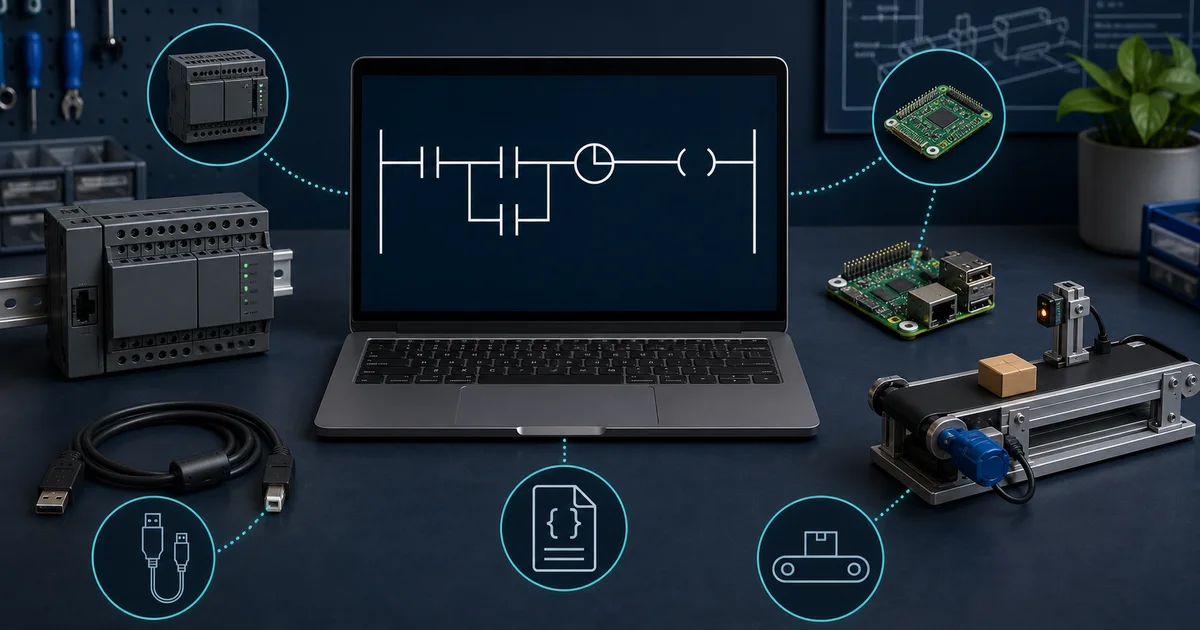
The Four License Categories
1. Open Source
Source code is available under a named licence, but “open source” does not automatically mean every bundled component, hardware target or commercial deployment has no obligation. Check the repository licence, dependencies and target runtime. OpenPLC and Beremiz are examples.
2. Free Manufacturer Edition
The engineering edition is available at no charge for a defined product family, often with activation, simulator or feature boundaries:
- Connected Components Workbench Standard — free Micro800 engineering edition; Rockwell documents a 10-minute run-mode demo for its included simulator. The full simulator is a Developer feature.
- EcoStruxure Machine Expert Basic — Schneider documents it as free software dedicated to Modicon M221. It is not the M241 engineering product.
- LOGO! Soft Comfort Demo — free offline engineering and simulation; Siemens says program transfer to a real LOGO! is disabled until the full product is licensed.
- Mitsubishi software — availability and restrictions vary by product and region. Use Mitsubishi's current download/licensing page; this guide does not label an unofficial “limited version” as universally free.
These tools can be useful for manufacturer-specific learning, but record the controller scope and simulator/activation boundary.
3. Free IDE / Paid Runtime
The development environment (IDE) you write code in is free to download and use indefinitely. However, deploying that code to a hardware target requires a separately licensed runtime, which is typically charged per device. This model is common among cross-platform or soft-PLC vendors.
- CODESYS — CODESYS states that the Development System has no licence fee. The bundled Control Win SL is a demo runtime; without a valid licence it runs for two hours and then requires a manual restart. Hardware vendors may bundle their runtime licence, while Control SL and add-ons have separate terms.
- Beckhoff TwinCAT 3 — Beckhoff states that the core PLC engineering environment has no licence cost. Runtime components and functions beyond core PLC engineering are chargeable; renewable seven-day trial licences are intended for evaluation/training.
4. Time-Limited Trial
The software is the full commercial product made available on a countdown clock. After the trial period, the software stops functioning or drops to a severely restricted mode. These tools are not free software — they are evaluation licences.
- Siemens TIA Portal — distributed as a trial. The trial duration and precise terms have varied across versions; check the current Siemens SIOS portal for the exact licence period at download time.
- Factory I/O, PLCLogix and Automation Studio — commercial/education products with evaluation or institution-specific terms. Check their current official licence pages rather than assuming a duration copied from another guide.
Why This Matters
If you want to avoid a trial clock in the editor itself, examine OpenPLC, Beremiz, CCW Standard, Machine Expert Basic, CODESYS Development System, or the core TwinCAT 3 XAE engineering environment. Their hardware, simulator, runtime, activation and add-on limits still differ. Browser tools can provide a free learning tier without installing vendor software.
Understanding which category a tool falls into before you start will save you significant time and avoid the frustration of building skills on a platform only to discover it requires a purchase before you can do real work.
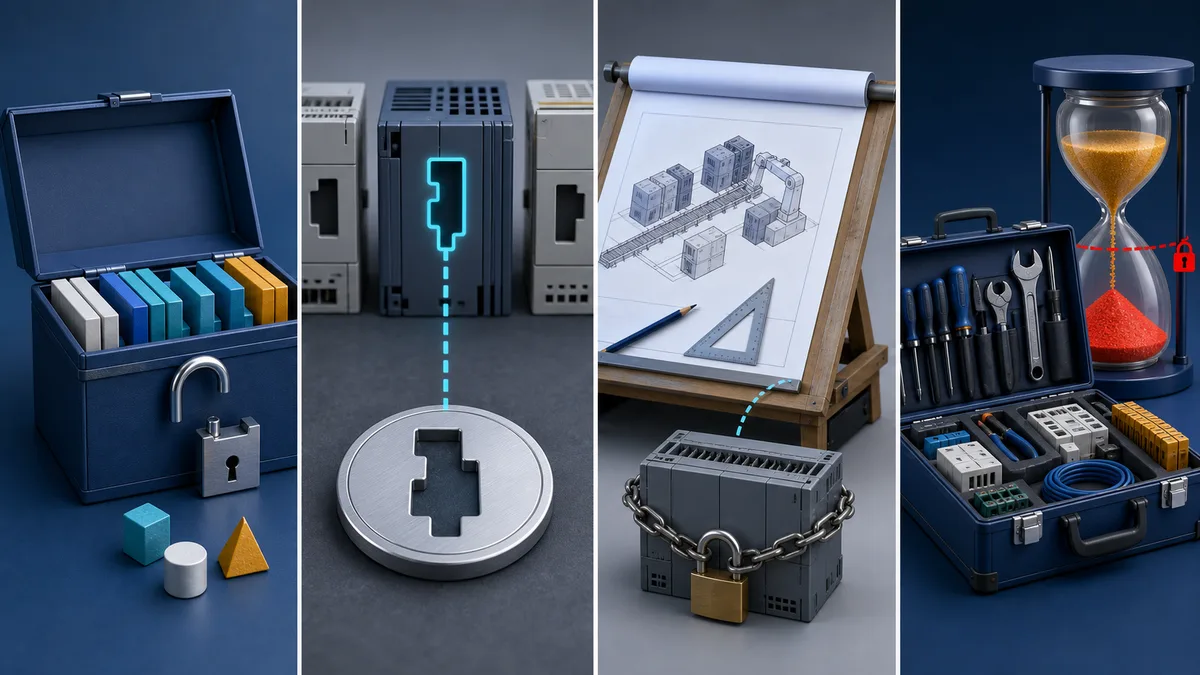
Manufacturer-Provided Free Software
Major PLC manufacturers offer free versions of their programming software with varying limitations and capabilities. These tools provide authentic programming experiences with actual manufacturer instruction sets and development environments.
Allen Bradley Connected Components Workbench
Connected Components Workbench Standard is Rockwell Automation's free-download engineering edition for its Micro Control System, including Micro800 controllers. Rockwell's September 2025 selection guide distinguishes Standard from paid Developer Edition.
Key Features:
- Complete programming environment for Micro800 PLCs
- Ladder logic, function block diagram, and structured text support
- Integrated HMI development for PanelView 800 series
- Demo version of the Micro800 Simulator (10 minutes in run mode)
- EtherNet/IP communication configuration
- Motion control programming for servo applications
Pros:
- ✅ Standard Edition requires no product activation
- ✅ Professional-grade Rockwell Automation environment
- ✅ Excellent documentation and learning resources
- ✅ Seamless path to commercial Studio 5000 skills
- ✅ Micro800 programming plus supported device/HMI configuration
- ✅ Regular updates with new features
Cons:
- ❌ Windows-only (no Mac or Linux support)
- ❌ Limited to Micro800 series PLCs only
- ❌ Requires registration with Rockwell Automation
- ❌ Cannot program ControlLogix or CompactLogix
- ❌ Full Micro800 Simulator and Archive Manager are Developer Edition features
System Requirements: use the current CCW release notes. Rockwell's version 23 material lists supported Windows editions, 8 GB minimum RAM and 20 GB free disk; later releases can change these requirements.
Download Information: Standard Edition is a free download from Rockwell's Product Compatibility and Download Center. Rockwell's current starter-pack guide says registration is required. The free editor and the time-limited simulator demo are separate facts.
Best For: Learning Allen Bradley programming methods, developing applications for Micro800 systems, understanding EtherNet/IP communication, and gaining familiarity with Rockwell Automation development approaches.
Practise before you install: to rehearse Allen-Bradley-style ladder instructions (XIC, XIO, OTE, TON) without Rockwell software, our related Allen-Bradley PLC simulator runs in a browser. It teaches the instruction style; it does not open CCW or Studio 5000 project files.
Siemens LOGO! Soft Comfort
Siemens offers a free LOGO! Soft Comfort demo for offline engineering and simulation. Siemens also sells the full LOGO! Soft Comfort product; a valid licence enables use without demo restrictions and permits transfer to LOGO! hardware.
Key Features:
- Intuitive function block programming interface
- Ladder diagram programming support
- Built-in offline simulation
- Timer, counter, and mathematical function blocks
- Communication function support (Ethernet, Modbus)
- Text display and analog value processing
Pros:
- ✅ Extremely intuitive drag-and-drop interface
- ✅ Demo can create and simulate LOGO! programs
- ✅ Siemens lists Windows, macOS and Linux for the current full V9 product
- ✅ Great for building automation and HVAC
Cons:
- ❌ Demo cannot transfer a program to a real LOGO! device
- ❌ LOGO! software does not program S7-1200/S7-1500 controllers
Programming Approach: The software emphasizes visual function-block and ladder-oriented programming for LOGO! logic modules. It is not a Structured Text route into the S7/TIA Portal ecosystem.
Hardware Support:
- LOGO! 12/24RC, 12/24RCE, 12/24RCO series
- LOGO! 24, 24o, 230RC, 230RCE, 230RCO series
- LOGO! 8 series with various power supply options
- Ethernet communication modules
Best For: Evaluating LOGO! logic and simulation before deciding whether to purchase the full software/device workflow.
For Siemens-style ladder practice in a browser before installing LOGO! Soft Comfort or TIA Portal, see our related Siemens PLC simulator. It does not import or export Siemens projects.
Schneider Electric EcoStruxure Machine Expert - Basic
Schneider describes EcoStruxure Machine Expert - Basic as its free programming software dedicated to Modicon M221 controllers and compatible TM2/TM3 I/O. M241 belongs to the broader EcoStruxure Machine Expert product, not the free Basic scope.
Key Features:
- M221 hardware configuration
- M221 programming and commissioning workflow
- Display configuration
- TM2/TM3 I/O compatibility
Pros:
- ✅ Free M221-specific engineering route
- ✅ Current Schneider download/support path
Cons:
- ❌ Dedicated to M221, not M241
- ❌ Windows-only software
- ❌ Requires Schneider Electric account registration
Programming Experience: Use the M221 programming guide for the supported languages, instructions and online functions in the current release. Do not infer features from the separately licensed Machine Expert product.
Educational Resources: Schneider Electric provides extensive learning materials, including tutorial videos, application examples, and programming guides specifically designed for the free software version.
Best For: Programming or learning on a Modicon M221 with its exact supported feature set.
Mitsubishi Electric Engineering Software
Mitsubishi's GX Works availability, trials and licence packages vary by product family and region. We did not find a single current global Mitsubishi source supporting the common claim that “GX Works3 Limited” is universally free with a 256-I/O cap. Treat that label as unverified unless your regional Mitsubishi download portal states the exact restrictions. For an iQ-F, iQ-R, FX or legacy Q project, use the official model/software compatibility and licence page for your region.
Live mini-lab
Try it: press START, then STOP
A stop-dominant seal-in rung: START latches the motor output through its own contact, and STOP breaks the circuit.
Watch the output lamp: it stays on after START until you press STOP.
Free · no signup to try · runs in your browserOpens plcsimulationsoftware.com — same team
Open-Source PLC Programming Platforms
Open-source PLC programming platforms expose source code and can reduce editor/runtime licence cost, but each project still has licence obligations, dependencies, target limits and a different support model.
OpenPLC Project
OpenPLC is an open-source editor/runtime project used for learning, research and supported hardware experiments. Open source does not by itself establish safety certification, deterministic performance, cybersecurity hardening or suitability for a production machine.
Architecture: OpenPLC consists of two main components: the OpenPLC Editor for program development and the OpenPLC Runtime for program execution. This separation allows development on various platforms while supporting diverse target hardware.
Key Features:
- IEC 61131-3-oriented programming; exact language support depends on the current editor release
- Web-based monitoring and configuration interface
- Modbus TCP/RTU communication support
- Support for Arduino, Raspberry Pi, and industrial hardware
- SCADA integration with ScadaBR and other systems
- Community development and support
Pros:
- ✅ Source-available editor/runtime project under repository licences
- ✅ Multiple IEC programming representations
- ✅ Supports documented PC, single-board and microcontroller targets
- ✅ Community-maintained code and documentation
- ✅ Great for understanding PLC internals
Cons:
- ❌ No production or functional-safety certification is implied by this guide
- ❌ Requires more technical setup than commercial options
- ❌ Limited industrial-grade hardware support
- ❌ Skills may not directly transfer to proprietary systems
- ❌ No official technical support (community-based only)
Programming Languages:
- Ladder Diagram (LD)
- Function Block Diagram (FBD)
- Structured Text (ST)
- Sequential Function Chart (SFC)
- Legacy Instruction List (IL) where the selected editor release still supports it
Check the current OpenPLC repository/release notes for operating-system, language and hardware-target support before installing.
Hardware compatibility: use the current OpenPLC hardware list and release notes. Raspberry Pi, Arduino, PC and industrial-controller support has changed across versions; a family name does not prove that every model, operating-system image or I/O expansion is supported.
Community and Support: The OpenPLC project maintains active forums, documentation wikis, and tutorial repositories. Regular community contributions provide new features, hardware drivers, and application examples.
Best For: Students learning industrial automation, researchers developing new control algorithms, small companies needing cost-effective PLC solutions, and anyone interested in understanding PLC internal operations.
Beremiz IDE
Beremiz is an open-source IEC 61131-3 IDE paired with target runtimes. Its current documentation describes PLCopen TC6 XML project storage, a MatIEC-based toolchain and extensions such as CANopen.
Key Features:
- IEC 61131-3 compliant programming environment
- Distributed control system support
- Python-file extensions in supported projects
- CANopen support through the separately built CanFestival stack
- Target runtimes that execute generated code
- Extensible architecture for custom development
Pros:
- ✅ PLCopen TC6 XML-based project model
- ✅ LD, FBD and SFC graphical editing with a textual compilation path
- ✅ Extensible IDE/runtime architecture
- ✅ Useful for research and custom target integration
Cons:
- ❌ Steeper learning curve than alternatives
- ❌ Setup and target integration require more engineering work than a vendor IDE
- ❌ CANopen depends on an external CanFestival build and target interface
- ❌ Hardware I/O and runtime behavior depend on the selected target
- ❌ It does not emulate proprietary controller firmware
Programming Capabilities: Beremiz is most relevant when you need to inspect or extend the editor-to-runtime toolchain. Its Python and fieldbus extensions are implementation mechanisms, not blanket proof that a particular algorithm, protocol role or target is available.
Best For: Research, custom target integration and engineers willing to validate the runtime, I/O layer and dependencies for their exact platform.
Read the current Beremiz IDE/runtime overview →
PLCopen XML is an exchange format, not a universal editor
Be careful with similarly named tools. PLCopen defines an XML exchange format, but that does not make every “PLCopen editor” a current, supported, cross-platform product. If a download cannot be traced to an active publisher, release history and licence, do not install it merely because a roundup labels it standards-compliant. Beremiz is one current example of a project that documents PLCopen TC6 XML storage.
Educational and Simulation Software
Educational simulators solve a different problem from a free vendor editor: they provide a machine or process to control. That can make a lesson much more useful, but it does not make the product free and it does not prove compatibility with a real PLC.
Factory I/O
Factory I/O is a commercial 3D factory simulator. Its official Starter Edition page currently advertises a 30-day trial of the Ultimate Edition and a Starter licence from €40/year or €109 one-time before tax. Those prices and included drivers can change, so use the live edition comparison before buying.
The Starter Edition combines more than 20 industrial applications with Factory I/O's integrated Control I/O simulator. Other editions expose different drivers for external controllers and engineering tools. This makes it useful for visual I/O and sequence practice, but the selected edition—not the product name alone—determines which connection is available.
Verify before installing:
- the exact edition and included I/O driver;
- the PLC, simulator or OPC endpoint you intend to connect;
- the current Windows and graphics requirements;
- whether a classroom needs standalone or floating licences; and
- whether the exercise tests logic only or also relies on physical timing.
Check Factory I/O Starter Edition and current trial terms →
Automation Studio Educational Edition
Famic Technologies describes Automation Studio E10 Educational Edition as an institution-oriented environment for creating, simulating and troubleshooting multi-technology circuits. Its official page lists electrical, motor-control, fluid-power and PLC libraries, virtual systems and connections to supported real devices.
Do not confuse the free Automation Studio Viewer with the authoring product: the Viewer opens projects in read-only mode. Schools should request the current edition, technology modules, licence model and remote-access terms directly from Famic rather than treating an old classroom download as a perpetual free licence.
Review Automation Studio Educational Edition →
PLCLogix and other training suites
Commercial training suites frequently change editions, bundles and institution pricing. We have therefore not assigned PLCLogix a “free,” trial-duration or instruction-compatibility label without a current primary product page. Before adopting any training suite, ask the vendor for a dated licence quote, a supported-instruction list and a written explanation of how its simulator differs from the target controller firmware.
Decision rule: use a 3D/process simulator when the learning objective is sensor-to-actuator sequencing. Use the controller vendor's own simulator or real training hardware when firmware behavior, communications, safety, scan timing or commissioning accuracy matters.
Web-Based PLC Simulators
Web simulators remove the installer and hardware requirement. They are strongest for logic practice and feedback, not for proving that a project will download to a particular PLC.
PLC Simulation Software (Editor's Pick)
PLC Simulation Software is our browser-based PLC learning product: a free online PLC simulator with guided lessons. Its versioned product facts document that a free account requires no payment card and does not expire; browser/device compatibility should still be checked on the device you plan to use.
Key Features:
- Ladder logic and structured text editing in the browser
- Live scan-cycle highlighting with slow-step mode (watch each rung evaluate)
- a versioned practice catalogue covering curriculum, fault-finding, wiring, machine, and process work; the current record and access caveat are published separately
- 12-lesson curriculum with quizzes
- 9 supported learning dialects: IEC 61131-3, Allen-Bradley, Siemens SCL, Mitsubishi, Omron, KEYENCE KV, Schneider Unity, Delta and Instruction List
- Interactive wiring labs and a fault-injection module
- Six free lessons per supported learning dialect; no installation or payment card required
Pros:
- ✅ Free tier is a real product, not a 7-day trial
- ✅ Runs in a modern browser, including common desktop Mac, Linux and Chromebook setups
- ✅ Shows the scan cycle rung-by-rung (most simulators hide this)
- ✅ Multiple vendor dialects on one canvas
- ✅ Scenario-based practice, not just a blank editor
- ✅ Interview-prep tracks and Rockwell CCST cert-prep (Pro)
Cons:
- ❌ Browser-based, so no connection to physical PLC hardware
- ❌ Pro features (cert packs, portfolio export) require a paid plan
- ❌ Newer than the long-established desktop tools
Programming Interface: You write ladder logic or structured text, run it against a simulated machine, and watch the processor scan each rung in real time. Switching dialects re-renders the same program in the selected vendor's syntax.
Important boundary: it teaches PLC logic and vendor-style notation; it is not the vendor's compiler, firmware, communications stack or safety simulator. Validate production code with the actual engineering software and target hardware.
Best For: Learning PLCs from scratch, practising on a Mac or Chromebook, scenario-based skill building and interview preparation.
Try the online PLC simulator — no signup →
PLC Fiddle
PLC Fiddle is a lightweight browser ladder-logic sandbox at plcfiddle.com. It is useful for sketching and testing small logic ideas without an installation. Treat its instruction behavior and saved/shared projects as PLC Fiddle behavior—not as a guarantee that a vendor controller will compile or execute the same program.
Choose it when: you need a fast, blank ladder canvas for a concept check. Choose a structured learning simulator when you need guided scenarios, test cases, fault injection or progress feedback.
Mobile PLC Programming Apps
App-store names, publishers and feature sets change too quickly to recommend an unnamed “PLC Simulator” as though it were one stable product. For phone or tablet learning, prefer a web tool with a visible publisher, privacy policy, changelog and export policy, or verify the exact app-store listing immediately before installing.
Use this mobile checklist:
- Confirm the publisher and most recent update date.
- Check whether projects can be exported before investing time.
- Test timer time bases, scan order, retentive behavior and integer limits against the tool's documentation.
- Do not enter real plant credentials, network addresses or proprietary code into an unverified app.
- Rebuild and validate any useful mobile exercise in the target vendor software before deployment.
Feature Comparison Matrix
Understanding the capabilities and limitations of different free PLC programming software helps select the most appropriate tools for specific applications and learning objectives.
Master Comparison: Free Tier Type, Simulator, OS, Hardware & Languages
This consolidated table is the one no competitor publishes — it puts licence model, simulator, OS support, hardware dependency, and IEC 61131-3 language coverage side by side so you can make a single-table decision.
| Software | Free surface verified in July 2026 | Simulator/runtime boundary | Target scope |
|---|---|---|---|
| OpenPLC | Open-source project | Release/target-dependent | Supported PC, SBC and microcontroller targets |
| Beremiz | Open-source project | Target/runtime-dependent | IEC-oriented open automation projects |
| CCW Standard | Free download; no activation | Micro800 Simulator demo: 10 minutes in run mode | Micro800 and supported Connected Components |
| LOGO! Soft Comfort Demo | Free demo | Offline engineering/simulation; no device transfer | Siemens LOGO! only |
| Machine Expert Basic | Free M221 editor; registration may be required | Use current M221 documentation | Modicon M221 only |
| CODESYS Development System | IDE has no licence fee | Control Win SL demo stops after two hours without a licence | CODESYS-compatible targets |
| TwinCAT 3 XAE core | Core PLC engineering has no licence cost | Runtime/extended functions are chargeable; trial licences available | Beckhoff/PC-control projects |
| PLC Simulation Software | Free browser learning tier | Educational simulator, not byte-for-byte hardware emulation | Scenario practice across 9 learning dialects |
The table intentionally omits exact language/protocol checkmarks where support depends on the controller, editor edition, installed packages or target runtime. Verify those capabilities against the current product manual rather than treating an IDE-level checkmark as hardware support.
Programming Language Support
Language support is version-, edition-, project- and controller-dependent. For example, Rockwell's current Micro800 guide confirms LD, FBD and ST editors in CCW Standard, while Schneider's Basic product is M221-specific and should not inherit the language list of the larger Machine Expert product. Legacy Instruction List may appear in older/open-source editors even though current IEC 61131-3 editions no longer include it.
Communication Protocol Support
An editor displaying a protocol does not prove that every target CPU supports the required scanner/adapter, client/server or master/slave role. Verify the target hardware, firmware, licensed stack, connection count and conformance/certification status.
Target Hardware Support
Before downloading, write down the exact target: CPU part number, firmware, operating system, architecture, I/O driver and required fieldbus. Then check the current compatibility list. “Runs on Windows” and “programs this PLC” are separate requirements.
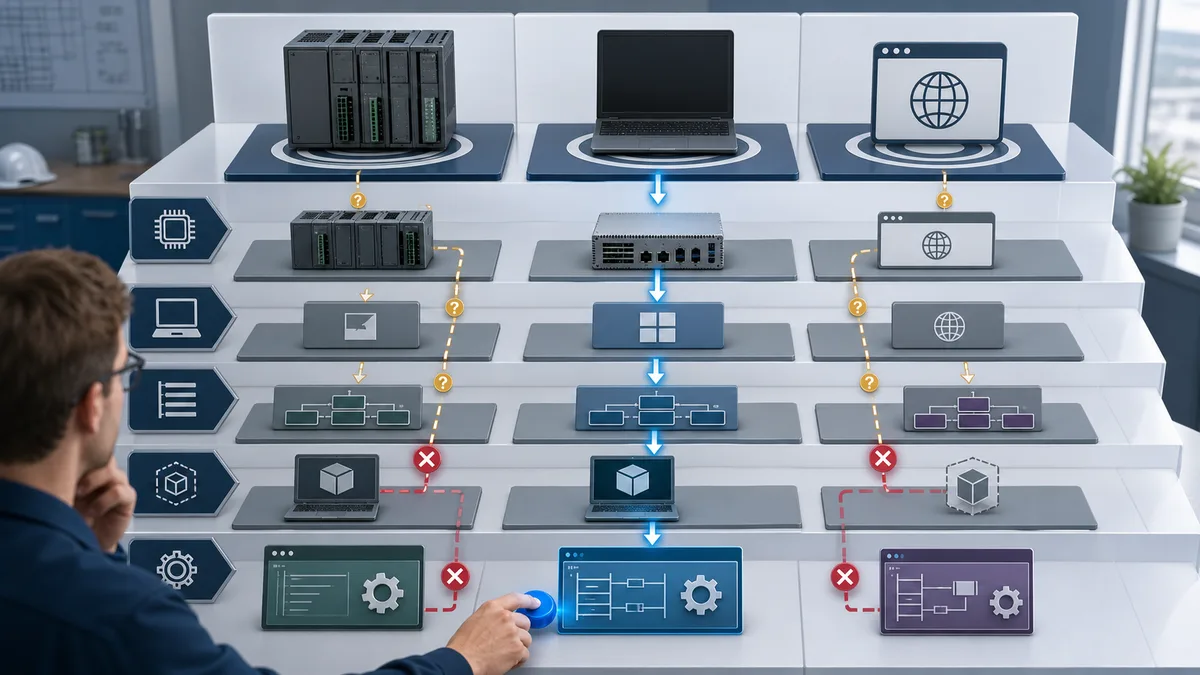
Best Free PLC Software If You Don't Have Hardware
One of the most common questions from beginners and students is: can I learn PLC programming properly without owning a physical PLC? The answer is yes — but only certain tools support meaningful simulation without real hardware. This section curates the best options by how usable their built-in simulation actually is.
OpenPLC Editor — Simulation Mode on Any Platform
OpenPLC separates the editor from its runtime. A supported local runtime can execute logic without a physical PLC, but exact operating-system, language and instruction support depends on the current release. Follow the project's current installation documentation rather than an old command copied from a tutorial.
What you can practise: Supported IEC-oriented logic and I/O mapping on the selected OpenPLC editor/runtime combination. It does not reproduce a proprietary PLC's firmware or safety behaviour.
CODESYS Development System — PC Runtime Simulation
The CODESYS Development System is free of licence cost and includes a demo of CODESYS Control Win SL. CODESYS states that the unlicensed SoftPLC runs for two hours, then requires a manual restart. That is useful for learning and testing, but it is a demo runtime—not a free 24/7 production runtime.
What you can practise: Supported IEC application logic, online monitoring and target configuration within the installed packages and demo-runtime limit.
Connected Components Workbench — Built-in Micro800 Simulator
CCW Standard includes a demo of the Micro800 Simulator. Rockwell's current selection guide says Standard is limited to 10 minutes in run mode; Developer Edition includes the full simulator.
What you can practise: Short Micro800 logic runs within the Standard demo's supported instruction set. Do not infer motion or EtherNet/IP device emulation unless the current simulator documentation lists it.
Do-More Designer — Built-in Simulator (Honorable Mention)
AutomationDirect offers Do-More Designer for its Do-More PLC family with a software simulator. Verify the current download, Windows requirements and licence terms on AutomationDirect's official product page before choosing it.
What you can practise: Supported Do-More ladder instructions and project workflow within the current simulator's documented limits.
Browser-Based Simulators — No Install, Any OS
For learners on macOS, Linux, or Chromebook — or anyone who wants zero installation friction — browser-based simulators are the practical starting point.
- PLC Simulation Software — our related educational simulator, with browser-based lessons and scenario feedback. Its versioned facts record documents the current free-account conditions, lesson allowance, dialect list, and access caveat. It is not a vendor emulator.
- PLC Fiddle — fastest to start, ladder logic only, ideal for quick concept checks.
These browser tools focus on learning logic rather than commissioning physical hardware.
Want to practise specific PLC scenarios in your browser right now? The PLC practice scenarios and simulation tool page collects the best no-hardware exercises across multiple difficulty levels.
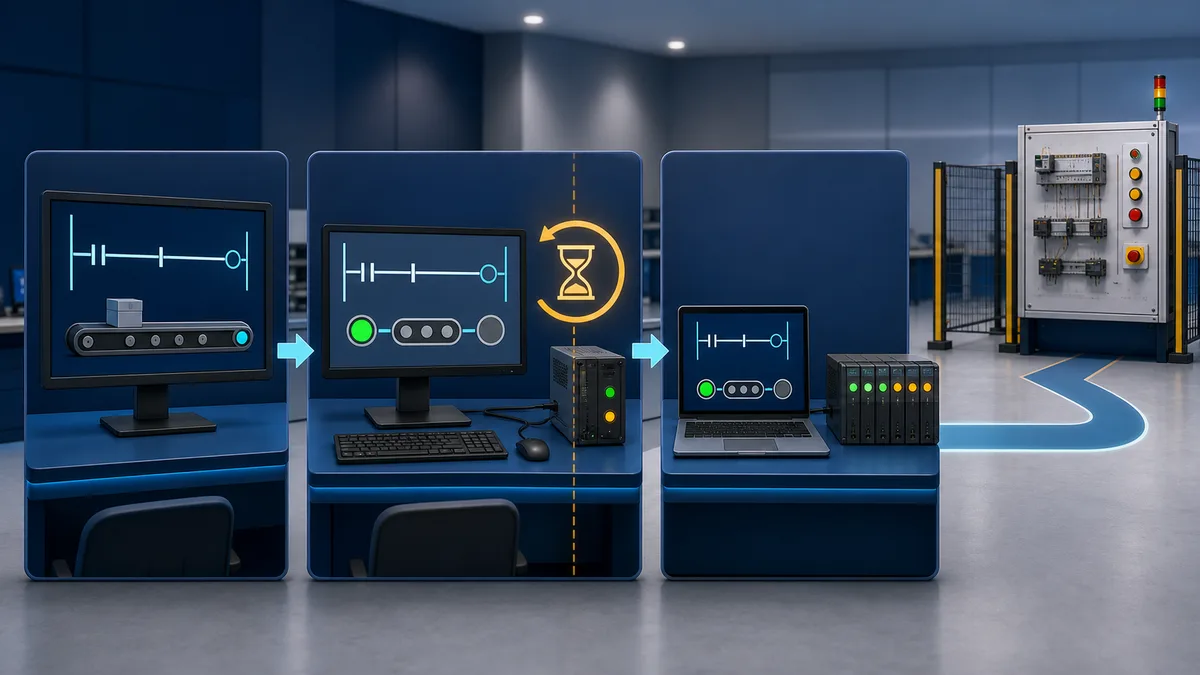
Summary: Best No-Hardware Options
| Tool | OS | Simulation Quality | Hardware Needed | Cost |
|---|---|---|---|---|
| OpenPLC | Check current release | Local editor/runtime combination | No for supported local targets | Open source; check licences |
| CODESYS Dev System | Windows engineering PC | Control Win SL demo | No | IDE free; demo/runtime licences differ |
| CCW Standard | Supported Windows release | Micro800 Simulator demo | No for demo | Free editor; 10-minute run mode |
| PLC Simulation Software | Modern browser | Scenario-based learning | No | Free learning tier |
| PLC Fiddle | Modern browser | Ladder concept practice | No | Check current terms |
Installation and Setup Guides
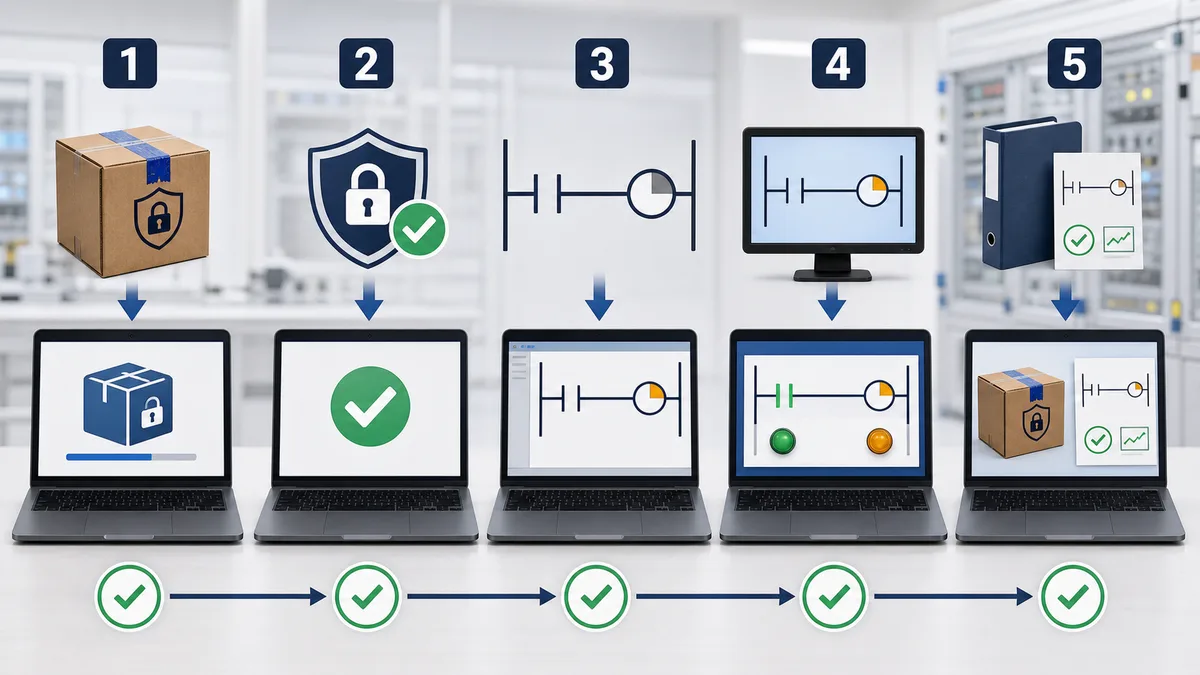
Installer commands age quickly. Use this repeatable validation path instead of copying an old package list or disabling security software.
OpenPLC Installation Guide
- Start at the current OpenPLC project/release page.
- Record the editor/runtime version, operating system and target hardware.
- Follow that release's prerequisites and checksum/signature instructions where provided.
- Create a new project containing one input, one output and one timer.
- Compile it locally before adding a hardware target.
- If using a Raspberry Pi or microcontroller, confirm the current target support and I/O mapping first.
- Test in a de-energized training setup; OpenPLC is not a substitute for a safety controller.
Connected Components Workbench Setup
- Use Rockwell's PCDC and select CCW Standard for the required version.
- Check the release notes against the Windows edition, RAM and free-disk requirements.
- Keep endpoint protection enabled; use your organization's approved installer exception process if one is required.
- Install Standard Edition, create a Micro800 project and verify LD/FBD/ST editor availability.
- Run a tiny project in the Micro800 Simulator demo and confirm the documented 10-minute run-mode limit.
- Do not assume a simulated instruction, communications adapter or motion feature is available on the selected Micro800 CPU.
Learning Resources and Tutorials
Maximizing the educational value of free PLC programming software requires access to quality learning resources, tutorials, and practice exercises.
Official Documentation and Tutorials
Manufacturer Resources: Most manufacturers provide comprehensive documentation, video tutorials, and application examples for their free software packages. These resources offer authentic learning experiences aligned with commercial software capabilities.
OpenPLC Learning Materials:
- Official wiki with installation and programming guides
- YouTube channel with comprehensive tutorial series
- GitHub repository with example programs and projects
- Community forum with technical support and discussions
- University course materials and laboratory exercises
Online Learning Platforms
YouTube Channels:
- "PLC Programming" channels with manufacturer-specific tutorials
- Industrial automation educational content creators
- University lectures and course materials
- Application-specific programming examples
- Troubleshooting and debugging techniques
Educational Websites:
- PLCacademy.com with structured courses and exercises
- Automation.com with technical articles and tutorials
- Control.com forums with community-driven learning
- LinkedIn Learning and Coursera PLC programming courses
- Manufacturer training portals with free access materials
Practice Projects and Exercises
Beginner Projects:
- Traffic light control systems with timing sequences
- Simple motor start/stop with safety interlocks
- Temperature monitoring and alarm systems
- Conveyor belt control with counting functions
- Basic HMI interface development
Intermediate Projects:
- Multi-station automation systems
- Recipe-based batch processing
- Data logging and communication systems
- Motion control and positioning applications
- Safety system programming with emergency stops
Advanced Projects:
- Distributed control system programming
- Complex mathematical algorithms implementation
- Communication protocol development
- Custom instruction and function block creation
- Integration with external databases and systems
Limitations and Considerations
Understanding the limitations of free PLC programming software helps set appropriate expectations and identify when commercial alternatives become necessary.
Functional Limitations
Hardware Restrictions: Free manufacturer software typically supports only entry-level hardware platforms with limited I/O capacity, processing power, and communication options. These restrictions may limit application complexity and scalability.
Feature Limitations: Advanced features like motion control, safety programming, redundancy, and specialized communication protocols may be unavailable or restricted in free versions.
Support Constraints: Technical support for free software is often limited to online resources, community forums, and documentation. Direct manufacturer support may require commercial software purchases.
Commercial Upgrade Considerations
When to Upgrade: Consider commercial software when projects require advanced features, extensive I/O capacity, professional technical support, or commercial deployment rights.
Migration Planning: Plan upgrade paths that minimize program conversion requirements and leverage skills developed with free software platforms.
Legal and Licensing Considerations
Commercial Use Restrictions: Some free software packages restrict commercial use or require licensing for revenue-generating applications. Review license agreements carefully before commercial deployment.
Intellectual Property: Understand ownership rights for programs developed with free software, particularly for commercial applications and client projects.
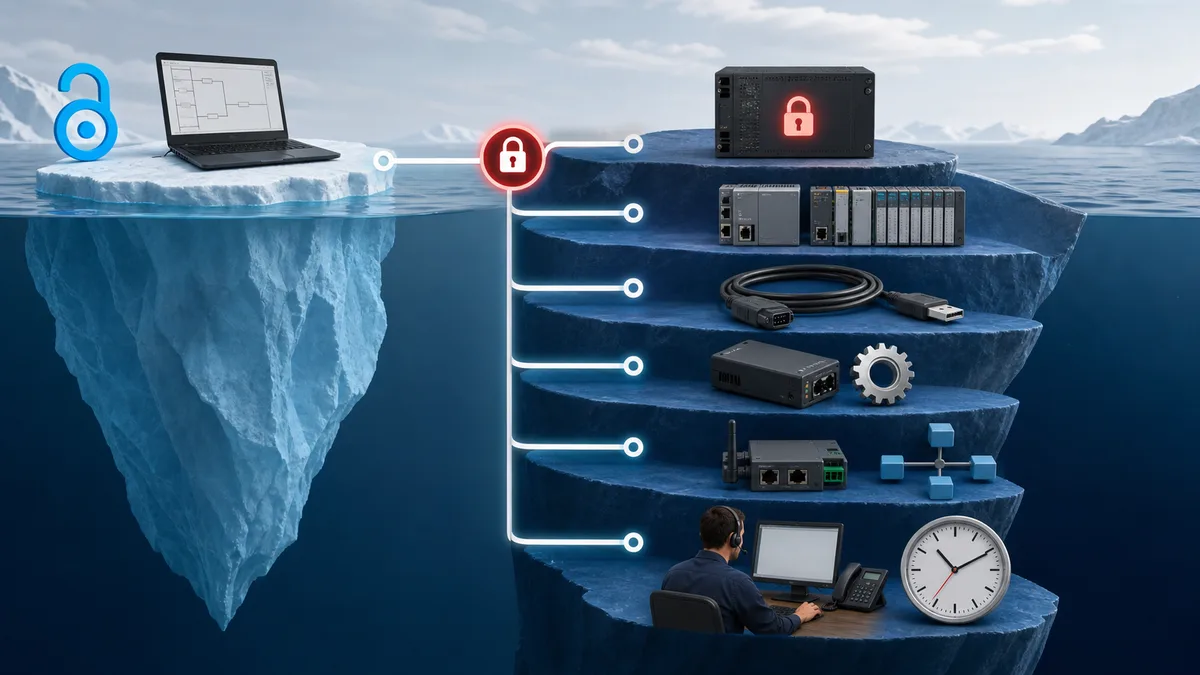
Hidden Costs to Watch: Runtime Licences and Hardware Lock-In
The most common frustration in the free PLC software space comes from discovering a cost at the wrong moment — after you have invested weeks learning a tool. This section answers the most-searched questions directly.
Is CODESYS really free?
The CODESYS Development System (the IDE) is genuinely free to download and use indefinitely. There is no trial timer on the IDE itself.
The cost question arises at the runtime and add-on layer. CODESYS-compatible device manufacturers may include the runtime licence in the hardware price; CODESYS Control SL/virtual SoftPLC deployments and optional functions have their own licence terms.
The bundled Control Win SL runtime is a demo. CODESYS documents a two-hour run period without a valid licence, followed by a required manual restart.
Bottom line: The Development System has no licence fee. Runtime, device and add-on costs depend on the target; an unlicensed Control Win SL session is time-limited.
Is TwinCAT 3 free?
Beckhoff's licensing manual states that the core TwinCAT 3 Engineering PLC-programming environment has no licence cost.
The same manual states that all TwinCAT 3 runtime licences and functions beyond pure PLC programming are chargeable. Beckhoff provides renewable seven-day trial licences for evaluation and lab work. Trial availability is not the same as a perpetual production runtime.
Bottom line: Core PLC engineering has no licence cost; runtime and extended functions need the appropriate licence or trial.
Is CCW only free if you have a Micro800 PLC?
CCW Standard is a free-download Micro Control System engineering edition and does not require activation. It does not program ControlLogix or CompactLogix; those use Studio 5000 Logix Designer. Standard's included Micro800 Simulator is a 10-minute run-mode demo, while Developer includes the full simulator.
If your goal is learning Allen-Bradley programming conventions, CCW is a legitimate free option. If your goal is learning the programming environment actually used in most industrial AB installations, you will eventually need access to Studio 5000, either through an employer, an educational institution, or a commercial licence.
What happens when TIA Portal's trial expires?
TIA Portal is Siemens' licensed engineering software. Siemens' current V20 documentation describes a one-time trial licence that expires after 21 days; afterward, licence-based actions are unavailable on a machine that has never been licensed. Confirm the terms for the exact version you install.
For STEP 7 simulation started with Online → Simulation, the same V20 documentation says an additional PLCSIM licence is not required. That is different from other PLCSIM products and options. For Siemens LOGO! learning, the free LOGO! Soft Comfort demo supports offline engineering and simulation but blocks transfer to a real device.
Do-More Designer: a genuinely free exception worth noting
AutomationDirect offers Do-More Designer and a software simulator for Do-More PLCs. Verify current download and licence terms on the official AutomationDirect page before relying on an “unrestricted forever” claim.
The realistic cost landscape in summary
| Tool | IDE Cost | Runtime / Deploy Cost | Who Pays |
|---|---|---|---|
| OpenPLC | Open source | Target/runtime and deployment obligations vary | Check repository + target |
| CODESYS | IDE has no licence fee | Demo, bundled or licensed runtime | Check target vendor/CODESYS |
| TwinCAT 3 | Core PLC engineering has no licence cost | Runtime and extended functions are chargeable | Runtime user |
| CCW Standard | Free download | 10-minute simulator demo; full simulator in Developer | Simulator user / hardware buyer |
| LOGO! Soft Comfort | Free demo | Full product required for unrestricted use/device transfer | LOGO! user |
| TIA Portal | Verify current trial | Commercial engineering licence | Buyer |
Best Free PLC Software by Brand
If you are targeting a specific PLC platform — because that is what your employer uses, what your local job market demands, or what you already own — use this as a quick reference.
Allen-Bradley (Rockwell Automation)
Free option: Connected Components Workbench Standard — Micro800 engineering with a 10-minute run-mode simulator demo. The full simulator is a paid Developer feature.
Commercial route: Studio 5000 Logix Designer is Rockwell's engineering software for ControlLogix and CompactLogix. Rockwell publishes paid edition and subscription options; this guide did not find a current general free tier comparable with CCW Standard.
Learning path: Use CCW to learn Micro800 project conventions. Do not present it as a substitute for Studio 5000; the controller families and workflows differ.
Siemens
Free option: LOGO! Soft Comfort Demo — offline LOGO! engineering and simulation. Siemens disables transfer to a real device in the demo.
Licensed route: TIA Portal/STEP 7 covers Siemens SIMATIC controller engineering and offers a one-time trial under the current version terms. Siemens' V20 licensing documentation says STEP 7's Online → Simulation workflow does not require an additional PLCSIM licence; other simulation products and options have their own licences.
Learning path: LOGO! Soft Comfort teaches LOGO!-specific logic but does not reproduce an S7/TIA Portal project.
Schneider Electric
Free option: EcoStruxure Machine Expert - Basic — Schneider's free, registration-based software dedicated to Modicon M221.
Upgrade path: EcoStruxure Machine Expert Standard and Expert tiers cover the M262, LMC058, and larger Modicon platforms and require commercial licences.
Learning path: Use the current M221 programming guide for its actual languages and functions; do not inherit M241 or full Machine Expert capabilities.
Mitsubishi Electric
Current status: Mitsubishi engineering-software licences and trials vary by family and region. This review did not find a current global primary source for the widely repeated “GX Works3 Limited with a 256-I/O cap” claim, so it is not treated as a verified free option. Check the regional Mitsubishi FA portal for the selected FX, iQ-F, iQ-R or Q controller.
Beckhoff
Free option: The core TwinCAT 3 XAE PLC engineering environment has no licence cost.
Cost trigger: Beckhoff states that TwinCAT runtime licences and functions beyond core PLC engineering are chargeable. Seven-day trial licences support evaluation/training.
Learning path: Use core PLC engineering and a trial/runtime matched to the actual target. Do not assume motion or other extended functions are included.
AutomationDirect
Option to verify: Do-More Designer with its simulator. Confirm current terms and system requirements on AutomationDirect's official page; this guide does not make an unsourced market-share or “no strings” claim.
Frequently Asked Questions
What is the best free PLC programming software?
There is no single best choice. Use CCW Standard for a Micro800 project, Machine Expert Basic for an M221, the LOGO! Soft Comfort demo for offline LOGO! logic, CODESYS Development System for a free IEC engineering IDE with a demo/licensed runtime, or OpenPLC for an open-source editor/runtime experiment. For guided no-install practice, use a browser simulator. The target controller and required runtime matter more than a generic ranking.
Can I use free PLC software for commercial projects?
Possibly, but “free download” does not answer the commercial-use question. Review the exact editor, runtime, add-on and dependency licences; verify the target hardware terms; and check whether support, redistribution or deployment requires a paid licence. Open-source projects can still impose licence obligations, and a free manufacturer editor can still require licensed hardware or runtime components.
How do free PLC simulators compare to real hardware?
They can test logic flow and teach scan-cycle behavior, but they generally do not reproduce every firmware edge case, network delay, I/O update boundary, electrical fault, mechanical tolerance or safety response. Use simulation to find errors early; use the vendor tool, target firmware and a controlled hardware test for final validation and commissioning.
Which free PLC programming software is best for beginners?
For a first lesson, a browser simulator is the lowest-friction route because it avoids installers and licences. If you already know the target hardware, learn in its matching environment: CCW for Micro800, Machine Expert Basic for M221, or the LOGO! demo for LOGO!. OpenPLC is useful when studying an open editor/runtime stack, but it is not a substitute for a proprietary controller's engineering workflow.
Can I transfer programs between different free software packages?
Direct program transfer between different free PLC programming software is typically not possible due to different instruction sets, addressing methods, and proprietary formats. However, you can reuse programming concepts, functional specifications, I/O assignments, and control logic when recreating programs on different platforms. Some third-party conversion tools exist for specific manufacturer combinations.
What are the system requirements for most free PLC software?
There is no reliable universal requirement. Check the current release notes for the exact software version and Windows edition, memory, storage, virtualization and prerequisite packages. Rockwell's CCW version 23 material, for example, lists 8 GB minimum RAM and 20 GB free disk, but that should not be copied to other products or future releases. Browser simulators need a supported modern browser and enough device performance for the exercise.
How can I get support for free PLC software?
Start with the exact release notes, programming manual and vendor knowledge base. Open-source projects may use repository issues, discussions or community forums. Support entitlements for manufacturer and commercial products depend on the current account, product and contract; a free editor does not prove that direct technical support is included.
Can free PLC programming software be used for training purposes?
Yes, when the tool matches the learning objective and its licence permits the intended classroom use. A free editor teaches project workflow; a browser simulator teaches logic; Factory I/O adds a 3D process; and Automation Studio Educational Edition covers multi-technology circuits. None should be presented as equivalent to commissioning the target hardware.
What file formats do free PLC programming software support?
File support varies by product and release. Even when two tools can exchange PLCopen XML, vendor instructions, libraries, data types, task configuration and hardware mappings may not translate cleanly. Treat exchange formats as a starting point for a reviewed migration—not as proof of a lossless conversion.
Can I get PLC software for Mac or Chromebook?
Mostly not natively. CCW and Machine Expert Basic are Windows-only, and CODESYS Development System runs on a Windows engineering PC. One exception: Siemens lists Windows, macOS and Linux for LOGO! Soft Comfort V9 (checked October 2026), but that covers LOGO! modules only. On a Mac, the options are a Windows virtual machine for the vendor tool (confirm the vendor supports that setup, including Windows on Apple-silicon Macs and USB/Ethernet access to the PLC) or a browser simulator. On a Chromebook, a browser simulator is the practical route.
Are there mobile apps for free PLC programming?
Browser-based exercises can work on some phones and tablets, but complex ladder editing is usually easier on a larger screen. Verify the exact publisher, privacy policy, export behavior and update date before installing a native app. Do not treat a mobile simulator as the engineering environment for a real controller.
Primary Sources and Review Method
This guide was reviewed on July 25, 2026. On October 25, 2026 we rechecked the CCW simulator demo limit (Rockwell selection guide), the CODESYS Control Win SL demo runtime, the operating systems listed for LOGO! Soft Comfort V9 and PLC Simulation Software's free-tier facts; other entries reflect the July review. We used primary vendor/project pages for licence boundaries and deliberately omitted capabilities that could not be confirmed for a current edition. Prices are snapshots before tax; availability can vary by country, account, controller and release.
- Rockwell Connected Components Workbench product page
- Rockwell Micro800 and CCW selection guide (September 2025)
- Rockwell Studio 5000 product and edition overview
- Siemens LOGO! software and demo terms
- Siemens TIA Portal V20 STEP 7 and PLCSIM licensing
- Schneider Machine Expert Basic M221 FAQ
- Schneider EcoStruxure Machine Expert product range
- CODESYS licensing overview
- CODESYS Development System
- CODESYS Control Win SL demo/runtime terms
- Beckhoff TwinCAT 3 licensing manual
- Factory I/O Starter Edition and trial
- Famic Automation Studio Educational Edition
- OpenPLC project and current editor releases
- Beremiz IDE and runtime overview
- AutomationDirect Do-more Designer software and simulator (checked October 25, 2026)
- AutomationDirect CLICK programming software and Productivity Suite (checked October 25, 2026)
- OpenPLC Editor releases (v4.3.2: Windows, macOS, Linux installers) (checked October 25, 2026)
Ownership disclosure: plcprogramming.io and PLC Simulation Software are operated by the same publisher. The simulator is included because it provides an installation-free learning path; it is clearly identified as our product, and its limits are stated alongside the independent alternatives.
Practise Before You Install a Vendor Suite
If your immediate goal is to learn contacts, coils, timers and scan-cycle behavior, start with a controlled browser exercise. A guided first program runs without an account; with a free account, six lessons per supported learning dialect are free and no payment card is required.
Try a free PLC lesson in your browser — no signup →
The simulator is an educational environment, not a vendor compiler or hardware emulator. Move the completed logic into the correct vendor tool and validate it against the target controller before deployment.
Related PLC Programming Resources:
- Ladder Logic Tutorial: Complete Beginner's Guide - Master ladder logic programming from scratch
- Siemens vs Allen Bradley PLC Comparison - Choose the right platform for your projects
- HMI Programming Tutorial - Learn human machine interface development
Now run it · free · no signup
Skip the installer and run PLC logic now
Run one guided program in your browser without an account or card, then create a free account when you want the practice library.
Ownership disclosure: PLC Programming IO and PLC Simulation Software are operated by the same publisher.

