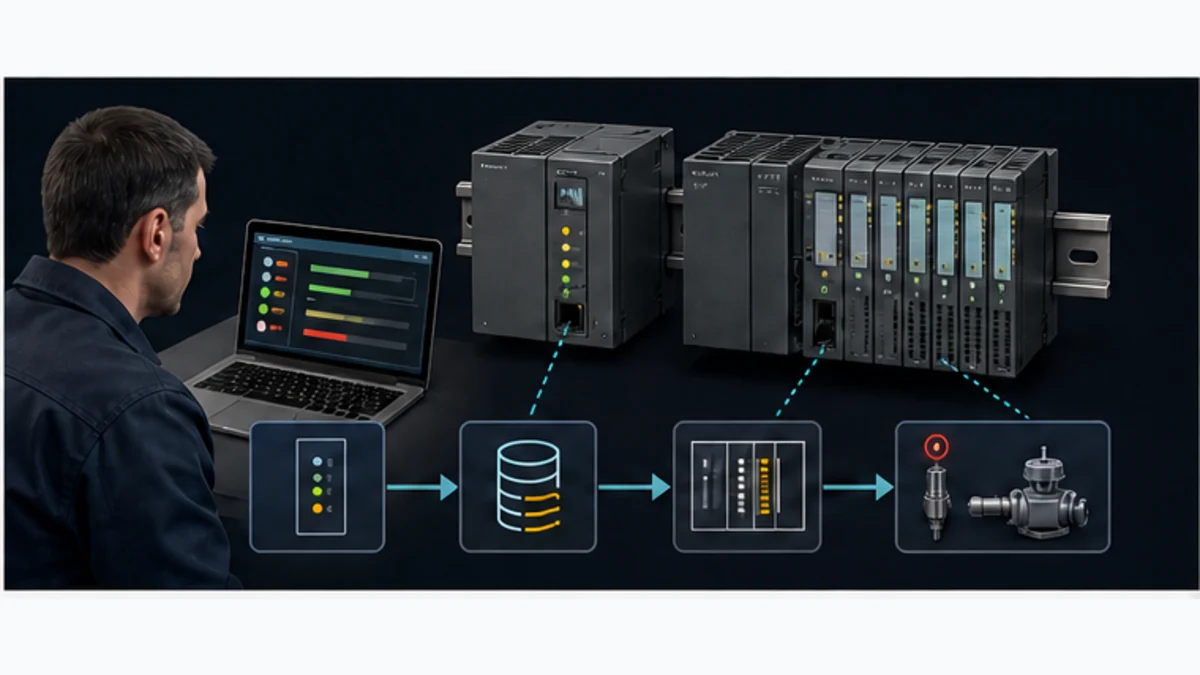
PLC Troubleshooting: 8-Step Fault-Finding Guide (2026)
Troubleshoot PLC faults systematically with an eight-step process covering power, CPU status, field I/O, communications, logic, safety, and documented recovery.
The fastest general PLC troubleshooting rule is to start at the failed output and trace backward. Confirm the machine symptom, identify the output that should create it, inspect the command rung and permissives, compare PLC I/O state with the physical module and field device, then test the smallest remaining fault zone. This prevents random code edits and unnecessary component swaps.
How to troubleshoot a PLC: (1) Verify power supply voltage and check all indicator LEDs. (2) Connect programming software and read active fault codes from the diagnostic buffer. (3) Isolate the fault category — CPU, I/O module, communications, program logic, or field device. (4) Test field wiring and devices at the suspect point. (5) Clear the fault, confirm the root cause is resolved, and document the repair.
Last reviewed: 30 August 2026. The workflow is organized around observable evidence—power, controller state, I/O state, communications, and logic—so every step can be checked and documented. Brand-specific codes still require the current manufacturer manual.
PLC diagnosis and maintenance are related but different jobs. Diagnosis finds and proves the cause of an active symptom. Maintenance reduces repeat faults and preserves recovery readiness by controlling enclosure conditions, reviewing diagnostics, validating backups, and following model-specific service instructions. Use the eight-step workflow during an incident; use the evidence-based checklist later in this guide to prevent recurrence.
Effective PLC troubleshooting requires systematic diagnostic approaches, thorough understanding of PLC hardware and software, and methodical problem-solving techniques that quickly identify root causes while minimizing production downtime. Whether you're facing communication failures, I/O malfunctions, program execution errors, or mysterious system faults, this comprehensive troubleshooting guide provides the structured methodologies and practical solutions you need.
This detailed PLC troubleshooting guide covers essential diagnostic tools, systematic fault-finding procedures, brand-specific error code interpretation, LED diagnostic techniques, and proven solutions for the most common PLC problems encountered in industrial automation. You'll learn professional troubleshooting strategies that reduce mean time to repair (MTTR), prevent recurring failures, and improve overall system reliability.
Building your automation troubleshooting expertise? Start with our PLC programming basics guide to understand fundamental concepts, review our PLC communication protocols guide for network troubleshooting knowledge, or explore ladder logic programming fundamentals that support effective program debugging.
Quick-Reference Troubleshooting Flowchart
Use this decision flow to orient your diagnosis in the first two minutes on-site. Each "No" answer tells you where to stop and investigate before continuing downward.

| Check | Yes — continue | No — investigate here |
|---|---|---|
| 1. Is power present? (LEDs illuminated) | Go to 2 | Main breaker, fuse, control transformer, PSU voltage |
| 2. Are CPU status LEDs green / RUN? | Go to 3 | Read CPU fault codes in programming software; see brand LED tables below |
| 3. Are the affected inputs reading correctly? | Go to 4 | Check field wiring, device power, input module channel |
| 4. Are the affected outputs activating? | Go to 5 | Check output module, wiring continuity, field device coil/actuator |
| 5. Are communications responding? | System appears healthy — check program logic | Physical cable, IP/address config, protocol parameters, switch/VLAN |
If you reach step 5 and everything above is healthy but the machine still misbehaves, the fault is in program logic, scaling, or an intermittent field condition — proceed to PLC Program Debugging Techniques.
PLC Fault Categories (Jump to Your Issue)
PLC faults group into six categories. Identify yours quickly to skip straight to the relevant section.
| Category | One-Line Description | Jump To |
|---|---|---|
| Power | Supply voltage out of spec, transients, failing capacitors | Step 3: Verify PLC Power Supply |
| CPU | Watchdog trip, memory error, major fault halting execution | Step 4: Check CPU Status |
| I/O | Input or output channel not responding, module fault LED | Step 5: Verify I/O Module Status |
| Communications | Network timeout, device offline, data not exchanging | Troubleshooting Communication Failures |
| Program | Logic never executes, output stuck, scan time spike | PLC Program Debugging Techniques |
| Environmental | Intermittent faults driven by heat, vibration, or EMI | Intermittent Faults: Grounding and EMI |
PLC Diagnosis vs Maintenance: Choose the Right Workflow
If a machine is stopped, begin with diagnosis and preserve the evidence before resetting anything. If the controller is healthy, use maintenance to detect deteriorating conditions and prove that recovery assets work. A maintenance task should have a trigger, an observation, a pass condition, and a recorded action; a calendar alone does not make it useful.
| Situation | Primary workflow | First evidence to capture | Finish condition |
|---|---|---|---|
| Output will not energize | Diagnosis | Machine symptom, output command, permissives, I/O LEDs and field voltage | Failed boundary is proved, corrected, and functionally tested |
| CPU enters STOP or FAULT | Diagnosis | Controller state, event time, diagnostic buffer and recent change history | Root cause is removed and the approved restart test passes |
| Device intermittently drops offline | Diagnosis, then maintenance | Device identity, switch counters, topology, timestamps and environmental event | Reproducible cause is corrected; monitoring shows no recurrence |
| No active fault; cabinet is due for inspection | Maintenance | Baseline temperature, contamination, fan/filter condition, terminal condition and logs | Findings meet the site and manufacturer acceptance criteria |
| Firmware or application change is planned | Controlled maintenance | Version inventory, release notes, compatibility result, backup and rollback test | Change is validated in a representative test environment and documented |
| Backup exists but has never been restored | Recovery maintenance | Project version, controller catalog/firmware, checksums and dependencies | A restore drill proves the asset can be recovered within the required time |
Table of Contents
- Introduction: The Importance of Systematic PLC Troubleshooting
- PLC Troubleshooting Fundamentals
- Essential Tools for PLC Troubleshooting
- The 8-Step Systematic PLC Troubleshooting Process
- Common PLC Problems and Solutions
- Troubleshooting by PLC Component
- Reading PLC Error Codes by Major Brands
- Using PLC Diagnostic LEDs
- Online vs Offline Troubleshooting
- PLC Program Debugging Techniques
- Common Mistakes in PLC Troubleshooting
- Preventive Maintenance for PLCs
- When to Call Technical Support
- Frequently Asked Questions
- Primary Sources and Maintenance Boundaries
Introduction: The Importance of Systematic PLC Troubleshooting
PLC troubleshooting skills directly affect production uptime, maintenance effort, and overall equipment effectiveness (OEE). A structured method is valuable because it preserves evidence: the technician records the symptom, proves each layer, changes one variable, and verifies the result instead of relying on guesses.
Effective PLC troubleshooting demands more than technical knowledge—it requires methodical thinking, comprehensive documentation habits, systematic diagnostic procedures, and clear understanding of interactions between hardware components, software logic, and connected field devices. Rushing into troubleshooting without proper methodology often wastes time, risks equipment damage, and may mask underlying root causes that will create recurring failures.
The cost of a PLC-related stop is site-specific. Calculate it from lost good output, scrap, labor, restart time, and any missed delivery or quality impact rather than applying a generic cost-per-hour figure. Record incident start, fault-clear, first-cycle, and stable-production times so future improvement is based on plant evidence.
Modern PLC systems have grown increasingly complex with distributed I/O, industrial networks, integrated safety systems, and enterprise connectivity creating multiple failure modes and diagnostic challenges. This complexity makes structured troubleshooting methodologies more important than ever, as intuitive guessing and experience alone cannot effectively address the intricate interactions within sophisticated automation architectures.
This comprehensive PLC troubleshooting guide provides the systematic approaches, diagnostic techniques, and practical solutions that professional automation engineers use to minimize downtime and maintain reliable industrial control systems. From basic safety procedures through advanced diagnostic methods, you'll gain the knowledge and confidence needed to tackle any PLC troubleshooting challenge effectively.
PLC Troubleshooting Fundamentals
Safety First: Essential Precautions for PLC Troubleshooting
Safety must always take absolute priority during PLC troubleshooting activities. Programmable logic controllers operate in industrial environments with hazardous voltages, moving machinery, pressurized systems, and chemical processes that pose serious injury risks if safety protocols are not strictly followed.
Electrical Safety Requirements for PLC Work:
- Always verify power isolation with voltage testing before touching any terminals or connections
- Use proper lockout/tagout (LOTO) procedures when working on energized equipment
- Wear appropriate personal protective equipment (PPE) including safety glasses, arc-rated clothing, and insulated gloves rated for voltage levels present
- Never bypass or disable safety circuits during troubleshooting activities
- Maintain minimum approach distances specified for voltage levels encountered
- Use only properly rated test equipment with intact insulation and current calibration
Mechanical Safety During PLC Troubleshooting:
- Ensure all moving machinery is properly secured before working on associated control systems
- Never disable mechanical guards or safety interlocks without proper authorization and safety measures
- Verify that stored energy (compressed air, hydraulics, springs) is safely released before working on controlled equipment
- Use machine-specific LOTO procedures that address all energy sources
- Communicate clearly with operators and production personnel before making any system changes
- Maintain awareness of surrounding hazards including forklifts, overhead cranes, and process equipment
Process Safety Considerations:
- Understand the consequences of PLC output changes on controlled processes
- Never force outputs or override process controls without thorough risk assessment
- Verify that process is in a safe state before making program modifications
- Coordinate troubleshooting activities with process operators and supervisors
- Document all changes made during troubleshooting for safety and quality systems
- Have emergency shutdown procedures immediately accessible during all troubleshooting work
Documentation: The Foundation of Effective PLC Troubleshooting
Comprehensive documentation transforms troubleshooting from guesswork into systematic problem-solving. Professional automation environments maintain detailed records that dramatically reduce diagnostic time and prevent recurring failures through root cause analysis and corrective action tracking.
Essential Documentation for PLC Troubleshooting:
| Document Type | Critical Information | Troubleshooting Value |
|---|---|---|
| Electrical Schematics | Power distribution, I/O wiring, terminal assignments | Validates signal paths and voltage levels |
| PLC Program | Current program version with comments and revision history | Enables program analysis and change tracking |
| I/O Address List | Tag names, physical addresses, device descriptions | Identifies specific inputs/outputs quickly |
| Network Topology | IP addresses, device names, communication paths | Diagnoses communication issues systematically |
| Maintenance History | Previous failures, repairs, modifications | Reveals patterns and chronic problems |
| Vendor Manuals | Specifications, configuration, error codes | Provides authoritative technical reference |
| Calibration Records | Analog I/O calibration data and dates | Verifies accuracy of process measurements |
| Modification Log | All program changes with dates and reasons | Tracks when problems began relative to changes |
Creating Troubleshooting Documentation: Maintain a troubleshooting log that records symptoms observed, diagnostic steps taken, measurements made, parts replaced, and final resolution. This documentation creates institutional knowledge that benefits the entire maintenance team while providing valuable trending data for reliability improvements.
Photograph or screenshot error messages, LED patterns, and diagnostic screens before making changes. These visual records often reveal important details that may be forgotten during troubleshooting activities and provide valuable context for future similar failures.
PLC Troubleshooting Methodology Overview
Systematic troubleshooting methodology eliminates wasted effort and quickly converges on root causes through logical elimination of potential failure modes. The divide-and-conquer approach narrows focus from system-level symptoms to specific failed components or program errors.
Fundamental Troubleshooting Principles:
- Observe and Document: Thoroughly document all symptoms, error messages, and unusual behavior before making any changes
- Divide System: Break complex systems into logical sections (power, CPU, I/O, communications, program, field devices)
- Isolate Problem: Systematically eliminate sections until the problem area is identified
- Identify Root Cause: Determine the underlying cause rather than just symptoms
- Implement Solution: Make targeted fixes based on root cause analysis
- Verify Resolution: Confirm that the problem is fully resolved under normal operating conditions
- Document Findings: Record the failure mode, root cause, and corrective action
- Prevent Recurrence: Implement changes to prevent similar failures
Troubleshooting Decision Framework: Begin every troubleshooting scenario by answering these critical questions: Did the system ever work correctly? What changed before the problem appeared? Is the problem constant or intermittent? Does the problem affect one point, multiple points, or the entire system? Is the failure in hardware, software, or field devices? These questions quickly narrow the investigation scope.
Essential Tools for PLC Troubleshooting
Hardware Diagnostic Tools
Professional PLC troubleshooting requires the right measurement and diagnostic equipment to quickly identify hardware failures, signal quality issues, and environmental problems affecting system reliability.
Required Electrical Test Equipment:
| Tool | Application | Key Features Needed |
|---|---|---|
| Digital Multimeter (DMM) | Voltage, current, resistance measurement | True RMS, min/max/avg recording, 600V+ rated |
| Clamp Ammeter | Non-invasive current measurement | AC/DC measurement, inrush current capture |
| Oscilloscope | Signal integrity analysis | 2-4 channels, 100MHz+, triggering capabilities |
| Network Cable Tester | Ethernet cable continuity and wiring | Tests all conductor pairs, identifies miswires |
| Protocol Analyzer | Network traffic diagnostics | Supports industrial protocols (Profinet, EtherNet/IP) |
| Infrared Thermometer | Hot spot detection | Laser targeting, wide temperature range |
| Loop Calibrator | 4-20mA signal simulation/measurement | Source and measure modes, HART support |
| Insulation Tester (Megger) | Cable and device insulation verification | 500V-1000V test voltage, digital readout |
Specialized PLC Diagnostic Equipment:
- Portable PLC programming terminals: Enable program access without laptop for quick diagnostics
- Network tap devices: Allow non-invasive monitoring of industrial network traffic
- HART communicators: Diagnose and configure smart field devices
- Serial communication testers: Troubleshoot RS-232/RS-485 networks
- Grounding resistance testers: Verify proper electrical grounding critical for PLC reliability
Environmental Testing Equipment: Environmental conditions frequently cause intermittent PLC failures that are difficult to diagnose without proper monitoring equipment. Temperature and humidity loggers, vibration meters, and power quality analyzers identify environmental stress factors causing component failures or unreliable operation.
Software Diagnostic Tools
Software tools integrated into PLC programming environments provide powerful capabilities for program debugging, system monitoring, and performance analysis that complement hardware diagnostic equipment.
PLC Programming Software Diagnostic Features:
Online Monitoring Capabilities:
- Real-time data monitoring: Observe tag values, timer/counter states, and bit status while program executes
- Force functions: Temporarily override inputs/outputs for testing (use with extreme caution)
- Trend logging: Record analog values over time to identify patterns or drift
- Program execution monitoring: View which rungs are true/false in ladder logic programs
- Cross-reference tables: Identify everywhere a tag is used throughout the program
- Compare functions: Identify differences between online program and offline backup
System Diagnostics and Status:
- CPU diagnostic pages: View processor load, scan time, memory usage, and system health
- I/O status displays: Check module health, connection status, and configuration
- Communication statistics: Monitor network errors, timeouts, and traffic levels
- Fault history logs: Review timestamped fault events with context information
- Battery status monitoring: Where the exact controller has a serviceable battery and exposes diagnostics, record its state and follow that model's service instruction
Program Analysis Tools: Advanced PLC programming software includes static analysis tools that identify potential programming errors, unused tags, unconditional loops, race conditions, and other programming issues that may cause operational problems or safety hazards.
Documentation and Reference Materials
Quick access to accurate technical documentation dramatically reduces troubleshooting time by providing authoritative information about system specifications, error code meanings, configuration procedures, and known issues.
Critical Reference Documents:
- Manufacturer hardware manuals: Pin assignments, LED indicators, specifications, replacement procedures
- Programming software help files: Instruction usage, error messages, troubleshooting procedures
- Error code reference guides: Detailed explanations of fault codes with recommended actions
- Communication protocol specifications: Message structures, timing requirements, configuration parameters
- Application notes and technical bulletins: Manufacturer-identified issues and recommended solutions
- Industry standards: IEC 61131-3, NFPA 79, NEC requirements relevant to installation
Organize reference materials for quick access during troubleshooting emergencies through bookmarked PDFs, manufacturer support websites, and physical quick-reference cards located near PLC cabinets. Time spent organizing documentation returns significant value during high-pressure troubleshooting scenarios.
The 8-Step Systematic PLC Troubleshooting Process
Step 1: Gather Information and Define the Problem
Accurate problem definition establishes the foundation for effective troubleshooting. Incomplete or incorrect symptom descriptions lead to wasted effort investigating unrelated issues while missing critical diagnostic information.
Critical Information to Collect:
Symptom Description:
- Exact error messages displayed (photograph if possible)
- Specific equipment or process affected
- Whether failure is complete, partial, or intermittent
- Conditions when problem occurs (startup, specific operations, random)
- Duration and frequency of occurrence
- Impact on production (complete stop, reduced capacity, quality issues)
Timeline and Context:
- When did the problem first occur (date/time)?
- What operations were happening at that time?
- Were any changes made recently (programs, wiring, equipment)?
- Has this problem occurred before?
- Were there any warning signs or precursor events?
Current System Status:
- LED status indicators on CPU and I/O modules
- Error codes or fault logs in PLC programming software
- Communication network status
- Field device status (sensors, valves, motors running)
- Environmental conditions (temperature, humidity, vibration)
Operator Input: Operators often provide critical diagnostic clues through their detailed knowledge of normal system behavior and recent operational history. Interview operators systematically to capture their observations without leading questions that might bias their responses.

Step 2: Verify Safety and System Status
Before proceeding with hands-on troubleshooting, verify that the system is in a safe state and that diagnostic activities will not create additional hazards or expand the scope of failure.
Safety Verification Checklist:
- ✓ All affected equipment is properly locked out/tagged out per facility procedures
- ✓ Stored energy (electrical, pneumatic, hydraulic, mechanical) is safely released
- ✓ Affected process areas are safe for personnel entry
- ✓ Appropriate PPE is selected based on arc flash and hazard assessments
- ✓ Operators and supervisors are notified of troubleshooting activities
- ✓ Emergency shutdown procedures are readily available
System Status Assessment: Check overall system status before focusing on specific problems. Verify main power supply status, CPU run/fault condition, overall I/O health, communication network status, and backup battery condition. These system-level checks often reveal root causes immediately.
Step 3: Verify PLC Power Supply
Power supply problems cause a significant percentage of PLC failures and should be checked early in the diagnostic process. Inadequate or poor-quality power creates intermittent failures, corruption, and component damage.
Power Supply Diagnostic Sequence:
Input Power Verification:
- Measure voltage at power supply input terminals with accurate digital multimeter
- Compare the measured voltage with the exact power-supply and controller data sheets
- Check for proper grounding and ground continuity
- Measure voltage under load to detect voltage drop from undersized wiring
- Record measurements for all three phases on 3-phase systems
Do not use a generic voltage window. A nominal 24 VDC system can contain devices with different allowable input ranges, dropout behavior, inrush current, and power-quality requirements. Record the catalog numbers, permitted range, measured no-load value, measured value during the failing machine state, and the instrument used. Treat a value as a pass only when it satisfies the applicable manufacturer specification.
DC Power Supply Output Verification: Measure DC voltages at PLC internal buses that supply CPU and I/O modules. Low DC voltage despite correct AC input often indicates failing power supply components or excessive current draw from failed modules. Check ripple voltage with oscilloscope—excessive ripple indicates failing filter capacitors.
Backup Battery Status: Some PLC backup batteries maintain retained memory or the real-time clock during power loss; other controllers use nonvolatile storage or a capacitor. Identify the exact CPU and battery part number, follow its maintenance manual and diagnostic warning, and back up the project before service. Do not infer a universal replacement interval.
Step 4: Check CPU Status and Diagnostics
CPU status indicators and diagnostic functions provide critical information about processor health, program execution, and system faults that guide subsequent troubleshooting steps.
CPU LED Indicator Analysis: CPU module LEDs indicate operating mode (RUN/PROGRAM/FAULT), communication status, battery condition, and various fault types. Consult manufacturer documentation for specific LED patterns—different PLC brands use different indicator schemes and color codes.
Common CPU Fault Indicators:
| LED Pattern | Typical Meaning | Initial Troubleshooting Steps |
|---|---|---|
| Solid Red FAULT | Major fault, CPU halted | Check fault log, verify program integrity |
| Flashing Red FAULT | Minor fault, CPU running | Review diagnostics, check I/O status |
| No LEDs | No power or failed CPU | Verify power supply voltages |
| Battery warning (where fitted) | Battery or energy-storage diagnostic | Preserve the current project and follow the exact controller manual; labels and consequences vary |
| Communication Fault | Network error | Check cable connections, verify IP settings |
Accessing CPU Diagnostic Information: Connect PLC programming software and review detailed diagnostic pages that show scan time, memory usage, processor load, I/O configuration status, communication health, and fault history with timestamps. Many faults are immediately evident from diagnostic screens.
Scan Time Analysis: Excessive scan time indicates program execution issues such as infinite loops, inefficient code, or CPU overload. Each execution of the user program is one PLC scan cycle; compare current scan time to normal values — sudden increases suggest recently introduced program problems, while gradual increases indicate growing program complexity needing optimization.
Step 5: Verify I/O Module Status and Signals
Input/output status, field wiring, and field-device behavior are useful boundaries because they let you compare the commanded state, module indication, terminal measurement, and physical result without guessing.
I/O Module Status Verification:
Visual Inspection:
- Check LED indicators on all I/O modules (power, connection status, channel faults)
- Look for physical damage, corrosion, loose terminal connections
- Verify module is fully seated in backplane or bus connector
- Check for environmental contamination (dust, moisture, chemical residue)
Online Diagnostics: Use programming software to check I/O module configuration status, communication health, and individual channel diagnostics. Many modern I/O modules provide detailed per-channel diagnostics including short circuit detection, wire break detection, and out-of-range signals.
I/O Signal Verification Methods:
Digital Input Troubleshooting:
- Observe input LED on I/O module—should illuminate when field device activates
- Monitor input status in PLC program—should match LED indicator
- If LED is OFF but device should be ON: Measure voltage at module terminal (should see 24VDC or 120VAC)
- If voltage is correct but LED stays OFF: Module input circuit failed, replace module
- If no voltage present: Check field wiring, device power supply, and device operation
Digital Output Troubleshooting:
- Isolate hazardous energy and place the machine in an approved test state
- Where the site procedure permits it, command a test output on an isolated bench or commissioning setup
- Observe the output LED and software state during the controlled test
- Measure the output terminal with the instrument and method specified for that circuit
- If the software state, LED, terminal measurement, and field-device response disagree, isolate the module, wiring, and load one at a time
- Clear every test command or force, return the controller to its approved state, and verify the force table is empty
Analog I/O Verification: Analog signals require precision measurement and careful interpretation. Use quality multimeter or loop calibrator to measure signals at I/O module terminals and at field device connections. Compare measured values to expected values based on process conditions.
Common Analog Signal Issues:
| Problem | Measured Value | Likely Cause | Troubleshooting Steps |
|---|---|---|---|
| No signal | 0.0 mA or 0.0V | Open circuit, device failure | Check continuity, verify device power |
| Low signal | 3.0-3.9 mA | Calibration drift, failing device | Recalibrate or replace transmitter |
| Noisy signal | Fluctuating rapidly | Electrical interference, grounding | Check shield connections, routing |
| Maxed signal | 20+ mA constantly | Transmitter failure, wiring short | Disconnect at device, retest module |

Step 6: Verify Communication Networks
Communication network problems affect distributed I/O, HMI connections, data collection systems, and inter-PLC coordination. Network troubleshooting requires understanding of the specific communication protocol in use and systematic verification of physical layer, network layer, and application layer operation.
Physical Layer Verification:
Cable and Connection Checks:
- Verify cable continuity and proper termination
- Check connector integrity (pins, locks, corrosion)
- Measure cable resistance and verify within specifications
- Test for shorts between conductors or to ground
- Verify shielding connections at both ends (if shielded cable)
- Check termination resistors at network ends (fieldbus networks)
Cable Quality Testing: Industrial network cables must meet specific impedance, capacitance, and frequency response requirements. Use proper cable testers or time-domain reflectometers (TDR) to identify cable damage, improper terminations, or impedance mismatches causing communication errors.
Network Layer Diagnostics:
Ethernet-Based Networks (EtherNet/IP, Profinet, Modbus TCP):
- Verify IP addresses are correct and not duplicated
- Check subnet masks match for all devices on segment
- Verify switches are functioning (link LEDs, managed switch diagnostics)
- Use ping tests to verify basic connectivity
- Monitor for excessive collisions or errors (managed switch statistics)
- Verify switch configuration (port settings, VLANs, QoS)
Fieldbus Networks (DeviceNet, Profibus, CANopen):
- Check bus termination resistors (120 ohms for most fieldbuses)
- Measure network voltage levels
- Verify node addresses are unique and within valid range
- Check maximum cable length specifications not exceeded
- Monitor communication error counters in master diagnostics
- Verify baud rate settings match across all devices
Protocol Analyzer Usage: Protocol analyzers capture and decode network traffic, revealing communication errors, timing issues, misconfigured devices, and application layer problems not visible through basic connectivity tests. This advanced troubleshooting tool quickly identifies root causes of complex network problems.
Troubleshooting Communication Failures
Communication faults are the most misdiagnosed category in PLC troubleshooting because they exhibit symptoms at three distinct layers — physical, network/addressing, and protocol/application. Work from the bottom up; fixing a layer-1 problem often clears the apparent layer-3 error automatically. For a deep reference on protocol architecture, see the PLC communication protocols guide.
Layer 1 — Physical
| Check | Tool | Pass Condition |
|---|---|---|
| Cable continuity and wire map | RJ-45 / fieldbus cable tester | All pairs mapped, no opens or crosses |
| Cable damage (kinks, crush points, tight bends) | Visual inspection | No deformation at connectors or cable runs |
| Connector pins (bent, corroded, unlocked) | Visual + continuity | Full seating, <1 Ω per conductor |
| Fieldbus termination resistors | Multimeter across bus (powered off) | ~60 Ω for DeviceNet / PROFIBUS (two 120 Ω in parallel) |
| Shield continuity and termination | Visual inspection + applicable installation standard | Termination matches the cable, device, and EMC design |
| Switch link / activity LEDs | Visual | Link solid; activity flashing during polls |
Layer 2 / Layer 3 — Addressing and Network
- Duplicate IP addresses are a useful early check on Ethernet-based PLC networks. Use an approved network-discovery tool or the controller's web diagnostic page to confirm no two devices share the same address on the segment.
- Verify subnet masks are consistent. A device configured as /24 cannot reach a device on /16 on the same physical segment without a router.
- On managed switches, check VLAN membership — industrial devices frequently end up on the wrong VLAN after switch firmware updates or port reassignments.
- For PROFIBUS / DeviceNet, confirm node addresses are unique and within the master's configured node range.
- Check maximum segment length, cable type, topology, and termination against the current protocol and vendor installation guide for the configured data rate.
Layer 7 — Protocol and Application Parameters
| Protocol | Key Parameters to Verify | Mismatch Symptom |
|---|---|---|
| EtherNet/IP | RPI (requested packet interval), connection timeout, connection size | Intermittent or permanent I/O fault |
| PROFINET | Device name (must match GSDML), update time, watchdog time | "BF" LED on Siemens, device shown offline in TIA Portal |
| Modbus TCP/RTU | Unit ID (slave address), function code, register map | Wrong values or exception response code |
| PROFIBUS DP | Baud rate, GSD file version, watchdog | Bus fault, master reports station failure |
| Serial (RS-232 / RS-485) | Baud rate, data bits, parity, stop bits, flow control | Garbled data, no response |
Vendor Diagnostic Tools
- EtherNet/IP: Wireshark with the CIP/EtherNet/IP dissector decodes live traffic and reveals connection timeouts, rejected forward-open requests, and malformed packets.
- PROFINET: TIA Portal's Network View → Online shows device status icons in real time; the Diagnostics → Topology view highlights cable or port faults on managed PROFINET switches.
- PROFIBUS: Siemens STEP 7 / TIA Portal Hardware Diagnostics shows bus diagnostics; third-party tools (e.g., ProfiTrace) capture bus traffic at the physical layer.
- EtherCAT: TwinCAT System Manager shows slave-state transitions; the online topology view identifies exactly which slave dropped out.
- Most managed industrial switches expose error counters (CRC errors, runts, giants, discards) via their web UI — high CRC error counts on a port indicate a bad cable or connector at that specific port.

Step 7: Analyze Program Logic
When hardware checks reveal no problems, focus shifts to PLC program logic analysis. Software issues include programming errors, sequence timing problems, incorrect setpoints, and unintended logic interactions.
Program Analysis Techniques:
Online Monitoring: Connect programming software and observe program execution in real-time. Watch ladder logic rungs evaluate, monitor timer/counter values, track data movement, and observe how inputs affect logic flow. This dynamic observation often reveals logic problems immediately.
Cross-Reference Analysis: Use cross-reference functions to identify everywhere a specific tag is used. This reveals unexpected interactions where outputs are controlled from multiple locations, inputs drive unintended logic, or data is modified unexpectedly.
Compare Programs: Compare the currently running program with the last known good backup to identify recent changes that might have introduced problems. Even minor modifications can have unintended consequences in complex programs.
Program Documentation Review: Review comments, functional descriptions, and sequence of operations documentation to verify program logic matches intended control strategy. Discrepancies indicate either documentation errors or implementation problems.
Common Program Logic Issues:
| Logic Problem | Symptom | Identification Method |
|---|---|---|
| Coil contention | Erratic output behavior | Cross-reference shows multiple writes |
| Latch not unlatching | Output stuck ON | Monitor unlatch condition logic |
| Incorrect timer setting | Wrong sequence timing | Compare timer preset to specification |
| Conditional logic error | Function never executes | Monitor enable conditions in sequence |
| Data overwrite | Values change unexpectedly | Monitor tag value, search for all writes |
Step 8: Verify Field Devices
When PLC hardware and program logic check out correctly, the problem often lies in field devices (sensors, switches, valves, motors, drives). Field device troubleshooting requires both electrical verification and mechanical/process understanding.
Field Device Diagnostic Approach:
Sensor Troubleshooting:
- Verify sensor is receiving proper power supply voltage
- Check sensor output signal with multimeter or oscilloscope
- Verify sensing distance/range is appropriate for application
- Clean optical lenses or sensing faces that may be contaminated
- Test sensor operation with known target/condition
- Check for physical damage, misalignment, or mechanical interference
- Verify wiring connections are secure and not damaged
Actuator Verification:
- Confirm control signal arrives at actuator (solenoid valve, motor starter)
- Verify actuator responds mechanically when signal is present
- Check for mechanical binding, worn components, or obstructions
- Measure actuator coil resistance and compare to specifications
- Verify supply air/hydraulic pressure for pneumatic/hydraulic actuators
- Check pilot pressure, filter condition, and air quality
- Test actuator position feedback devices if installed
Variable Frequency Drive (VFD) Diagnostics: VFDs introduce additional complexity with their internal control programs, communication interfaces, and parameter settings. Check VFD fault history, verify parameter settings match application requirements, test input/output signals, and verify proper motor connection and operation.
Common PLC Problems and Solutions
The useful answer to a PLC problem is not a generic “reset it” or “replace the module.” Start with the machine symptom, preserve the diagnostic record, and find the first boundary where commanded state and observed state disagree. A solution becomes justified only after one controlled correction changes the failed observation and the affected function passes a defined test. A PLC-problems list is therefore a triage index, not permission to force outputs, bypass interlocks, edit a running program, or energize exposed equipment.
Before testing, record the exact time, operator report, controller mode and LEDs, active alarm or fault text, recent change, affected equipment state, and any transient values that a reset could erase. Establish the safe test state under the site's energy-control and electrical-safety procedures. When energized measurement is required, it belongs to qualified personnel using the approved work method and correctly rated instruments.
| Observed PLC or machine problem | Most discriminating first evidence | Ordered checks | Solution gate |
|---|---|---|---|
| whole rack appears dead | incoming control power, protective device state and PLC supply indicators | approved source measurement → supply input → documented supply output → backplane/module state | correct the proven upstream or supply fault; do not replace the CPU because every LED is dark |
| CPU will not enter or remain in RUN | retained diagnostic-buffer or major-fault record before reset | exact fault text/code → configured hardware versus installed hardware → recent download/change → vendor recovery procedure | clear only the proven cause, then demonstrate stable RUN and the affected process test |
| one input never changes | field state, input-terminal signal, channel LED and input tag observed together | sensor/process condition → field supply/return → terminal → channel status → tag mapping | repair the first failed boundary; replace a channel only when the correct terminal signal is present but channel evidence remains wrong |
| output command is true but module LED is off | program command, permissive path and module/channel diagnostic | sequence state → safety/permissive conditions → output tag → module diagnostic/configuration | correct logic or configuration only from an approved change; do not force around a missing permissive |
| output LED is on but actuator does not move | module terminal state and load-side control path | documented output type → field supply/fuse → terminal → interposing device/overload → actuator/mechanical condition | repair the downstream field boundary; a lit output LED does not prove voltage, current or motion |
| analog value is fixed, noisy or implausible | independently measured loop signal beside raw channel value and scaled PLC tag | transmitter/process → loop power/wiring → raw count/status → configured range/type → scaling and filter | correct the boundary that first disagrees; never calibrate away an open circuit, wrong range or failed transmitter |
| HMI or SCADA shows offline/stale data | same-time controller, switch/interface and client diagnostics | physical link/power → identity/address → session → protocol request/response → tag/quality mapping | correct the failed layer; increasing a timeout is justified only when measured normal response and approved worst-case budget require it |
| one remote-I/O or drive node drops out | controller connection diagnostic matched to device and switch/port evidence | device power → media/connector → exact identity → configured assembly/module map → traffic/error timing | correct the correlated power, media, identity, configuration or load cause; do not reboot away the only timestamp |
| sequence is stuck while PLC remains healthy | active state, unmet transition/permissive and real feedback | machine state → interlocks → input truth → timer/sequence conditions → output request → physical response | restore or correct the failed prerequisite; edit logic only when the approved requirement and as-built behavior disagree |
| controller or rack resets intermittently | event-aligned power, controller log and affected-load timing | source/control supply trend → protective device → supply loading/derating → grounding/EMC evidence → CPU/backplane diagnostic | make one engineered correction and reproduce the trigger; “it stopped resetting” without event evidence is not root-cause proof |
| battery, retention or memory warning appears | exact model manual, diagnostic text and verified recoverable backup | record warning → confirm retention design and supported replacement method → prove backup readability → follow vendor sequence | use the exact manufacturer procedure and replacement part; no universal battery interval or hot-swap rule applies |
| problem began after a download, replacement or network change | controlled before/after artifacts | project/version checksum → hardware order/revision → I/O tree/map → parameters/identity → targeted rollback decision | restore an approved known-good state or correct the reviewed delta, then repeat positive and negative acceptance cases |
Communication problems: prove the failed layer before changing timeouts
“Communication fault” can mean no power, no physical link, wrong identity, an unavailable service, invalid protocol data, excessive request load, or stale application data. Preserve a request-level record where the product permits it: timestamp, client and server identity, connection/session state, function or service, address/quantity, response or exception, round-trip time, and simultaneous device diagnostics.
| Symptom | Evidence that separates likely causes | Bounded corrective action |
|---|---|---|
| no link or interface state | both endpoint interface LEDs/status, cable/port identity and device power | repair the documented power/media/port boundary and recheck link at both ends |
| endpoint cannot be reached | as-built address, route/VLAN, duplicate-address evidence and local interface state | correct the proven identity or path through change control; do not randomly renumber live devices |
| session opens but requests time out | client request log plus server connection/task diagnostic and measured response time | correct server role, unit/route, request load or task state; change timeout only from a measured budget |
| valid exception or protocol error | exact function/service, address, quantity, data type and server map | correct the invalid request or controlled map; an exception is not the same as silence |
| values are plausible but old | request quality, last-success timestamp, data age and an independently changing heartbeat | restore the update path and make stale state visible; do not treat the last good number as live |
| intermittent loss under production load | aligned port/error counters, request rate, connection count, PLC task and event timing | correct the correlated capacity, topology, media, EMC or device limit and repeat worst-case testing |
Use the PLC communication troubleshooting guide for layer-specific evidence, Modbus timeout/CRC/no-response troubleshooting for that protocol family, and the appropriate current vendor manual for exact LED, connection and recovery semantics.
I/O problems: trace field state, terminal, channel and tag separately
An I/O problem is localized by comparing four observations at the same time: the physical process/field-device state, the electrical signal at the approved test point, the module channel state/diagnostic, and the controller tag used by the program. A mismatch locates the boundary; agreement at all four points moves the investigation toward application logic, the output path, or the machine itself.
| I/O symptom | Safe discriminating test | Do not conclude |
|---|---|---|
| input LED and tag are both off | under the approved state, compare the field-device output and terminal signal with the module's specified on/off thresholds | “bad input card” before field power, return path, sensor and wiring are proven |
| channel LED changes but program tag does not | compare local/remote rack identity, slot/channel, configured module and tag alias/map | “electrical fault” when the channel evidence is correct but mapping is wrong |
| output tag true but LED off | inspect permissives, ownership, force/override status, module mode and channel diagnostic | “failed output” when application or module state never issued the channel command |
| LED on but terminal/load state wrong | verify documented output type, field source, protection, terminal, interposing device and load path | “PLC logic problem” when the failure is downstream of the module state |
| analog raw and instrument disagree | compare a traceable instrument value with loop signal, raw count/status and configured range | “scaling problem” until the electrical/raw boundary agrees |
| raw value agrees but engineering value is wrong | recompute the documented range, units, signedness and scaling from known points | “bad transmitter” when the raw signal and independent measurement match |
Do not move a live field wire or use an output force as the default channel test. If substitution is permitted, use an isolated approved test plan that defines the energy state, affected outputs, interlocks, observer, abort condition, restoration steps and evidence. Clear and audit every force or override before handback.
CPU, configuration and program problems: preserve diagnostics before recovery
A red CPU indicator does not name one universal fault. The exact controller family may distinguish recoverable and nonrecoverable hardware, program, configuration, memory, safety, communication, watchdog or startup conditions. Read the diagnostic buffer, major-fault record or event log before clearing it, then follow the manual for that exact CPU, firmware and engineering environment.
| CPU/program symptom | Evidence chain | Verified solution |
|---|---|---|
| watchdog or scan-time fault | faulting task/routine/instruction, actual versus configured limit, loop bounds and recent changes | correct the demonstrated execution cause; changing a watchdog limit requires an independently justified response-time and safety review |
| configured module mismatch | installed order/revision/slot versus project object, keying and module diagnostic | install the approved hardware or revise and validate the controlled project—not whichever action is fastest |
| memory or integrity diagnostic | exact code, controller status, project checksum/version and verified backup | use the supported recovery/download path only after the artifact and compatibility are proven |
| machine logic appears “stuck” | active sequence state, first false transition/permissive, input truth and physical feedback | correct the failed prerequisite or approved requirement defect; avoid changing multiple rungs to chase a symptom |
| output or value changes unexpectedly | cross-reference all writers, task order, aliases, produced/consumed or HMI writes and force state | remove or correct the proven competing writer under change control, then test every affected state |
| issue follows a project change | version diff, download/audit record, retained-data initialization and configuration delta | targeted correction or approved rollback followed by startup, normal, fault and recovery regression tests |
Possessing a project file is not the same as having a recoverable backup. The artifact must match the exact controller, include the required configuration and dependencies, open in the supported environment, and pass a controlled restore or offline verification procedure appropriate to the site.
Power and reset problems: capture the event at the source and load
Random resets require time-correlated evidence. A normal handheld reading after the restart does not exclude a brief sag, supply foldback, protection event, loose connection, backplane issue, thermal limit or disturbance coincident with a switching load. Record the controller event time and compare it with approved measurements or logs at the control-power source, PLC supply input/output where documented, and affected loads.
| Reset pattern | Useful comparison | Solution criterion |
|---|---|---|
| reset when a motor, heater or solenoid switches | control-power trend, protection state, load current/timing and separation/EMC evidence | engineered source, protection, wiring, suppression or segregation correction eliminates the correlated disturbance within component specifications |
| resets as more modules/loads energize | supply rating/derating, measured load, inrush and module power budget | approved supply/load architecture passes worst planned state with documented margin |
| CPU stays powered but field devices disappear | separate CPU, I/O and field-supply states plus protective devices | repair the failed field-power branch rather than replacing the controller |
| one rack or module restarts | local supply/backplane/module diagnostic and connector/event evidence | correct the localized proven component or connection and repeat the trigger |
| restart follows cabinet heating | temperature at affected component, load, ventilation state and exact derating curve | enclosure design or failed climate-control correction keeps every component inside its stated limits under worst conditions |
Protection, conductor sizing, grounding, surge protection, filtering and power conditioning are engineering decisions. Select them from the measured disturbance, manufacturer installation requirements, site electrical design and applicable standards; do not prescribe a generic transformer, filter or suppressor from a symptom alone.
Environmental and recurring problems: correlate condition with failure
For heat, condensation, contamination, vibration or electromagnetic disturbance, the solution must connect an observed condition to the fault. Record when the symptom starts and stops, where it occurs, the component diagnostic, the relevant environmental value, nearby load or motion events, and the exact installed-equipment limits. Photographs, trend logs, port counters, thermal records and vibration-triggered event capture can turn “random” into a repeatable boundary.
| Recurring pattern | Evidence to capture | Pass condition |
|---|---|---|
| fault only after warm-up | temperature at the failing component, cabinet load and ventilation/climate state | every installed item stays within its operating and derating limits while the trigger test passes |
| fault after washdown or weather change | condensation/moisture evidence, enclosure seals, drains, entry points and pollution requirements | enclosure and climate controls meet the actual environment with no moisture-related diagnostic recurrence |
| fault during vibration or machine motion | connector/terminal state, cable strain, switch/port error time and motion phase | approved mechanical/electrical correction survives repeated operating cycles |
| error when a VFD, welder or contactor operates | synchronized I/O/network error, switching event, cable routing, bonding and shield evidence | the engineered EMC correction removes the correlated error without masking diagnostics |
| conductive dust, oil mist or corrosion | contamination location, ingress path, filter/seal state and equipment enclosure requirement | selected enclosure, filtration and maintenance controls keep equipment within its documented environment |
Do not copy one temperature, humidity, cleaning interval or battery interval across brands and cabinets. The acceptance value comes from the exact installed component manuals, enclosure/environmental design, risk assessment and governing maintenance or electrical requirements.
Intermittent Faults: Grounding and EMI
Intermittent faults are difficult because the active symptom may be gone when a technician arrives. Useful hypotheses include ground-potential differences, electromagnetic interference from nearby switching equipment, temperature-dependent connections, marginal power and vibration-sensitive media—but none is the cause until event-aligned evidence identifies the failed boundary.

Ground Loops and Potential Differences
A ground loop exists when two pieces of equipment that are electrically connected (by a signal cable or network cable) have different ground potentials. The resulting circulating current couples noise directly into signal cables. Symptoms include erratic analog readings, serial communication errors that improve when a cable is disconnected, and digital inputs that chatter with no obvious field-device cause.
Detection: With an approved electrical test method, compare protective bonding, signal reference, and shield termination with the drawings and equipment manuals. A measured potential difference is evidence to investigate, but there is no universal voltage threshold that proves a ground loop. Correlate measurements with the fault timestamps and, where qualified personnel can do so safely, use a suitable oscilloscope or power-quality instrument to identify the frequency and source.
Fixes:
- Correct protective bonding and signal-reference defects according to the site electrical design and applicable standards.
- Terminate cable shields exactly as the cable, device, and EMC installation instructions require. Depending on frequency and system design, this can mean one-end or both-end termination.
- Use isolated analog I/O modules or DIN-rail signal isolators on any analog loop that spans more than one cabinet.
- Specify isolated RS-485 / RS-232 converters for serial links between cabinets.
EMI from VFDs, Servos, and Welders
Variable-frequency drives (VFDs) and servo amplifiers are the most common EMI sources in automation panels. They switch hundreds of volts at kHz frequencies and radiate conducted and radiated noise. Symptoms: digital inputs false-triggering when a drive starts or ramps, analog signals spiking at the drive's carrier frequency, PLC communication errors correlating with drive load.
Cable routing rules:
- Route VFD motor cables and PLC signal cables in separate cable trays with at least 150 mm (6 in) physical separation. Cross at 90 degrees if they must cross.
- Never run a VFD motor cable and a PLC communication cable in the same conduit.
- Use shielded twisted-pair for all analog signals; use shielded cable for communication buses.
- Install ferrite cores on signal cables at the point they exit the PLC cabinet.
Within the cabinet:
- Mount VFDs and servo drives on a separate DIN rail or sub-panel from the PLC. Use a grounded steel divider between the two zones if both must occupy the same enclosure.
- Fit VFD output reactors or dV/dt filters if long motor cable runs are unavoidable.
- Add EMC/RFI line filters on VFD input power lines.
Temperature Cycling and Connector Fatigue
In environments where temperature swings more than 20–30 °C daily (outdoor enclosures, near furnaces, on mobile equipment), the repeated thermal expansion and contraction of metal terminals and connectors gradually loosens what appeared to be a tight connection. Symptoms: faults that appear in the morning before the plant heats up, or faults that coincide with summer weather but disappear in winter.
Diagnosis: Use an infrared thermometer or thermal camera during operation to find hot-spots on terminals (a sign of high-resistance contact). Alternatively, gently flex cables at connectors while monitoring the suspect input/output — a momentary state change indicates a marginal connection.
Fixes: Torque all terminal screws to the manufacturer's specification (not "as tight as possible"). Spring-clamp terminals are significantly more resistant to thermal cycling than screw terminals. Replace any corroded or pitted terminal blocks.
Aging Power Supply Capacitors
Switch-mode power supplies have aluminium electrolytic capacitors on their output filter stage. After 5–10 years in a warm environment, these capacitors lose capacitance and increase ESR (equivalent series resistance), causing increased output ripple under load. The PLC appears to run fine at idle but resets under full I/O load or when a motor starts.
Detection: Measure output ripple with an oscilloscope (AC-couple the probe, 20 MHz bandwidth limit off). Acceptable ripple is typically less than 50–100 mV peak-to-peak on a 24 V supply. Values above 200–300 mV indicate a degraded supply. Compare ripple at idle versus under full load — a large increase under load confirms failing output capacitors.
Action: Replace the power supply. Do not attempt to re-cap a DIN-rail SMPS in service — the labour cost exceeds a replacement unit, and the repair warranty is unverifiable. Log the failure date to update your preventive replacement schedule for the same vintage of supplies elsewhere in the plant.
Troubleshooting by PLC Component
CPU Module Diagnostics
CPU modules contain sophisticated self-diagnostics that provide detailed information about processor health, resource utilization, and fault conditions.
CPU Diagnostic Information Categories:
Processor Performance Metrics:
- Scan Time: Current, maximum, last scan time measurements
- Processor Load: Percentage of CPU capacity utilized
- Memory Usage: Program memory, data memory, available space
- Communication Load: Network traffic and protocol overhead
Normal Scan Time Values by PLC Size:
| PLC Size | Typical Scan Time | Maximum Acceptable | Action if Exceeded |
|---|---|---|---|
| Micro PLC | 1-10 ms | 50 ms | Optimize program, reduce complexity |
| Small PLC | 2-20 ms | 100 ms | Review math operations, simplify logic |
| Medium PLC | 5-30 ms | 150 ms | Check for inefficient subroutines |
| Large PLC | 10-50 ms | 250 ms | Analyze heavy communication loading |
System Health Indicators:
- Battery status and voltage level
- Backplane communication status
- Real-time clock accuracy
- Force status (inputs/outputs forced)
- Firmware version and compatibility
Fault History Analysis: Review fault logs for patterns—multiple faults of same type indicate systematic problems, while random diverse faults suggest environmental or power quality issues. Note timestamps to correlate faults with operational events or maintenance activities.
Input Module Troubleshooting
Input modules convert field device signals into digital data the PLC program can process. Failures range from complete module failure to single-channel problems.
Input Module Diagnostic Sequence:
Module-Level Diagnostics:
- Check module power LED—if OFF, verify backplane power and module seating
- Check module status LED—if fault indicated, review module diagnostics
- Verify module appears in I/O configuration table in programming software
- Check module firmware version compatibility with CPU
Channel-Level Diagnostics:
- Observe input LED for channel—should match field device state
- Monitor input bit in program—should match LED indicator
- Measure voltage at input terminal—should match voltage when active
- Check field wiring continuity and resistance
- Verify field device operation independently of PLC
Input Module Testing Without Field Devices: For digital inputs, apply appropriate voltage (24VDC or 120VAC) directly to input terminals using bench supply or jumper from module power terminals. Input LED should illuminate and bit should show ON in program. This test isolates module function from field wiring and devices.
High-Speed Input Considerations: High-speed counter and interrupt inputs require special attention to signal quality, grounding, and wiring practices. Use shielded twisted-pair cable, verify input frequency is within module specifications, and check for electrical noise using oscilloscope.
Output Module Troubleshooting
Output modules control field devices based on program logic. Output failures have immediate process impact and require rapid diagnosis.
Output Module Diagnostic Sequence:
Safety Verification First: Do not force a live machine output merely to diagnose it. Use the site's approved commissioning or maintenance procedure, isolate hazardous energy, keep independent safety functions effective, and coordinate with operations. If those conditions cannot be established, use passive observation, terminal measurements, or a disconnected test load instead.
Module-Level Checks:
- Verify module power LED indicates power present
- Check module status LED for fault indicators
- Review module diagnostics in programming software
- Check fuse status LED if module has fused outputs
Channel-Level Testing:
- Establish an isolated, approved test state and document the expected response
- Command the channel only through the approved test method
- Compare the software state, channel LED, terminal measurement, and disconnected-load result
- If those observations disagree, check configuration, channel protection, field wiring, and load before condemning the module
- Remove the test condition and verify normal mode, safeguards, and force status before release
Output Module Load Verification: Verify output current draw is within module specifications. Use clamp meter to measure actual current draw for each output. Excessive current indicates overloaded output, shorted wiring, or failed field device.
Common Output Module Failures:
| Failure Mode | Symptoms | Likely Cause | Solution |
|---|---|---|---|
| Blown fuse | Fuse LED, no outputs work | Overcurrent, short circuit | Find and fix short, replace fuse |
| Single channel failure | One output dead | Failed transistor/relay, overstress | Replace module or use spare channel |
| Stuck ON output | Output won't turn OFF | Shorted output device, failed transistor | Replace module, check field device |
| Weak output | Insufficient voltage/current | Aging components, overloaded | Replace module, reduce load |
Communication Module Issues
Communication modules enable PLC networking through Ethernet, serial, and fieldbus protocols. Troubleshooting requires understanding both hardware and protocol configuration.
Ethernet Communication Module Diagnostics:
Physical Layer Verification:
- Check link LED on module—should be solid when connected to switch
- Verify activity LED flashes indicating network traffic
- Test cable with cable tester—all pairs should show correct wiring
- Verify switch port is active and configured correctly
- Check port speed/duplex settings match (usually auto-negotiate)
Network Layer Verification:
- Verify IP address configuration is correct and not duplicated
- Check subnet mask matches other devices on same network segment
- Verify gateway address if routing between networks
- Test basic connectivity using ping from programming software
- Review DHCP settings if using dynamic addressing
Serial Communication Module Troubleshooting:
RS-232/RS-485 Diagnostics:
- Verify baud rate matches on all devices (common mismatch issue)
- Check data bits, parity, stop bits configuration
- Verify proper cable wiring (TX-RX crossover for RS-232)
- Measure voltage levels on TX and RX lines
- Check termination resistors on RS-485 networks (120 ohms each end)
- Verify node addresses are unique and within valid range
Power Supply Module Diagnostics
Power supply problems affect entire PLC system and must be identified quickly to prevent cascading failures.
Power Supply Diagnostic Steps:
- Measure Input Voltage: Verify AC input voltage is within specifications at power supply input terminals
- Measure Output Voltage: Check DC output voltages (typically 5VDC and 24VDC) under load conditions
- Check Current Capacity: Verify total current draw doesn't exceed power supply rating
- Monitor Voltage Ripple: Use a correctly rated instrument and compare the result with the supply and controller specifications
- Verify Grounding: Check ground continuity and measure ground resistance
- Check Temperature: Verify power supply isn't overheating (use infrared thermometer)
Power Budget Calculation: Build the power budget from the exact CPU, communication, I/O, backplane, and field-load data sheets. Include inrush, startup sequence, temperature derating, redundancy rules, and any vendor-specific slot or group limits. Use the manufacturer's configuration tool where available, then validate the configured system under its worst credible operating state. A generic “80% rule” is not a substitute for that calculation.
Reading PLC Error Codes by Major Brands
Allen-Bradley / Rockwell Automation Error Codes
Allen-Bradley PLCs provide detailed error codes through LED indicators and software diagnostics. Understanding these codes enables rapid fault diagnosis.
Common Allen-Bradley ControlLogix Fault Codes:
| Fault Code | Description | Common Causes | Recommended Action |
|---|---|---|---|
| Type 1 | User Program Fault | Array subscript out of range, divide by zero | Review program logic, check array bounds |
| Type 2 | Task Watchdog | Scan time exceeded watchdog time | Optimize program, increase watchdog timer |
| Type 3 | Lost I/O Connection | Network timeout to I/O module | Check network cables, verify module health |
| Type 4 | Major Fault | Various critical faults | Review major fault log for specific fault |
| Type 17 | Non-Volatile Memory Error | Battery failure, corrupted memory | Replace battery, reload program |
| Type 20 | Module Fault | I/O module detected fault condition | Check module diagnostics, replace if needed |
CompactLogix and Micro800 Indicators: These platforms use LED patterns for quick diagnostics. Solid red FAULT LED indicates major fault requiring programming software connection to identify specific issue. Flashing patterns indicate different fault types—consult quick reference card specific to controller model.
Viewing Detailed Fault Information: Connect RSLogix 5000 or Studio 5000 programming software and navigate to Controller Properties > Major Faults or Minor Faults tab. Review fault log showing fault type, description, timestamp, and program location where fault occurred. This detailed information quickly identifies root cause.
Siemens Error Codes and Diagnostics
Siemens PLCs from S7-300/400/1200/1500 series provide diagnostic capabilities through TIA Portal, integrated system diagnostics and device indicators. Use the dedicated Siemens PLC diagnostics and fault guide for the diagnostic-buffer, online/device, trace, I/O, PROFINET and controlled-recovery workflow.
Common Siemens Diagnostic Events:
| Event ID | Category | Description | Typical Causes |
|---|---|---|---|
| 16#0001 | System | CPU restarted | Power interruption, CPU mode change |
| 16#3501 | I/O | Module fault | Module failure, configuration mismatch |
| 16#3502 | I/O | Module removed/inserted | Hot swap activity, connection issue |
| 16#4301 | Communication | Profinet connection lost | Cable problem, device failure |
| 16#4601 | Communication | Ethernet connection interrupted | Network cable, switch issue |
| 16#6B01 | Program | Programming error | Invalid operation, access violation |
| 16#73A1 | Watchdog | Cycle time exceeded | Program too long, infinite loop |
S7-1200/1500 LED Diagnostic Patterns:
CPU Status LEDs:
- RUN (Green): Solid = Normal operation, Flashing = Startup mode
- STOP (Yellow): Solid = STOP mode, Flashing = Request for mode change
- ERROR (Red): Solid = Hardware fault, Flashing = Software fault, Flashing fast = Memory reset required
Accessing Siemens Diagnostic Buffer: Connect TIA Portal and navigate to Online & Diagnostics > Diagnostic Buffer. This log shows all diagnostic events with timestamps, priority levels, and detailed descriptions. Filter events by type to focus on specific problem areas.
Schneider Electric / Modicon Error Codes
Schneider Electric PLCs including Modicon M340, M580, and Modicon Quantum provide error codes through Unity Pro/EcoStruxure programming software and panel displays.
Common Modicon Error Categories:
| Error Type | LED Indicator | Meaning | Diagnostic Approach |
|---|---|---|---|
| INTERNAL | Red I/O LED flashing | Rack configuration error | Check I/O configuration vs physical |
| APPLICATION | Red APP LED | Program execution fault | Check application fault list |
| BATTERY | Red BAT LED flashing | Low battery voltage | Replace battery soon |
| COMM | Red COM LED | Communication fault | Check network status and cables |
M580 System Status Words: M580 controllers provide detailed status through system words (%SW) accessible in programming software:
- %SW124-125: Last detected error code
- %SW126: Number of errors in error table
- %SW127: Current scan time
- %SW128: Maximum scan time
Mitsubishi Error Codes
Mitsubishi Q, L, and FX series PLCs use error codes displayed on CPU front panel and accessible through GX Works programming software.
Common Mitsubishi PLC Error Codes:
| Error Code | Name | Meaning | Solution |
|---|---|---|---|
| 1000 | RAM Error | CPU RAM failure | Replace CPU module |
| 2000 | I/O Bus Error | Communication error with I/O modules | Check base connections, reseat modules |
| 3000 | Battery Error | Backup battery voltage low | Replace battery |
| 5000 | Configuration Error | Hardware doesn't match configuration | Update configuration or install correct modules |
| 6000 | Program Error | Invalid instruction execution | Review program, fix invalid operations |
| 7000 | Watch Dog Timer | Scan time exceeded | Optimize program, check for infinite loops |
FX Series LED Indicators:
- RUN (Green): PLC operating normally
- BATT (Red): Battery voltage low or missing
- ERR (Red): Error condition present—check error code on display
Omron Error Codes and Diagnostics
Omron CJ, NJ, and CP series PLCs provide error information through programming software and LED indicators.
Omron Error Classifications:
| Error Level | Indicator | Meaning | PLC Response |
|---|---|---|---|
| FALS (Fatal) | ERR LED solid red | Critical hardware failure | PLC stops, requires repair |
| FAL (Fatal) | ERR LED flashing red | Serious system error | PLC stops, may be recoverable |
| ER (Error) | ERR LED amber | Non-fatal error | PLC continues operating |
| WR (Warning) | ERR LED flashing amber | Warning condition | PLC operates normally |
Common Omron Error Codes:
| Code | Description | Common Causes | Corrective Action |
|---|---|---|---|
| 0200 | Overrun Error | Scan time too long | Reduce program size, optimize logic |
| 0400 | I/O Verification Error | I/O configuration mismatch | Verify I/O table matches installed hardware |
| 0603 | Memory Error | RAM failure | Replace CPU or restore program |
| 9500 | Battery Error | Low battery voltage | Replace battery immediately |
Reading PLC Indicator LEDs by Brand
LED indicators are the first diagnostic tool you use without opening a laptop. The tables below cover the main LED groups for the four most common PLC families. LED labels and exact colours vary by model — always keep the quick-reference card from the CPU's hardware manual in the cabinet.
Accuracy note: The tables below describe LED groups and general fault states. They do not assign specific blink-count meanings to particular fault codes, as those vary by model and firmware revision. Consult the hardware manual for your specific CPU variant.
Allen-Bradley (Rockwell Automation) — ControlLogix / CompactLogix
| LED Label | Normal State | Fault / Warning State |
|---|---|---|
| RUN | Solid green | Off — CPU in STOP/PROGRAM mode or fault |
| OK / PWR | Solid green | Red — internal hardware fault; off — no power |
| I/O | Solid or flashing green (comms active) | Red — I/O connection lost or module fault |
| FORCE | Off | Amber — one or more I/O points are forced |
| BAT | Off | Red — backup battery low; replace promptly |
| SD / MEM | Off or brief flash on access | Solid/flashing red — SD card or memory fault |
A solid or flashing red OK indication is a prompt to preserve controller evidence and use the diagnostic path specified for the exact ControlLogix or CompactLogix catalog number. Do not assume that one colour or blink pattern has the same meaning across generations.
Siemens — S7-1200 / S7-1500 (also applicable to S7-300/400 in general terms)
| LED Label | Normal State | Fault / Warning State |
|---|---|---|
| RUN (green) | Solid — in RUN mode | Off — CPU in STOP or startup |
| STOP (yellow) | Off when running | Solid — CPU in STOP mode |
| ERROR / SF (red) | Off | Flashing — software/program fault; solid — hardware fault |
| MAINT / BF (yellow/amber) | Off | Flashing — maintenance required or bus/DP fault |
| LINK / RX/TX | Flashing on traffic | Off — no Ethernet link |
On S7-1200/1500, a fast-flashing ERROR LED (often combined with STOP) typically indicates a memory reset is pending or in progress — do not interrupt power. On older S7-300/400 hardware, the SF (system fault) and BF (bus fault) LEDs serve similar roles to ERROR and MAINT above.
Omron — CJ2 / NX / CP Series
| LED Label | Normal State | Fault / Warning State |
|---|---|---|
| RUN (green) | Solid — executing user program | Off — STOP mode or stopped by fault |
| ERR/ALM (red) | Off | Flashing — non-fatal error (FAL); solid — fatal error (FALS), CPU stopped |
| INH (amber) | Off | On — output inhibit active (outputs forced off) |
| COMM / NET | Flashing on activity | Off — no communication; solid red — communication fault |
| BATT (amber/red) | Off | On — battery voltage low |
On Omron, a flashing red ERR/ALM means the CPU is still running but an error exists; solid red means execution has halted. Connect CX-Programmer or Sysmac Studio and read the active error code before attempting a reset.
Mitsubishi — MELSEC iQ-R / Q / FX Series
| LED Label | Normal State | Fault / Warning State |
|---|---|---|
| RUN (green) | Solid — in RUN mode | Off — STOP mode or fault halt |
| ERR (red) | Off | Flashing — continuation error (CPU still runs); solid — stop error (CPU halted) |
| USER (red/amber) | Off | On — user-defined annunciator (F instruction) active in program |
| BAT (amber) | Off | Flashing — battery voltage low |
| LINK / NET | Flashing on activity | Red — network fault |
On FX series, the two most commonly referenced LEDs are RUN (green) and ERR (red). A flashing ERR on FX indicates a continuation-level error; solid ERR means a stop-level fault and the error code number is shown on the CPU display or readable via GX Works.
How to Reset a PLC Fault by Brand
Clearing a fault before identifying its root cause will result in repeat failures. Always read the fault log first, address the underlying condition, then perform the reset sequence.
Allen-Bradley (Studio 5000 / RSLogix 5000)
- Connect Studio 5000 and go online with the controller.
- Open Controller Properties → Major Faults tab (or Minor Faults).
- Review the fault type and description — record it before clearing.
- Address the root cause (fix wiring, correct program, restore module, etc.).
- Click Clear Major Faults (or use the Clear All button on the Faults tab).
- Place the controller in RUN mode via the software keyswitch or physical mode switch.
Studio 5000 will not allow clearing a major fault while the underlying condition is still active. If the Clear button remains greyed out, the fault source has not been resolved.
Siemens (TIA Portal — S7-1200 / S7-1500)
The standard memory-reset sequence is STOP → MRES → RUN:
- Use TIA Portal Online & Diagnostics → Diagnostic Buffer to read the fault before resetting.
- Address the root cause.
- To perform a memory reset (MRES) via the physical mode selector: hold the selector in the MRES position until the STOP LED flashes rapidly, release briefly, then hold MRES again until the LED flashes three times — the CPU is now reset.
- Alternatively, use TIA Portal Online → Operating Mode to issue STOP, then use Online → Memory Reset, then RUN.
- Download the project again if required, then switch to RUN.
MRES erases user data and forces a full program download. Use it only when the diagnostic buffer confirms a memory or configuration issue — not as a routine fault-clear method.
Omron (CX-Programmer / Sysmac Studio)
- Connect CX-Programmer or Sysmac Studio and read the active error code from the PLC Information → Error Log dialog.
- Resolve the root cause (address I/O mismatch, replace module, restore wiring, etc.).
- From the PLC menu choose Operating Mode → Monitor (or RUN) — for recoverable (FAL-level) faults this is sufficient to clear and resume operation.
- For fatal (FALS-level) faults that halted the CPU: after correcting the root cause, use PLC → Error Clear from the menu, then switch the CPU to RUN mode.
- If using a physical DIP switch or mode switch on smaller CP-series units, cycle STOP → RUN after clearing.
Mitsubishi (GX Works2 / GX Works3)
- Connect GX Works and navigate to Diagnostics → PLC Diagnostics to read the active error code.
- Identify and correct the root cause.
- Use Diagnostics → Error Reset (Remote) from the GX Works menu to issue an error reset command to the CPU.
- For FX-series CPUs without a display, the same command is available under Online → Remote Operation → Error Reset.
- After a successful reset, switch the CPU to RUN mode. If the same error re-appears immediately, the root cause has not been fully resolved.
Using PLC Diagnostic LEDs
Understanding LED Indicator Systems
PLC LED indicators provide immediate visual feedback about system status without requiring programming software connection. Learning to interpret LED patterns enables rapid preliminary diagnosis.
Standard LED Indicator Types:
Power LEDs:
- Location: Power supply modules, CPU modules
- Indication: Power present and voltage within specifications
- Troubleshooting: If OFF, check power supply input voltage and fusing
Status LEDs (RUN/PROG/FAULT):
- Location: CPU modules
- Indication: Current operating mode and fault status
- Patterns: Solid, flashing, color combinations indicate different states
I/O LEDs:
- Location: Individual I/O points on modules
- Indication: Input state or output command
- Troubleshooting: Compare to field device state and program logic
Communication LEDs:
- Location: Communication modules and network ports
- Indication: Link status and network activity
- Troubleshooting: Verify both link and activity LEDs function during normal communication
LED Pattern Interpretation by Manufacturer
Different PLC manufacturers use different LED color schemes and patterns. Consult manufacturer quick reference guides for specific controller models.
Generic LED Status Interpretation:
| LED Color/Pattern | Typical Meaning | Initial Action |
|---|---|---|
| Solid Green | Normal operation | No action needed |
| Flashing Green | Operating with minor issue | Review diagnostics when convenient |
| Solid Amber/Yellow | Warning condition | Review diagnostics, plan corrective action |
| Flashing Amber/Yellow | Startup or transitioning | Wait for completion or investigate if stuck |
| Solid Red | Major fault, stopped | Immediate troubleshooting required |
| Flashing Red | Fault with continued operation | Troubleshoot soon to prevent failure |
| No LEDs | No power or complete failure | Check power supply immediately |
Diagnostic LED Decision Tree:
- All LEDs OFF: Check power supply input voltage and fusing
- Power LED ON, CPU LEDs OFF: CPU failure—verify voltages, consider replacement
- FAULT LED ON: Connect programming software and review fault log
- RUN LED Flashing: Normal startup sequence or mode transition in progress
- COMM LED OFF: No network connection—check cable and switch
- I/O LED doesn't match expected state: Troubleshoot specific I/O point
Using LED Indicators for Rapid Diagnosis
LED indicators provide a fast first observation, but their meaning is model-specific. Record the complete LED pattern and compare it with the exact controller manual before treating it as a diagnosis.
Quick Diagnosis Scenarios:
Scenario 1: Machine completely dead, no LEDs illuminated
- Working hypothesis: PLC power is absent or the indication circuit is unavailable
- First Steps: Check main disconnect, circuit breakers, control transformer
- Evidence to capture: Incoming and output measurements, protection state, and the applicable wiring drawing
Scenario 2: Power LED ON, all other LEDs OFF
- Working hypothesis: CPU startup, backplane power, seating, or firmware problem
- First Steps: Measure DC voltages on backplane, check CPU seated properly
- Evidence to capture: Exact LED state, power measurements, controller logs, and recent changes
Scenario 3: CPU showing FAULT, I/O LEDs normal
- Working hypothesis: Controller, program, or configuration fault
- First Steps: Connect programming software, review fault log
- Evidence to capture: Fault code, timestamp, task/routine, and configuration signature
Scenario 4: Specific input LED doesn't illuminate when activated
- Working hypothesis: Field device, wiring, configuration, or input-circuit problem
- First Steps: Measure voltage at input terminal, check field device operation
- Evidence to capture: Field state, terminal measurement, LED, and software input state
Online vs Offline Troubleshooting
Online Troubleshooting Capabilities
Online troubleshooting connects programming software to operating PLC systems, enabling real-time monitoring, diagnostic access, and controlled testing. This approach provides maximum information but requires careful attention to safety and process impact.
Online Troubleshooting Advantages:
- Real-time visibility into program execution and data values
- Access to CPU diagnostics, fault logs, and system status
- Ability to modify data values for testing (with appropriate safeguards)
- Force capabilities for testing inputs/outputs (use with extreme caution)
- Communication network diagnostics and statistics
- Immediate verification of changes or repairs
Online Troubleshooting Safety Considerations: Never force inputs or outputs, modify running programs, or change critical data values without thoroughly understanding the impact on process and equipment safety. Coordinate all online troubleshooting activities with operators and supervisors. Maintain constant awareness of how actions affect running equipment.
Online Monitoring Best Practices: Create watch windows or tag monitors containing relevant values for efficient troubleshooting. Monitor timer values, counter accumulated values, analog inputs/outputs, and critical status bits that indicate operating states. This focused monitoring quickly reveals abnormal conditions or unexpected values.
Offline Troubleshooting Methods
Offline troubleshooting analyzes PLC programs, configurations, and documentation without connecting to operating systems. This approach is safer for analyzing complex problems and comparing configurations but lacks real-time operational data.
Offline Troubleshooting Applications:
- Program analysis and comparison against specifications
- Configuration verification against hardware installation
- Documentation review and cross-reference analysis
- Program backups and version comparison
- Pre-startup verification before downloading changes
- Training and familiarization with unfamiliar systems
Offline Analysis Techniques:
Program Comparison: Compare current program backup with previous versions to identify recent changes that may have introduced problems. Most PLC programming software includes compare functions showing additions, deletions, and modifications between program versions.
Configuration Review: Verify I/O configuration in program matches physically installed hardware. Configuration mismatches cause common faults that are easily identified offline. Check module types, slot locations, and I/O addressing.
Logic Flow Analysis: Trace program logic flow through specific sequences using offline simulation or manual walkthrough. This technique identifies programming errors, missing logic, or unintended interactions without affecting running equipment.
Remote Troubleshooting Considerations
Remote troubleshooting through VPN or cellular connections enables expert support without travel delays. However, remote troubleshooting requires additional precautions and communication protocols.
Remote Troubleshooting Requirements:
- Secure network connection (VPN, encrypted protocols)
- Clear communication with on-site personnel
- Detailed description of symptoms and recent changes
- Access to current program backups and documentation
- Ability to verify process state before making changes
- Emergency shutdown procedures immediately available
Remote Troubleshooting Limitations: Cannot physically inspect hardware, measure voltages, check cable connections, or observe mechanical operation. Remote troubleshooting works best for software issues, configuration problems, and diagnostic analysis. Hardware failures require on-site intervention.
PLC Program Debugging Techniques
Structured Debugging Methodology
Program debugging follows systematic approaches similar to hardware troubleshooting. Methodical analysis beats random trial-and-error attempts that waste time and risk introducing new problems.
Debugging Process Steps:
- Reproduce the Problem: Identify specific conditions that trigger the fault consistently
- Isolate Problem Area: Narrow down to specific program sections or routines
- Analyze Logic Flow: Trace execution path through problem area
- Identify Root Cause: Determine the logic error or unintended interaction
- Implement Fix: Make targeted correction addressing root cause
- Test Thoroughly: Verify fix resolves problem without creating new issues
- Document Changes: Record what was wrong and how it was corrected

Watch Windows and Trend Monitoring: Set up watch windows displaying relevant tags and values during troubleshooting. Monitor how values change during normal operation and when faults occur. Trend analog values and critical status bits to identify patterns or correlations with problems.
Common Program Logic Errors
Understanding common programming mistakes helps identify and prevent logic errors that cause operational problems.
Typical PLC Programming Errors:
| Error Type | Description | Symptom | How to Find |
|---|---|---|---|
| Coil Contention | Multiple rungs write to same output | Erratic output behavior | Cross-reference output coil |
| Unlatch Never True | Unlatch condition never satisfied | Output stuck ON | Monitor unlatch rung conditions |
| Missing Interlock | Safety interlock not implemented | Unsafe operation possible | Review safety requirements vs program |
| Incorrect Timer Base | Wrong time base selected | Wrong timing | Check timer instruction configuration |
| Unconditional Coil | Output has no enable condition | Output always ON | Inspect output rung logic |
| Race Condition | Order-dependent logic conflict | Intermittent operation | Analyze scan sequence carefully |
Array and Indirect Addressing Errors: Array subscripts exceeding array bounds cause major faults in many PLC systems. Verify all indirect addressing and computed subscripts stay within declared array sizes. Add bounds checking logic for computed addresses.
Force Functions and Override Techniques
Forcing inputs/outputs enables testing specific scenarios and isolating problems but requires extreme caution to prevent damage or injury.
Force Function Safety Protocol:
Before Forcing Any Point:
- Prefer an offline simulator, disconnected test load, or isolated commissioning bench
- Obtain authorization under the site's maintenance or commissioning procedure
- Identify every affected actuator, permissive, interlock, and stored-energy source
- Isolate hazardous energy and keep independent safety functions effective
- Define the expected response, abort condition, and observer roles
- Apply only the minimum approved test condition
- Monitor the software state, physical channel, and field response
- Remove the condition immediately after the observation
- Verify the force table is empty and restore the approved controller mode
- Perform a controlled functional check before returning equipment to operations
Force Function Best Practices:
- Do not use forces on a running process unless a documented, risk-assessed procedure explicitly permits it
- Test one defined condition at a time
- Document all forced points clearly
- Remove all forces before leaving equipment
- Never leave the system with an active force
- Use programming software force status display to track forced points
- Treat program-based override bits as bypasses that require the same authorization, indication, reset, and verification discipline
Alternative Testing Methods: Prefer an offline simulator, a vendor test mode designed for commissioning, a disconnected test load, or a dedicated test harness. Temporary program changes and internal simulation bits also carry risk: version-control the change, peer-review it where required, and prove it has been removed before release.
Common Mistakes in PLC Troubleshooting
Rushing Without Methodology
Pressure to restore production quickly drives technicians to skip systematic diagnostic procedures and jump to conclusions based on incomplete information. This approach wastes more time than methodical troubleshooting while risking equipment damage and personal injury.
Consequences of Rushing:
- Replace wrong components, wasting time and money
- Create new problems through hasty actions
- Miss underlying root causes that will cause recurrence
- Risk safety through inadequate precautions
- Generate inaccurate documentation that misleads future troubleshooting
Solutions: Resist pressure to “try something” without diagnostic justification. Capture the symptom and choose the next test that can disprove one hypothesis. This produces an auditable diagnosis and avoids the extra variables introduced by speculative repairs.
Making Multiple Changes Simultaneously
Changing several things at once makes it impossible to identify what actually fixed the problem and often introduces new issues while masking root causes.
Why Single Variable Changes Matter: Each change should be tested individually to verify its effect before proceeding. This disciplined approach identifies actual root causes rather than symptom treatments and prevents creating new problems through untested changes.
Proper Change Management:
- Make single targeted change
- Test thoroughly to verify impact
- Document change and results
- If problem persists, revert change if appropriate
- Proceed to next diagnostic hypothesis
- Repeat until root cause identified and corrected
Ignoring Documentation and History
Failing to consult maintenance history, previous fault logs, and modification records wastes time re-investigating known issues and repeats previous unsuccessful attempts.
Critical Documentation Sources:
- Maintenance management system (CMMS) records
- Previous troubleshooting notes and service reports
- PLC fault history logs and timestamps
- Program modification logs and revision notes
- Vendor technical bulletins and known issues
- Communication with operators about recent behavior
Creating Documentation Culture: Document every troubleshooting event with symptoms, diagnostic findings, root cause, corrective action, and parts replaced. This institutional knowledge prevents redundant troubleshooting and identifies chronic problems needing permanent solutions.
Inadequate Testing After Repairs
Declaring equipment fixed without thorough testing leads to recurrent failures and questions about whether the repair actually addressed the root cause.
Comprehensive Testing Requirements:
- Verify specific fault no longer occurs under original conditions
- Test equipment through complete operating cycle
- Monitor for extended period (minutes to hours depending on fault frequency)
- Verify no new problems introduced by repair
- Check all related functions still operate correctly
- Document successful test results
Neglecting Safety Procedures
Time pressure and familiarity with equipment tempt technicians to skip safety procedures including lockout/tagout, arc flash protection, and hazard communication. Every shortcut risks serious injury or death.
Non-Negotiable Safety Requirements:
- Always follow lockout/tagout procedures without exception
- Wear required PPE for voltage levels and arc flash hazards present
- Never bypass safety circuits or interlocks during troubleshooting
- Communicate with all affected personnel before making changes
- Verify equipment is de-energized before touching connections
- Maintain constant awareness of surrounding hazards
Preventive Maintenance for PLCs
Build the Interval from Risk, Condition, and the Manual
A defensible PLC preventive-maintenance plan is not one universal monthly, quarterly, and annual list. The interval depends on controller and module instructions, machine criticality, failure history, contamination, thermal load, vibration, battery design, planned outages, and the consequence of losing the application. Begin with the exact catalog-number manuals and site electrical-safety procedures, then shorten or lengthen inspection intervals from recorded evidence through the site's approved maintenance process.
Use four trigger types:
- Continuous or shift evidence: controller diagnostics, communication error counters, enclosure alarms, operator observations, and change logs.
- Condition trigger: abnormal temperature trend, contamination, fan alarm, recurring diagnostic, battery warning, loose connection indication, or declining network margin.
- Event trigger: trip, power-quality event, water ingress, cabinet work, firmware change, module replacement, network change, or unexplained reset.
- Manufacturer or statutory trigger: inspection, calibration, battery, cleaning, firmware, safety, or lifecycle action specified for the exact equipment and jurisdiction.
PLC Maintenance Checklist with Observable Pass Conditions
Copy this checklist into the site's work order, but replace every generic pass condition with the approved value or procedure for the installed equipment. Do not open, clean, tighten, or measure inside an enclosure until the task's hazards and energy-control requirements have been addressed.
| Maintenance surface | Evidence to record | Pass condition | Escalate when |
|---|---|---|---|
| Controller and module diagnostics | Timestamped active and stored events; LED state; controller mode | No unexplained recurring or active diagnostic | A fault repeats, changes controller state, or conflicts with the manual |
| Program and configuration backup | Project identifier, software version, firmware, checksum, upload date and storage location | Backup matches the approved running baseline and dependencies are retained | Online project cannot be matched or required software/licences are unavailable |
| Restore readiness | Date, isolated test target, restore steps, result and recovery time | Representative restore and functional checks pass within the recovery objective | Backup opens but cannot be downloaded, started, or functionally validated |
| Enclosure environment | Temperature/humidity trend, condensation evidence and alarm history | Conditions remain inside every installed device's documented ratings with no condensation | Trend approaches a limit or a short excursion correlates with faults |
| Cooling and contamination | Fan/filter state, airflow alarm, deposits, blocked vents and photos | Cooling path is unobstructed and contamination is acceptable for the enclosure design | Deposits, fan degradation, corrosion, moisture, or repeated overtemperature is found |
| Power quality and control power | PSU diagnostics and event-correlated measurements from appropriately rated instruments | Measurements remain within the exact device specifications during the suspect operating states | Sag, ripple, transient, overload, or loss of selectivity correlates with events |
| Wiring, plugs and module seating | Visual/thermal evidence and approved inspection results | No damage, corrosion, discoloration, unexpected heating, strain, or looseness | Any energized-work need, abnormal heating, damaged conductor, or repeated mechanical movement appears |
| Network health | Port error/discard deltas, device events, link changes, topology and time synchronization | Counters and events are stable against the site's known-good baseline | Errors increase, identities change, links flap, or clocks prevent event correlation |
| Batteries or energy storage | Exact device/option, diagnostic state, manual instruction, service date and replacement record | No warning; service follows the exact manual without risking retained data | Catalog number, procedure, power state, or retention consequence is uncertain |
| Firmware and software | Installed versions, vendor advisory/release notes, compatibility result and rollback plan | Supported combination is documented; change is tested before production deployment | Security, safety, compatibility, warranty, or rollback impact is unresolved |
| Documentation and spares | Drawings, I/O list, network map, passwords/access process, spare identity and storage condition | Records match the field installation and critical spare can be identified and configured | Unauthorized field change, inaccessible credential, or incompatible spare is found |
| Post-maintenance validation | Removed tools/forces, controller mode, alarms, interlocks and controlled cycle results | Approved functional test passes and all temporary states are removed | Force/bypass remains, unexpected behavior appears, or the test scope cannot be completed |
The checklist is evidence-oriented on purpose. “Inspected PLC” is not a useful record; “CPU in RUN, diagnostic buffer exported at 14:32, no new events since work order 4812, backup SHA-256 recorded, restore drill passed on the designated test unit” is reviewable and comparable at the next intervention.
Battery Replacement Guidelines
Where fitted, PLC backup batteries may support retained memory or the real-time clock during power loss. The consequence and service method depend on the controller, firmware, nonvolatile storage, and installed option.
Battery Service Record:
| Record | Why it matters |
|---|---|
| Controller and battery catalog number | Selects the correct manual and replacement part |
| Diagnostic state and timestamp | Distinguishes a scheduled service from a warning response |
| Manufacturer interval or trigger | Avoids applying a generic lifespan to a different design |
| Current project backup and restore test | Protects the application if retained data is lost |
| Replacement date, technician, and verification | Creates traceability for the next service |
Battery Replacement Procedure:
- Upload current program to backup media before replacement
- Follow the manual's power-state and ESD instructions; some procedures require power and others do not
- Have replacement battery ready before removing old battery
- Observe the controller-specific time limit and handling procedure
- Clear battery fault after installation
- Verify program retained correctly
- Document replacement date on battery and in maintenance records
Environmental Control
Environmental control protects the entire automation assembly, but there is no vendor-neutral PLC temperature, humidity, vibration, or enclosure rating. Record the lowest permissible limit across the installed controller, power supply, I/O, communications equipment, terminals, storage media, and accessories. Account for mounting orientation, spacing, altitude derating, pollution degree, condensation restrictions, enclosure heat rise, and sunlight where the respective manuals require them.
Temperature and cooling: trend temperature at a representative location rather than relying only on the room reading. Compare steady state and the hottest production state with each device's rating and the enclosure thermal design. Treat a blocked filter, stalled fan, unexpected heat source, or rising trend as evidence to investigate; do not invent a universal alarm point.
Humidity and condensation: remaining inside a relative-humidity range does not by itself rule out condensation. Review dew-point risk during washdown, shutdown, cold start, door opening, and seasonal transitions. Select enclosure protection, heaters, cooling, drains, and breathers as an engineered system for the environment and applicable code.
Vibration and mechanical condition: use the equipment's shock/vibration limits, approved mounting, cable strain relief, connector retention, and terminal instructions. Do not create a blanket retorque routine: some terminal technologies have a defined torque and inspection method, while unnecessary tightening can damage others.
Contamination: look for conductive dust, oil mist, corrosive residue, insects, moisture tracks, clogged heat exchangers, and compromised cable entries. Determine the source before cleaning, follow the manufacturer's method and energy-control procedure, and verify that the enclosure protection has not been defeated.
When to Call Technical Support
Escalation Criteria
Knowing when to escalate problems to manufacturer technical support or outside experts prevents prolonged downtime while avoiding premature escalation that wastes external support resources.
Call Technical Support When:
- Multiple troubleshooting attempts have not identified root cause
- Problem appears to be CPU firmware or internal failure
- Specialized diagnostic equipment or procedures are needed
- Problem involves undocumented features or complex configurations
- Safety systems are involved and you lack specific expertise
- Manufacturer technical bulletins reference similar symptoms
- Problem affects multiple systems with common components
- After 2-3 hours of methodical troubleshooting without progress
Information to Provide Technical Support:
| Information Category | Specific Details Needed |
|---|---|
| PLC System Details | Manufacturer, model number, firmware version, configuration |
| Problem Description | Exact symptoms, error codes, frequency, duration |
| Recent Changes | Program modifications, hardware changes, maintenance performed |
| Diagnostic Findings | Tests performed, measurements taken, observations made |
| System Documentation | Program backup, I/O list, network configuration available for review |
Preparing for Support Calls: Have programming software connected to PLC, current program backup available, fault logs accessible, and error code information documented before calling support. This preparation dramatically reduces call duration and improves resolution efficiency.
Warranty and Service Considerations
Understanding warranty coverage and service agreements helps make informed decisions about repair approaches and component replacement during troubleshooting.
Warranty Coverage Verification:
- Check component purchase dates and warranty periods
- Verify warranty covers specific failure mode
- Understand whether on-site or depot repair is required
- Know exclusions (environmental damage, lightning, misuse)
- Document failure conditions for warranty claim
- Photograph damaged components before removal
Service Contract Benefits: Manufacturer service contracts provide priority technical support, advanced hardware replacement, on-site service, and annual preventive maintenance that often prove cost-effective for critical systems.
Learning from Expert Support
External technical support provides learning opportunities beyond solving immediate problems. Ask questions, request explanations, and document diagnostic techniques used by experienced support engineers.
Maximizing Support Learning Value:
- Request explanation of diagnostic approach and reasoning
- Ask about similar failure modes and prevention strategies
- Document specialized procedures for future reference
- Understand recommended preventive measures
- Request relevant technical bulletins and application notes
- Build relationship with support engineers for future assistance
Repair vs Replace: Making the Right Call
The repair-vs-replace decision combines lifecycle status, outage exposure, engineering effort, validation risk, and the current quotes available to your site. Keep those inputs separate so a cheap component price does not hide a costly or unsupported recovery path.
Obsolescence and End-of-Life
Lifecycle status must be checked by exact catalog number and region on the manufacturer's current product-lifecycle page. A family name is not enough: products within one family can have different status, firmware support, repair eligibility, and migration paths. Save the dated lifecycle result with the asset record.
Cost and MTTR Guidance
| Evidence to collect | Decision question |
|---|---|
| Verified new, repaired, and exchange quotes | Which option has the lowest total recovery cost at today's terms? |
| On-site spare and supplier lead time | Can the process recover inside its approved maximum outage? |
| Repair warranty and functional test scope | Will the repaired unit be tested at the required load, firmware, and channel configuration? |
| Exact lifecycle and firmware status | Will support, security fixes, and engineering software remain available for the required service horizon? |
| Program, recipe, network, and safety validation scope | What engineering and commissioning work follows each option? |
| Failure history and root-cause evidence | Is the module the cause, or would a replacement be exposed to the same power, backplane, wiring, or environmental fault? |
Calculate recovery time from detection through stable production, not just bench repair time. Include diagnosis, procurement, configuration, firmware compatibility, download, I/O checks, safety validation, and process qualification. Stock critical spares where the verified replenishment time exceeds the site's approved recovery objective.
Third-Party Repair and Refurbished Parts
For any repair or refurbished part, verify seller identity, provenance, warranty terms, calibration needs, test coverage, firmware revision, hardware series, environmental rating, and return policy. A power-on check alone does not prove that every channel, communications interface, or load condition works. Treat marketplace availability and prices as volatile; retain the dated quote used for the decision.
When to Migrate Rather Than Repair
Open a migration study—without assuming its outcome—when one or more of these conditions apply:
- The exact hardware or required engineering software has a lifecycle status that conflicts with the site's service horizon.
- Verified spare or repair lead time exceeds the approved recovery objective.
- A network-connected system cannot meet the site's current cybersecurity requirements.
- The PLC programming software for the platform no longer runs on supported operating systems, creating a maintenance burden for engineering laptops.
- Production requirements have grown beyond the CPU's I/O or scan-time capacity.
Migration is an engineering project, not a like-for-like maintenance swap. Scope I/O conversion, network behavior, safety requirements, HMI and historian dependencies, operator training, rollback, and acceptance tests before approving a cutover.
Build a repeatable PLC test kit and evidence workflow
Use the PLC tester guide when the next task is selecting safe, bounded methods for digital I/O, analog loops, communications, simulation and retained fault evidence. Protect recovery by following the PLC program backup and restore guide, move recurring system work into the PLC reliability and maintenance guide, and use the PLC repair decision guide when evidence points to component-level service or replacement. A tool is useful only when it proves a named boundary; none of these pages authorizes probing, forcing or bypassing installed equipment.
Frequently Asked Questions
How do I troubleshoot a PLC that won't enter RUN mode?
Common Causes and Solutions:
-
Hardware Configuration Mismatch: Program I/O configuration doesn't match installed modules. Solution: Verify physical I/O matches program configuration, install missing modules, or update program configuration.
-
Major Fault Present: CPU has detected a major fault condition. Solution: Connect programming software, review major fault log, address specific fault identified.
-
Physical Switch in STOP/PROGRAM Position: Mode selector switch prevents RUN mode. Solution: Rotate mode switch to RUN or REMOTE position.
-
Safety Circuit Open: Safety PLC configurations prevent RUN mode if safety conditions not met. Solution: Verify all safety interlocks satisfied, check safety I/O configuration.
-
Communication Module Fault: Some systems prevent RUN mode if communication modules have configuration errors. Solution: Check communication module status and configuration.
-
Incomplete Download: Program download was interrupted or incomplete. Solution: Perform complete program download from verified backup.
What's the most efficient way to troubleshoot intermittent PLC problems?
Systematic Approach for Intermittent Faults:
-
Document Pattern: Record when failures occur (time of day, operating conditions, environmental factors) to identify correlations.
-
Use Fault Logging: Enable detailed fault logging to capture events even when not monitoring actively.
-
Continuous Monitoring: Set up watch windows or trend logging for suspected problem tags to capture values during failures.
-
Temperature Correlation: Use data loggers to track temperature—many intermittent failures are temperature-related.
-
Vibration Events: Check if failures correlate with vibration from machinery startup, transport vehicles, or nearby operations.
-
Power Quality Monitoring: Install power quality analyzer for 24-hour minimum to capture voltage sags, spikes, or transients.
-
Connection Inspection: Check all connections thoroughly—intermittent failures often result from loose terminals, corroded connections, or damaged cables.
-
Component Substitution: Swap suspected modules with known good spares to isolate problem components.
Intermittent problems require patience and systematic data collection. Resist pressure to replace components randomly without evidence.
How can I tell if the problem is in the PLC or field device?
Isolation Methodology:
For Digital Inputs:
- Check if input LED on I/O module illuminates when device activates
- If LED illuminates but program bit doesn't change: PLC problem (check configuration, addressing)
- If LED doesn't illuminate, measure voltage at input terminal
- If correct voltage present but LED stays off: I/O module problem
- If no voltage at terminal: Field device or wiring problem
For Digital Outputs:
- Establish an isolated and approved test state; do not force a live machine output as a first diagnostic step
- Compare the commanded software state with the output LED
- Measure the terminal with the circuit's approved method
- If the software state, LED, and terminal measurement disagree, investigate configuration, channel protection, and the module
- If the terminal is correct but the device does not respond, isolate the field wiring and device
- Clear every test condition and verify normal mode and force status before return to service
For Analog I/O:
- Measure signal at I/O module terminal with calibrated instrument
- Compare measured signal to value shown in PLC program
- If they match, PLC is reading correctly—check field device accuracy
- If they don't match, check scaling in program and module calibration
- Disconnect field device and inject known signal—if PLC reads correctly, field device problem
What are the most common causes of PLC communication failures?
Check each layer instead of assuming a universal frequency ranking:
- Physical path: Inspect connectors, cable damage, power, link state, topology, and protocol-specific termination.
- Addressing and switching: Check duplicate addresses, subnet/VLAN membership, routing, port diagnostics, and error counters.
- Protocol parameters: Compare data rate, node address, timeout, connection resources, produced/consumed sizes, and device profiles.
- Compatibility: Verify exact firmware, electronic data/device description files, controller revision, and engineering-tool support.
- EMC and grounding: Correlate errors with drives, welders, switching events, and shield/bonding defects.
- Application behavior: Use controller and packet diagnostics to distinguish an unreachable device from a rejected request or stale data.
Prevention Strategy: Use industrial-grade cables and components, protect cables from mechanical damage, document network configuration thoroughly, and perform regular network health monitoring.
How often should I back up my PLC programs?
Back up after every approved change and before any controlled activity that could alter or invalidate the recoverable system. Set any additional automated capture and restore-test interval from change rate, recovery-point objective, recovery-time objective, machine criticality, threat model, storage design, and the site's approved OT backup policy—not from a universal daily or weekly rule.
| Trigger | What the recovery set should identify | Pass condition |
|---|---|---|
| Accepted application or parameter change | Approved project revision, online comparison result, change record and dependencies | Repository and running controller match the accepted baseline |
| Before firmware, software, hardware, or network change | Current project, firmware, module/device descriptions, licences, recipes, HMI/SCADA dependencies and rollback steps | Pre-change recovery point is readable, attributable, protected, and approved |
| Commissioning or major functional-test milestone | Tested configuration and signed result tied to the exact machine state | Restore target reproduces the accepted milestone in a representative environment |
| Scheduled recovery exercise | Storage location, integrity/checksum result, access path, restore steps, elapsed time and functional result | Restore completes inside the required recovery time and the application passes defined checks |
| Cybersecurity or integrity event | Last known-good baseline, audit trail and isolated evidence copy | Incident process determines a trusted recovery point before production reuse |
Include the PLC application, hardware configuration, safety application under its controlled process, communications, HMI/SCADA dependencies, recipes, drive parameters, device-description files, firmware/tool versions, required licences, credentials recovery procedure, and verification tests where they are needed to restore service. Keep recovery copies according to the site's isolation, access, retention, and integrity requirements, and prove the procedure on an approved test target; merely possessing an upload file is not a successful restore test.
What causes high PLC scan times and how do I reduce them?
Common Scan Time Issues and Solutions:
Excessive Communication Loading:
- Cause: Too many communication instructions executed each scan
- Solution: Move communication to periodic subroutines, use asynchronous messaging, reduce polling frequency
- Proof: Compare maximum task time, communication queue state, and missed deadlines before and after the change
Inefficient Math Operations:
- Cause: Complex floating-point calculations or repeated identical calculations
- Solution: Optimize math routines, cache repeated calculation results, use integer math where possible
- Proof: Profile the affected routine and confirm that numerical precision still meets the control requirement
Large Array Operations:
- Cause: Copying or processing large arrays every scan
- Solution: Process arrays incrementally across multiple scans or only when data changes
- Proof: Measure worst-case execution and verify that incremental processing cannot expose stale or partially updated data
Unconditional Logic:
- Cause: Logic executes every scan regardless of need
- Solution: Add conditional execution based on mode or state, disable unused sections
- Proof: Measure the task before and after, then test every mode transition and required periodic action
Scan Time Optimization Process:
- Identify baseline scan time (current, average, maximum)
- Review CPU diagnostic pages for processor load details
- Systematically disable program sections to isolate heavy routines
- Optimize identified problem sections
- Verify improvements through measurement
- Document changes and new baseline performance
Acceptable Scan Time: There is no universal acceptable scan time. Derive the task period and watchdog from process dynamics, input pulse width, output response, network update time, safety architecture, and the controller's scheduling model. Compare measured average and worst-case execution with that requirement. If the margin is inadequate after validated code and scheduling changes, reassess the controller, I/O architecture, and task design.
How do I identify and fix ground loops in PLC systems?
Ground Loop Fundamentals: Ground loops occur when multiple ground paths exist between connected equipment at different electrical potentials, causing circulating current that induces noise into signal circuits.
Ground Loop Symptoms:
- Erratic analog signal readings
- Communication errors and timeouts
- Intermittent I/O behavior
- Noise on digital signals causing false triggering
- Problems worsen when certain equipment starts/stops
Ground Loop Detection:
- Measure voltage between ground points at different equipment locations
- Compare protective bonding, signal reference, and shield termination with the approved drawings
- Use an appropriately rated instrument to characterize AC or high-frequency noise where qualified to do so
- Monitor analog signals and communication error counters during the suspected event
- Correlate observations with specific equipment operation; do not diagnose from one generic voltage threshold
Ground Loop Solutions:
Signal Isolation:
- Use isolated analog I/O modules for analog signals
- Install signal isolators on communication circuits
- Use fiber optic communication where possible
- Choose isolated power supplies for field devices
Grounding Improvements:
- Correct protective bonding and signal-reference wiring to the engineered electrical design
- Use conductor size, impedance, and termination required by the governing electrical and EMC standards
- Keep protective earth, functional earth, signal reference, and cable shield functions distinct in the documentation
Shielding Best Practices:
- Terminate shields according to the device, cable, protocol, and EMC installation instructions; one-end and both-end schemes serve different designs
- Never use shield as signal conductor
- Use the specified shield clamp or terminal with the required bonding path
- Route shielded cables separately from power cables
- Use the cable construction and separation required for the signal and environment
What should I check first when experiencing random PLC resets?
Random Reset Troubleshooting Priority:
Priority 1: Power Supply Quality
- Measure input voltage stability under load (look for sags below specifications)
- Check DC voltage ripple with an appropriately rated instrument and compare it with the exact equipment specifications
- Verify protective bonding and signal reference against the electrical design
- Monitor voltage during operations that coincide with resets
- Check for voltage transients using storage oscilloscope or power quality analyzer
Priority 2: Environmental Conditions
- Verify temperature inside enclosure stays within specifications
- Check for condensation or high humidity causing intermittent shorts
- Monitor vibration levels during equipment operation
- Inspect for contamination causing leakage paths between terminals
Priority 3: Hardware Component Health
- Record any battery or energy-storage warning separately; use the exact manual to determine whether it protects retained memory, a clock, or another function rather than assuming it caused the reset
- Verify all modules fully seated in backplane
- Inspect for damaged components, loose connections, corrosion
- Review fault history logs for patterns before resets
- Check CPU diagnostic information for memory errors
Priority 4: Electrical Noise Sources
- Identify nearby equipment with heavy electrical loads (motors, welders, VFDs)
- Note if resets coincide with specific equipment operation
- Improve cable routing separation between power and control
- Add line filters to power supply input
- Install surge suppressors
Systematic Elimination: Use process of elimination by addressing each priority area systematically with measurements and observations rather than guessing. Document baseline conditions and changes made to track effectiveness of corrections.
How do I troubleshoot analog input signal problems?
Systematic Analog Input Troubleshooting:
Step 1: Verify Signal at Transmitter
- Measure current or voltage output directly at transmitter terminals
- Compare measured output to expected value based on process conditions
- If incorrect signal at transmitter: Transmitter problem (calibration, failure, installation)
- If correct signal at transmitter: Proceed to next step
Step 2: Verify Signal at PLC Terminal
- Measure signal at PLC I/O module input terminal
- Compare to measurement at transmitter
- If signals match: Signal transmission is good, check PLC configuration
- If signals don't match: Wiring problem (high resistance, loose connection, shield issue)
Step 3: Check PLC Raw Value
- View raw analog input value in PLC program (typically 0-32767 or 0-4095 depending on resolution)
- Compare raw value to expected value based on measured signal
- If raw value incorrect: Module calibration or hardware problem
- If raw value correct: Check scaling in program
Step 4: Verify Scaling Calculations
- Check scaling parameters (raw min/max, engineering min/max)
- Manually calculate expected engineering value from raw value
- Compare to actual scaled value in program
- Correct scaling parameters if needed
Common Analog Input Problems:
| Symptom | Measured Signal | Raw Value | Scaled Value | Likely Problem |
|---|---|---|---|---|
| Reading stuck at zero | 4-20mA correct | 0 or near-zero | 0 | Module failure or wrong configuration |
| Reading offset | 12mA | Correct for 12mA | Incorrect | Scaling error in program |
| Noisy reading | Fluctuating | Fluctuating | Fluctuating | Electrical noise, grounding issue |
| Reading drifts | Stable | Stable but wrong | Wrong | Module calibration error |
Calibration Verification: Use precision signal source (loop calibrator) to inject known signals and verify PLC reads correctly across entire range (0%, 25%, 50%, 75%, 100%). This test isolates module accuracy from field device issues.
When should I replace a PLC module versus repair it?
Replacement Decision Criteria:
Replace Module When:
- Module is actively failed and diagnostic testing confirms hardware failure
- Module shows intermittent failures affecting production
- The exact catalog number's verified lifecycle and support status conflict with the site's required service horizon
- A dated total-cost comparison—including outage, configuration, validation, and warranty—favors replacement
- No repair path meets the required test scope, warranty, or recovery objective
- Failure analysis shows design weakness likely to cause repeat failures
- Module warranty covers replacement at no cost
Consider Repair When:
- Module failure is minor and isolated to specific channel
- Module has spare channels that can be used while planning replacement
- Module is rare or expensive with long lead times
- Repair service can be completed during planned maintenance window
- Manufacturer offers factory repair program with warranty
- System can operate with degraded functionality temporarily
Economic Analysis: Compare total cost including module cost, labor, downtime, and risk of failure during service versus replacement with new module providing full warranty and latest features.
Obsolescence Considerations: Check manufacturer product lifecycle status before investing in repair of older modules. If module is announced obsolete, replacement with current technology provides longer-term solution even if repair seems initially cheaper.
Primary Sources and Maintenance Boundaries
This guide was reviewed against safety-regulator, cybersecurity-agency, and manufacturer material on 30 August 2026. These sources support the general method; they do not make a generic instruction valid for every catalog number. The installed controller, module, firmware, enclosure, machine risk assessment, electrical drawings, and local rules remain controlling.
- OSHA 29 CFR 1910.147 — control of hazardous energy — servicing and maintenance energy-control requirements.
- OSHA 29 CFR 1910.333 — selection and use of electrical work practices — de-energization, verification, testing, and qualified-person boundaries.
- NIST SP 800-82 Rev. 3 — Guide to Operational Technology Security — OT asset, change, backup, incident, and security context.
- CISA ICS Recommended Practices — control-system defense-in-depth, patching, and incident-response source library.
- CISA Recommended Practice for Patch Management of Control Systems — backup/archive planning, representative testing, rollback, and operational-risk review before patching.
- Rockwell Automation, Logix 5000 Controllers Major, Minor, and I/O Faults — controller-specific fault categories, codes, and recovery behavior.
- Rockwell Automation, Logix 5000 Controllers Information and Status — controller status information used during diagnosis.
- Rockwell Automation Product Compatibility and Download Center — current lifecycle, firmware, downloads, and compatibility evidence.
- Siemens, Diagnostics function manual for S7-1500, ET 200MP, ET 200SP and ET 200AL — system diagnostics, diagnostic buffer, display, web server, and event interpretation.
- Siemens Industry Online Support — current manuals, product notices, firmware, and support records for an exact order number.
- Omron, CP1H CPU Unit Operation Manual — a manufacturer example that separates errors/troubleshooting from model-specific inspection and maintenance.
- Schneider Electric, TM7 commissioning and maintaining guidance — a manufacturer example of product-specific diagnostic and maintenance guidance.
For a brand-specific fault, search by the complete catalog/order number and firmware revision, then cite the applicable manual page in the work order. Community answers can suggest hypotheses, but they should not be the authority for electrical work, a fault-code definition, a safety function, firmware compatibility, or a recovery procedure.
Conclusion
Mastering systematic PLC troubleshooting transforms challenging automation failures from frustrating emergencies into methodical problem-solving exercises with predictable resolution times and outcomes. The structured approaches, diagnostic techniques, and proven solutions covered in this comprehensive guide provide the foundation for developing expert-level troubleshooting capabilities that directly impact production uptime, maintenance costs, and career advancement opportunities.
Effective PLC troubleshooting requires integration of multiple skill areas including hardware knowledge, software analysis, systematic methodology, safety consciousness, and clear communication with operators and supervisors. Developing these competencies takes time, practice, and deliberate learning from each troubleshooting experience through thorough documentation and post-incident analysis.
Remember that troubleshooting expertise develops through accumulated experience with diverse failure modes across different systems, industries, and applications. Each challenging troubleshooting scenario provides learning opportunities that build pattern recognition abilities and diagnostic intuition that complement systematic methodologies. Document your experiences, analyze root causes thoroughly, and share knowledge with colleagues to accelerate collective learning.
Systematic troubleshooting improves the quality and traceability of maintenance work. Continue building the skill through supervised hands-on practice, manufacturer training, safe simulation, incident review, and study of the exact hardware and standards used at your site.
Ready to expand your PLC programming and troubleshooting expertise? Explore our comprehensive library of PLC programming tutorials, master specific PLC platforms, or review our detailed guides on industrial communication protocols that support effective network troubleshooting. Build your automation career with our PLC training resources and certification guidance.
One of the fastest ways to sharpen diagnostic thinking is to reproduce faults in a safe environment before you see them in the plant. PLC Simulation Software's troubleshooting track presents graded fault-finding scenarios — injected wiring faults, stuck coils, and address conflicts — that you debug in a browser simulator. The troubleshooting simulator runs on any device with no install required.